





 SpringBoot通过依赖管理提供了一套预定义的依赖版本,简化了构建配置。在项目中,通过继承`spring-boot-starter-parent`可以获取默认依赖版本。若需修改默认版本,可在`spring-boot-dependencies`的`properties`标签内找到对应依赖并更新。然后在项目`pom.xml`中添加并指定所需版本,重新导入依赖即可完成版本仲裁。
依赖管理
说明
Spring Boot 的每个版本都提供了它支持的依赖项的精选列表。所以我们在开发Spring Boot 项目时,不需要在构建配置中为这些依赖项额外提供版本。不同版本的Spring Boot依赖项版本也会有变化。
查看依赖的版本
- 开发Spring Boot项目引入的parent
  <parent>
    <groupId>org.springframework.boot</groupId>
    <artifactId>spring-boot-dependencies</artifactId>
    <version>2.3.12.RELEASE</version>
  </parent
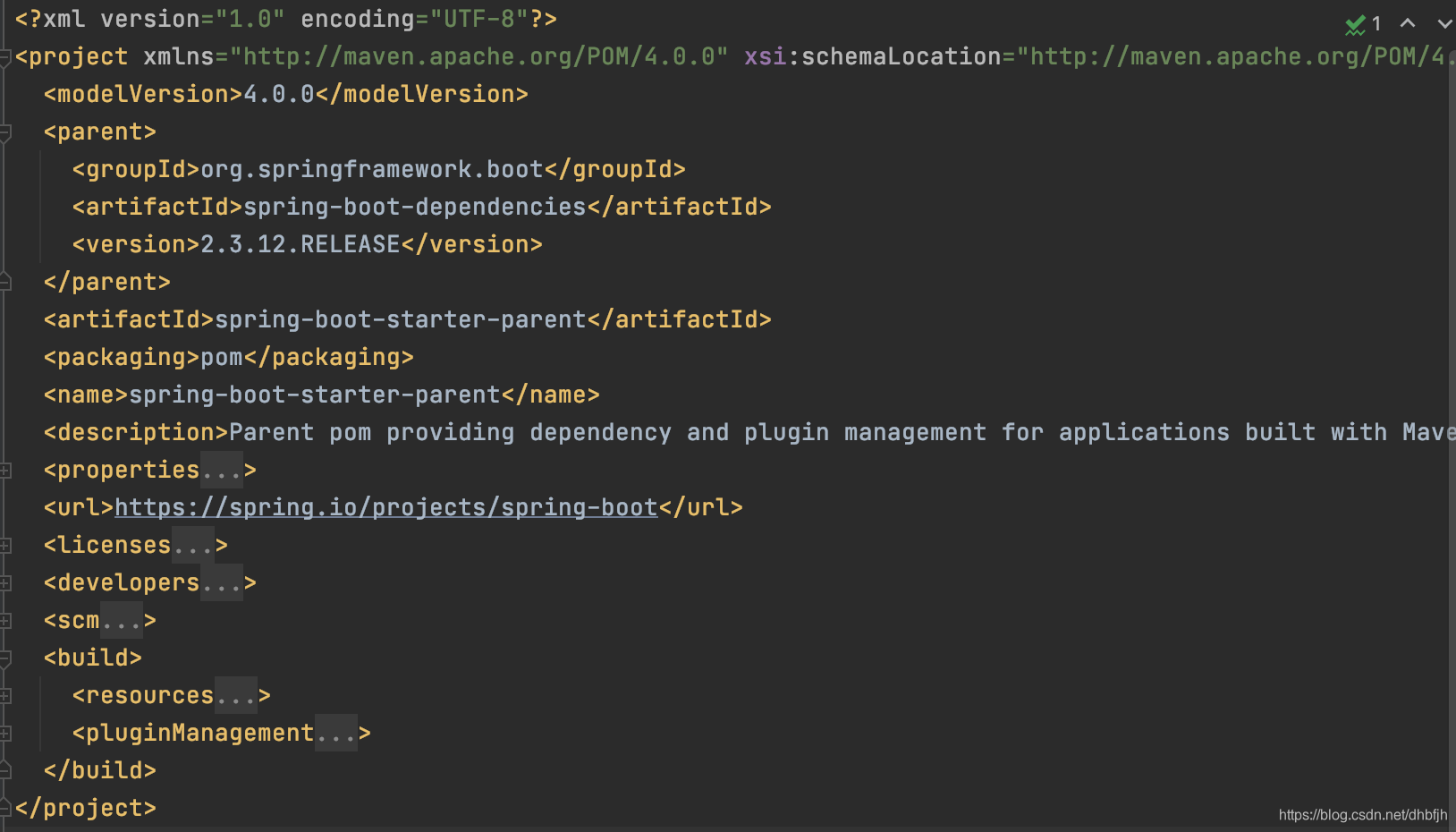
- spring-boot-starter-parent:配置了加载的资源文件和插件信息;还配置自己的了parent:spring-boot-dependencies
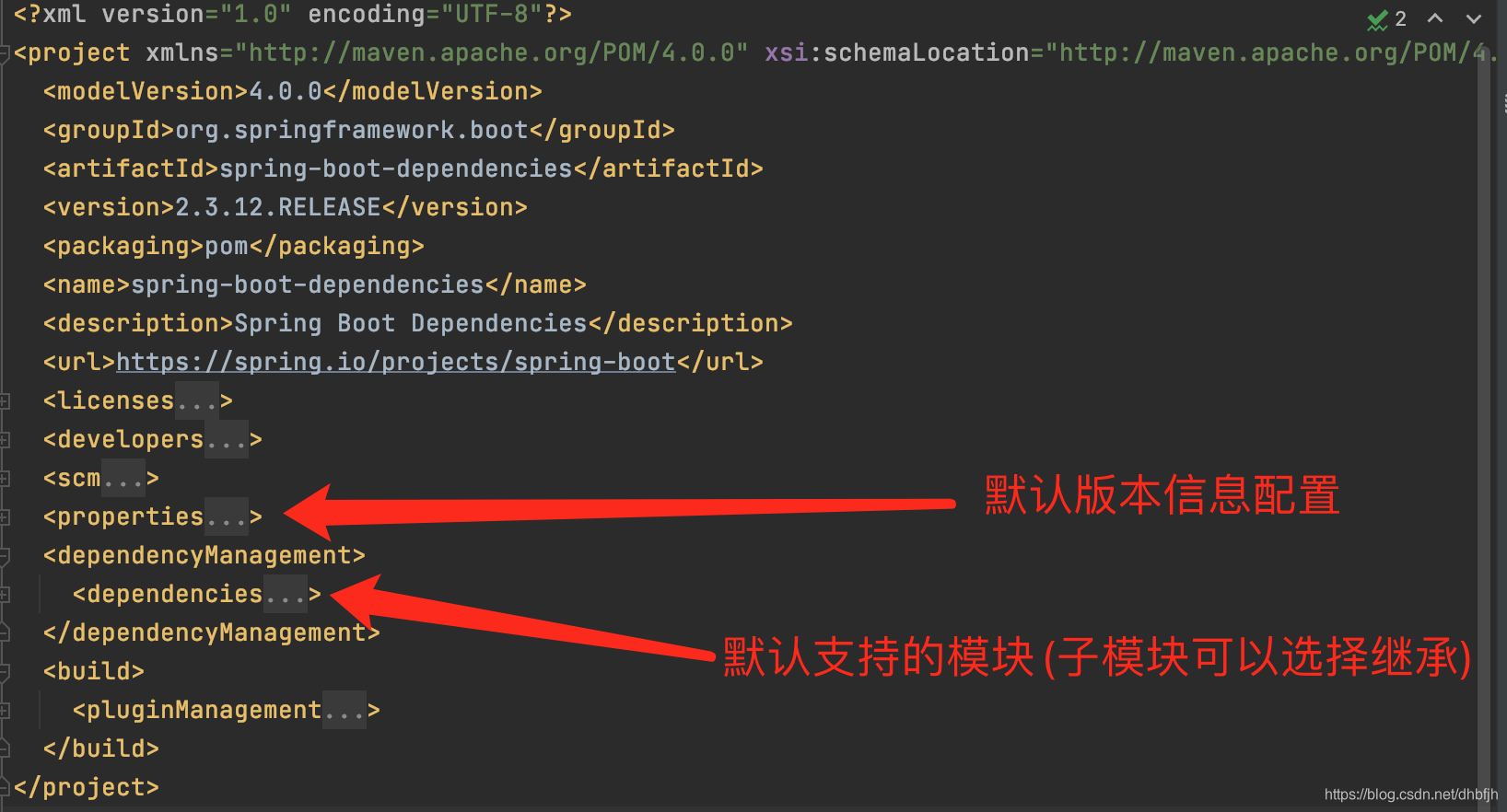
- spring-boot-dependencies:配置了默认支持的模块(子模块选择继承)和默认模块版本;依赖管理的关键所在
修改默认版本号
-
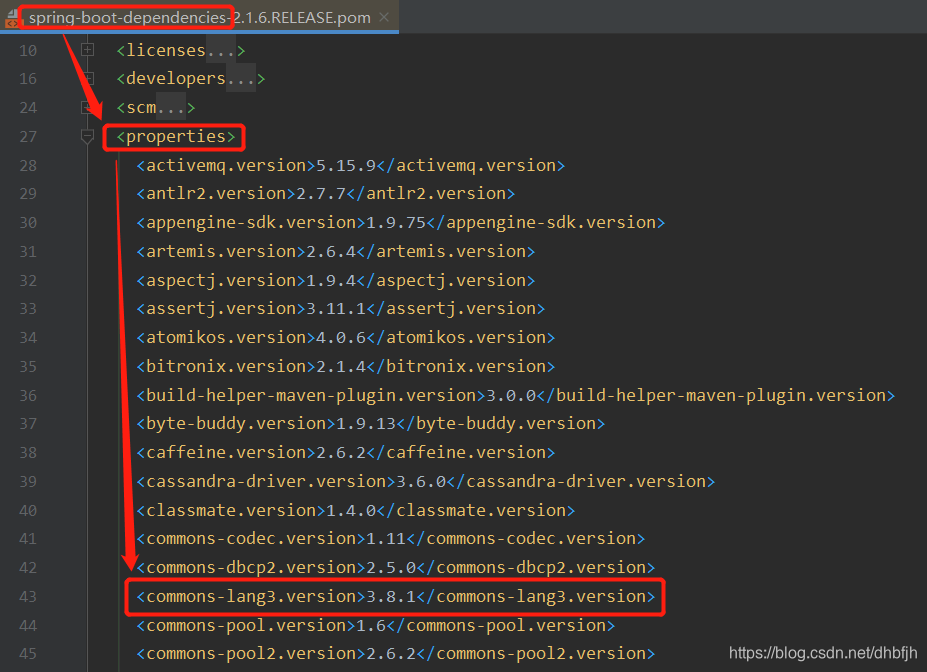
在spring-boot-dependencies的pom文件properties标签内找到想要修改版本的标签
-
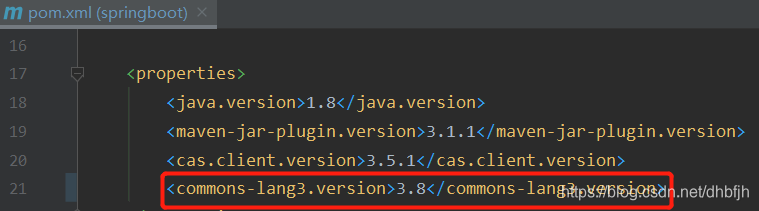
在自己项目的pom.xml文件properties标签内添加上面的标签并修改需要的版本号,并引入该模块
    <!-- 子模块无条件继承 -->
    <dependencies>
        <dependency>
            <groupId>org.apache.commons</groupId>
            <artifactId>commons-lang3</artifactId>
        </dependency>
        <dependency>
    </dependencies>
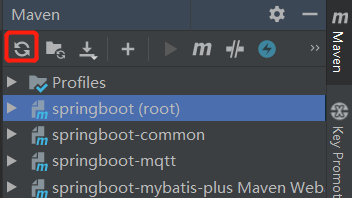
- 重新导入maven依赖





 扫一扫
扫一扫


 5987
5987

 被折叠的 条评论
为什么被折叠?
被折叠的 条评论
为什么被折叠?
 到【灌水乐园】发言





