1、安装组件
npm install --save docx-preview vue-pdf
2、html部分
<div class="police-records">
   <template v-for="(item, idx) in docUrl">
        <div :key="idx" style="padding: 24px; border: 1px solid #ccc">
            <div>
                <el-button>下载</el-button>
                <el-button>重命名</el-button>
                <el-button>删除</el-button>
            </div>
            <!-- Start word文件预览 -->
            <div
                v-if="item.indexOf('.docx') > -1"
                :id="'docPreview' + idx"
                style="width: 100%; height: 600px; overflow-y: auto"
            ></div>
            <!-- End word文件预览 -->

            <!-- Start pdf文件预览 -->
            <div
                v-if="item.indexOf('.pdf') > -1"
                style="width: 100%; height: 600px; overflow-y: auto"
            >
                <pdf
                    ref="pdf"
                    v-for="items in pdfList[idx]"
                    :key="items"
                    :src="item"
                    :page="items"
                ></pdf>
            </div>
            <!-- End pdf文件预览 -->

            <!-- Start 图片预览 -->
            <div
                v-if="
                    item.indexOf('.png') > -1 || item.indexOf('.jpg') > -1
                "
                style="
                    width: 100%;
                    height: 400px;
                    text-align: center;
                    overflow-y: auto;
                "
            >
                <el-image :src="item" fit="contain"></el-image>
            </div>
            <!-- End 图片预览 -->
        </div>
    </template>
</div>
3、ts部分
<script lang="ts">
import { Component, Vue } from 'vue-property-decorator';
import { renderAsync } from 'docx-preview';
import pdf from 'vue-pdf';
@Component({
    name: 'records',
    components: {
        pdf
    }
})
export default class extends Vue {
    private docUrl = [
        '/img/favicon.png',
        '/files/1.docx',
        '/files/2.pdf',
        '/files/3.docx',
        '/files/4.pdf'
    ]; // 附件地址集合
    private pdfList: any = []; // pdf文件数据

    /**
     * @description: 初始化
     */
    private beforeMount() {
        this.previewFiles();
    }

    /**
     * @description: 循环设置文件预览
     */
    private previewFiles() {
        for (let i = 0; i < this.docUrl.length; i++) {
            if (this.docUrl[i].indexOf('.docx') > -1) {
                this.docPreview(this.docUrl[i], 'docPreview' + i);
            }
            if (this.docUrl[i].indexOf('.pdf') > -1) {
                this.pdfPreview(this.docUrl[i], i);
            }
        }
    }

    /**
     * @description: word文件渲染
     * @param {string} url word文件url
     * @param {string} name dom的id
     */
    private docPreview(url: string, name: string) {
        let xhr = new XMLHttpRequest();
        xhr.open('GET', url, true);
        xhr.responseType = 'blob';
        xhr.onload = function () {
            if (xhr.status == 200) {
                const arrayBuffer = xhr.response;
                renderAsync(
                    arrayBuffer,
                    (document as any).getElementById(name),
                    undefined,
                    {
                        className: 'docx', // 默认和文档样式类的类名/前缀
                        inWrapper: true, // 启用围绕文档内容渲染包装器
                        ignoreWidth: false, // 禁止页面渲染宽度
                        ignoreHeight: false, // 禁止页面渲染高度
                        ignoreFonts: false, // 禁止字体渲染
                        breakPages: true, // 在分页符上启用分页
                        ignoreLastRenderedPageBreak: true, // 禁用lastRenderedPageBreak元素的分页
                        experimental: false, // 启用实验性功能(制表符停止计算)
                        trimXmlDeclaration: true, // 如果为真,xml声明将在解析之前从xml文档中删除
                        debug: false // 启用额外的日志记录
                    }
                );
            }
        };
        xhr.send();
    }

    /**
     * @description: pdf文件渲染
     * @param {string} url pdf文件url
     * @param {number} idx pdf文件索引
     */
    private pdfPreview(url: string, idx: number) {
        const pdfUrl = pdf.createLoadingTask(url);
        // 获取页码
        pdfUrl.promise.then((res: any) => {
            this.$set(this.pdfList, idx, res.numPages);
        });
    }
}
</script>
4、最终效果
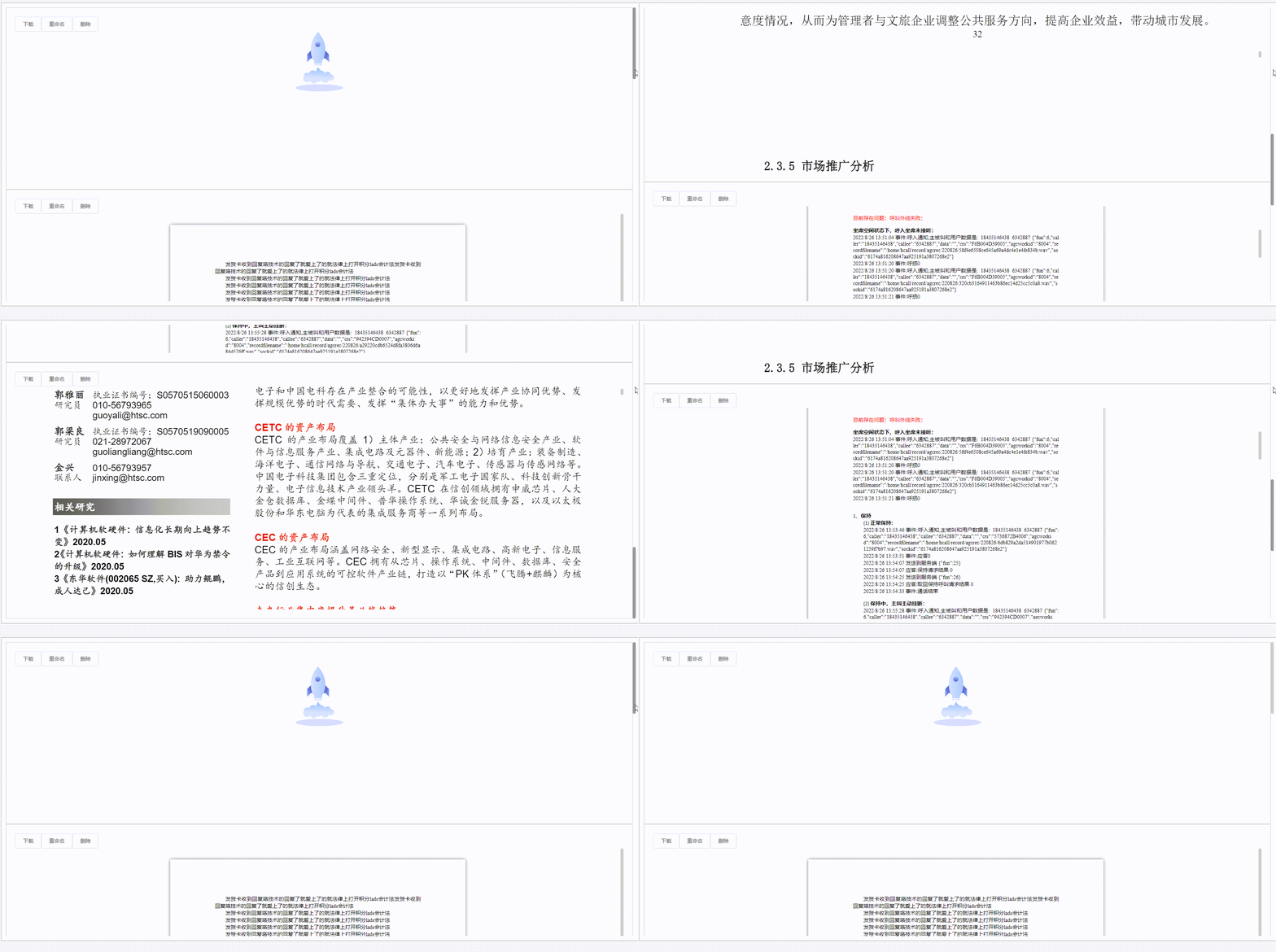


 本文介绍如何在Vue.js项目中实现Word和PDF文件的预览功能,包括安装必要的组件,设置HTML和TypeScript代码,以及展示最终的预览效果。





 扫一扫
扫一扫


 1万+
1万+

 被折叠的 条评论
为什么被折叠?
被折叠的 条评论
为什么被折叠?
 到【灌水乐园】发言





