


 Haroopad是一款专注于提供一致用户体验的跨平台Markdown编辑器,支持Windows、Mac及Linux系统。它具备丰富的特性,如分屏显示、多种语言支持、Vim快捷键绑定等,并提供了独特的Haroopad风味Markdown语法来增强文档创作体验。用户可以在编辑与预览模式间自由切换,同时还能定制界面风格。
Haroopad
Haroopad is cross-platform running on Windows, Mac, and Linux with a focus on an identical experience across them all. It is fully-featured, uses split-screens, supports many languages and color highlighting, Vim key-binding, fenced code blocks (with highlighting), GitHub style syntax, tables, multi-markdown (underline, superscript, subscript), audio/video embed, math, and more.
You can switch viewing modes between viewer, editor, or both in split-screen. The styles of both viewer and editor panes can be changed independently.
Haroopad starts with vanilla Markdown, but adds its own “Haroopad Flavored Markdown” to support special features such as text highlighting and writing a table of contents. It also supports some GitHub-flavored features and various other tweaks like ignoring HTML (or not), and an occasionally helpful auto-completion option.
This project is still in Beta, with some of the documentation in Korean. There is a small learning curve with some of the extra Markup, but it aims to be fully-featured.
The program is free but does have the occasional nag to donate.
haroopad nag
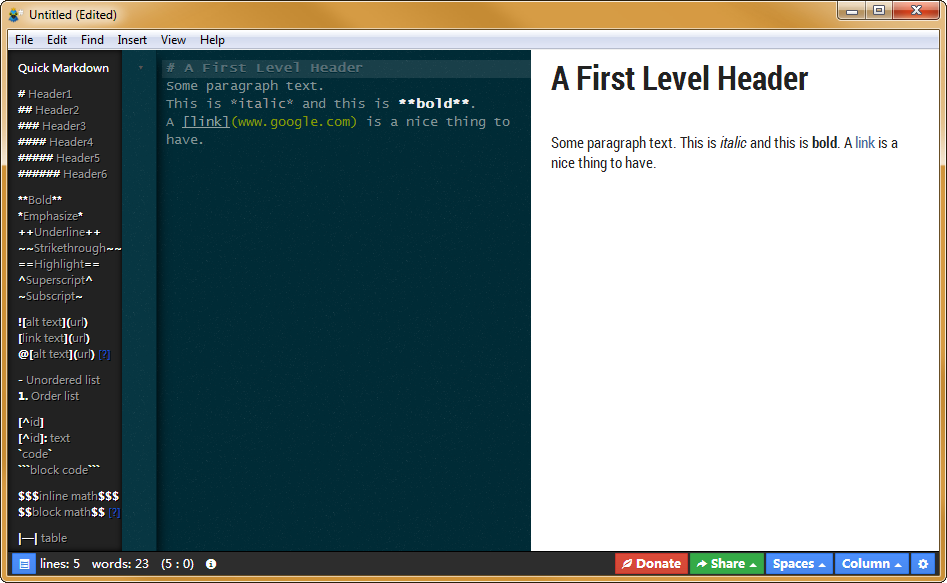
There are many interface styles to choose from, as well as export CSS options. You can enable Markdown folding as well. This interface may be the most editable of them all as far as styling your view and exports.
haroopad
In this screenshot you can see the collapsible syntax help, as well as the text folding gutter.





 扫一扫
扫一扫


 2989
2989

 被折叠的 条评论
为什么被折叠?
被折叠的 条评论
为什么被折叠?
 到【灌水乐园】发言





