



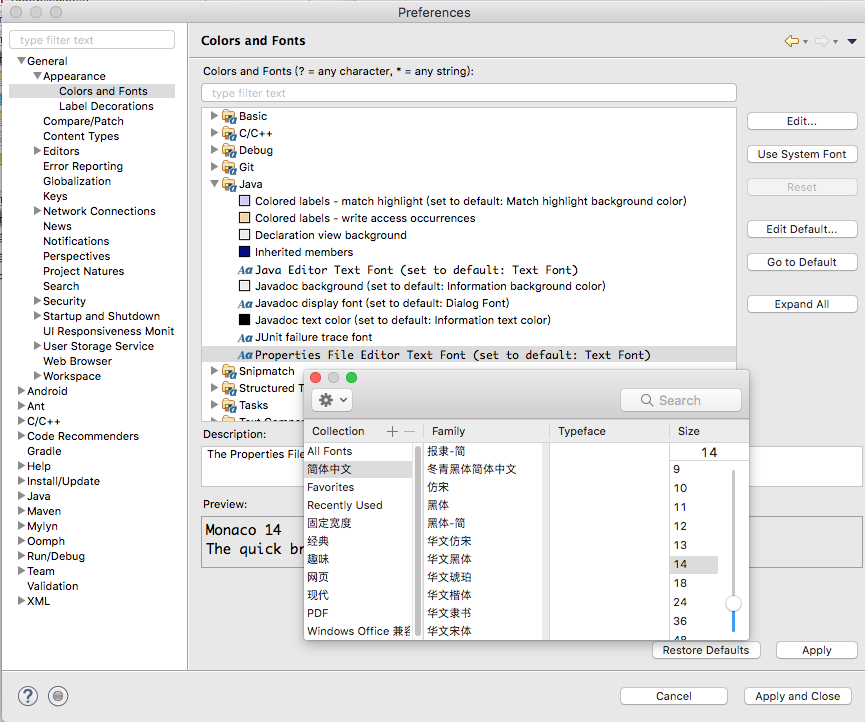
java字体大小:Preferences->General->Colors and Fonts->Java->Properties File Editor Text Font
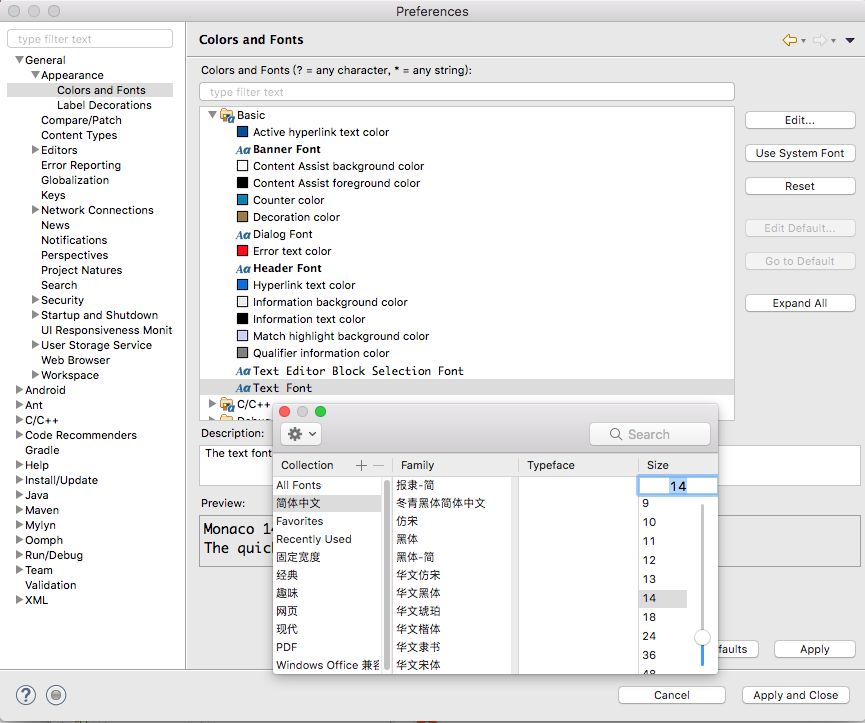
控制台字体大小:Preferences->General->Colors and Fonts->Basic->Text Font
最后记得Apply
 本文介绍如何在Eclipse中调整Java属性文件编辑器和控制台的字体大小,通过Preferences菜单进行设置。
java字体大小:Preferences->General->Colors and Fonts->Java->Properties File Editor Text Font
控制台字体大小:Preferences->General->Colors and Fonts->Basic->Text Font
最后记得Apply
 995
995

 被折叠的 条评论
为什么被折叠?
被折叠的 条评论
为什么被折叠?
 到【灌水乐园】发言








 扫一扫
扫一扫


