


Env:centos7.6
软件包:https://pan.baidu.com/s/1qqwbfg3EuCUGKJ7nkLeb7Q
提取码:6lhi
准备工作:
/etc/hosts
节点设置无密钥访问
查看kernel版本
[root@io01 ~]# rpm -aq | grep kernel
kernel-tools-3.10.0-957.el7.x86_64
kernel-headers-3.10.0-957.el7.x86_64
kernel-tools-libs-3.10.0-957.el7.x86_64
kernel-3.10.0-957.el7.x86_64
在 Linux 节点上准备环境:
[root@io01 ~]# uname -opr
3.10.0-957.el7.x86_64 x86_64 GNU/Linux
创建一个GPFS目录:
[root@io01 ~]# mkdir GPFS.conf
将GPSF安装包放到对应目录下:
Spectrum_Scale_Advanced-5.1.1.1-x86_64-Linux-install
[root@io01 GPFS.conf]# ls
Spectrum_Scale_Advanced-5.1.1.1-x86_64-Linux-install
[root@io01 GPFS.conf]# ll Spectrum_Scale_Advanced-5.1.1.1-x86_64-Linux-install
-rwxr-xr-x. 1 root root 1411264833 Dec 29 11:04 Spectrum_Scale_Advanced-5.1.1.1-x86_64-Linux-install
如果它不可执行,您可以通过发出chmod +x 命令使其可执行
要获取自解压安装映像中所有包的列表,您可以发出以下命令(指定--manifest选项):
[root@io01 GPFS.conf]# ./Spectrum_Scale_Advanced-5.1.1.1-x86_64-Linux-install --manifest
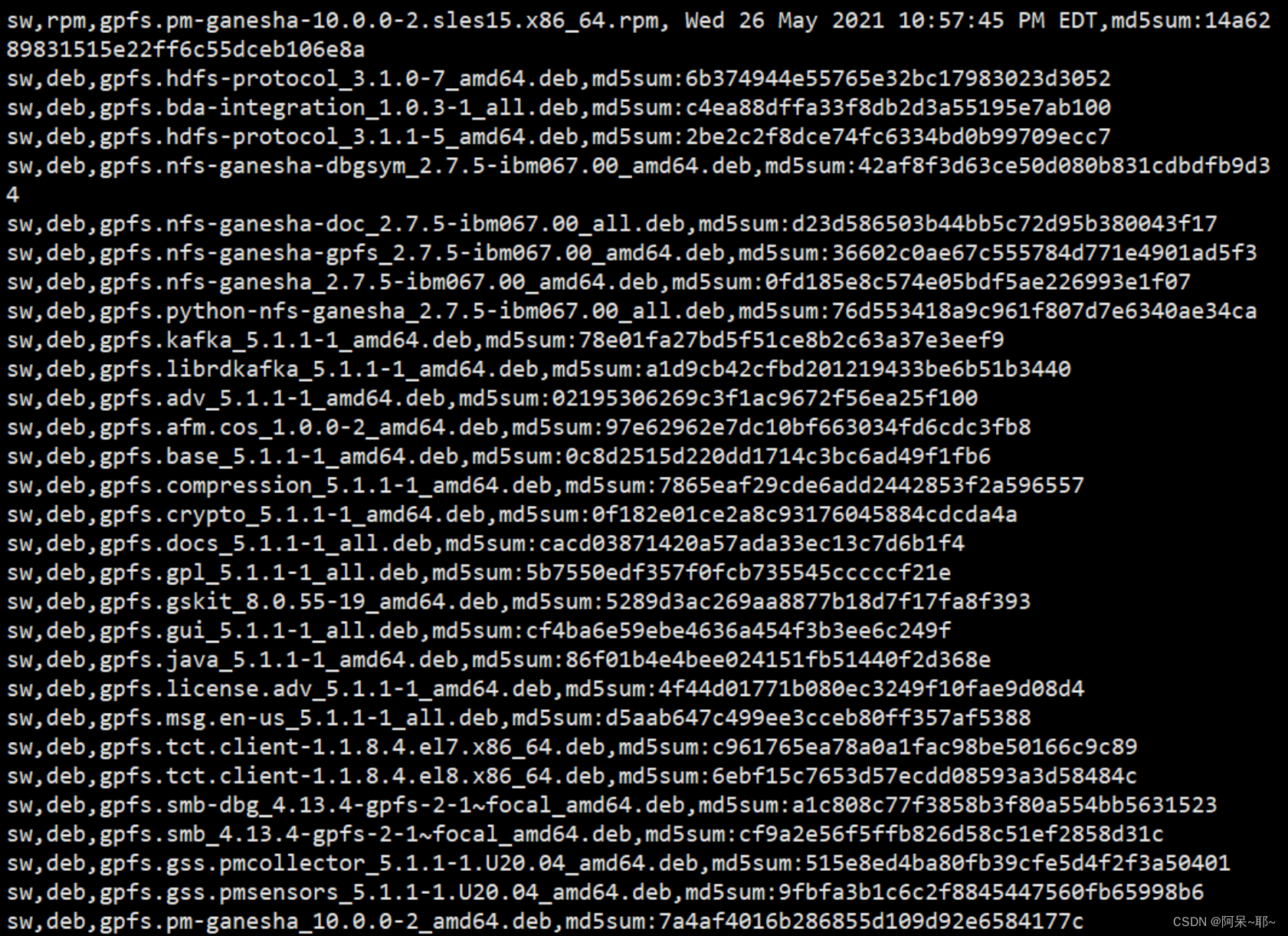
运行时,输出解释了如何接受协议:
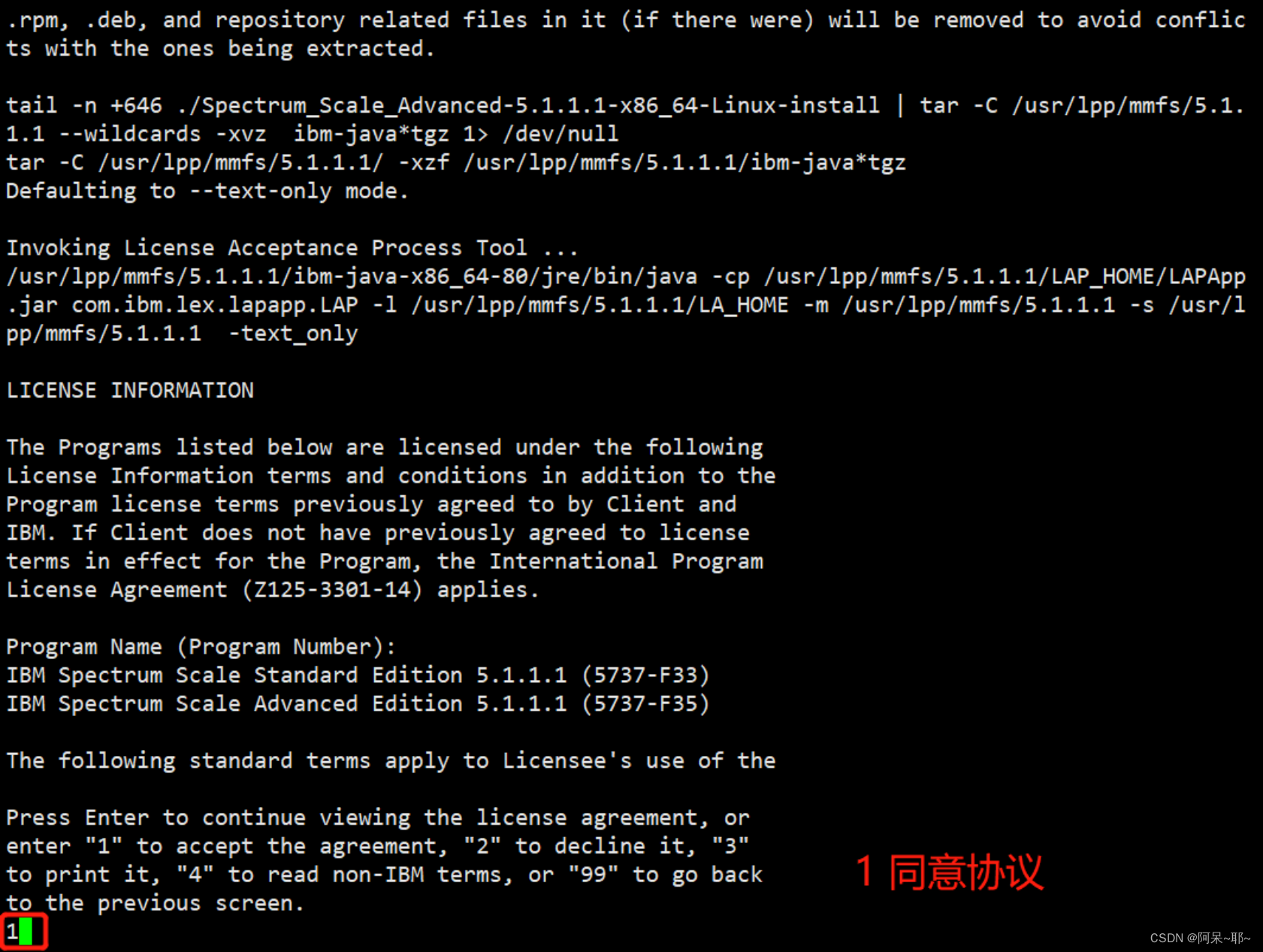
[root@io01 GPFS.conf]# ./Spectrum_Scale_Advanced-5.1.1.1-x86_64-Linux-install
<...Last few lines of output...>
Press Enter to continue viewing the license agreement, or
enter "1" to accept the agreement, "2" to decline it, "3"
to print it, "4" to read non-IBM terms, or "99" to go back
to the previous screen.
1

[root@io01 GPFS.conf]# ls /usr/lpp/mmfs/5.1.1.1/license/
Chinese_TW.txt Indonesian.txt Polish.txt
Chinese.txt Italian.txt Portuguese.txt
Czech.txt Japanese.txt Russian.txt
English.txt Korean.txt Slovenian.txt
French.txt Lithuanian.txt Spanish.txt
German.txt non_ibm_license.txt Turkish.txt
Greek.txt notices.txt
[root@io01 ~]# cd /usr/lpp/mmfs/5.1.1.1/gpfs_rpms/
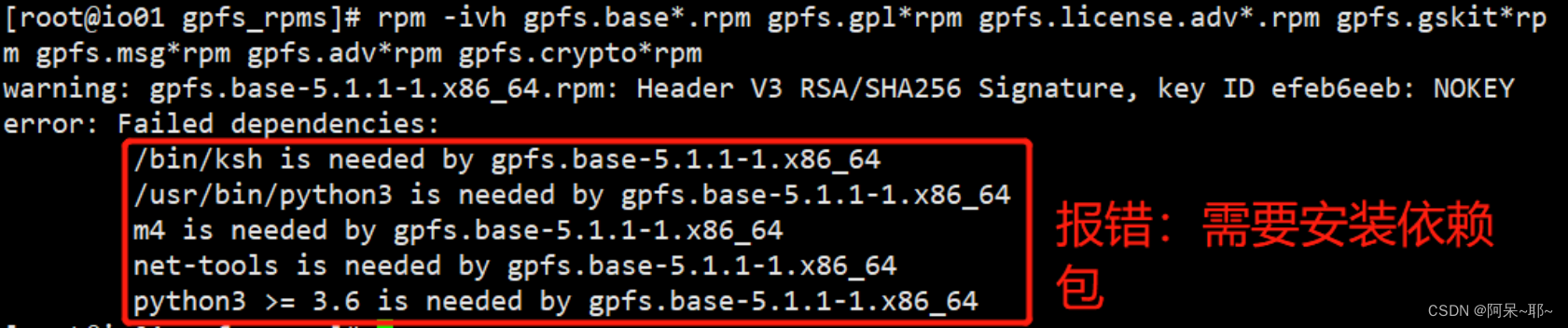
[root@io01 gpfs_rpms]# rpm -ivh gpfs.base*.rpm gpfs.gpl*rpm gpfs.license.adv*.rpm gpfs.gskit*rpm gpfs.msg*rpm gpfs.adv*rpm gpfs.crypto*rpm
 最低0.47元/天 解锁文章






 扫一扫
扫一扫


 545
545

 被折叠的 条评论
为什么被折叠?
被折叠的 条评论
为什么被折叠?
 到【灌水乐园】发言





