


 了解如何在PlayStation4上更快地捕获屏幕截图。通过更改设置,使快速点按共享按钮即可截图,而长按则打开共享菜单,提高游戏内精彩瞬间的捕捉效率。

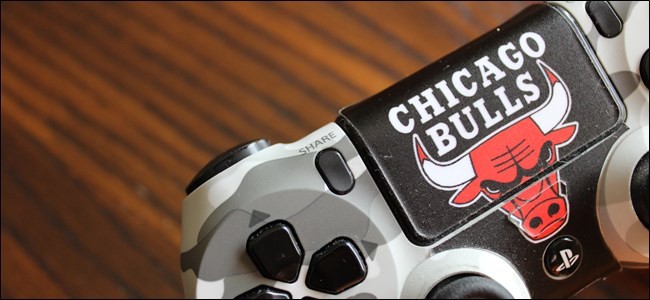
When you’re caught up in your favorite game—you know, the one that you can play over and over again, and still love every second of it—and something amazing happens, you want to capture it as quickly as possible. Unfortunately, the PlayStation 4’s default screenshot setting is slow. Here’s how to fix it.
当您陷入自己最喜欢的游戏中时(可以反复玩,仍然爱着它的每一秒),并且发生了一些惊人的事情,您希望尽快捕获它。 不幸的是,PlayStation 4的默认屏幕截图设置很慢 。 解决方法如下。
The default action for taking a screenshot on the PS4 (or PS4 Pro) is to long-press the Share button on the controller—since a regular tap will just open the share menu. There’s a setting called “Easy Screenshots” that flips these roles, making a quick tap grab a screenshot and reserving the share menu for a long-press action. It really just makes more sense this way.
在PS4(或PS4 Pro)上拍摄屏幕截图的默认操作是长按控制器上的“共享”按钮-因为常规点击只会打开共享菜单。 有一个名为“轻松截图”的设置可以翻转这些角色,快速点按即可抓取截图,并保留共享菜单以进行长按操作。 这样真的更有意义。
To enable Easy Screenshots, head into your PS4’s Settings menu. Scroll over to the luggage-looking icon, then click on it.
要启用Easy Screenshots,请进入PS4的“设置”菜单。 滚动到看起来像行李的图标,然后单击它。
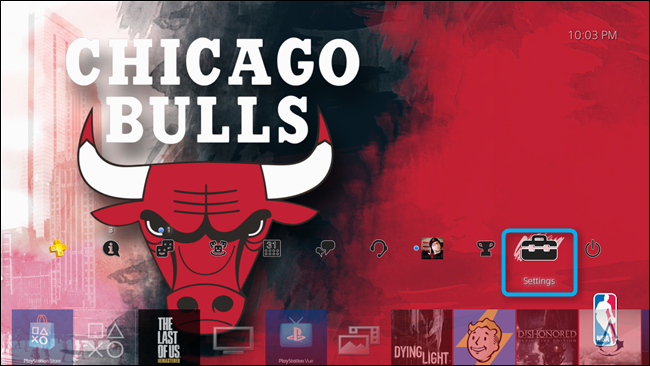
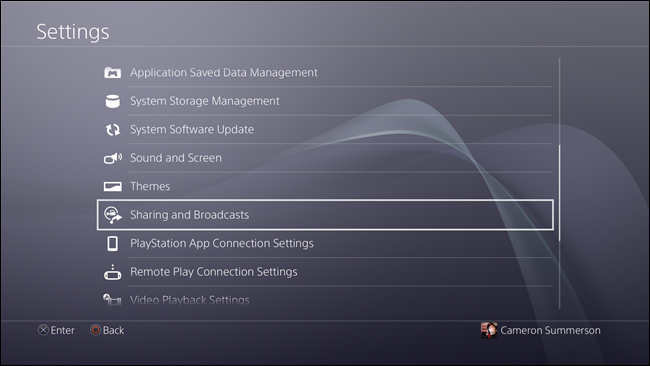
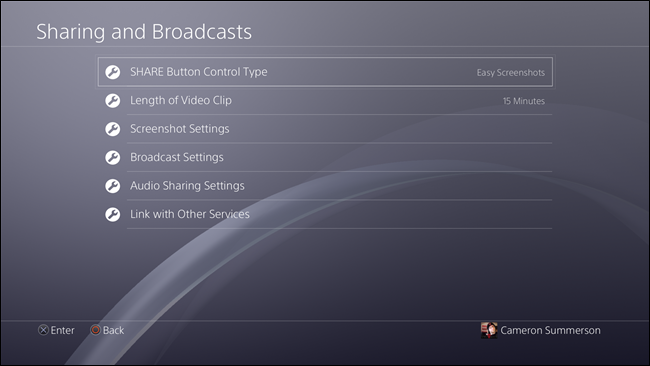
From here, scroll down to “Sharing and Broadcasts,” and enter this menu.
从此处向下滚动到“共享和广播”,然后进入此菜单。
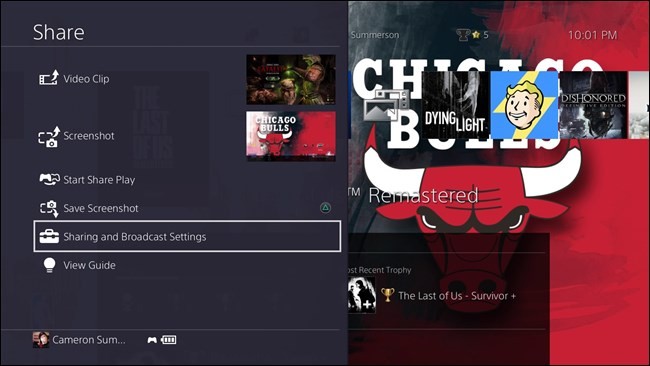
Alternatively, you can also press the Share button to open the Share dialog, then scroll down to “Sharing and Broadcast Settings.” Either way you’ll end up in the same place.
或者,您也可以按“共享”按钮打开“共享”对话框,然后向下滚动到“共享和广播设置”。 无论哪种方式,您最终都会在同一个地方。
The top option in this menu, “Share Button Control Type,” houses the screenshot settings we’re looking for. Click to jump in.
此菜单中的顶部选项“共享按钮控件类型”包含我们正在寻找的屏幕快照设置。 单击以跳入。
Highlight “Easy Screenshots” and tap X.
高亮显示“轻松截图”,然后点按X。
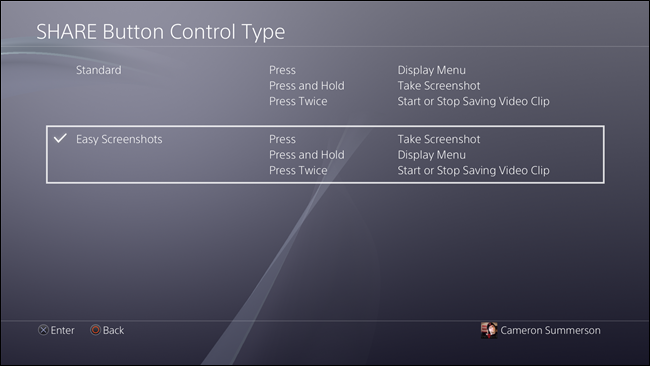
That’s pretty much it! From this point froward, you’ll be able to instantly grab a screenshot by tapping the Share button, which is actually a much bigger deal than it sounds like for anyone who takes a lot of screenshots.
差不多了! 从这一点出发,您将可以通过点击“共享”按钮立即获取屏幕截图,这实际上要比那些需要大量屏幕截图的人大得多。
翻译自: https://www.howtogeek.com/291871/how-to-take-faster-screenshots-on-the-playstation-4/





 扫一扫
扫一扫


 3125
3125

 被折叠的 条评论
为什么被折叠?
被折叠的 条评论
为什么被折叠?
 到【灌水乐园】发言





