



 本文详细介绍使用MyBatis进行用户管理的全过程,包括Maven项目搭建、POJO定义、DAO层接口及映射文件编写、Service接口及实现类、Controller层处理等。通过具体示例,展示了如何实现用户注册和条件查询功能。
步骤:
1.新建maven项目
添加pom依赖
2.创建pojo
3.编写dao 基于接口及mapper文件方式
UserMapper.java接口
public interface UserMapper {
	//用户注册
	public int addUser(User user);
	//根据条件查询获取用户信息
	public List<User> getAllUserBy(User user);
}
UserMapper.xml 映射文件(注意文件名和接口的名字一样)
<?xml version="1.0" encoding="utf-8"?>
<!DOCTYPE mapper
PUBLIC "-//mybatis.org//DTD Mapper 3.0//EN"
"http://mybatis.org/dtd/mybatis-3-mapper.dtd">
<mapper namespace="cn.qf.ssm.dao.UserMapper">
	<!-- 添加方法 -->
	<insert id="addUser" parameterType="User">
		insert into smbms_user(userCode,userName,userRole)
		values
		(#{userCode},#{userName},#{userRole.id})
	</insert>

	<!-- 按条件查询方法,一对一 -->
	<resultMap type="User" id="userMap">
		<!-- 注意resultMap中标签的顺序:id result  association collection -->
		<id property="id" column="uid"></id>
		<result property="userCode" column="userCode"/>
		<result property="userName" column="userName"/>
		<result property="userPassword" column="userPassword"/>
		<association property="userRole" javaType="UserRole"
		resultMap="userRoleMap"></association>
	</resultMap>
	<resultMap type="UserRole" id="userRoleMap">
		<id property="id" column="rid"/>
		<result property="roleCode" column="roleCode"/>
		<result property="roleName" column="roleName"/>
	</resultMap>
	<select id="getAllUserBy" parameterType="User" resultMap="userMap">
		select u.id as uid,userCode,userName,userPassword,userRole,
		       roleName
		from smbms_user u
		inner join smbms_role r on u.userRole=r.id
		where u.userName like CONCAT('%',#{userName},'%')
		and
		userRole=#{userRole.id}
	</select>
</mapper>
4.1 service 接口
UserService.java接口
public interface UserService {
	public boolean addUser(User user);
	public List<User> getAllUsersBy(User user);
}
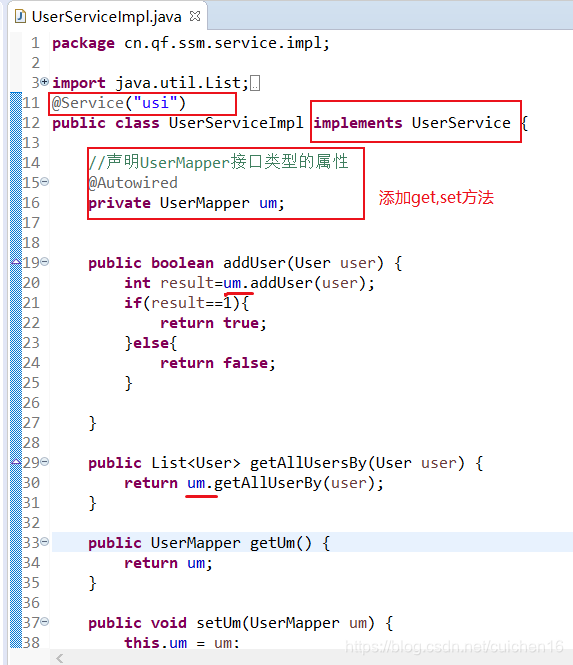
4.2 service impl 实现类
UserServiceImpl.java 实现类
5. controller
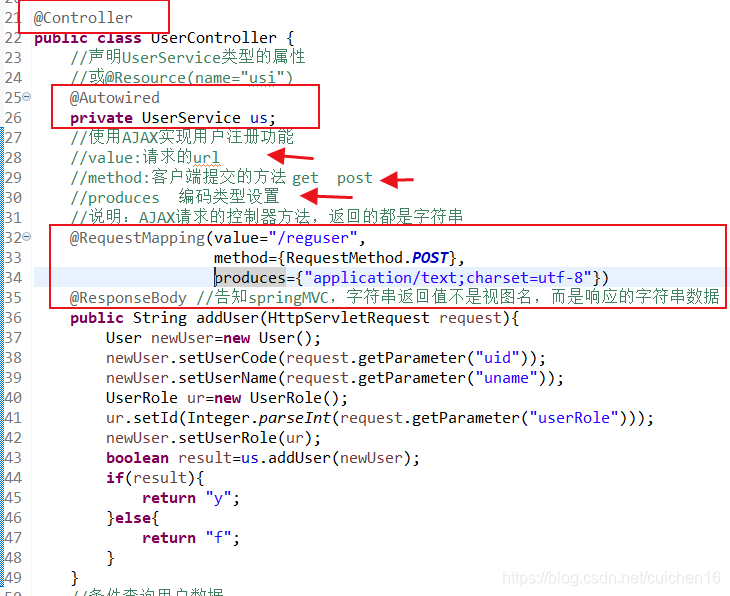
UserController.java
5.1 注册用户的方法:
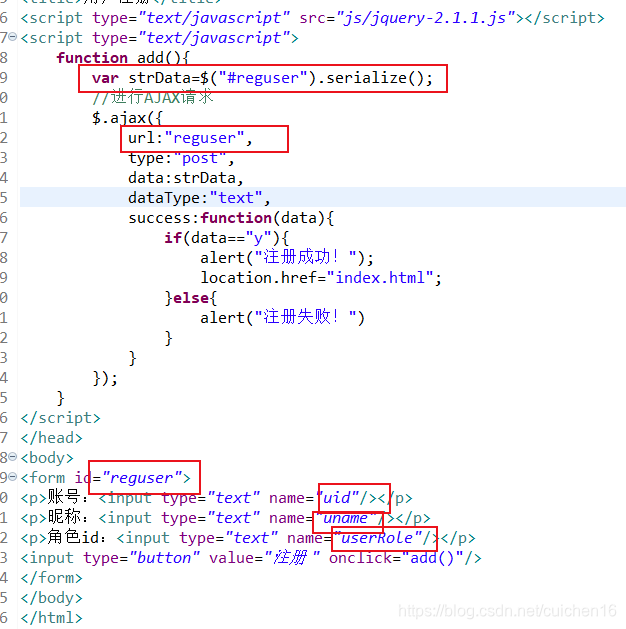
前台:
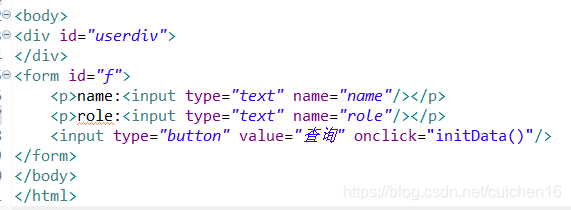
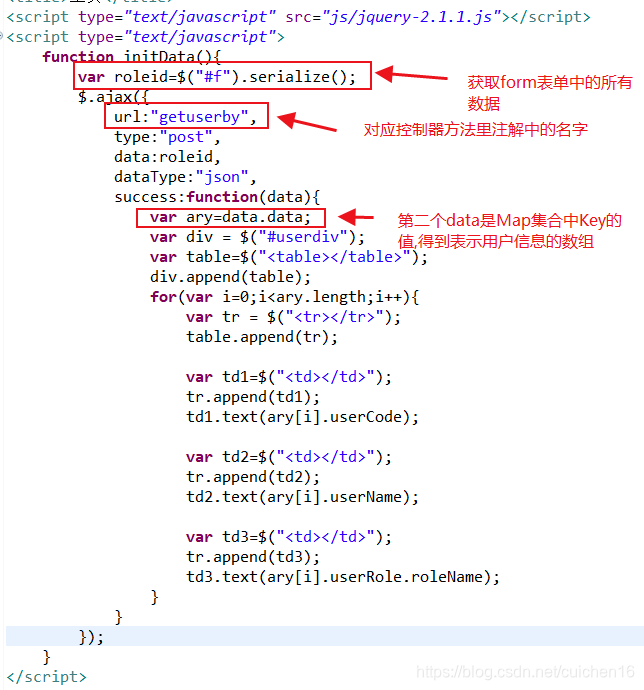
5.2 条件查询用户数据
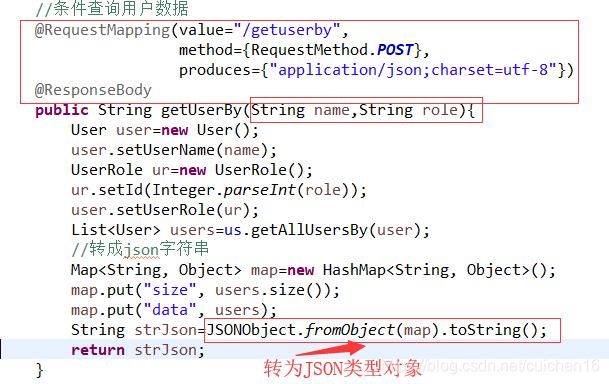
控制器中转换的JSON格式的字符串,响应到前端后,会被浏览器自动解析成JSON对象
前台:





 扫一扫
扫一扫


 1199
1199

 被折叠的 条评论
为什么被折叠?
被折叠的 条评论
为什么被折叠?
 到【灌水乐园】发言





