 使用ElasticSearch提升OA系统查询性能


 本文讲述了在公司OA系统查询功能响应速度下降的问题下,如何通过引入ElasticSearch实现全文搜索并重构查询接口,以提高系统性能。作者分享了使用HTTP API操作ElasticSearch的实现方式,包括数据插入、查询和更新等操作,并提供了代码示例。通过这种方式,即使数据量增大,也能保证接口的快速响应。
公司的OA系统在查询我发起的流程的功能的时候需要从Activiti的表中去查询数据的
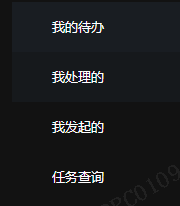
这就会导致一个问题,当数据量越来越大的时候,我们的接口的响应速度就会越来越慢

所以我打算重写一下公司的查询流程功能,并且给它来一次系统大升级:可以全文搜索关键字。所以我选择使用了ElasticSearch这个搜索引擎,之前也写过几篇相关于ES的文章,大家可以去看一下:
新年第一天,老板让升级ElasticSearch版本,我说得加钱
其实调用es的方法有很多,其中es就提供了java相关的api去使用,但是我这里选择的是使用http的原始方式去操作es。
这里又可以分为几种方式,自己使用原生的http去封装成一个工具类去使用,还有一种如果你们公司用的是SpringCloud的话,就可以使用他的组件Feign去调用es,这样也会更优雅,更高级一点(其实也没有)
@FeignClient(name = "EIP-MAPP-SEARCH-SERVER", url = "${elsearch.url}", fallbackFactory = ElasticHystrix.class)
public interface ElasticSearchApi {

    @PostMapping("/{index}/_doc/{id}")
    Object insertData(@PathVariable(name = "index") String index, @PathVariable(name = "id") String id, @RequestBody JSONObject jsonObject);

    @GetMapping("/{index}/_search")
    Object indexSearch(@PathVariable(name = "index") String index, @RequestBody JSONObject jsonObject);

    @GetMapping("/{aliases}/_search")
    Object aliasesSearch(@PathVariable(name = "aliases") String aliases, @RequestBody JSONObject jsonObject);

    @PutMapping("/{index}")
    Object insertAliases(@PathVariable(name = "index") String index, @RequestBody JSONObject jsonObject);

    @RequestMapping(value = "/{index}",method = RequestMethod.HEAD)
    Object checkIndex(@PathVariable(name = "index") String index);

    @PostMapping("/{index}/_doc/{id}/_update")
    Object updateData(@PathVariable(name = "index") String index, @PathVariable(name = "id") String id, @RequestBody JSONObject jsonObject);


}
然后在yml的配置文件里面配置好es服务器的地址(这个是可以自定义的)
elsearch:
  process:
    enable: true
  url:
    http://10.123.236.106:9200
如果你不知道安装es,请参考我的安装教程:(保姆式教学)
Linux安装ElasticSearch以及Ik分词器(图文解说详细版)
这里好了之后我们就可以在业务中进行数据的插入了,有了数据之后我们自然可以进行查询,但是由于我这里使用的是JsonObject的方式去作为传参,所以我们在查询的时候就需要把他封装成最原始的参数去传参,就像我下面的两个例子一样
封装方法
 private ResultUtils getResultUtils(PageRequestDTO<OAElasticSearchParamDto> pageRequestDTO, String type, String queryParam) {
        JSONObject jsonObject = getPage(pageRequestDTO);
        //查询参数
        OAElasticSearchParamDto params = pageRequestDTO.getParams();
        String keyWord = params.getKeyWord();
        //提交审批、完成审批时间
        List<ColumnOption> optionList = pageRequestDTO.getOptionList();
        JSONArray timeList = new JSONArray();
        if (!optionList.isEmpty()) {
            timeList = getTimeList(optionList);
        }
        //根据关键字查询
        JSONObject elasticMatch = null;
        if (!StringUtils.isEmpty(keyWord)) {
            elasticMatch = getJsonObject(keyWord, "elasticData", "match");
        }
        //查询我发起的
        UserInfoDTO user = UserUtils.getActiveUser().getUser();
        String userId = user.getPsnCode();
        if ("handledUser".equals(type)) {
            userId = "*" + userId + "*";
        }
        JSONObject myStartMatch = getJsonObject(userId, type, queryParam);
        //任务状态
        return getResultUtils(pageRequestDTO, jsonObject, params, elasticMatch, myStartMatch, timeList);
    }
封装方法
private ResultUtils getResultUtils(PageRequestDTO<OAElasticSearchParamDto> pageRequestDTO, JSONObject jsonObject,
                                       OAElasticSearchParamDto params, JSONObject elasticMatch, JSONObject myHandleJson, JSONArray timeList) {
        String taskStatus = pageRequestDTO.getParams().getTaskStatus();
        //组合查询
        JSONArray mustJsonArray = new JSONArray();
        mustJsonArray.add(elasticMatch);
        mustJsonArray.add(myHandleJson);
        mustJsonArray.addAll(timeList);
        if (!StringUtils.isEmpty(taskStatus)) {
            JSONObject taskStatusMatch = getJsonObject(taskStatus, "taskStatus", "match");
            mustJsonArray.add(taskStatusMatch);
        }
        JSONObject mustJson = new JSONObject();
        mustJson.put("must", mustJsonArray);
        // "bool"封装
        JSONObject boolJson = new JSONObject();
        boolJson.put("bool", mustJson);

        jsonObject.put("query", boolJson);
        //排除返回字段
        JSONObject excludes = new JSONObject();
        excludes.put("excludes", "elasticData");
        jsonObject.put("_source", excludes);
        //微服务名称
        String serveName = params.getServeName();
        Object search = elasticSearchApi.aliasesSearch(serveName, jsonObject);
        return ResultUtils.success(search);
    }
调用方法
@Override
    public ResultUtils myStart(PageRequestDTO<OAElasticSearchParamDto> pageRequestDTO) {
        return getResultUtils(pageRequestDTO, "taskStartUser", "match");
    }


    /**
     * 我的待办
     *
     * @Param: [pageRequestDTO]
     * @return: com.lydsoft.eip.mapp.common.utils.ResultUtils
     * @Author: MaSiyi
     * @Date: 2022/1/26
     */
    @Override
    public ResultUtils myHandling(PageRequestDTO<OAElasticSearchParamDto> pageRequestDTO) {
        return getResultUtils(pageRequestDTO, "assignee", "match");
    }


    /**
     * 我处理的
     *
     * @Param: [pageRequestDTO]
     * @return: com.lydsoft.eip.mapp.common.utils.ResultUtils
     * @Author: MaSiyi
     * @Date: 2022/1/26
     */
    @Override
    public ResultUtils myHandled(PageRequestDTO<OAElasticSearchParamDto> pageRequestDTO) {
        return getResultUtils(pageRequestDTO, "handledUser", "wildcard");
    }
这里再教大家一个小技巧:idea可以抽取重复的代码片段出来组成一个新的方法,所以我们在写代码的时候可以偷一下懒,把抽取方法交给idea去做。
具体的快捷键是
Ctrl+Atl+M
使用了es之后,这几个接口就会直接从es里面去查询数据,我们只需要在新建流程的时候将数据同时存到es中就行了。这样速度就会快很多!!
今天就是这篇文章的总结了,如果你从中学到了一些皮毛,也希望鼓励一下博主,给博主一个点赞收藏加关注,就是博主继续创作的最大动力!!!





 扫一扫
扫一扫


 265
265

 被折叠的 条评论
为什么被折叠?
被折叠的 条评论
为什么被折叠?
 到【灌水乐园】发言





