



 本文介绍如何使用 Flutter 中的 ListView 控件来创建垂直和水平滚动列表。通过实例展示了基本的 ListView 使用方法,包括如何添加列表项、分割线以及如何设置水平滚动。
视频内容学习笔记:
1.初步使用ListView
import 'package:first_flutter_app/myIcon.dart';
import 'package:flutter/material.dart';
void main() {
//const : 多个相同的实例共享存储空间
runApp(MyApp());
}
class MyApp extends StatelessWidget {
const MyApp({Key? key}) : super(key: key);
Widget build(BuildContext context) {
return MaterialApp(
theme: ThemeData(primarySwatch: Colors.blue),
home: Scaffold(
appBar: AppBar(
title: const Text("Flutter ICON"),
),
body: const MyHomePage(),
),
);
}
}
class MyHomePage extends StatelessWidget {
const MyHomePage({Key? key}) : super(key: key);
Widget build(BuildContext context) {
return ListView(
children: <Widget>[
ListTile(
title: Text("我是一个列表"),
),
Divider(),
ListTile(
title: Text("我是一个列表"),
),
Divider(),
ListTile(
title: Text("我是一个列表"),
),
Divider(),
ListTile(
title: Text("我是一个列表"),
),
Divider(),
ListTile(
title: Text("我是一个列表"),
),
Divider(),
ListTile(
title: Text("我是一个列表"),
),
Divider(),
ListTile(
title: Text("我是一个列表"),
),
Divider(),
ListTile(
title: Text("我是一个列表"),
),
Divider(),
ListTile(
title: Text("我是一个列表"),
),
Divider(),
ListTile(
title: Text("我是一个列表"),
),
Divider(),
ListTile(
title: Text("我是一个列表"),
),
Divider(),
ListTile(
title: Text("我是一个列表"),
),
Divider(),
ListTile(
title: Text("我是一个列表"),
),
Divider(),
ListTile(
title: Text("我是一个列表"),
),
Divider(),
],
);
}
}
这是一个可以上下滑动的列表
效果图如下👇
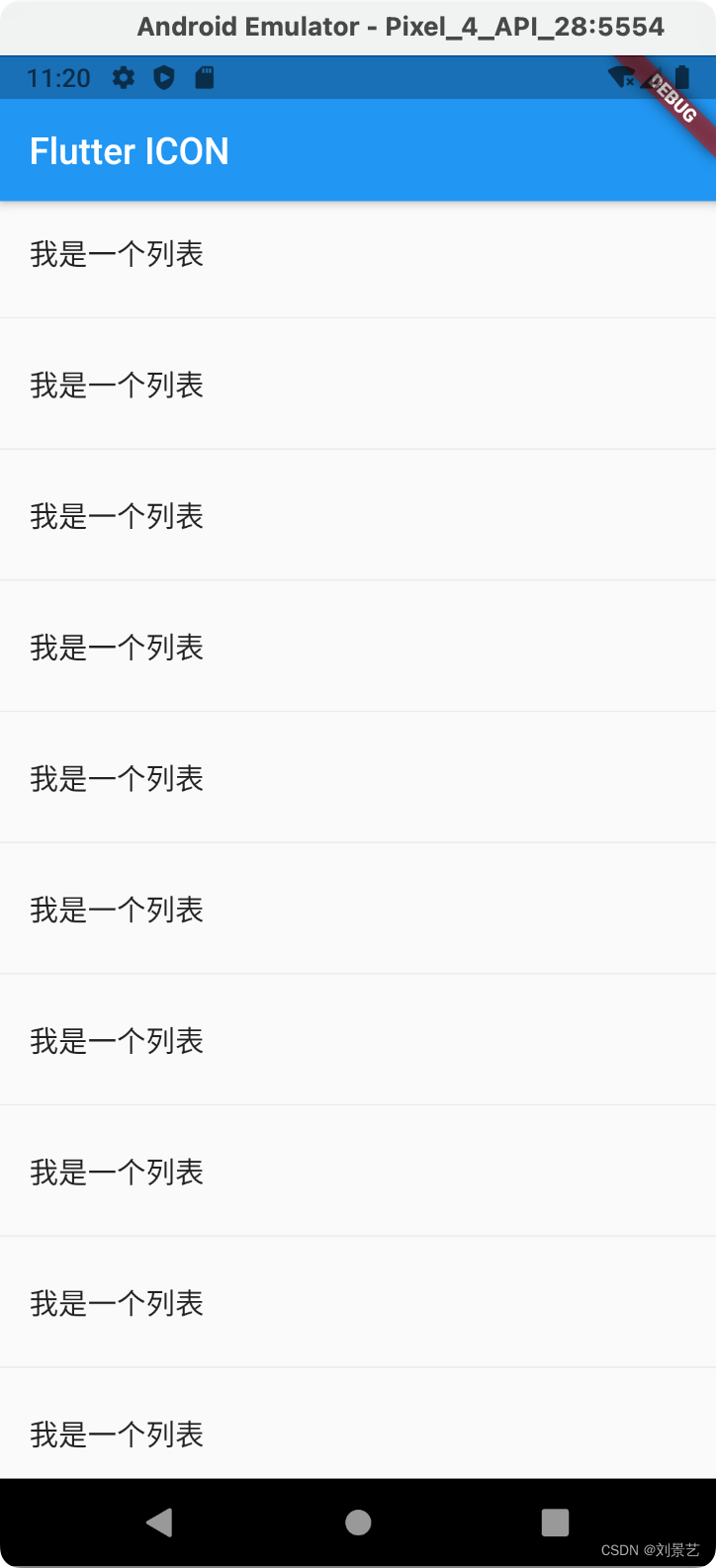
Divider()是分割线
2.使用ListTile,实现一个用户中心的布局
修改MyHomePage
class MyHomePage extends StatelessWidget {
const MyHomePage({Key? key}) : super(key: key);
Widget build(BuildContext context) {
return ListView(
children: <Widget>[
ListTile(
leading: Icon(
Icons.reorder_sharp,
color: Colors.red,
),
title: Text("全部订单"),
),
Divider(),
ListTile(
leading: Icon(
Icons.my_library_books_rounded,
color: Colors.green,
),
title: Text("待付款"),
),
Divider(),
ListTile(
leading: Icon(Icons.supervised_user_circle),
title: Text("在线客服"),
trailing: Icon(Icons.chevron_right),
),
],
);
}
}
显示效果。我的审美还可以吧😄
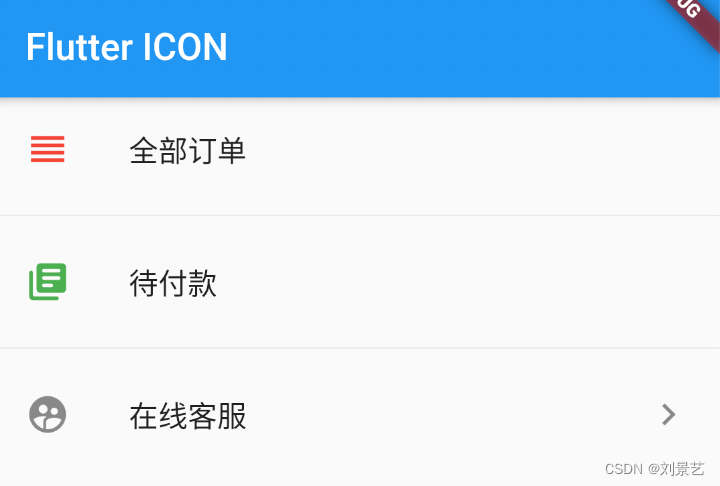
3.上面都是竖直列表,下面写一个水平列表👇
class MyHomePage extends StatelessWidget {
const MyHomePage({Key? key}) : super(key: key);
Widget build(BuildContext context) {
return SizedBox(
height: 200,
child: ListView(
scrollDirection: Axis.horizontal,
children: <Widget>[
Container(
width: 50,
decoration: BoxDecoration(color: Colors.red),
child: Text("1"),
),
Container(
width: 50,
decoration: BoxDecoration(color: Colors.orange),
child: Text("2"),
),
Container(
width: 50,
decoration: BoxDecoration(color: Colors.yellow),
child: Text("3"),
),
Container(
width: 50,
decoration: BoxDecoration(color: Colors.green),
child: Text("4"),
),
Container(
width: 50,
decoration: BoxDecoration(color: Colors.cyan),
child: Text("5"),
),
Container(
width: 50,
decoration: BoxDecoration(color: Colors.blue),
child: Text("6"),
),
Container(
width: 50,
decoration: BoxDecoration(color: Colors.purple),
child: Text("7"),
),
Container(
width: 50,
decoration: BoxDecoration(color: Colors.red),
child: Text("1"),
),
Container(
width: 50,
decoration: BoxDecoration(color: Colors.orange),
child: Text("2"),
),
Container(
width: 50,
decoration: BoxDecoration(color: Colors.yellow),
child: Text("3"),
),
Container(
width: 50,
decoration: BoxDecoration(color: Colors.green),
child: Text("4"),
),
Container(
width: 50,
decoration: BoxDecoration(color: Colors.cyan),
child: Text("5"),
),
Container(
width: 50,
decoration: BoxDecoration(color: Colors.blue),
child: Text("6"),
),
Container(
width: 50,
decoration: BoxDecoration(color: Colors.purple),
child: Text("7"),
),
],
),
);
}
}
显示效果
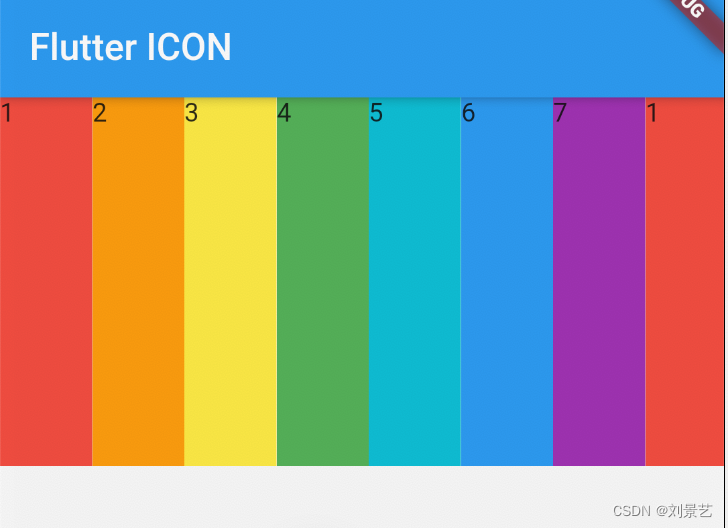
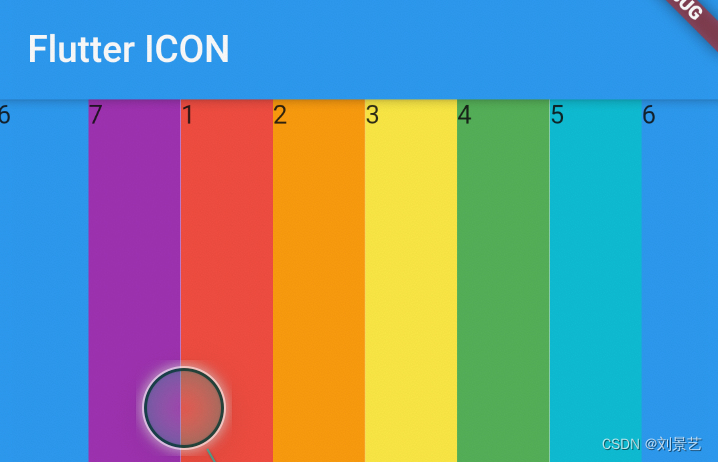
可以横向滑动





 扫一扫
扫一扫


 506
506

 被折叠的 条评论
为什么被折叠?
被折叠的 条评论
为什么被折叠?
 到【灌水乐园】发言





