


开发语言:ArkTs
开发工具:DevEco Studio 5.0.0 Release
API版本:API 12
demo演示Gitee:harmony-multiEnv.git
在开发中为了数据隔离和开发规范,一般情况下都需要配置多环境,方便开发、测试、部署,比如:dev、test、sit、gray、release等,不同公司在多环境使用上不尽相同,本文使用dev、test、release三个环境演示鸿蒙的多环境。
一、开发工具配置多环境
1、环境切换入口
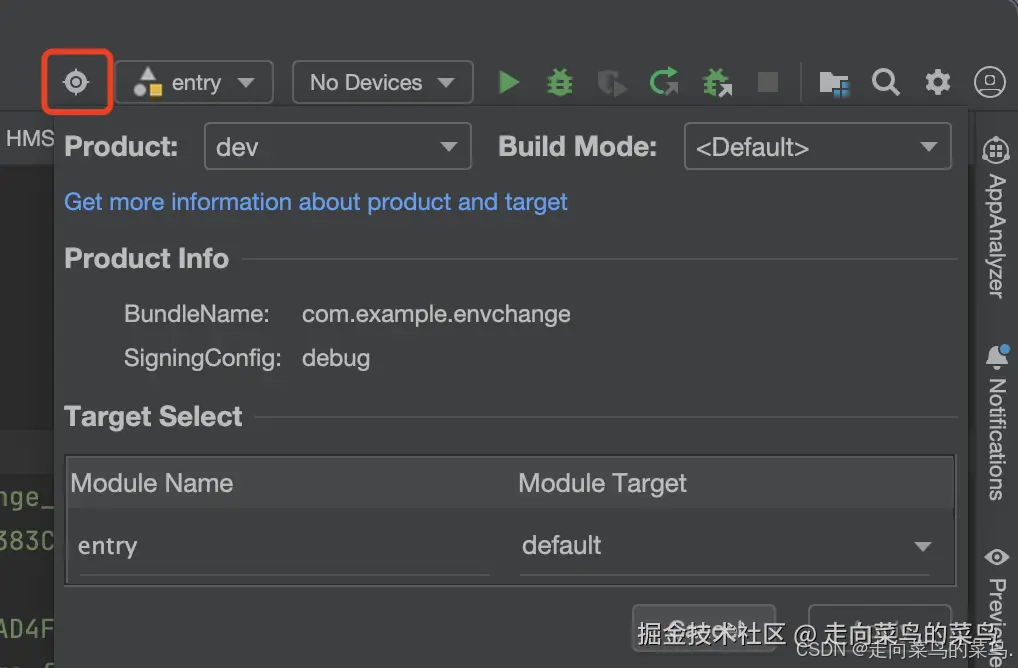
在DevEco Studio开发工具的工具条中,点击瞄准镜图标即可进行环境的切换。
2、配置签名(debug和release)
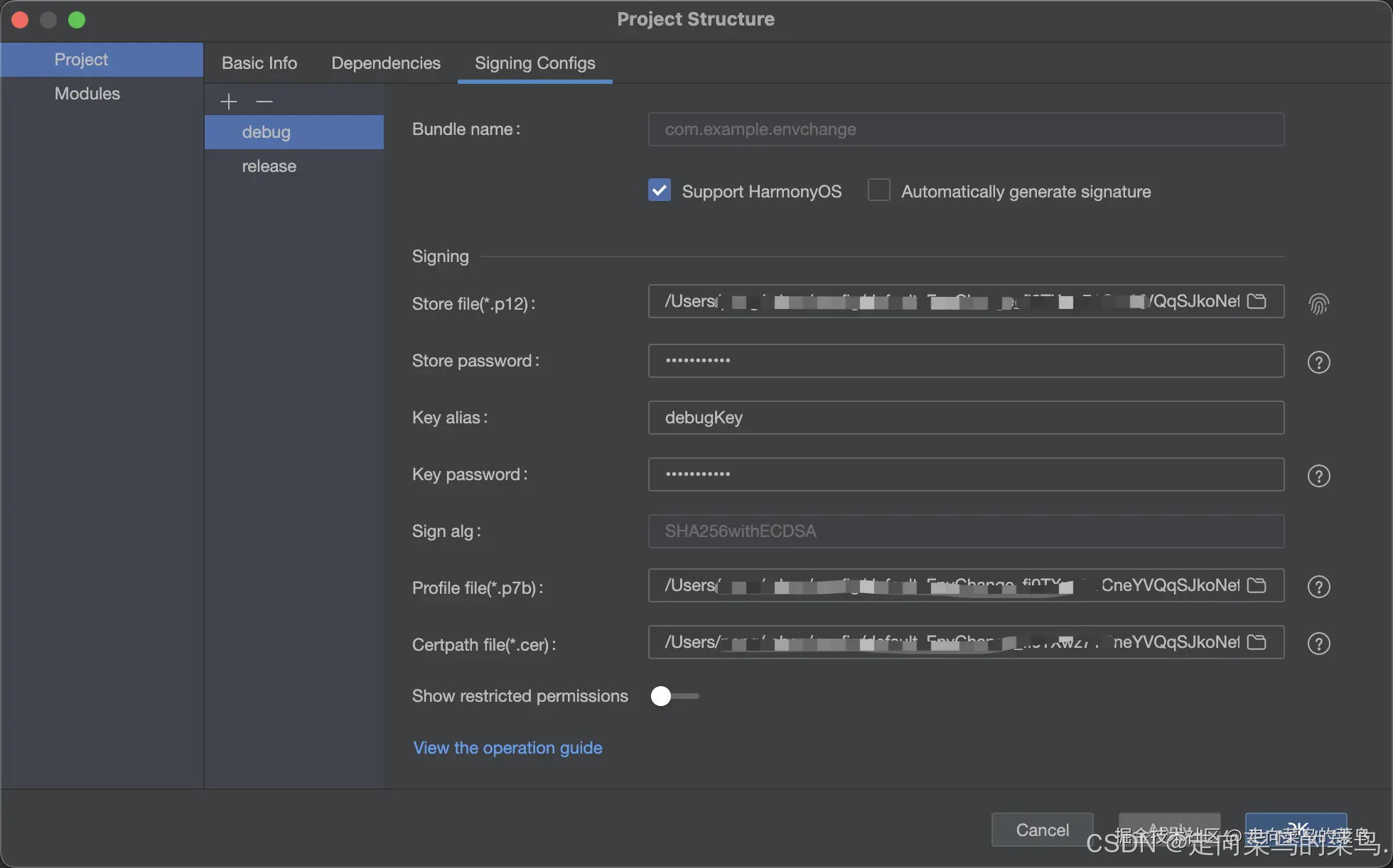
打开工具栏File - Project Structure - Project - Signing Configs,默认工程只有一个default签名配置,可点击+或-添加删除配置,签名配置完成后,在工程目录下的build-profile.json5文件中可查看signingConfigs字段的签名配置。
本文演示配置debug和release两个签名。
{


  "app": {


    "signingConfigs": [
      {


        "name": "debug",
        "type": "HarmonyOS",
        "material": {


          "certpath": "./debug.cer",
          "storePassword": "xxxx",
          "keyAlias": "debugKey",
          "keyPassword": "xxxx",
          "profile": "./debug.p7b",
          "signAlg": "SHA256withECDSA",
          "storeFile": "./debug.p12"
        }
      },
      {


        "name": "release",
        "type": "HarmonyOS",
        "material": {


          "certpath": "./release.cer",
          "storePassword": "xxxx",
          "keyAlias": "debugKey",
          "keyPassword": "xxxx",
          "profile": "./release.p7b",
          "signAlg": "SHA256withECDSA",
          "storeFile": "./release.p12"
        }
      }
    ],
    "products": [
      //...
    ],
    "buildModeSet": [
      //...
    ]
  },
  "modules": [
     //...
  ]
}
3、创建多环境配置文件
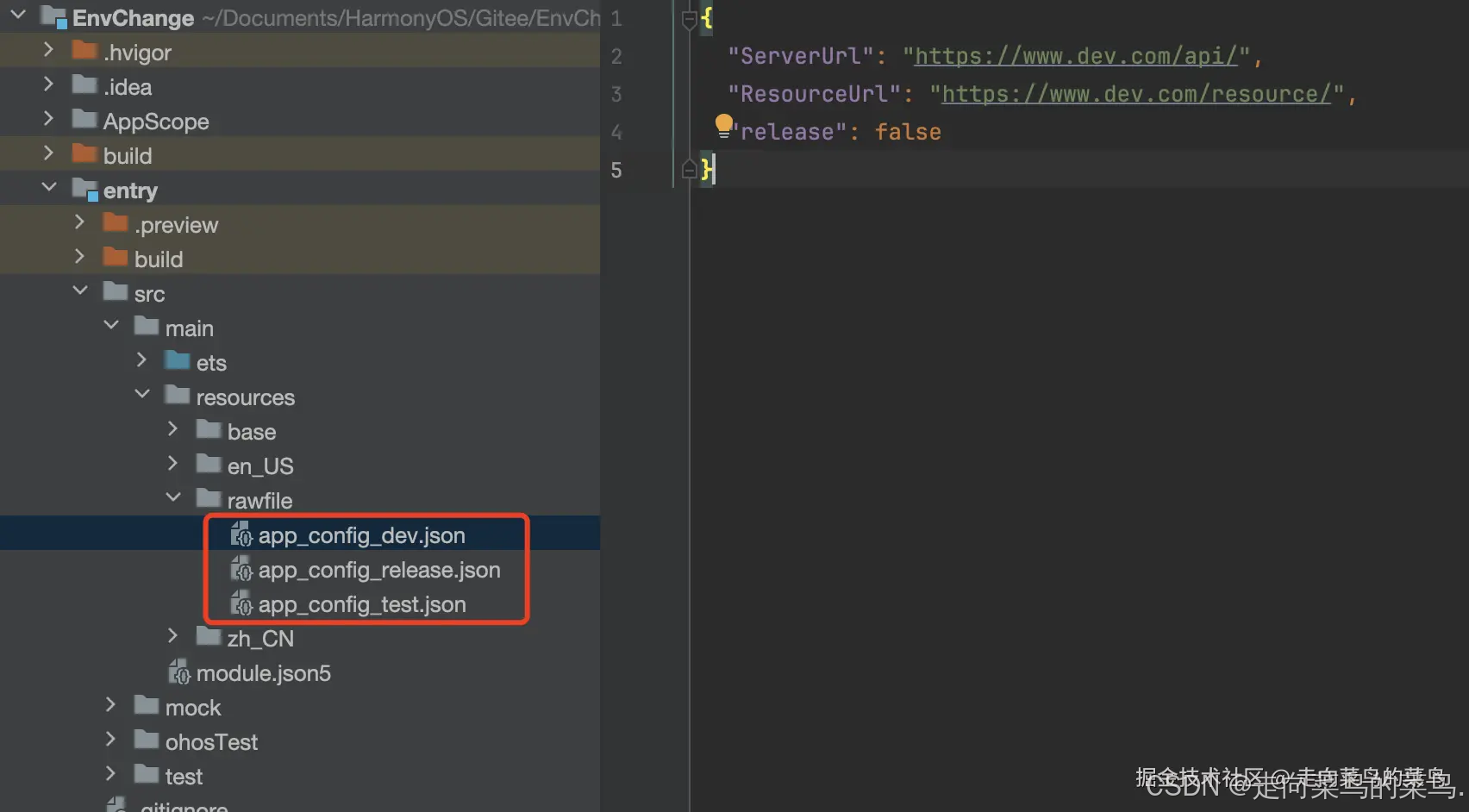
在entry/src/main/resources/rawfile目录下创建三个环境对应的配置文件,取名为app_config_dev.json、app_config_test.json和app_config_release.json。
每个配置文件包含相同的三个字段:
ServerUrl表示请求服务器地址、ResourceUrl表示资源服务器地址、release表示是否为生产环境。
{
"ServerUrl": "https://www.dev.com/api/",
"ResourceUrl" 最低0.47元/天 解锁文章






 扫一扫
扫一扫


 6172
6172

 被折叠的 条评论
为什么被折叠?
被折叠的 条评论
为什么被折叠?
 到【灌水乐园】发言





