PDF怎么编辑?如何在PDF上直接修改或删除?

本文详细介绍如何使用PDF编辑器修改PDF文档内容,包括文本修改、图片替换、页面删除等操作步骤,帮助你轻松掌握PDF编辑技巧。

日常处理文档时可能经常遇到要修改PDF格式的文件,与Word不同PDF并不能直接打开就编辑,那么如何才能编辑或删除PDF的内容呢?

首先我们需要用到PDF编辑器才能对PDF进行修改,而且对于图片生成或扫描后的PDF文档也是无法直接修改的,这种就建议先PDF转成Word后再处理了。

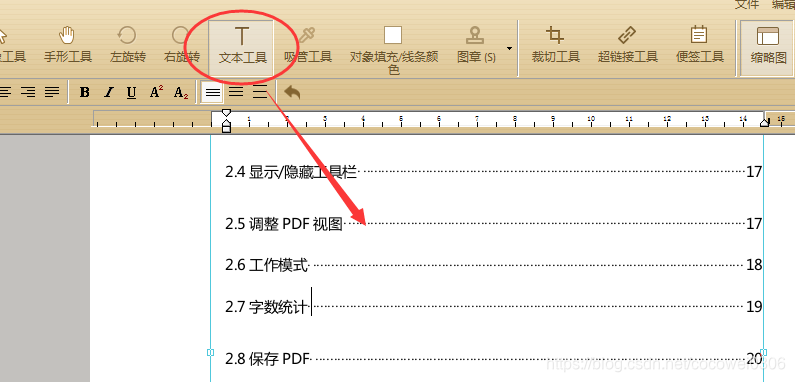
对于普通的PDF文档先用极速PDF编辑器打开后,选择工具栏上的“文本工具”就能直接点击文本内容并修改了;
在这里插入图片描述

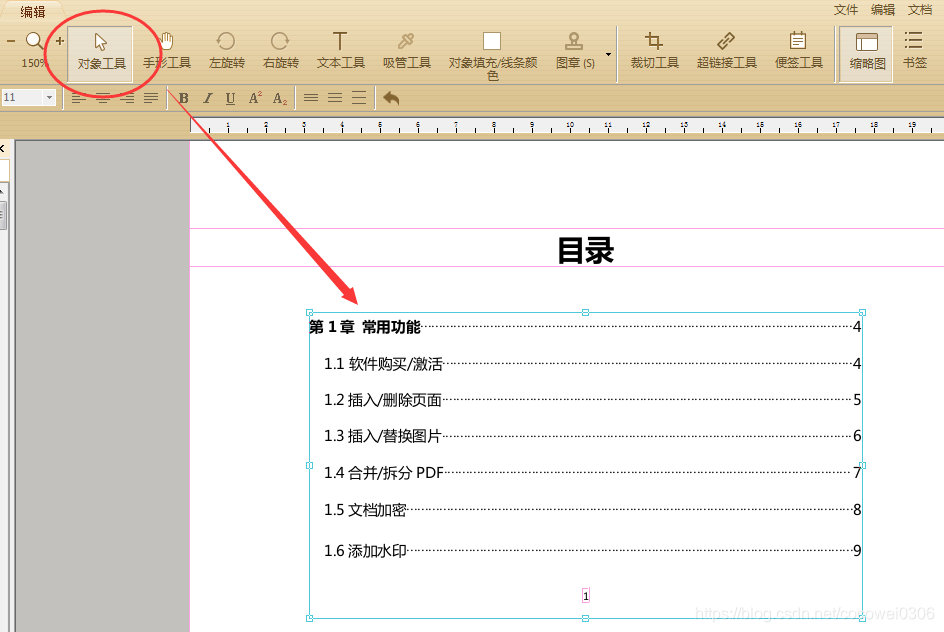
删除部分内容可以直接选中后delete键删除即可,如果删除整段文本有快速方法,先选择工具栏的“对象工具”后,再单击删除即可清除整个文本框的内容;删除图片也是同样的操作方法。
在这里插入图片描述

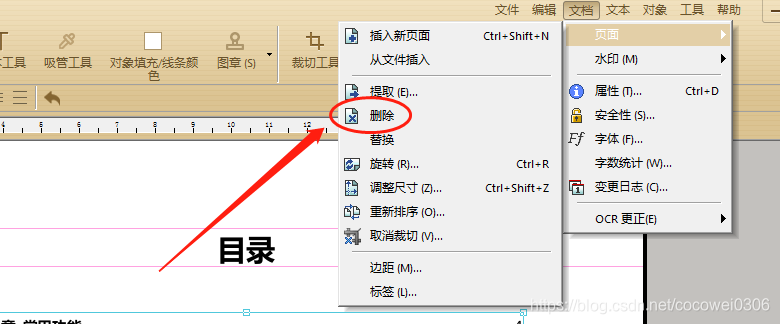
删除页面则可直接点击右上角“文档”—“页面”并选择删除即可;
在这里插入图片描述

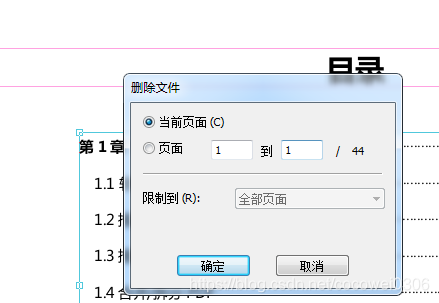
在弹出的设置窗口中输入需要删除的页面范围就能快速删除对应页面。
在这里插入图片描述

pdf修改软件What's New in Foxit PDF Editor 2.1 Foxit PDF Editor 2.1 has introduced some new features and enhancements that are listed below: 1. Shading Object Support Enables users to create or edit a shading object, which has a smooth transition between colors across an area. Foxit PDF Editor offers linear and radial gradients for users to choose. 2. Converting Text of Path Able to convert the selected text object(s) into path(s), which will meet the pre-press requirement. For those computers which do not support or display certain embedded fonts, this new feature helps to overcome that issue. Foxit PDF Editor also offers a menu option for users to convert the entire text in a PDF to path. 3. Adding Shapes in Non-Graphics Editing Mode Provides several simple auto shapes that users can insert into a PDF in the non-graphics editing mode. With this new version, users can easily add a simple shape in the main interface of Foxit PDF Editor without having to enter into the graphics editor. 4. Removing all evaluation marks at once Removes all the evaluation marks on a PDF file that was added by Foxit PDF Editor 2.1 all at once by selecting "Remove Evaluation Marks" under the Help menu for registered users. 5. Alignment Support Automatically places or aligns the selected objects evenly with the Objects Align button on the toolbar. This feature helps to make your structured PDF pages more professional. 6. Image Transparency Support This allows users the ability to set image transparency with alpha channel. By inputting values of between 0% and 100% in Image Alpha text field, the image goes from fully transparent to fully opaque. 7. Checking for Update This option under the Help menu det
评论
成就一亿技术人!
拼手气红包6.0元
还能输入1000个字符
 
红包 添加红包
表情包 插入表情
 条评论被折叠 查看
添加红包

请填写红包祝福语或标题

红包个数最小为10个

红包金额最低5元

当前余额3.43前往充值 >
需支付:10.00
成就一亿技术人!
领取后你会自动成为博主和红包主的粉丝 规则
hope_wisdom
发出的红包
实付
使用余额支付
点击重新获取
扫码支付
钱包余额 0

抵扣说明:

1.余额是钱包充值的虚拟货币,按照1:1的比例进行支付金额的抵扣。
2.余额无法直接购买下载,可以购买VIP、付费专栏及课程。

余额充值