



 本文详细介绍了使用Seaborn库进行高级数据可视化的方法,包括条形图、箱型图、小提琴图等分类绘图,密度图、直方图等分布绘图,以及配对图的绘制技巧。通过实例展示了如何处理大型数据集,如BigMart销售数据和鸢尾花数据集,以揭示数据背后的模式和趋势。
目录
2.Advance categorical plots in seaborn
2.1Categorical scatterplots
2.2 Categorical distribution plots
2.3 Categorical estimate plots
3.Density plots
4.Pair plots
2.Advance categorical plots in seaborn
2.1Categorical scatterplots:
stripplot() (with kind=“strip”; the default)
swarmplot() (with kind=“swarm”)
# importing required libraries
import seaborn as sns
sns.set()
sns.set(style = "darkgrid")

import numpy as np
import pandas as pd

# importing matplotlib
import matplotlib.pyplot as plt
%matplotlib inline

import warnings
warnings.filterwarnings("ignore")
plt.rcParams['figure.figsize']=(10,10)
# read the dataset
data_BM = pd.read_csv('bigmart_data.csv')
# drop the null values
data_BM = data_BM.dropna(how="any")
# multiply Item_Visibility by 100 to increase size
data_BM["Visibility_Scaled"] = data_BM["Item_Visibility"] * 100
# view the top results
#data_BM.head()
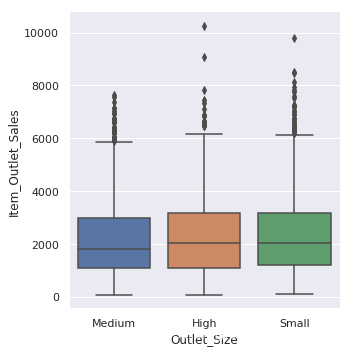
box plots
sns.catplot(x="Outlet_Size", y="Item_Outlet_Sales",kind = "box",data = data_BM);
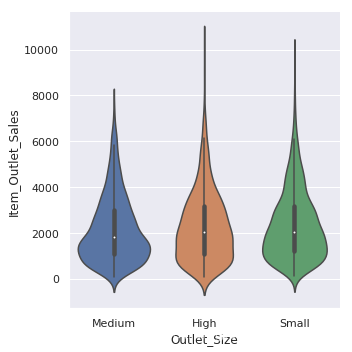
violin plots
sns.catplot(x="Outlet_Size", y="Item_Outlet_Sales",kind = "violin",data = data_BM)
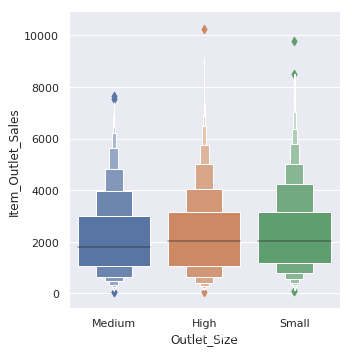
boxen plots
sns.catplot(x="Outlet_Size", y="Item_Outlet_Sales",kind = "boxen",data = data_BM)
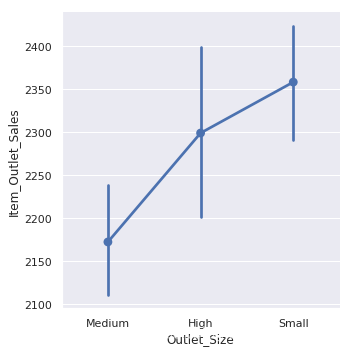
point plot
sns.catplot(x="Outlet_Size", y="Item_Outlet_Sales",kind = "point",data = data_BM)
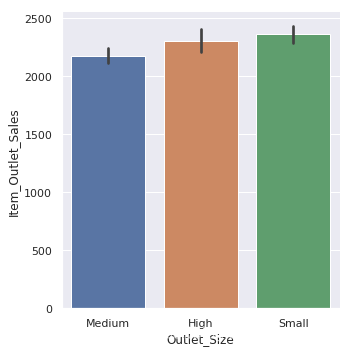
bar plots
sns.catplot(x="Outlet_Size", y="Item_Outlet_Sales",kind = "bar",data =data_BM)
3.Density and Historgram plots
3.1density plot
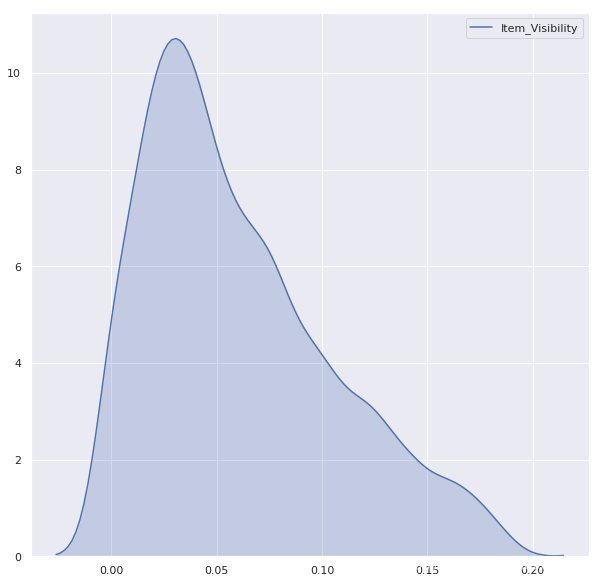
# distribution of Item Visibility
plt.figure(figsize = (10,10))
sns.kdeplot(data_BM['Item_Visibility'],shade = True);
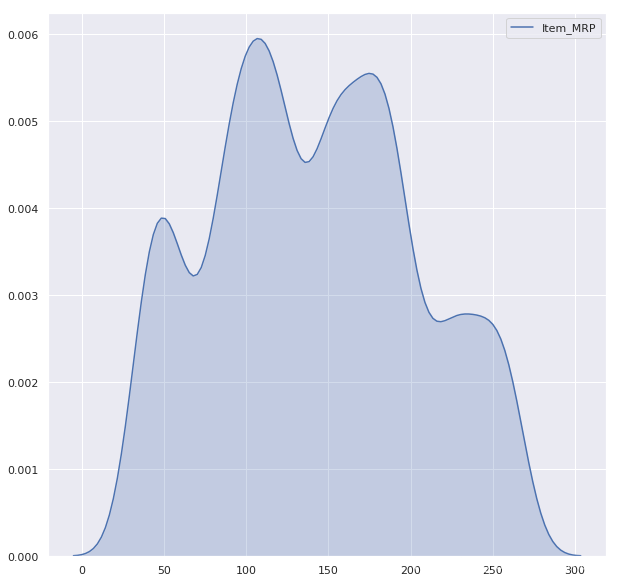
# distribution of Item MRP
plt.figure(figsize=(10,10))
sns.kdeplot(data_BM['Item_MRP'], shade=True);
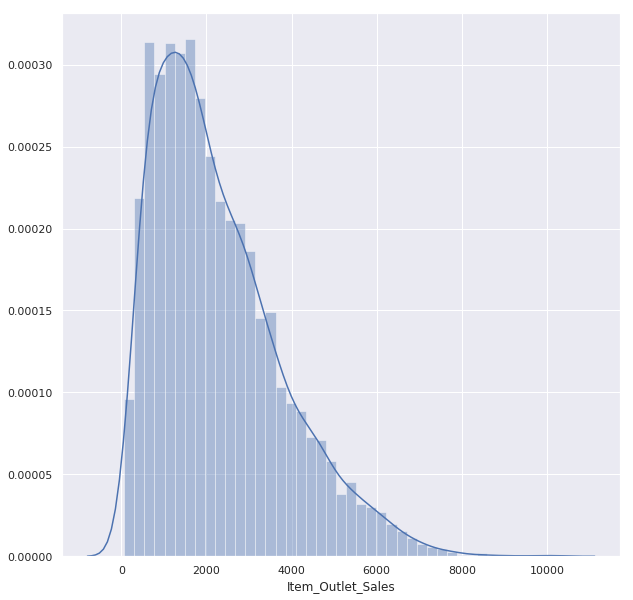
3.2 histogram
plt.figure(figsize = (10,10))
sns.distplot(data_BM['Item_OUtlet_Sales']);
4. Pair plots
在这里插入代码片
#load data
iris = sns.load_dataset("iris")
iris.head()
#out<<
sepal_length	sepal_width	petal_length	petal_width	species
0	5.1	3.5	1.4	0.2	setosa
1	4.9	3.0	1.4	0.2	setosa
2	4.7	3.2	1.3	0.2	setosa
3	4.6	3.1	1.5	0.2	setosa
4	5.0	3.6	1.4	0.2	setosa
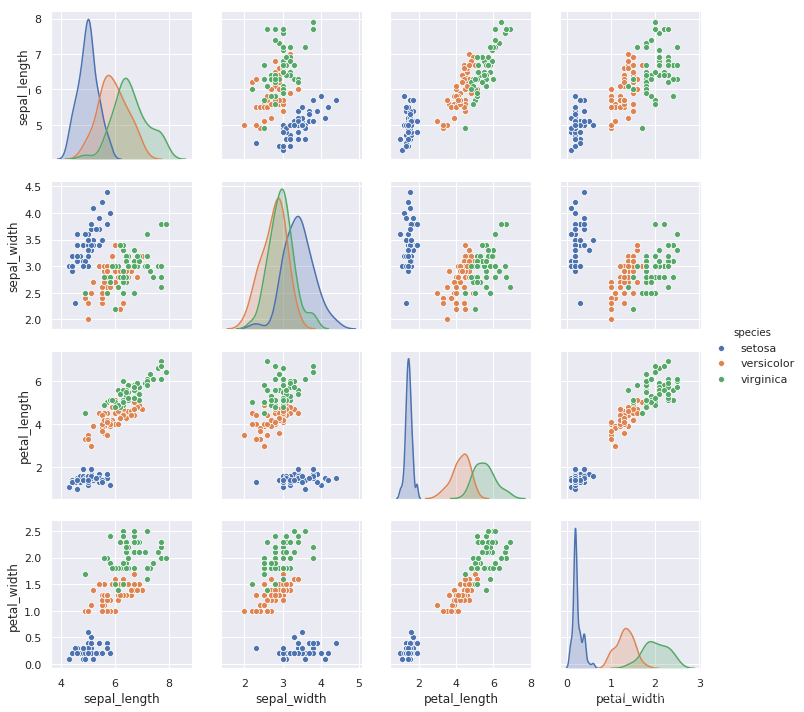
sns.pairplot(iris,hue = "species",height = 2.5);





 扫一扫
扫一扫


 2万+
2万+

 被折叠的 条评论
为什么被折叠?
被折叠的 条评论
为什么被折叠?
 到【灌水乐园】发言





