






 本文详细介绍如何在Eclipse中正确配置Spring框架的beans.xml文件,实现XML schema的自动提示功能,包括查找并替换错误的schema引用,确保开发效率。
eclipse配置beans.xml中标签提示 XML schema
1、如下是xml文件的头:
<xml version="1.0" encoding="UTF-8"?>
<beans xmlns="http://www.springframework.org/schema/beans"
xmlns:xsi="http://www.w3.org/2001/XMLSchema-instance"
xmlns:aop="http://www.springframework.org/schema/aop"
xsi:schemaLocation="http://www.springframework.org/schema/beans
http://www.springframework.org/schema/beans/spring-beans.xsd
http://www.springframework.org/schema/aop
http://www.springframework.org/schema/aop/spring-aop.xsd">
2、复制key,及就是http://www.springframework.org/schema/aop/spring-aop.xsd
3、如图
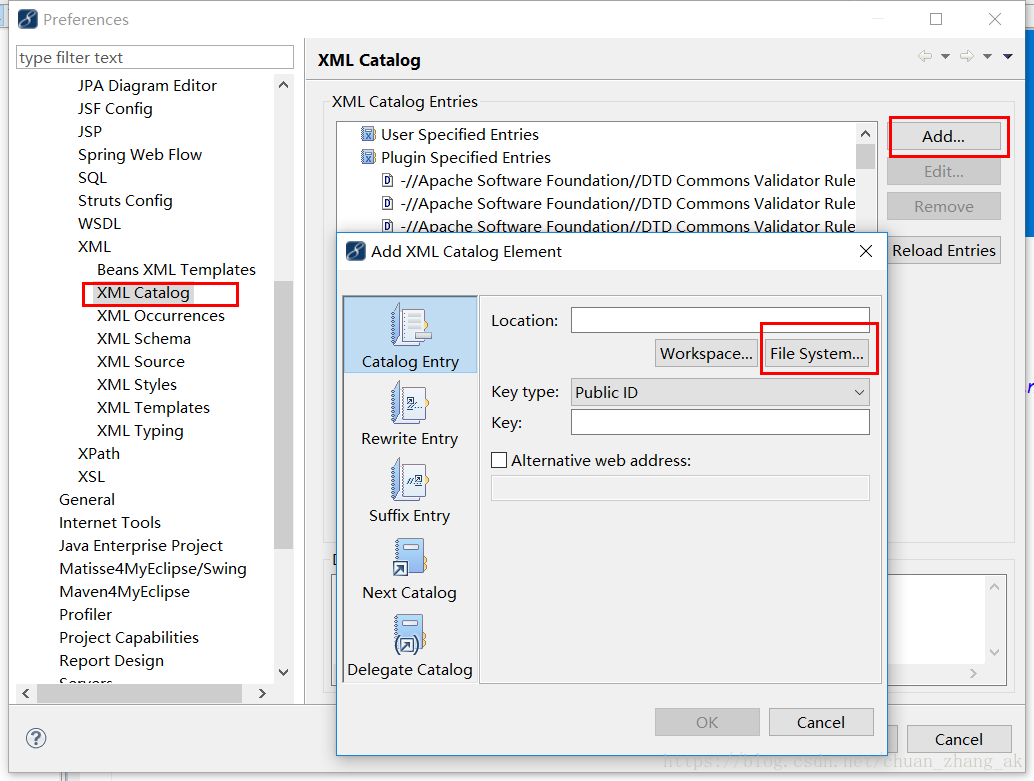
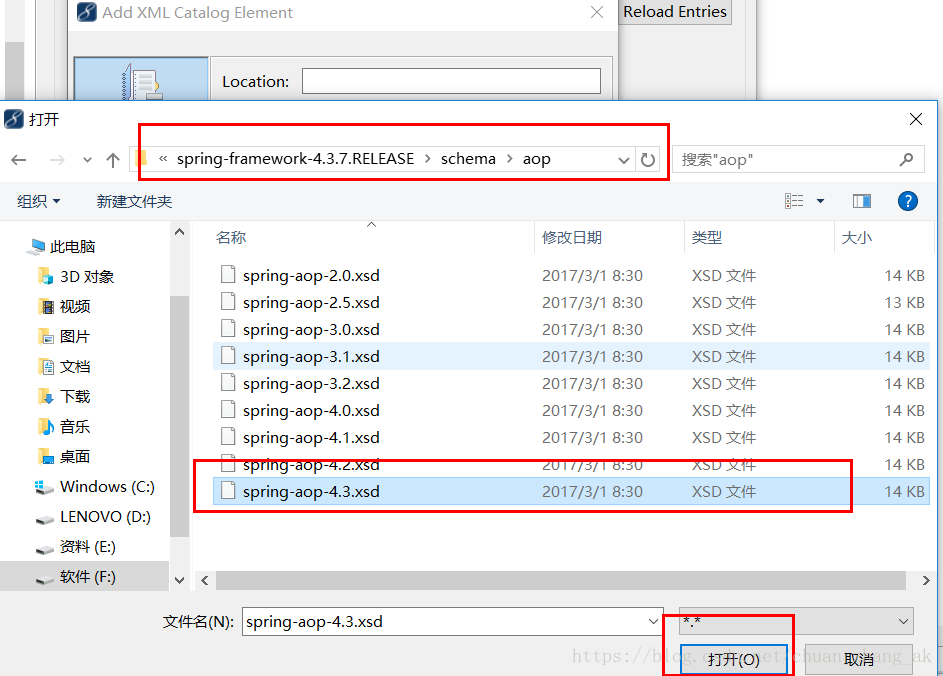
4、打开文件系统,找到Spring的包,再找到schema包
5、确认,然后选择key type为Schema location; 将复制过来的key粘贴到key中去,原来的是不正确的。
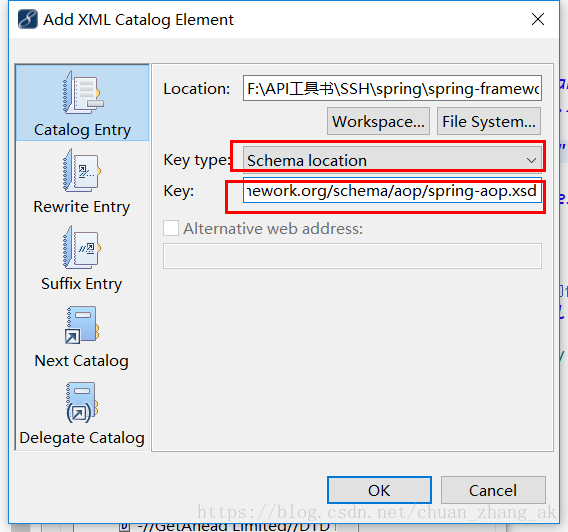
6、确认OK





 扫一扫
扫一扫


 1351
1351

 被折叠的 条评论
为什么被折叠?
被折叠的 条评论
为什么被折叠?
 到【灌水乐园】发言





