 小程序手绘签名组件实战



 本文详细介绍了一款基于微信小程序的手绘签名组件实现过程,包括画布操作、图片旋转及保存技巧,解决手绘签名在移动端应用中的常见问题。
效果图:
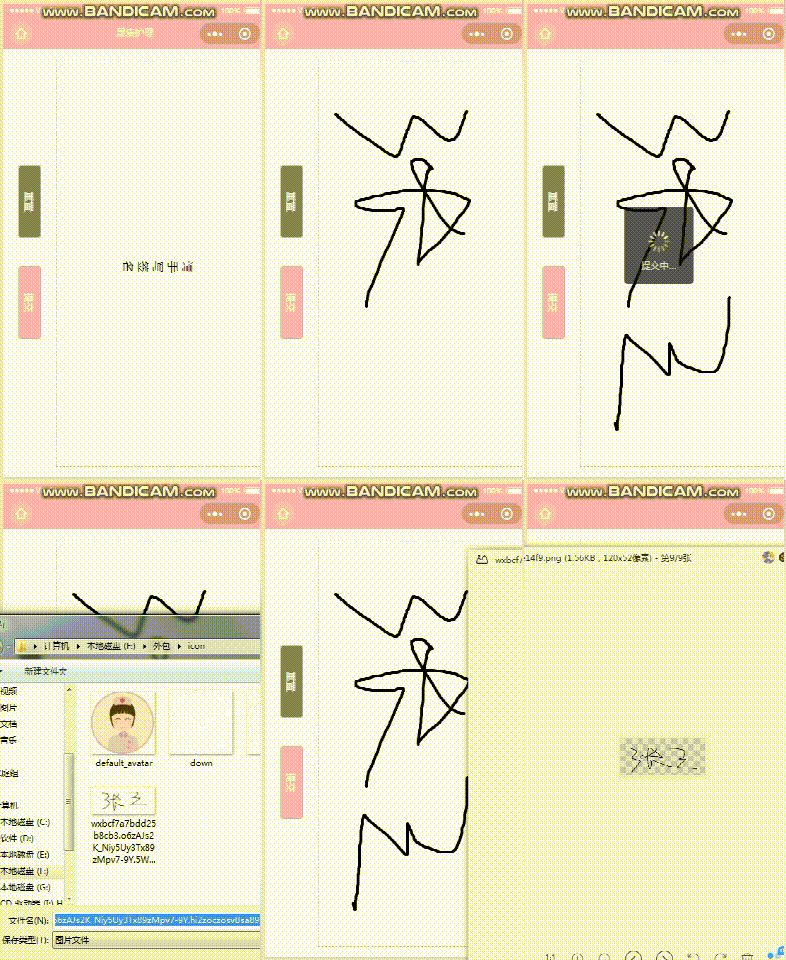
画板实现:
wxml
<view class="row-wrapper">
  <view class="column-container">
    <view class="gray-bg round-rect rotate-90" style="margin-bottom: 160rpx;" catchtap="cleardraw">重置</view>
    <view class="pink-bg round-rect margin-top-30 rotate-90" catchtap="submit">提交</view>
  </view>
  <view class="paint-board">
    <text class="placeholder-tips rotate-90" wx:if="{

  {!isDrawing}}">请手写签名</text>
    <canvas class="paint-board-canvas" disable-scroll="true" canvas-id="board" bindtouchstart="startDraw" bindtouchmove="onDraw" bindtouchcancel="endDraw"></canvas>
  </view>
  <canvas class="tmp-canvas" canvas-id="tmp_board" disable-scroll="true"></canvas>
</view>
疑问点:为什么这里要加一个tmp_board?——后续会提到。
wxss:
.row-wrapper {
width: 100%;
height: 95vh;
margin: 30rpx 0;
overflow: hidden;
display: flex;
align-content: center;
flex-direction: row;
justify-content: center;
}
.column-container {
display: flex;
margin: 30rpx 0;
flex-direction: column;
align-items: center;
justify-content: center;
width: 20%;
}
.paint-board {
/* width: 100%;
height: 95vh; */
border: 1px dashed #bbb;
position: relative;
flex: 5;
overflow: hidden;
box-sizing: border-box;
margin-right: 20rpx 最低0.47元/天 解锁文章






 扫一扫
扫一扫


 被折叠的 条评论
为什么被折叠?
被折叠的 条评论
为什么被折叠?
 到【灌水乐园】发言





