



今天给大家利用jquery做一个tab切换效果,现在给大家介绍下会用到的class操作样式,见下图:

现在给大家奉上代码,可以在以后做刚开始做tab切换做一定的参考,
<!DOCTYPE html>
<html>
	<head>
		<meta charset="utf-8" />
		<title></title>
		 <style type="text/css">
    * {
      margin: 0;
      padding: 0;
    }
    a{
    	text-decoration: none;
    }

    ul {
      list-style: none;
    }

    .wrapper {
      width: 1000px;
      height: 475px;
      margin: 0 auto;
      margin-top: 100px;
    }

    .tab {
      border: 1px solid #ddd;
      border-bottom: 0;
      height: 36px;
      width: 320px;
    }

    .tab li {
      position: relative;
      float: left;
      width: 80px;
      height: 34px;
      line-height: 34px;
      text-align: center;
      cursor: pointer;
      border-top: 4px solid #fff;
    }

    .tab span {
      position: absolute;
      right: 0;
      top: 10px;
      background: #ddd;
      width: 1px;
      height: 14px;
      overflow: hidden;
    }

    .products {
      width: 320px;
      border: 1px solid #ddd;
      height: 50px;
    }

    .products .main {
      float: left;
      display: none;
    }
    .main a{
    	color: red;
    }
    .products .main.selected {
      display: block;
    }

    .tab li.active {
      border-color:gold;
      border-bottom: 0;
    }

  </style>
  <script type="text/javascript" src="js/jquery-1.11.0.js" ></script>
<script>
     $(function(){
			$(".tab li").mouseenter(function(){
				$(this).addClass("active").siblings().removeClass("active");
				var index=$(this).index();
				$(".products .main").eq(index).addClass("selected").siblings().removeClass("selected");
		  })


			})
</script>

	</head>
	<body>
 <div class="wrapper">
  <ul class="tab">
    <li class="tab-item active">标题1<span>◆</span></li>
    <li class="tab-item">标题2<span>◆</span></li>
    <li class="tab-item">标题3<span>◆</span></li>
    <li class="tab-item">标题4</li>
  </ul>
  <div class="products">
    <div class="main selected">
      <a href="###">我是标题1的内容</a>
      <br>
      <a href="###">我是标题1的内容 </a>
    </div>
    <div class="main">
      <a href="###">我是标题2的内容 </a>
      <br>
      <a href="###">我是标题2的内容</a>
    </div>
    <div class="main">
      <a href="###">我是标题3的内容</a>
      <br>
      <a href="###">我是标题3的内容 </a>
    </div>
    <div class="main">
      <a href="###">我是标题4的内容</a>
      <br>
      <a href="###">我是标题4的内容</a>
    </div>
  </div>
</div>

	</body>
</html>
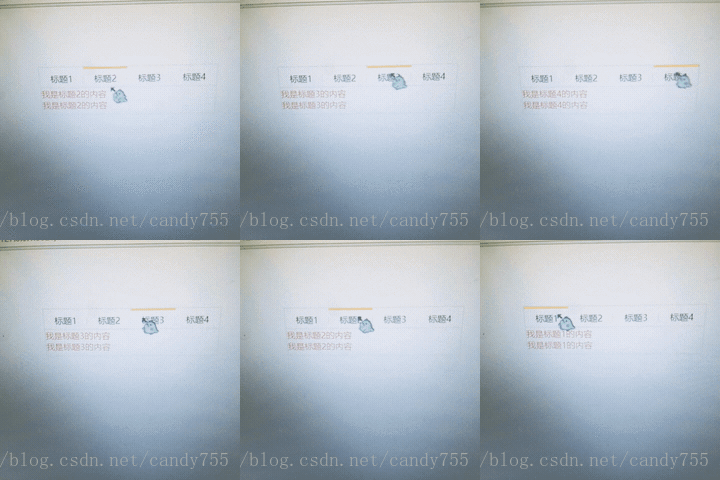
效果图如下:
好啦,今日分享结束,加油。





 扫一扫
扫一扫


 605
605

 被折叠的 条评论
为什么被折叠?
被折叠的 条评论
为什么被折叠?
 到【灌水乐园】发言





