


 本文详细介绍了如何使用Frida工具动态分析一个名为wbaes_encrypt_ecb的AES加密函数,包括参数分析、输入输出数据的打印、函数调用验证以及错误修复。通过对子函数的追踪,确认了加密模式为ECB,并进行了模式验证。接着,作者展示了如何找出加密轮数(10轮,对应AES-128),并利用DFA(差分故障分析)进行密钥的恢复。最后,文章提到了WBAES.c文件和PKCS5Padding,暗示可能涉及其他加密算法。
最近学习了密钥还原,复现下并记录思路
function wbaes_encrypt_ecb(){


    var module_base = Module.findBaseAddress("libcryptoDD.so")
    var func_base = module_base.add(0x17BD4+1)
    Interceptor.attach(func_base,{


        onEnter:function (args){


            console.log("Enter wbaes_encrypt_ecb....")
        }
    })
}
双进程保护
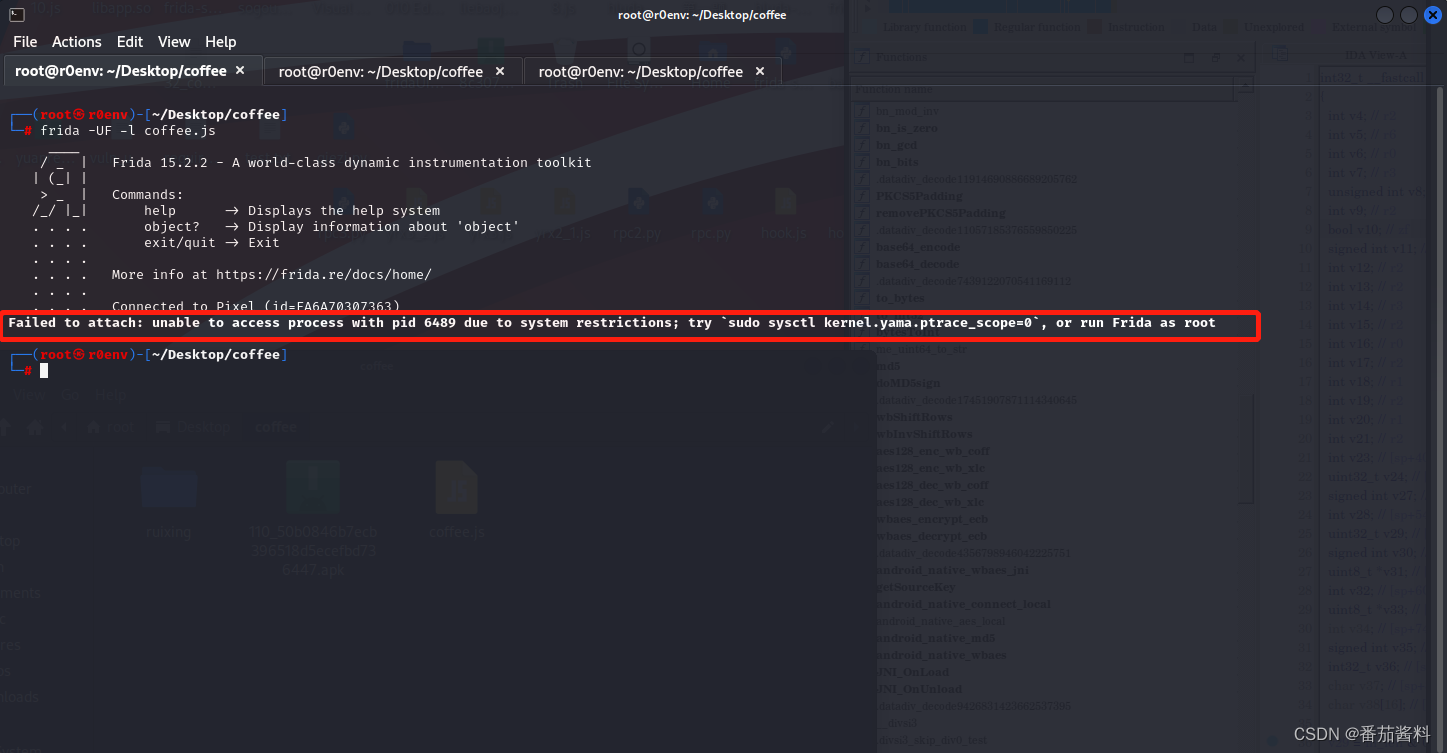
然后我们查看进程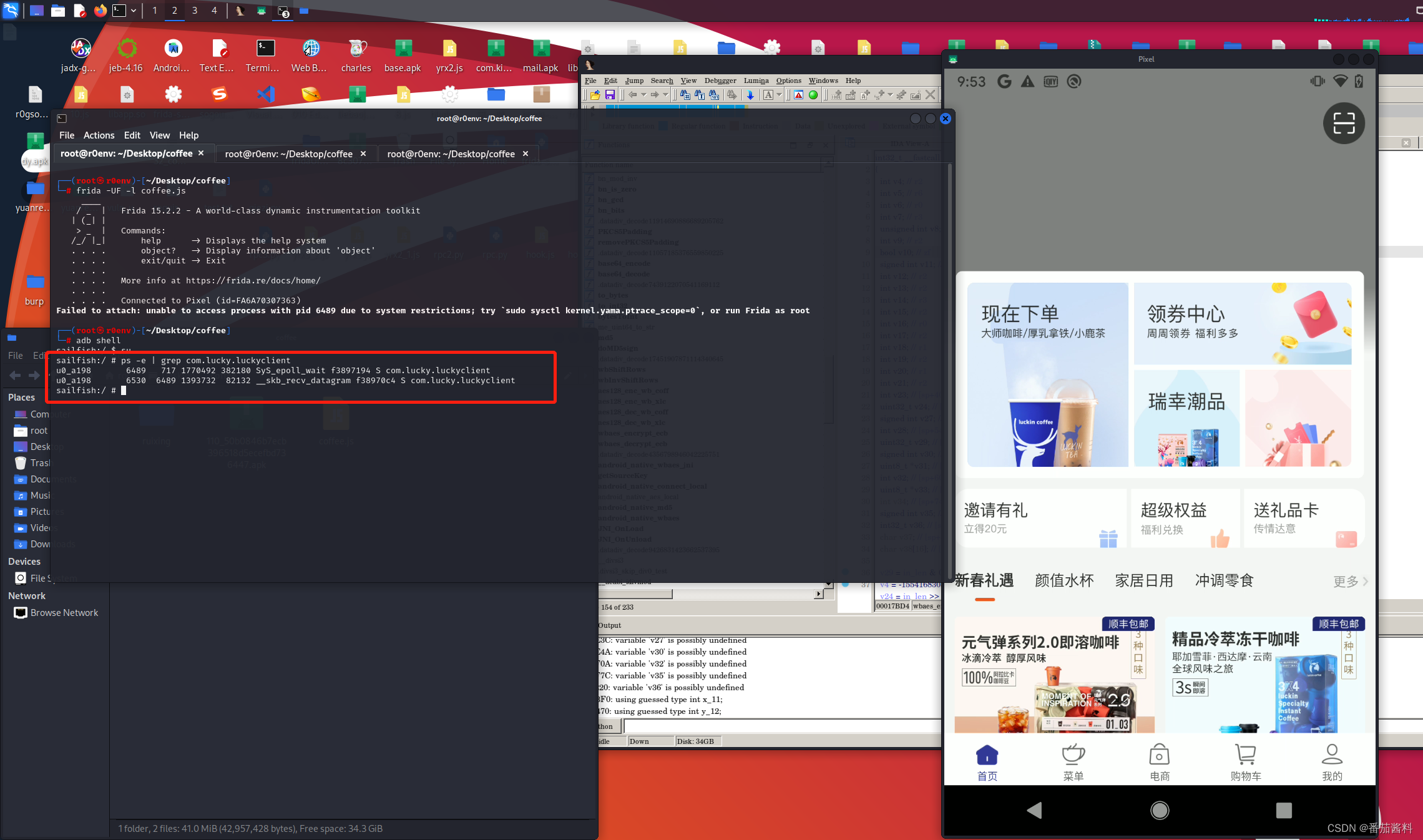
绕过双进程保护方式,使用spwan方法来进行frida hook
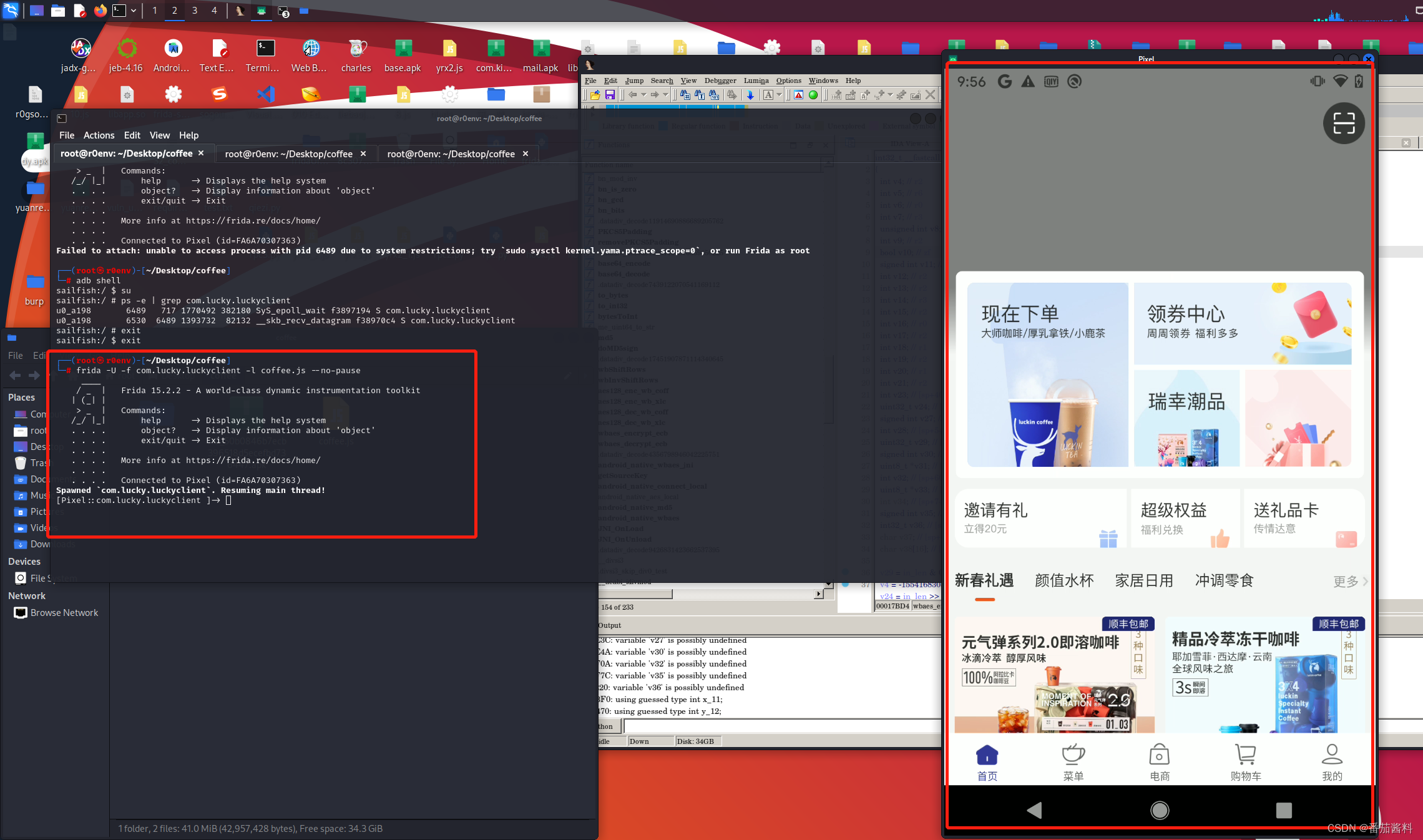
可以看到成功绕过,我们看看我们写的函数经过吗
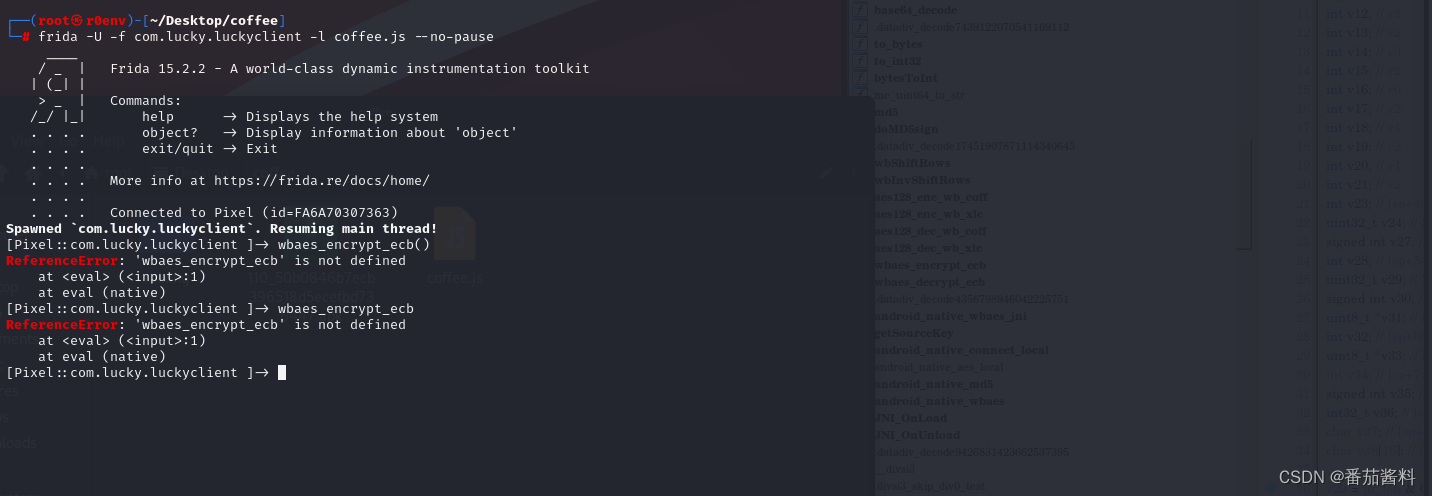
发现frida15.2.2存在bug,就是上面这样,不能执行函数,我们换成12.8.0来试试
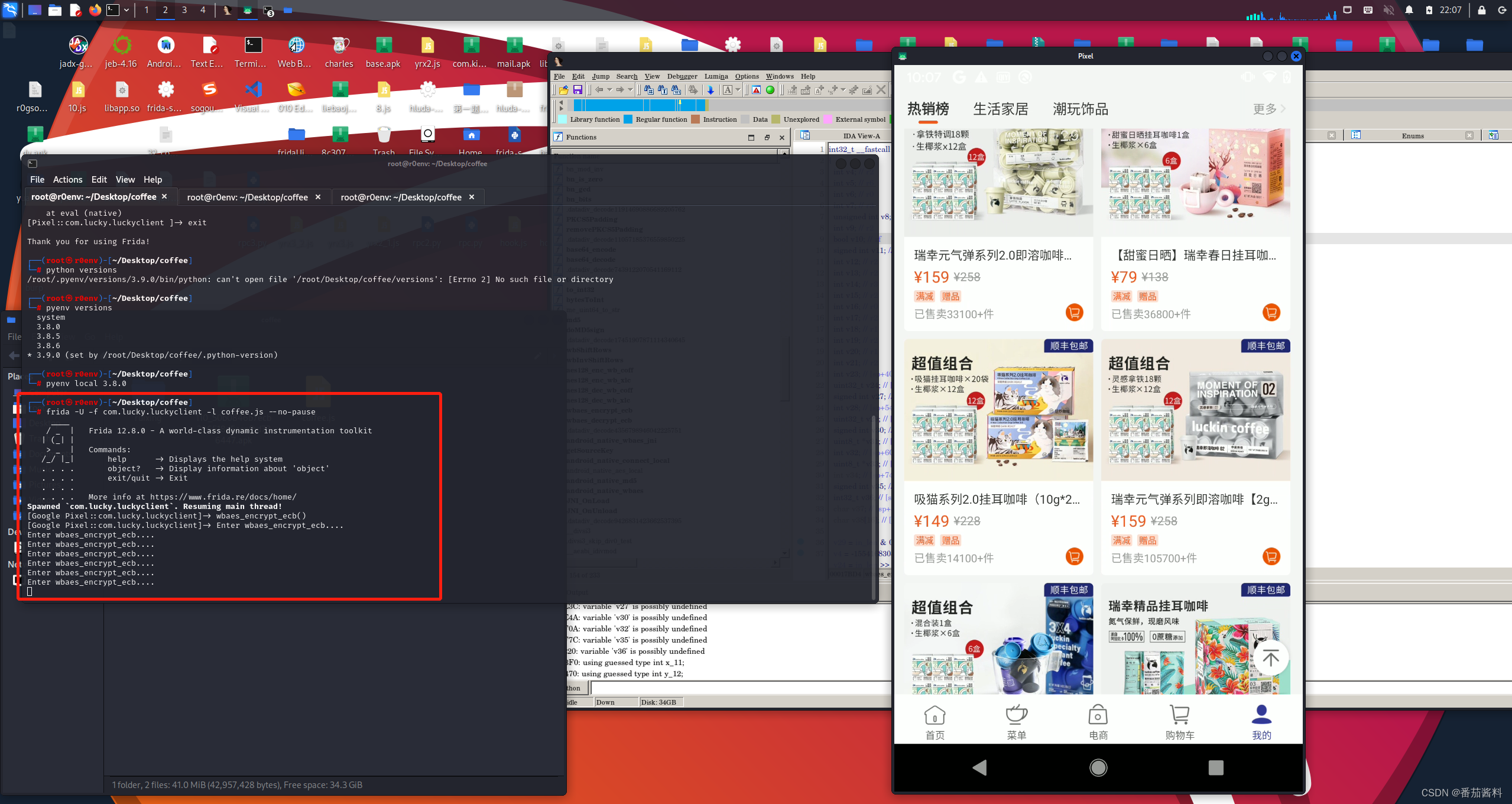
可以看到成功打印,说明经过此函数
然后我们看看它的参数和返回值
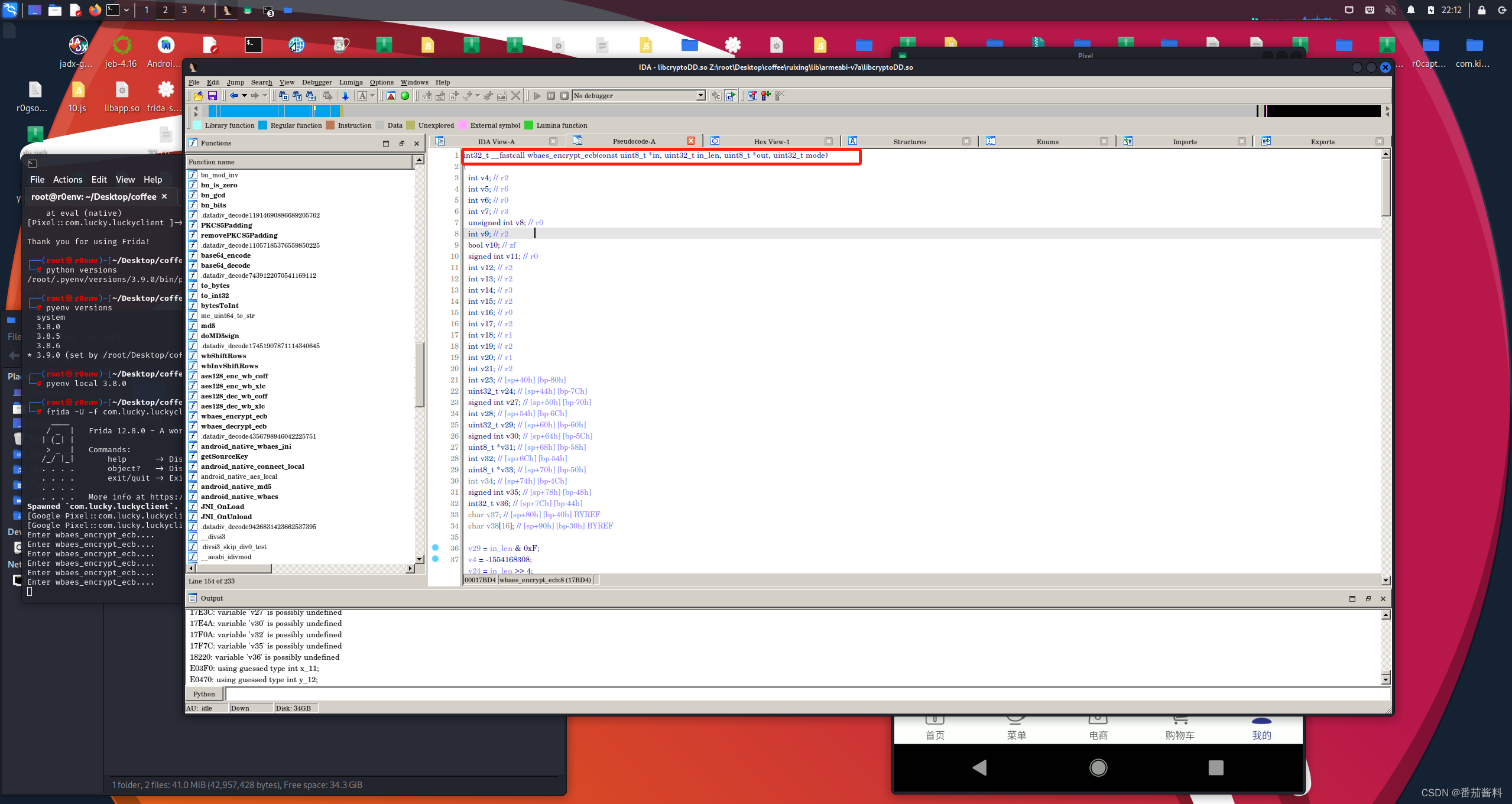
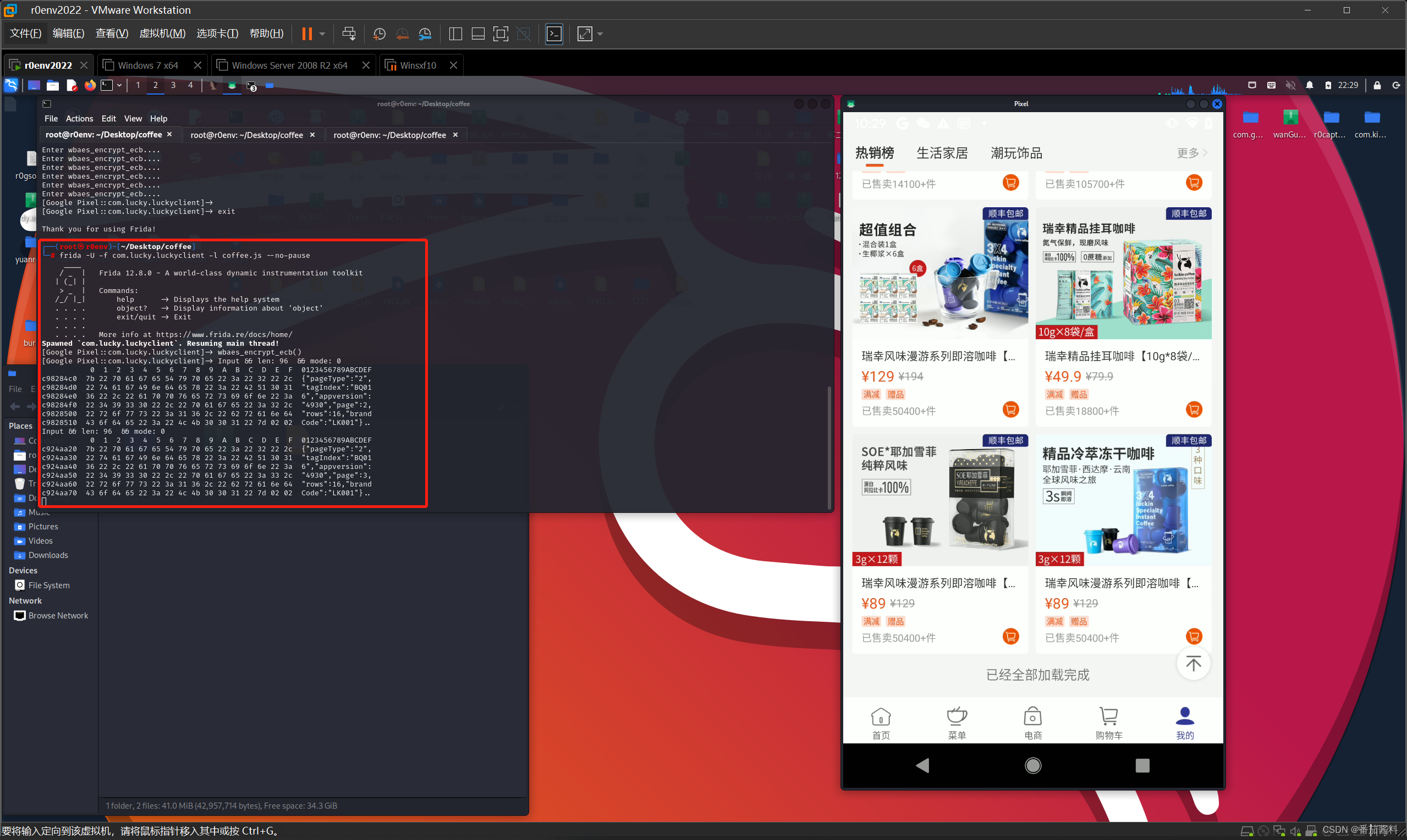
发现有四个参数,分别是in、in_len 、out 、mode ,然后我们打印来看看
function wbaes_encrypt_ecb(){


    var module_base = Module.findBaseAddress("libcryptoDD.so")
    var func_base = module_base.add(0x17BD4+1)
    Interceptor.attach(func_base,{


        onEnter:function (args){


            this.in = args[0]
            this.in_len = args[1].toInt32()    //将指针转换成int32
            this.out = args[2]
            this.mode = args[3].toInt32()
            console.log("Input && len:",this.in_len," && mode:",this.mode)          //打印输入
            console.log(hexdump(this.in,{

   length:this.in_len}))
        }
    })
}
然后来打印下返回值
function wbaes_encrypt_ecb(){


    var module_base = Module.findBaseAddress("libcryptoDD.so")
    var func_base = module_base.add(0x17BD4+1)
    Interceptor.attach(func_base,{


        onEnter:function (args){


            this.in = args[0]
            this.in_len = args[1].toInt32()    //将指针转换成int32
            this.out = args[2]
            this.mode = args[3].toInt32()
            console.log("Input && len:",this.in_len," && mode:",this.mode)          //打印输入
            console.log(hexdump(this.in,{

   length:this.in_len}))
        },
        onLeave:function(){


            console.log("Output ....")
            console.log(hexdump(this.out,{

   length:this.in_len}))
        }
    })
}
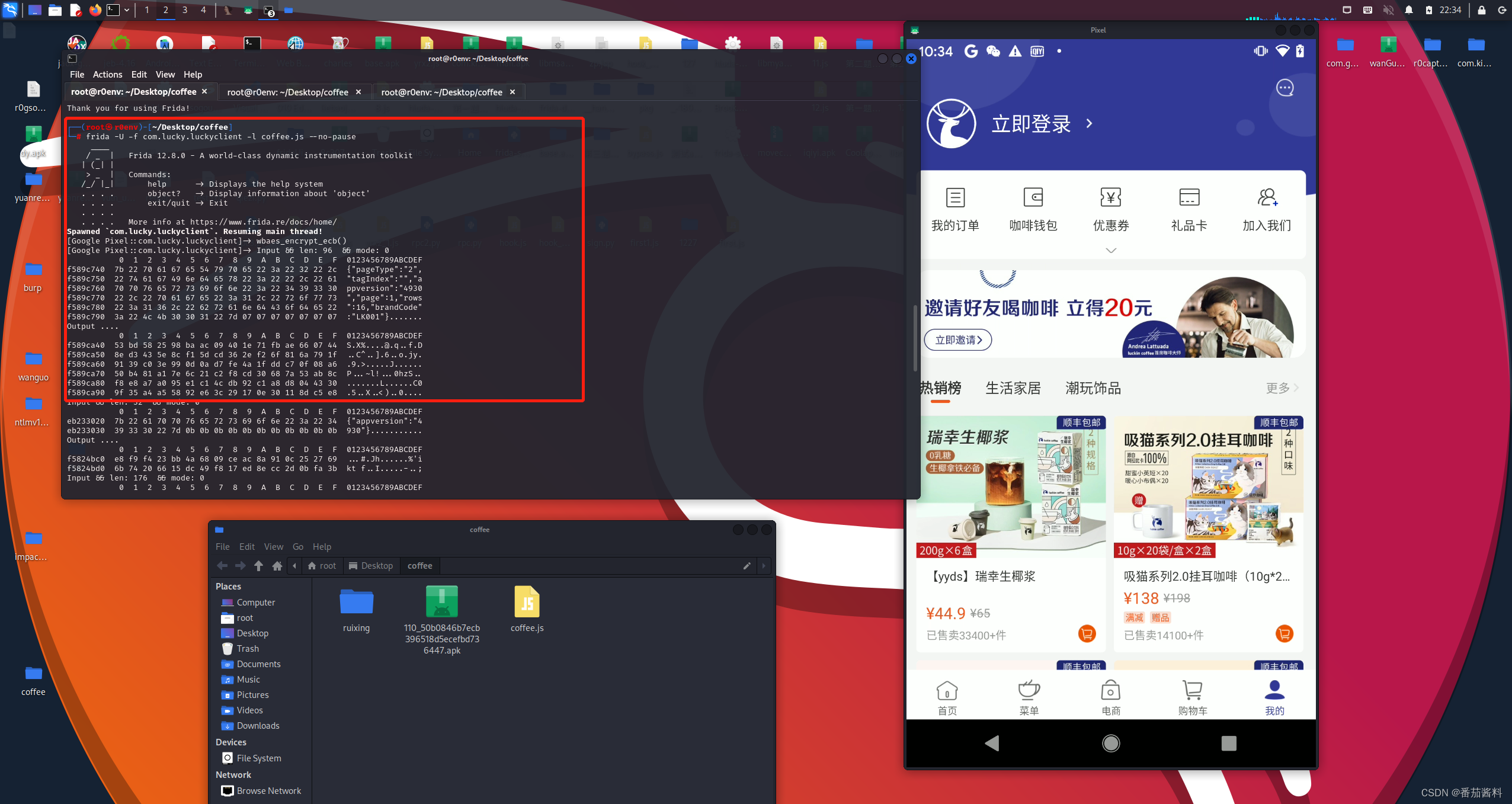
单独拿出这一段看
Input && len: 96 && mode: 0
0 1 2 3 4 5 6 7 8 9 A B C D E F 0123456789ABCDEF
f589c740 7b 22 70 61 67 65 54 79 70 65 22 3a 22 32 22 2c {
"pageType":"2",
f589c750 22 74 61 67 49 6e 64 65 78 22 3a 22 22 2c 22 61 "tagIndex":"","a
f589c760 70 70 76 65 72 73 69 6f 6e 22 3a 22 34 39 33 30 ppversion":"4930
f589c770 22 2c 22 70 61 67 65 22 3a 31 2c 22 72 6f 77 73 ","page":1,"rows
f589c780 22 3a 31 36 2c 22 62 最低0.47元/天 解锁文章






 扫一扫
扫一扫


 1169
1169

 被折叠的 条评论
为什么被折叠?
被折叠的 条评论
为什么被折叠?
 到【灌水乐园】发言





