


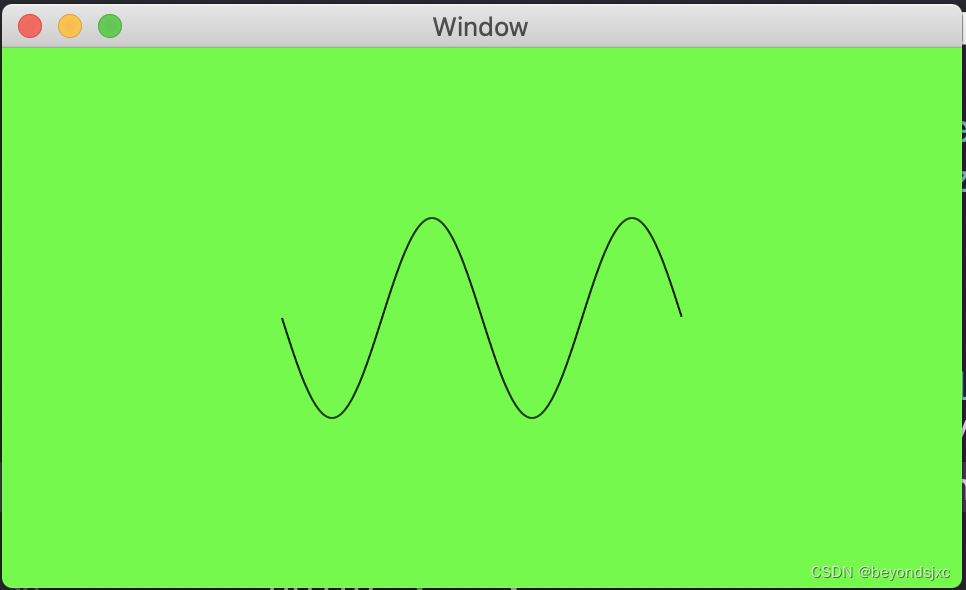
 这篇博客介绍了如何在Mac上利用Xcode进行图形编程。作者创建了一个CustomView类,并在其中定义了drawRect方法,用于根据二维数组MyPoint中的坐标点绘制正弦曲线。MyPoint对象包含了x和y坐标,通过遍历数组并连接相邻点来形成曲线。在ViewController中,作者生成了一组正弦曲线的点坐标,然后将这些点传递给CustomView进行渲染,背景色为绿色。
1.效果图
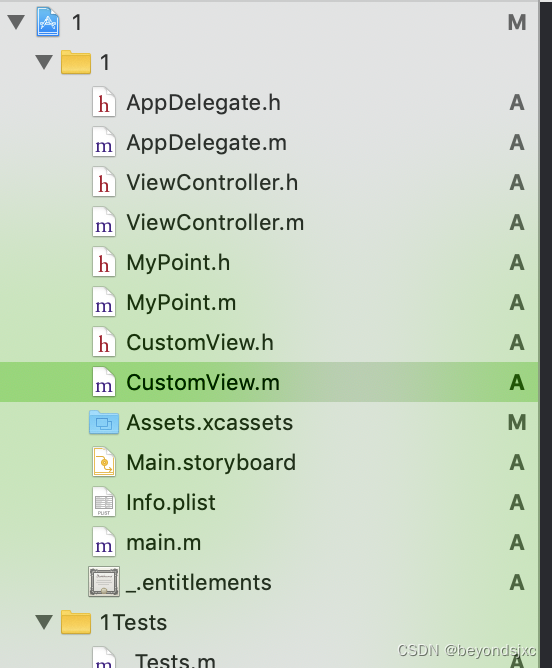
2.我是用Mac电脑,Xcode,项目目录结构如下
3.CustomView.h
#import <Cocoa/Cocoa.h>

NS_ASSUME_NONNULL_BEGIN

@interface CustomView : NSView

-(void)test:(NSMutableArray*)arr;

@end

NS_ASSUME_NONNULL_END
4.CustomView.m
#import "CustomView.h"
#import "MyPoint.h"

@implementation CustomView
{
    NSArray * arr1;
}

- (void)drawRect:(NSRect)dirtyRect {
    [super drawRect:dirtyRect];

    for (int i = 0; i<arr1.count-1; i++) {

        MyPoint * point1 = arr1[i];
        MyPoint * point2 = arr1[i+1];

        //通过两个点画直线
        NSBezierPath * path = [NSBezierPath bezierPath];
        NSPoint pt1 = NSMakePoint((float)point1.x, (float)point1.y);
        NSPoint pt2 = NSMakePoint((float)point2.x, (float)point2.y);
        [path moveToPoint:pt1];
        [path lineToPoint:pt2];
        [path setLineWidth:1];
//        [[NSColor blueColor] setFill];
        [path stroke];
    }
}

-(void)test:(NSMutableArray*)arr
{
    arr1 = arr;
}
5.MyPoint.h
#import <Foundation/Foundation.h>

NS_ASSUME_NONNULL_BEGIN

@interface MyPoint : NSObject

@property(nonatomic,assign) CGFloat x;
@property(nonatomic,assign) CGFloat y;

@end

NS_ASSUME_NONNULL_END
6.MyPoint.m
#import "MyPoint.h"

@implementation MyPoint

- (instancetype)init
{
    self = [super init];
    if (self) {
        _x = 0.0;
        _y = 0.0;
    }
    return self;
}

@end
7.ViewController.m
#import "ViewController.h"
#import "CustomView.h"
#import "MyPoint.h"

@implementation ViewController
{
    CustomView * cus;
    NSMutableArray * arrPoint;
}

- (void)viewDidLoad {
    [super viewDidLoad];


    //获得数据源
    arrPoint = [[NSMutableArray alloc] init];

    float width = self.view.frame.size.width;
    float height = self.view.frame.size.height;

    //获取正弦曲线的点位坐标
    for (int i = 0; i<1000; i++) {
        MyPoint * point = [[MyPoint alloc] init];
        float x = 100 * (-1 + 2.0 * i/1000) + width/2.0;
        float y = -50 * sin((x - width/2.0)* M_PI/50) + height/2.0;

        point.x = x;
        point.y = y;
        [arrPoint addObject:point];
    }

    cus = [[CustomView alloc] initWithFrame:NSMakeRect(0, 0, 500, 500)];

    [cus test:arrPoint];

    //设置View的背景
    cus.wantsLayer = YES;
    cus.layer.backgroundColor = [NSColor greenColor].CGColor;

    [self.view addSubview:cus];
}





 扫一扫
扫一扫


 被折叠的 条评论
为什么被折叠?
被折叠的 条评论
为什么被折叠?
 到【灌水乐园】发言





