<template>
<div id="office-container" :class="`onlyoffice-app-` + fileType" :style="onlyOfficeStyle">
<div id="editor" ref="editor"></div>
</div>
</template>
<script setup>
import { getOnlyOfficeToken } from '@/common/ts/api/wwApi'
import { defineComponent, ref, onMounted, onUnmounted } from 'vue';
import { onLoad } from '@dcloudio/uni-app';
import { useRoute } from 'vue-router'
const editor = ref(null);
let docEditor = null;
let openUrl = ''
let fileType = ''
const route = useRoute()
onLoad((options) => {
if (options.openUrl) {
openUrl = decodeURIComponent(options.openUrl);
fileType = openUrl.split(".").pop().toLowerCase()
console.log('接收到的 openUrl:', openUrl);
}
});
// 生命周期钩子
onMounted(() => {
openUrl = decodeURIComponent(route.query.openUrl);
console.log(`🚀 ~ initOnlyOffice ~ config.document.openUrl.split(".").pop():`, openUrl.split(".").pop())
fileType = openUrl.split(".").pop().toLowerCase()
console.log("🚀 ~ onMounted ~ fileType:", fileType)
const script = document.createElement('script');
const onlyOfficeUrl = import.meta.env.VITE_ONLY_OFFICE_SERVER;
script.type = 'text/javascript';
script.src = `${onlyOfficeUrl}/web-apps/apps/api/documents/api.js?preload=placeholder`;
script.onload = () => {
if (openUrl) {
loadDocumentFromUrl(openUrl);
// loadDocumentFromUrl('http://dfs.dev.rosino.com:9000/cm-rsri/20250801/d6b3b2cf92e64a81a6f2c8013acafc3c-走访思考总结模板.xlsx');
// loadDocumentFromUrl('https://mzy-outernet-dev.rosino.com/out/file/biz-mit/public/20250806/c9ee802a7ef94ae59a9121dae112eb33.xlsm');
}
};
script.onerror = (err) => {
console.log("🚀 ~ onMounted ~ err:", err)
};
document.head.appendChild(script);
});
const getFileNameFromUrl = (url) => {
return url.substring(url.lastIndexOf("/") + 1);
};
const loadDocumentFromUrl = (fileUrl) => {
if (!fileUrl || !fileUrl.trim()) {
console.log("文件URL不能为空", "error");
return;
}
initOnlyOffice(fileUrl);
};
const initOnlyOffice = async (fileUrl) => {
const fileNameFromUrl = getFileNameFromUrl(fileUrl);
try {
if (docEditor) docEditor.destroyEditor();
} catch (error) {
console.log("error: ", error);
}
console.log(`🚀 ~ initOnlyOffice ~ config.document.fileUrl.split(".").pop():`, fileUrl.split(".").pop())
let config = {
type: "embedded",
document: {
title: fileNameFromUrl,
url: fileUrl,
protected: true,
fileType: `${fileUrl.split(".").pop()}`,
key: `doc_${Date.now()}_${Math.random()}`,
permissions: {
download: false,
print: false,
comment: false,
copy: false,
modifyFilter: false,
modifyContentControl: false,
edit: false,
review: false,
protectScheme: true,
},
},
editorConfig: {
lang: "zh-CN",
mode: "view",
deviceType: null,
canEdit: false,
customization: {
allowEditRange: false,
enableSheetProtection: true
},
canCoAuthoring: false,
user: {
id: "anonymous",
name: "Anonymous",
},
coEditing: {
mode: "fast",
change: false,
},
permissions: {
download: false,
print: false,
chat: false, // 正确的设置位置
select: false,
copy: false
},
customization: {
about: false,
compactToolbar: true,
help: false,
feedback: false,
goback: false,
comments: false,
select: false,
forcesave: false,
copy: false,
// zoom: 50
},
},
events: {
onDocumentReady: function () {
console.log("文档加载完成");
docEditor.showMessage("文档加载完成", 3000);
// docEditor.refreshFile();
// uni.showToast({
// title: '文档加载完成',
// duration: 2000
// });
// if (iframe.contentDocument) {
// iframeDoc = iframe.contentDocument;
// } else if (iframe.contentWindow) {
// iframeDoc = iframe.contentWindow.document;
// }
// console.log('iframeDoc:', iframeDoc)
// const zoomIn = iframeDoc.querySelector('#id-btn-zoom-in');
// if (zoomIn) {
// zoomIn.click();
// }
}
}
};
let token = await getToken(config);
config = {
...config,
token: token.data
};
try {
docEditor = new DocsAPI.DocEditor("editor", config);
} catch (error) {
setTimeout(() => {
initOnlyOffice(fileUrl);
}, 1500);
}
};
// 获取token
const getToken = async (data) => {
let result = await getOnlyOfficeToken(encodeURIComponent(JSON.stringify(data)));
return result;
};
onUnmounted(() => {
if (docEditor) {
docEditor.destroyEditor();
}
});
</script>
<style scoped>
#office-container {
width: 100%;
height: 100%;
margin: 0;
padding: 0;
}
#editor {
width: 100%;
height: 100%;
min-height: 50px;
/* 确保移动端滑动体验 */
-webkit-overflow-scrolling: touch;
touch-action: pan-y;
overflow: auto;
}
#toolbar {
padding: 10px !important;
display: none !important;
}
.onlyoffice-app-xlsx,
.onlyoffice-app-xls,
.onlyoffice-app-xlsm {
margin-top: -28px !important;
/* margin-left: -39px !important;
width: calc(100% + 42px) !important; */
height: calc(100vh + 28px) !important;
}
.onlyoffice-app-ppt,
.onlyoffice-app-pptx {
margin-top: -28px !important;
/* margin-left: -45px !important;
width: calc(100% + 42px) !important; */
height: calc(100vh + 28px) !important;
}
.onlyoffice-app-pdf {
margin-top: -28px !important;
/* margin-left: -52px !important;
width: calc(100% + 52px) !important; */
height: calc(100vh + 28px) !important;
}
.onlyoffice-app-doc,
.onlyoffice-app-docx {
margin-top: -28px !important;
/* margin-left: -55px !important;
width: calc(100% + 55px) !important; */
height: calc(100vh + 28px) !important;
}
.onlyoffice-app-txt {
margin-top: -28px !important;
/* margin-left: -55px !important;
width: calc(100% + 55px) !important; */
height: calc(100vh + 28px) !important;
}
</style>在当前组件内,对PDF文件使用npm install vue进行预览,在当前文件修改,返回我完整代码
最新发布



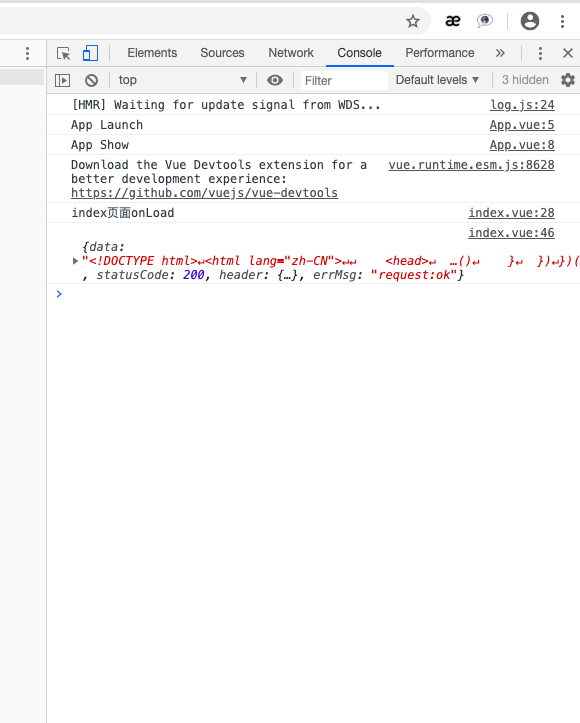
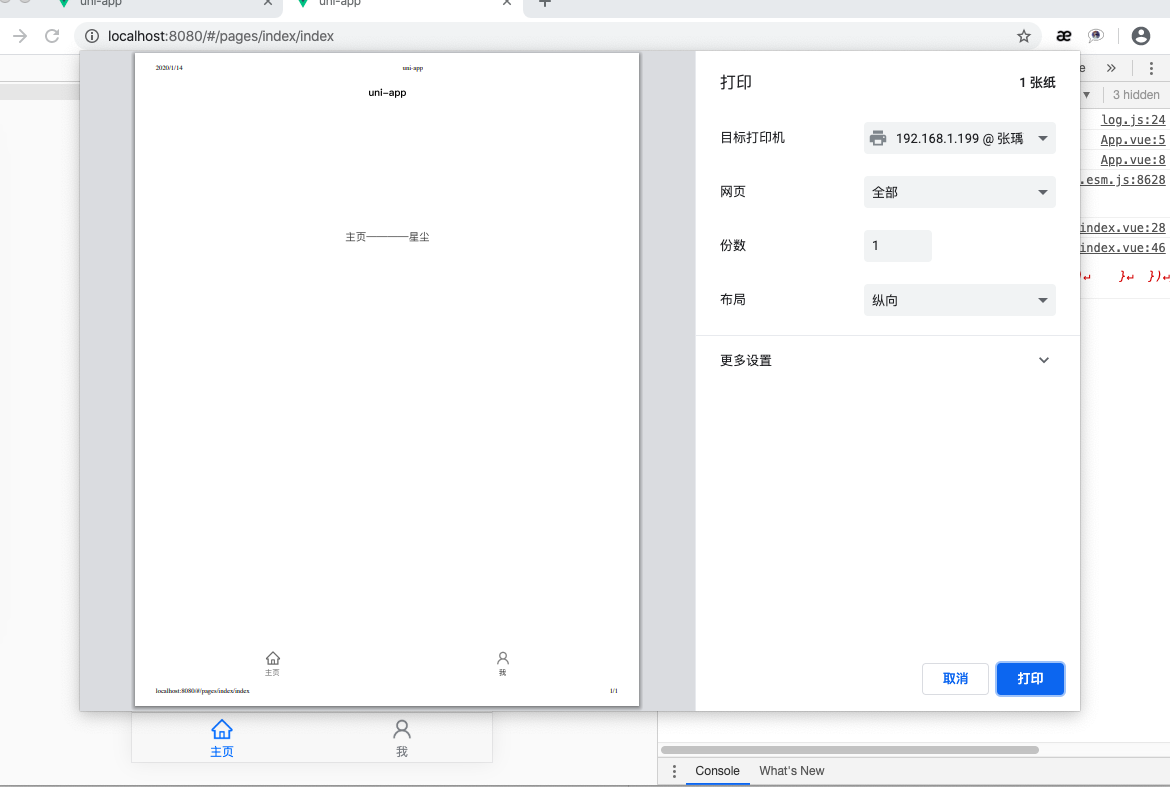
 本文介绍了uni-app开发中常用的日志打印工具,包括console.log()、clogvar以及varcw的使用,重点阐述了它们的区别,如clogvar能显示变量名。此外,还提到了uni-app的打印功能会唤起打印页面。





 扫一扫
扫一扫


 1302
1302

 被折叠的 条评论
为什么被折叠?
被折叠的 条评论
为什么被折叠?
 到【灌水乐园】发言





