


 本文详细介绍了如何在Windows和Linux系统上管理Samba用户,包括删除用户信息、添加网络凭据、配置smb.conf,以及在Linux中安装、配置Samba、添加用户和共享文件夹的过程。通过实例演示了如何在两个操作系统间实现文件共享和权限设置。
win操作:
win删除所有samb用户信息
net use * /del /y
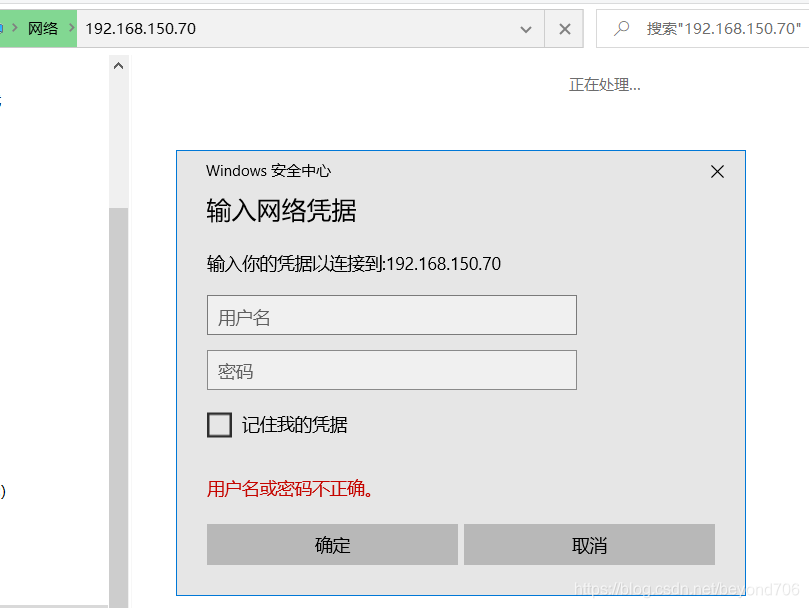
win下添加网络凭据
win+R
control userpasswords2
添加samba服务器地址 \\192.168.xx.xx
添加samba用户,密码,必须是系统已经存在的用户
Linux操作:
1.安装samba
yum install samba

[root@localhost share]# cd /etc/samba/
[root@localhost samba]# ls
lmhosts  smb.conf
[root@localhost samba]# ll
total 8
-rw-r--r--. 1 root root  20 Mar 16 23:45 lmhosts
-rw-r--r--. 1 root root 784 Jun 12 11:29 smb.conf
2.添加配置
vi smb.conf
[share]
    comment = fff
	path = /share
	browseable = Yes
	writeable = Yes
3.linux添加用户
useradd gdut17
passwd gdut17
4.samba添加用户
smbpasswd -a gdut17
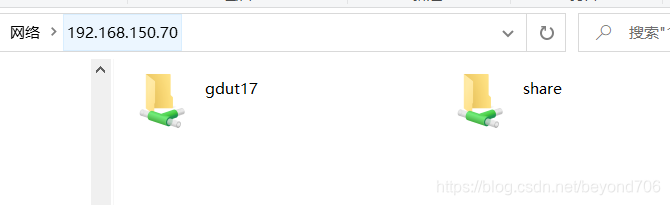
5.创建共享文件夹
mkdir /share
chmod 777 /share/ -R

chown gdut17:root /share/
chown gdut17:gdut17 /share/

[root@localhost /]# ll
drwxrwxrwx.   2 gdut17 gdut17   45 Jun 12 11:31 share
6.关闭 setlinux
setenforce 0
systemctl restart smb





 扫一扫
扫一扫


 964
964

 被折叠的 条评论
为什么被折叠?
被折叠的 条评论
为什么被折叠?
 到【灌水乐园】发言





