



 本文介绍了如何在Windows环境下修改MySQL用户的密码,包括创建包含新密码的记事本文件,停止MySQL服务,使用指定配置文件和密码文件启动服务,以及如何使用新密码连接数据库。
1.创建新记事本new_password.txt
定位到记事本绝对路径,我直接放桌面
C:\Users\bao123\Desktop
为用户为 root  新密码 123456为例
ALTER user root@'localhost' identified by '123456';
为用户为 mytest  新密码   88888888为例
ALTER user mytest@'localhost' identified by '88888888';

2.找到mysql的bin文件下
2.1执行数据库关闭
net stop mysql80
2.2执行下面这个指令
指令执行前提是定位到mysql的配置文件my.ini和 新创建的密码记事本new_password位置
mysqld --defaults-file="C:\ProgramData\MySQL\MySQL Server 8.0\my.ini" --init-file="C:\Users\bao123\Desktop\new_password.txt"
3.启动mysql
net start mysql80
4.使用最新的密码连接
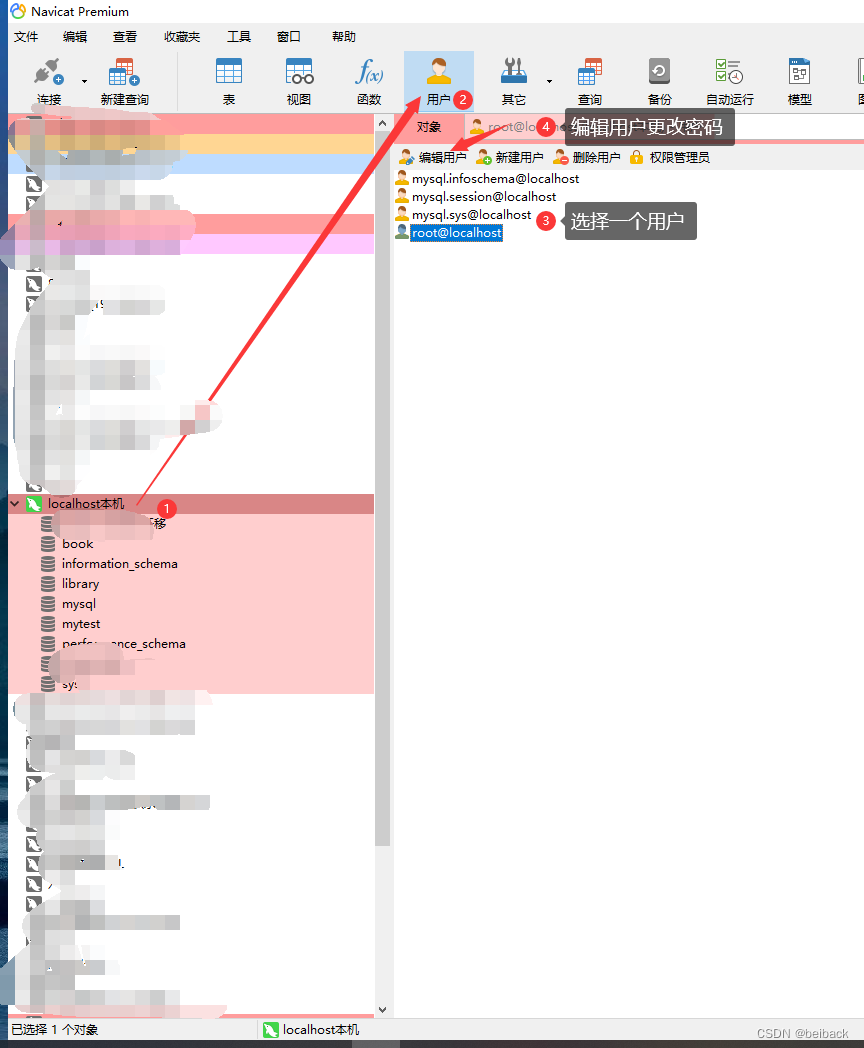
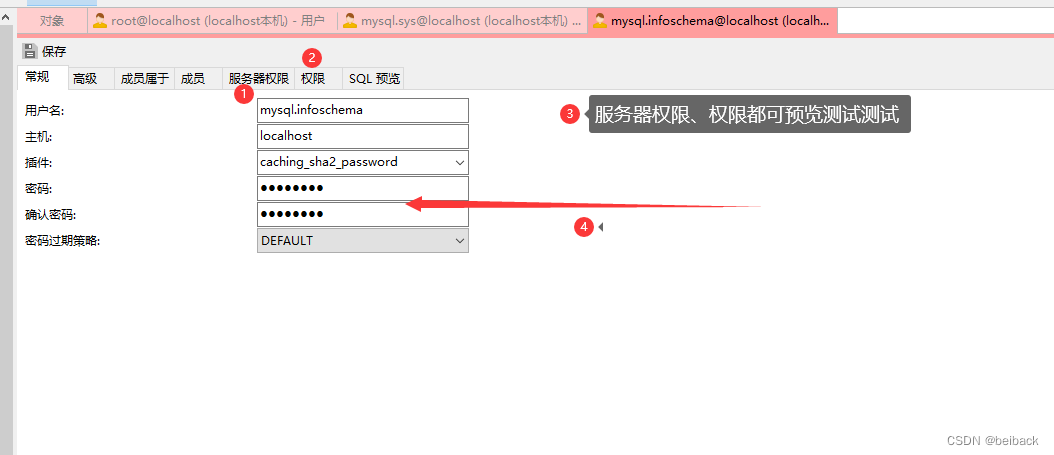
5.或者使用Navicat在已经连接mysql情况下





 扫一扫
扫一扫


 578
578

 被折叠的 条评论
为什么被折叠?
被折叠的 条评论
为什么被折叠?
 到【灌水乐园】发言





