



 文章介绍了使用JRebel进行热部署的方法,包括在IDEA中配置含有Tomcat项目的热部署,解决中文乱码问题;配置SpringBoot项目热部署,涉及IDEA2019及2021版本的设置,以及在pom.xml中添加spring-boot-devtools依赖;此外,还提到了在application.properties中启用热部署的配置,以及关闭模板缓存以实现静态资源的更新。
关于JRebel 热部署
感觉更新和生成日志文件较多,不过可以配置或者更改代码更新时间
关注我的另一篇文章
idea如何安装热部署Jrebel
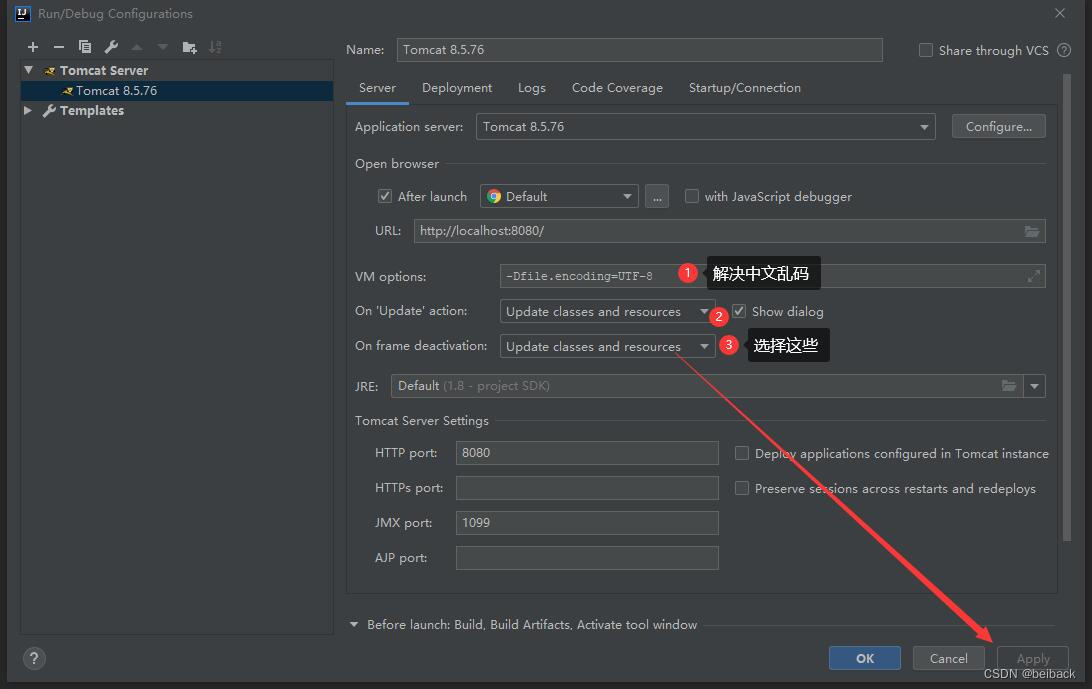
1、方式一配置含有tomcat项目运行的程序
解决中文乱码
-Dfile.encoding=UTF-8
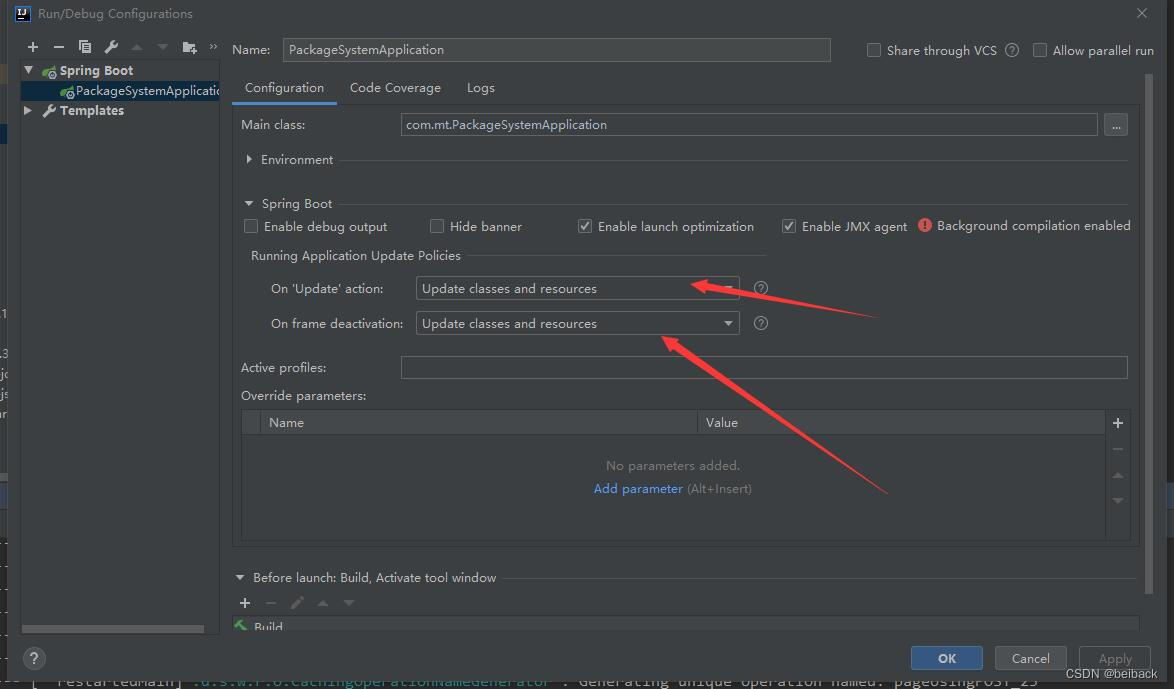
2、方式二配置springboot项目运行的程序热部署
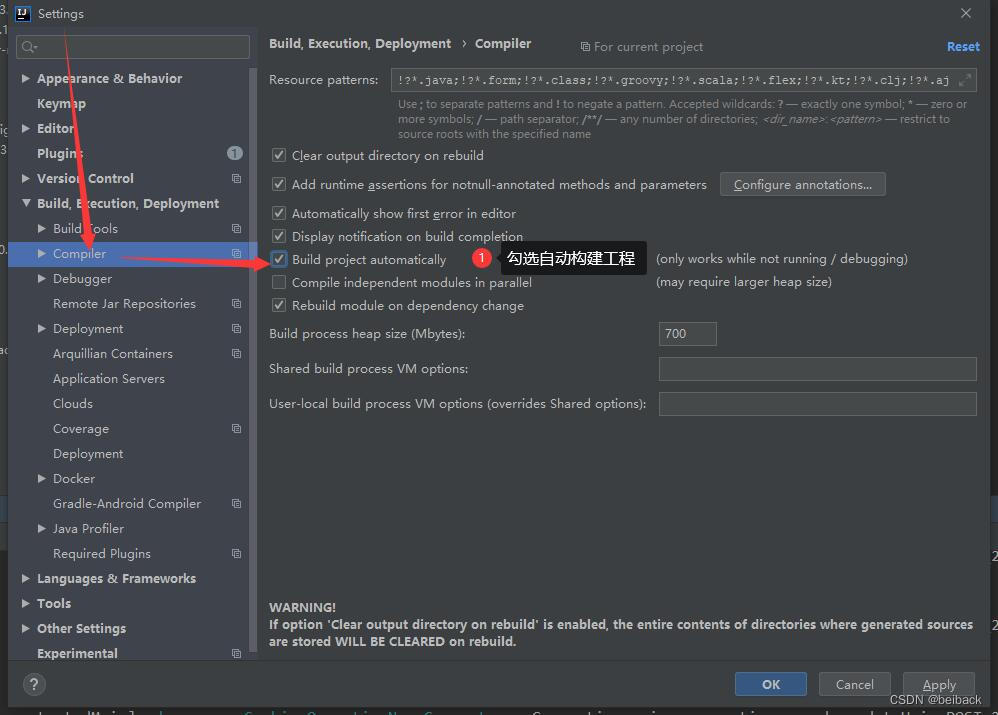
2.1、idea是2019版本
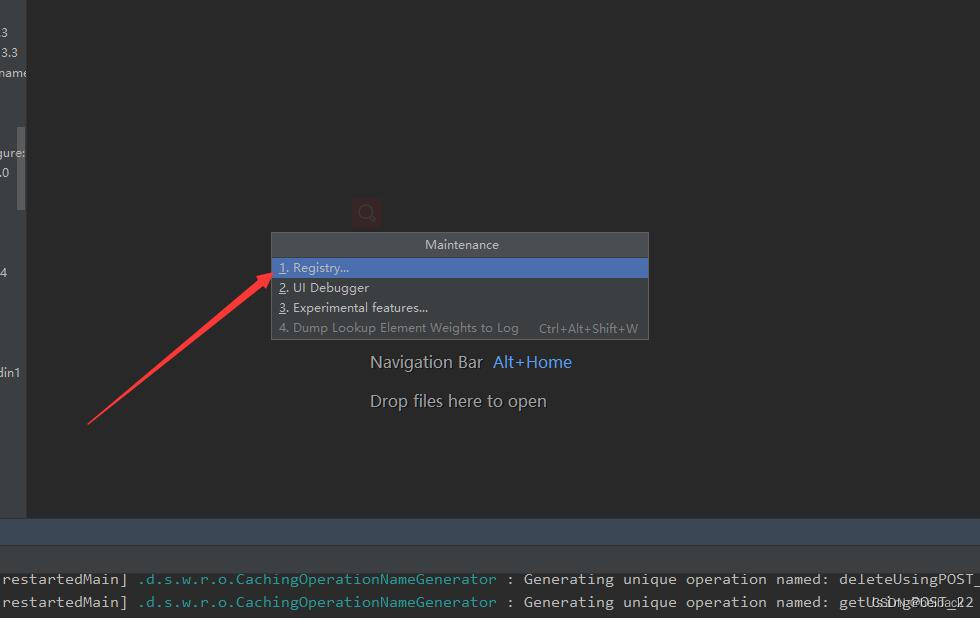
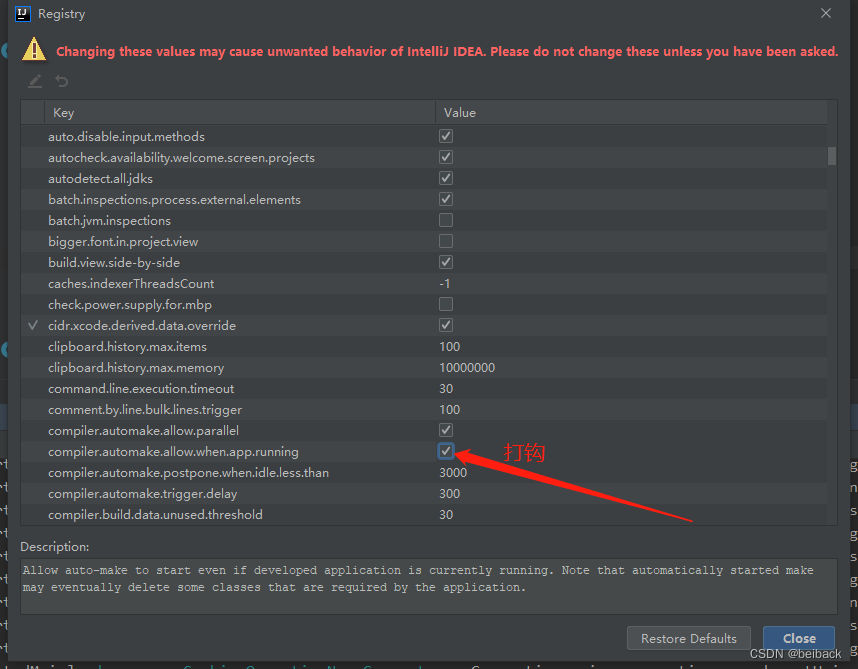
2.2、按住快捷键 ctrl+shift+alt + / 选择Register
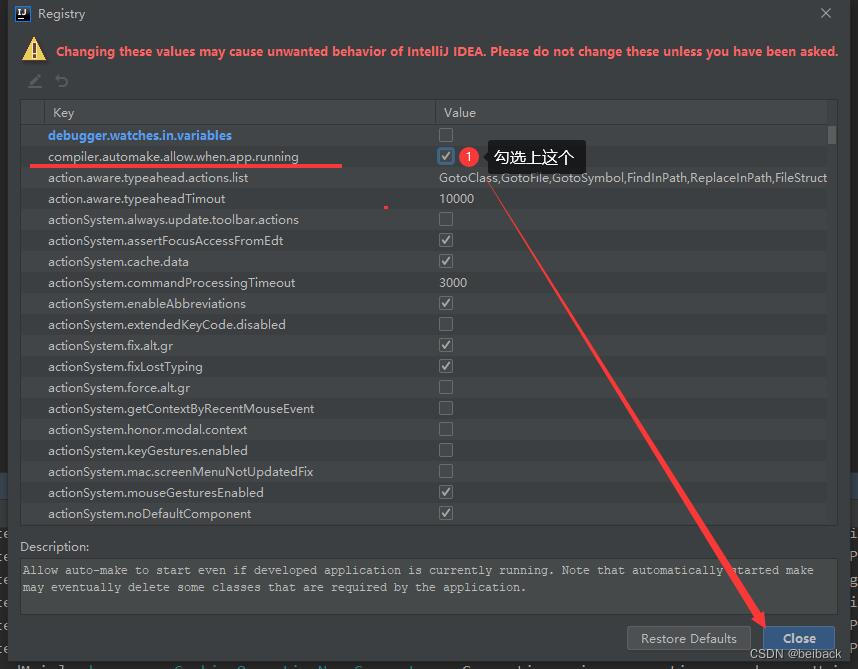
2.3、勾选compiler.automake.allow.when.app.running
Allow auto-make to start even if developed application is currently running. Note that automatically started make may eventually delete some classes that are required by the application.
2.4、pom.xml文件加载热部署
<!--SpringBoot热部署插件-->
      <!-- devtools 热部署依赖 -->
        <dependency>
            <groupId>org.springframework.boot</groupId>
            <artifactId>spring-boot-devtools</artifactId>
            <!--      optional 表示依赖是否向下传递 true表示不向下传递  默认值是false向下传递      -->
             <scope>runtime</scope>
            <optional>true</optional>
        </dependency>
3.方式三配置文件中开启热部署
在application.properties 里添加配置
#热部署生效
spring.devtools.restart.enabled: true
#设置重启的目录
spring.devtools.restart.additional-paths: src/main/java
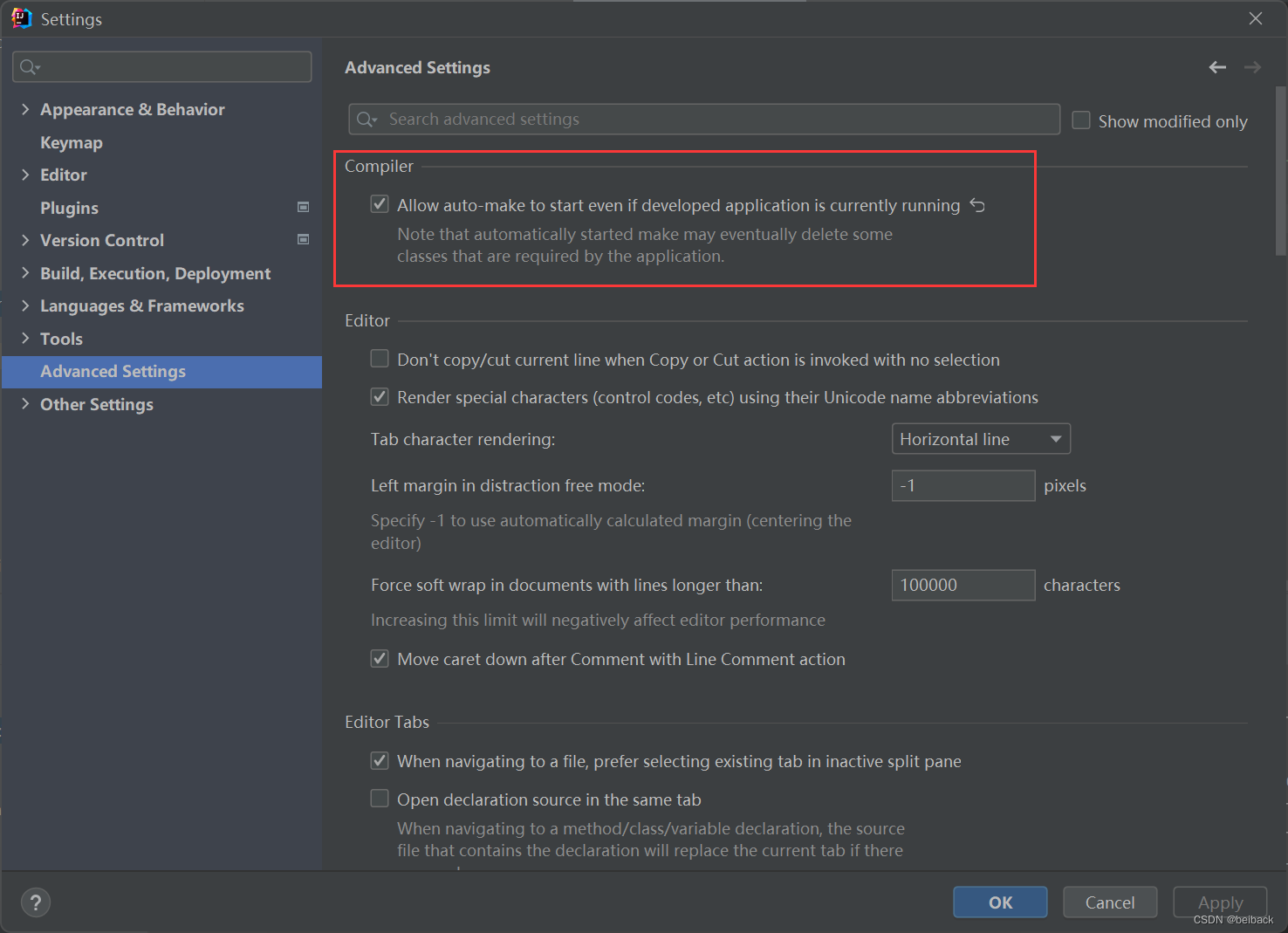
idea是2021版本后更新这位置
静态资源不更新问题解决
# 开启模板缓存(默认值: true )
spring.thymeleaf.cache=false  //更改为false






 扫一扫
扫一扫


 2085
2085

 被折叠的 条评论
为什么被折叠?
被折叠的 条评论
为什么被折叠?
 到【灌水乐园】发言





