



 本文介绍了Redis哨兵在一台服务器上一主二从模式的安装配置过程。包括从官网下载Redis,上传解压到服务器,进行基本安装并移动配置文件。修改配置文件,设置三个Redis端口和三个哨兵端口,配置主从关系,最后创建并启动哨兵,完成整个配置。
redis哨兵安装
一台服务器,一主二从模式
redis下载
redis官网下载地址:链接: link
##上传redis到服务器
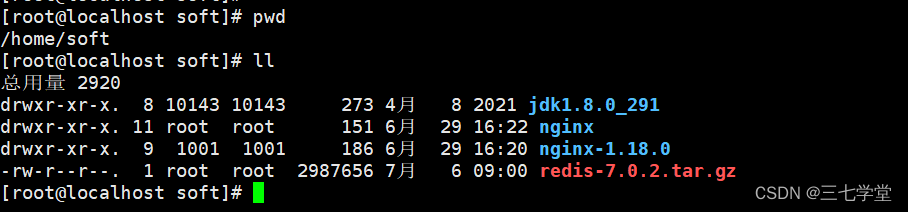
##解压
下面展示一些 内联代码片。
tar xzvf redis-7.0.2.tar.gz
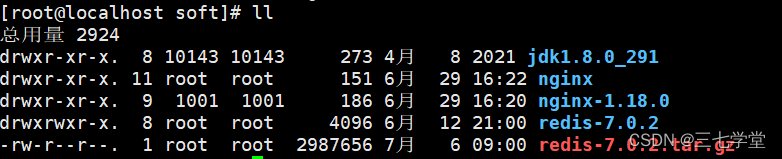
##安装
###基本安装
 cd redis-7.0.2/
 make && make install
 mkdir etc
 mkdir bin
 ll
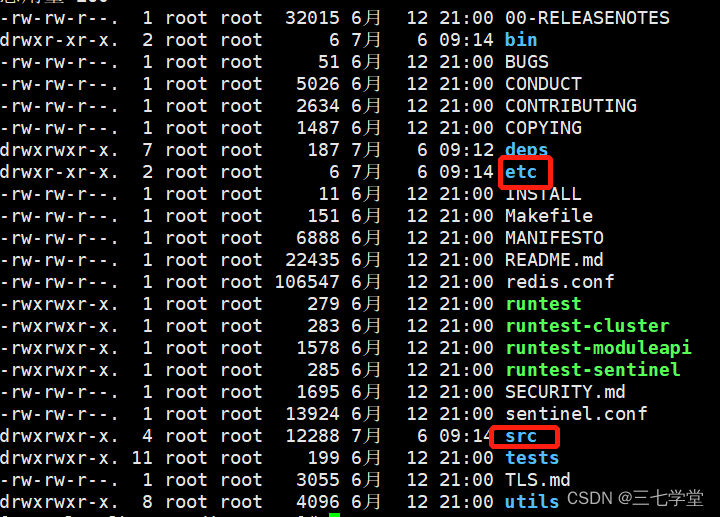
###移动配置文件方便查看与启动
cp redis.conf etc/
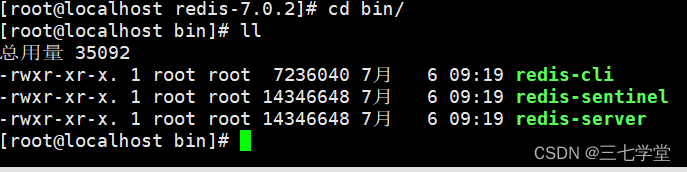
cp src/redis-server src/redis-cli src/redis-sentinel bin/
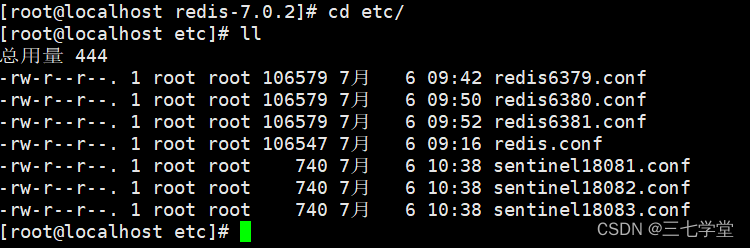
查看etc与bin目录下的文件

##修改配置文件
以一台主机安装一主二从模式
三个redis端口分别为6379,6380,6381,三个哨兵端口分别为18081,18082,18083
cd ../etc
cp redis.conf redis6379.conf
vim redis6379.conf
1.注掉bind 127.0.0.1
#bind 127.0.0.1 -::1
2.daemonize no 修改为  daemonize yes
3.protected-mode yes  修改为 protected-mode no
4.dbfilename dump.rdb 修改为 dbfilename dump6379.rdb
5.appendonly no 修改为 appendonly yes
6.appendfilename "appendonly.aof" 修改为appendfilename "appendonly6379.aof"
7.修改密码
requirepass sanmao0426
8.添加哨兵密码
masterauth sanmao0426
9.保存以上配置
###复制配置文件
cp redis6379.conf redis6380.conf
cp redis6379.conf redis6381.conf
分别修改redis6380.conf 和redis6381.com 里的配置文件,把6379分别修改为对应的端口,
如:修改redis6380.conf
vim redis6380.conf
port 6380
pidfile /var/run/redis_6380.pid
dbfilename dump6380.rdb
appendfilename "appendonly6380.aof"
保存以上配置
vim redis6381.conf
port 6381
pidfile /var/run/redis_6381.pid
dbfilename dump6381.rdb
appendfilename "appendonly6381.aof"
保存以上配置
##启动redis,以6379为主,配置主从
cd ../bin/
./redis-server ../etc/redis6379.conf
./redis-server ../etc/redis6380.conf
./redis-server ../etc/redis6381.conf
配置主节点

###配置6380
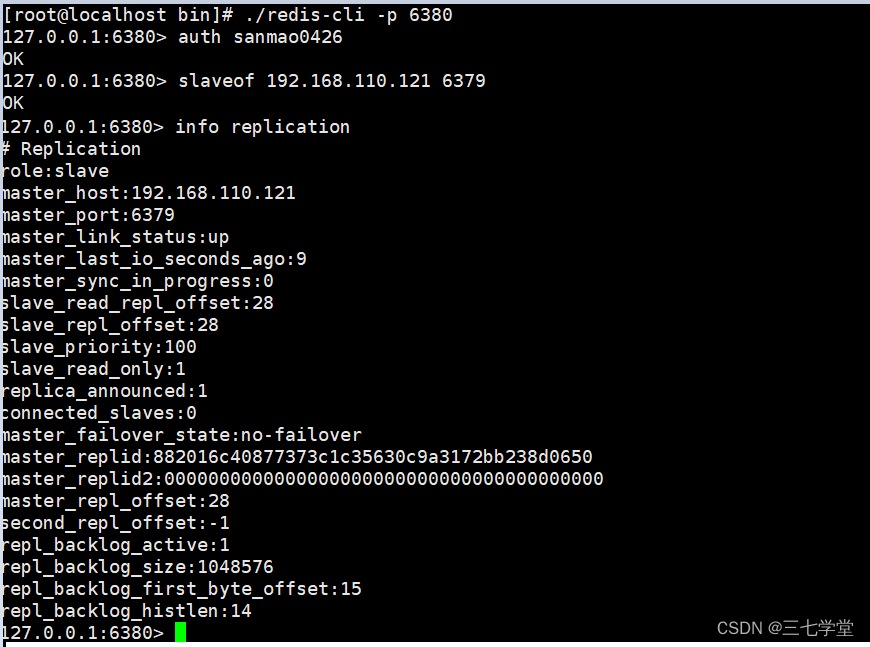
./redis-cli -p 6380
//输入密码
auth sanmao0426
//给从节点设置主节点 slaveof ip port
slaveof 192.168.110.121 6379
info replication 如下图
exit
###配置6381
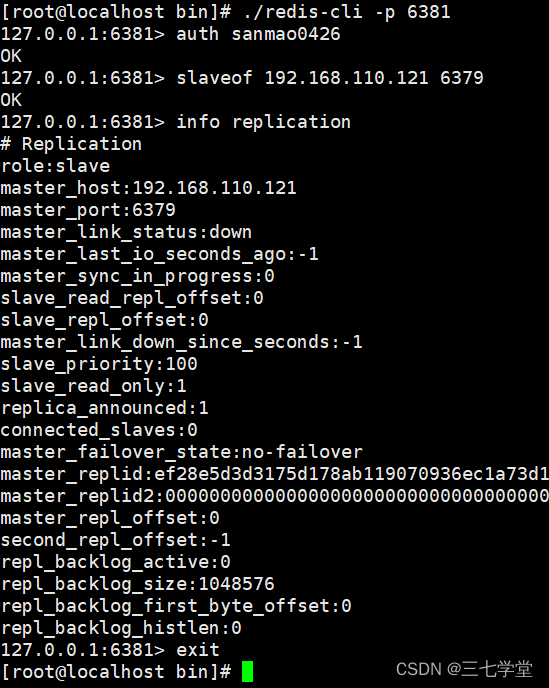
./redis-cli -p 6381
//输入密码
auth sanmao0426
//给从节点设置主节点 slaveof ip port
slaveof 192.168.110.121 6379
info replication 如下图
exit
###查看主节点
./redis-cli -9 6379
auth sanmao0426
info replication
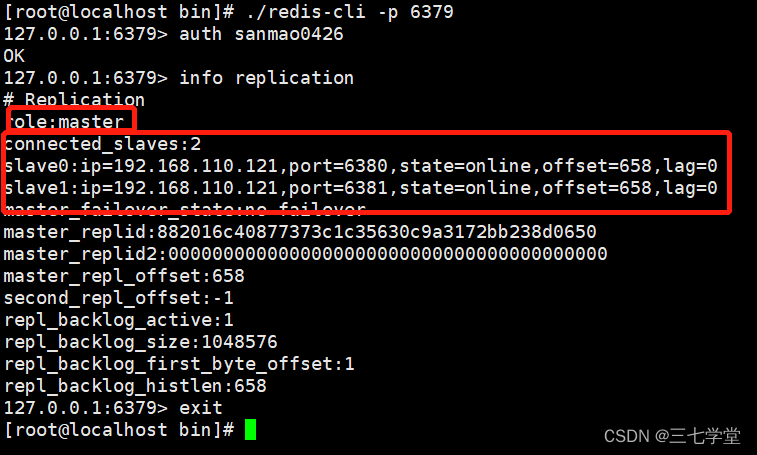
以上redis主从配置完闭,接下来配置哨兵
##配置哨兵
###创建sentinel18081.conf
touch sentinel18081.conf
vim sentinel18081.conf
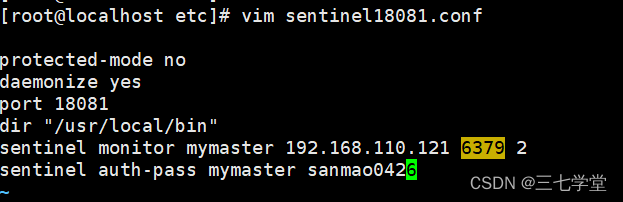
添加以下内容
protected-mode no
daemonize yes
port 18081
dir "/usr/local/bin"
sentinel monitor mymaster 192.168.110.121 6379 2
sentinel auth-pass mymaster sanmao0426
###创建创建sentinel18082.conf
cp sentinel18081.conf sentinel18082.conf
vim  sentinel18082.conf
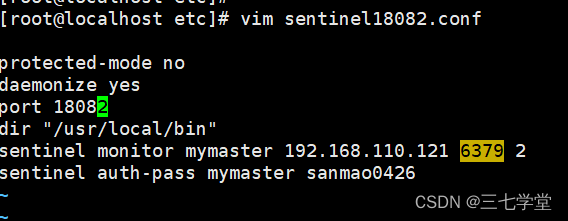
修改端口
port 18082
###创建创建sentinel18083.conf
cp sentinel18081.conf sentinel18083.conf
vim  sentinel18083.conf
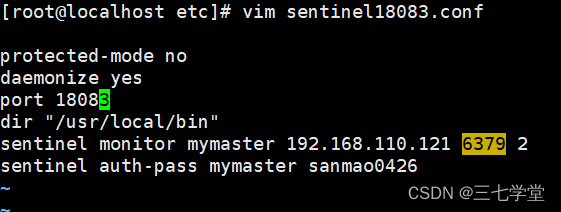
修改端口
port 18083
##启动哨兵
cd ../bin/
./redis-sentinel ../etc/sentinel18081.conf
./redis-sentinel ../etc/sentinel18082.conf
./redis-sentinel ../etc/sentinel18083.conf

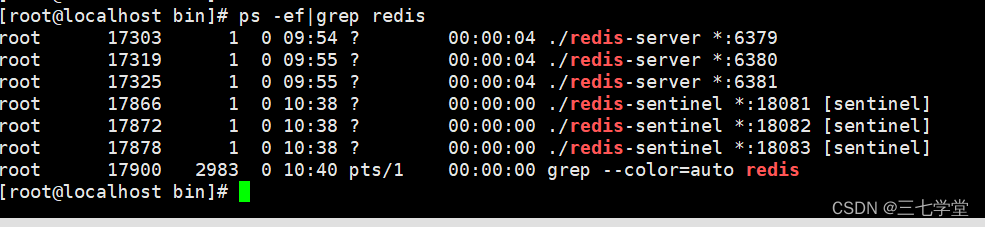
##查看哨兵
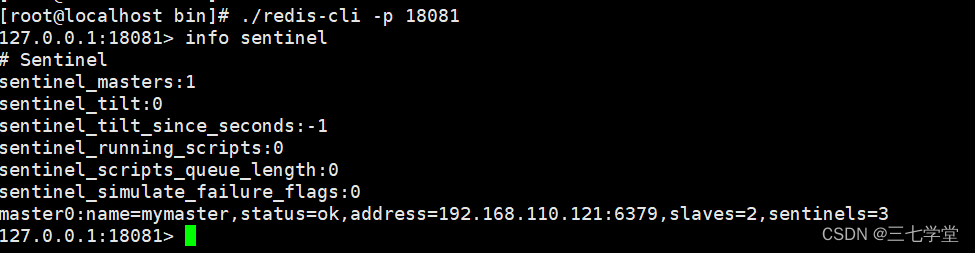
哨兵配置完毕!





 扫一扫
扫一扫


 931
931

 被折叠的 条评论
为什么被折叠?
被折叠的 条评论
为什么被折叠?
 到【灌水乐园】发言





