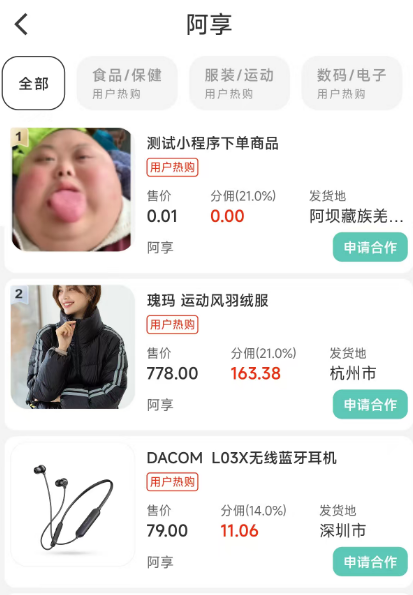
_body(){
return Column(
crossAxisAlignment: CrossAxisAlignment.start,
children: [
_goodsTabBar(),
Expanded(child: _goodsListTabView())
],
);
}
_goodsTabBar() {
if(_goodsCategoryList.isNotEmpty){
return Padding(
padding: EdgeInsets.only(bottom: 10.w),
child: TabBar(
controller: _tabController,
isScrollable: true,
labelStyle: TextStyle(
fontSize: 26.sp, letterSpacing: 1),
labelColor: JadeColors.grey_2,
labelPadding: EdgeInsets.symmetric(horizontal: 10.w),
unselectedLabelColor: JadeColors.grey,
unselectedLabelStyle: TextStyle(fontSize: 26.sp, letterSpacing: 1),
indicatorWeight: 0.01,
indicatorColor: JadeColors.grey_2,
tabs: _goodsCategoryList.asMap().entries
.map((entry){
int index = entry.key;
ProductSelectGoodsCateBean value = entry.value;
return AnimatedBuilder(
animation: _tabController.animation!,
builder: (BuildContext context, Widget? child) {
bool isSelect = _tabController.animation?.value == index;
return Container(
padding: EdgeInsets.symmetric(horizontal: 26.w),
height: 96.w,
decoration: BoxDecoration(
color: isSelect ? Colors.white : JadeColors.grey_5,
border: isSelect
? Border.all(color: JadeColors.grey_2, width: 1)
: null,
borderRadius: BorderRadius.circular(15),
),
child: Column(
mainAxisAlignment: MainAxisAlignment.center,
crossAxisAlignment: CrossAxisAlignment.start,
children: [
Text(value.goodsCategoryParentIdNameByGoods ?? '',style: TextStyle(fontWeight: FontWeight.w600),),
if(value.goodsCategoryParentIdByGoods != null)
Padding(padding: EdgeInsets.only(top: 5.w),
child: Text('用户热购',style: TextStyle(fontSize: 20.sp)))
],
)
);
},
);
}).toList(),
));
}else{
return SizedBox.shrink();
}
}








 扫一扫
扫一扫


 3771
3771

 被折叠的 条评论
为什么被折叠?
被折叠的 条评论
为什么被折叠?
 到【灌水乐园】发言





