





 本文详细解析了S3C2410芯片中串口驱动的初始化过程,包括如何根据CPU选择合适的UART驱动,注册串口设备至内核,并设置ttySAC0作为控制台设备。
一下函数在dricers/serial/s3c2410.c中
static int s3c24xx_serial_initconsole(void)
{
	struct s3c24xx_uart_info *info;
	struct platform_device *dev = s3c24xx_uart_devs[0];

	dbg("s3c24xx_serial_initconsole\n");

	/* select driver based on the cpu */

	if (dev == NULL) {
		printk(KERN_ERR "s3c24xx: no devices for console init\n");
		return 0;
	}

	if (strcmp(dev->name, "s3c2400-uart") == 0) {
		info = s3c2400_uart_inf_at;
	} else if (strcmp(dev->name, "s3c2410-uart") == 0) {
		info = s3c2410_uart_inf_at;
	} else if (strcmp(dev->name, "s3c2440-uart") == 0) {
		info = s3c2440_uart_inf_at;
	} else if (strcmp(dev->name, "s3c2412-uart") == 0) {
		info = s3c2412_uart_inf_at;
	} else {
		printk(KERN_ERR "s3c24xx: no driver for %s\n", dev->name);
		return 0;
	}

	if (info == NULL) {
		printk(KERN_ERR "s3c24xx: no driver for console\n");
		return 0;
	}

	s3c24xx_serial_console.data = &s3c24xx_uart_drv;
	s3c24xx_serial_init_ports(info);

	register_console(&s3c24xx_serial_console);   //向内核注册串口
	return 0;
}
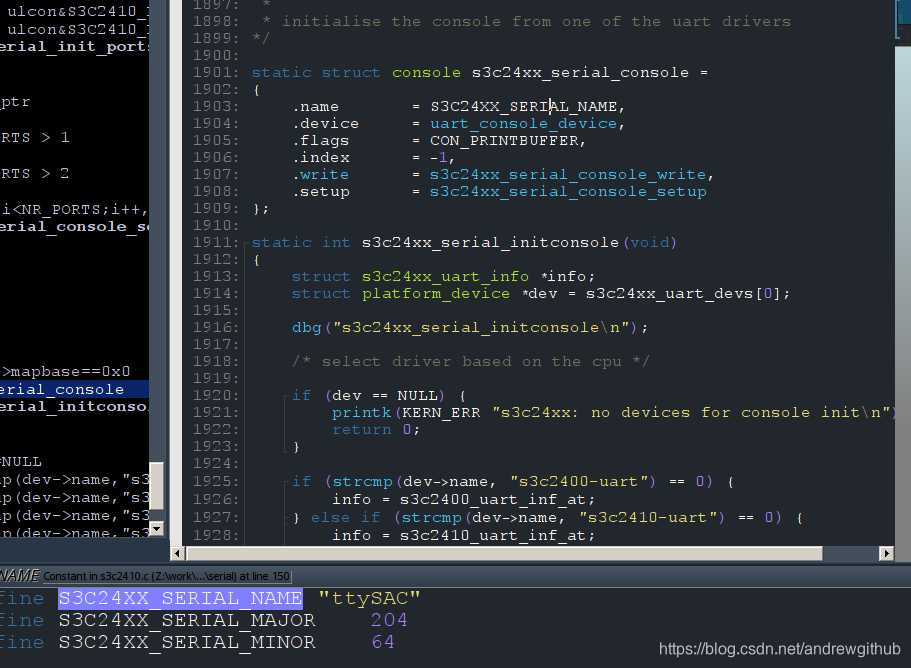
/* s3c24xx_serial_initconsole
 *
 * initialise the console from one of the uart drivers
*/

static struct console s3c24xx_serial_console =
{
	.name		= S3C24XX_SERIAL_NAME,
	.device		= uart_console_device,
	.flags		= CON_PRINTBUFFER,
	.index		= -1,
	.write		= s3c24xx_serial_console_write,
	.setup		= s3c24xx_serial_console_setup
}
可以看出S3C24XX_SERIAL_NAME被定义为ttySAC因此在创建串口设备的时候使用的是名字是ttySAC0,其中的0代表使用的是串口0,也就是第一个串口。
从途中还是可以看出设备的主设备号是204次设备号是64,要是使用手动创建也使用这个主设备号和次设备号
内核根据kernel/printk.c中的
__setup("console=", console_setup);
确定printk输出的设备。
内核开始执行时,发现形如"console=…“的命令参数时,就会调用console_setup函数进行解析。对于参数"console=ttySAC0”,它会解析出设备名(name)为ttySAC,索引为(index)0,这些信息会保存在console_cmdline中,
.flags = CON_PRINTBUFFER, 定义之后就可以使用printk打印在内核没有启动console之前的printk信息,因为在硬件初始化之前就是用了printk函数,但是当时没有初始化串口无法与用户进行交互,只能将信息放到缓冲区中。
既然printk输出的信息是先保存在缓冲区log_buf中的,那么也可以读取log_buf,以获取这些信息,系统启动之后想看printk信息,直接运行dmesg命令即可。





 扫一扫
扫一扫


 795
795

 被折叠的 条评论
为什么被折叠?
被折叠的 条评论
为什么被折叠?
 到【灌水乐园】发言





