 JavaScript代码实现动态图片翻转效果



 该段JavaScript代码主要用于实现网页中图片的动态翻转展示。通过预设的四个翻转方向,当用户点击导航按钮时,随机选择一个翻转效果应用于图片,并在翻转结束后更新图片的背景和alt属性,提供一种交互式的用户体验。
下载地址相关js代码$(document).ready(function() { //Initiliaze itemShow = 8; indexedItemShow = itemShow - 1 itemList = $("#portfolio-item"); itemWrapper = $("#portfolio"); rotation = ["flipped-vertical-bottom", "flipped-vertical-top", "flipped-horizontal-left", "flipped-horizontal-right"]; navigation = $("#navigation a"); //Populate items for( var i = 0; i < itemShow; i++ ) { itemImage = itemList.children("li:eq(" + i + ")").children("img"); itemSrc = itemImage.attr("src"); itemAlt = itemImage.attr("alt"); item = "
"; itemWrapper.append(item); } navigation.on("click", function(e) { e.preventDefault(); navigation.removeClass("selected"); $(this).addClass("selected"); page = $(this).attr("data-page"); for( var i = 0; i <= indexedItemShow; i++ ) { random = Math.floor( Math.random() * ( 3 - 0 + 1 ) ); animation = rotation[random]; item = itemWrapper.children("div:eq(" + i + ")"); item.addClass("animated " + animation); window.setTimeout(function (index) { return function () { indexReal = (page == 1) ? index : (index + (page - 1)) ; itemHost = indexReal + (indexedItemShow * (page - 1)); itemImage = itemList.children("li:eq(" + itemHost + ")").children("img"); itemSrc = itemImage.attr("src"); itemAlt = itemImage.attr("alt"); itemCurrent = itemWrapper.children("div:eq(" + index + ")"); itemCurrent.css("background", "url(" + itemSrc + ")"); itemCurrent.children("span").text(itemAlt); }; } (i), 500); item.on("transitionend webkitTransitionEnd MSTransitionEnd oTransitionEnd", function() { $(this).removeClass(); }); } });});
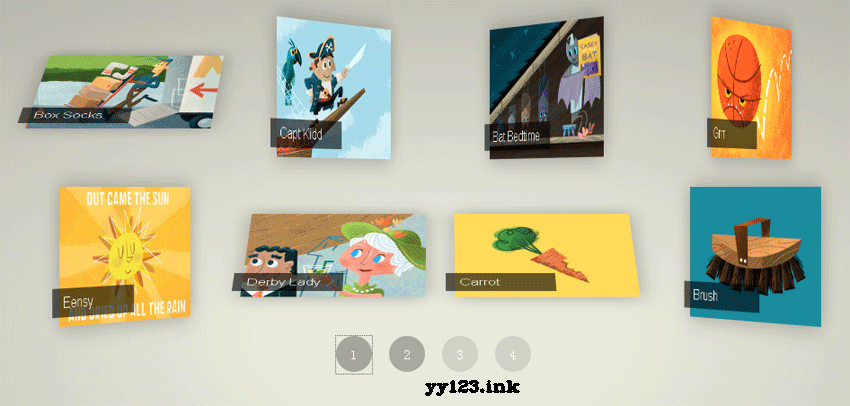
dd:





 扫一扫
扫一扫


 170
170

 被折叠的 条评论
为什么被折叠?
被折叠的 条评论
为什么被折叠?
 到【灌水乐园】发言





