



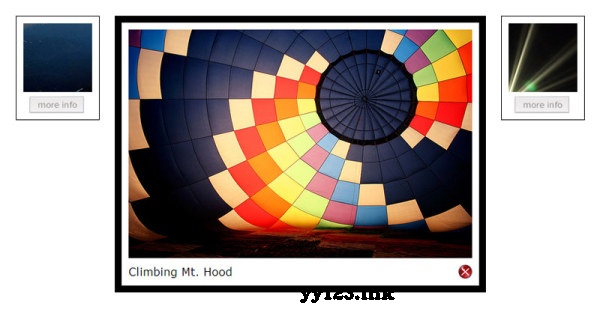
 此博客介绍了如何使用JavaScript和CSS创建一个图片滑动效果,图片在悬停时显示相关信息,点击后隐藏并恢复原始尺寸,适合前端开发者了解交互设计技巧。
$(document).ready(function(){ $(".photo_slider").each(function(){ var $this = $(this).addClass("photo-area"); var $img = $this.find("img"); var $info = $this.find(".info_area"); var opts = {}; $img.load(function(){ opts.imgw = $img.width(); opts.imgh = $img.height(); }); opts.orgw = $this.width(); opts.orgh = $this.height(); $img.css ({ marginLeft: "-150px", marginTop: "-150px" }); var $wrap = $("
").append($img).prependTo($this); var $open = $("
More Info >").appendTo($this); var $close = $("
Close").appendTo($info); opts.wrapw = $wrap.width(); opts.wraph = $wrap.height(); $open.click(function(){ $this.animate({ width: opts.imgw, height: (opts.imgh+30), borderWidth: "10" }, 600 ); $open.fadeOut(); $wrap.animate({ width: opts.imgw, height: opts.imgh }, 600 ); $(".info_area",$this).fadeIn(); $img.animate({ marginTop: "0px", marginLeft: "0px" }, 600 ); return false; }); $close.click(function(){ $this.animate({ width: opts.orgw, height: opts.orgh, borderWidth: "1" }, 600 ); $open.fadeIn(); $wrap.animate({ width: opts.wrapw, height: opts.wraph }, 600 ); $img.animate({ marginTop: "-150px", marginLeft: "-150px" }, 600 ); $(".info_area",$this).fadeOut(); return false; }); });});
dd:





 扫一扫
扫一扫


 被折叠的 条评论
为什么被折叠?
被折叠的 条评论
为什么被折叠?
 到【灌水乐园】发言





