


xdg-open command in the Linux system is used to open a file or URL in the user’s preferred application. The URL will be opened in the user’s preferred web browser if a URL is provided. The file will be opened in the preferred application for files of that type if a file is provided. xdg-open supports ftp, file, https, and http URLs.
This can be used inside a desktop session only. It is not recommended to use xdg-open as root. Here, zero is an indication of success while non-zero shows failure.
Syntax
xdg-open {file | URL}
where,
- file: Specifies the file that you want to open.
- URL: Specifies the URL that you want to open.
Basic Example
xdg-open read.html

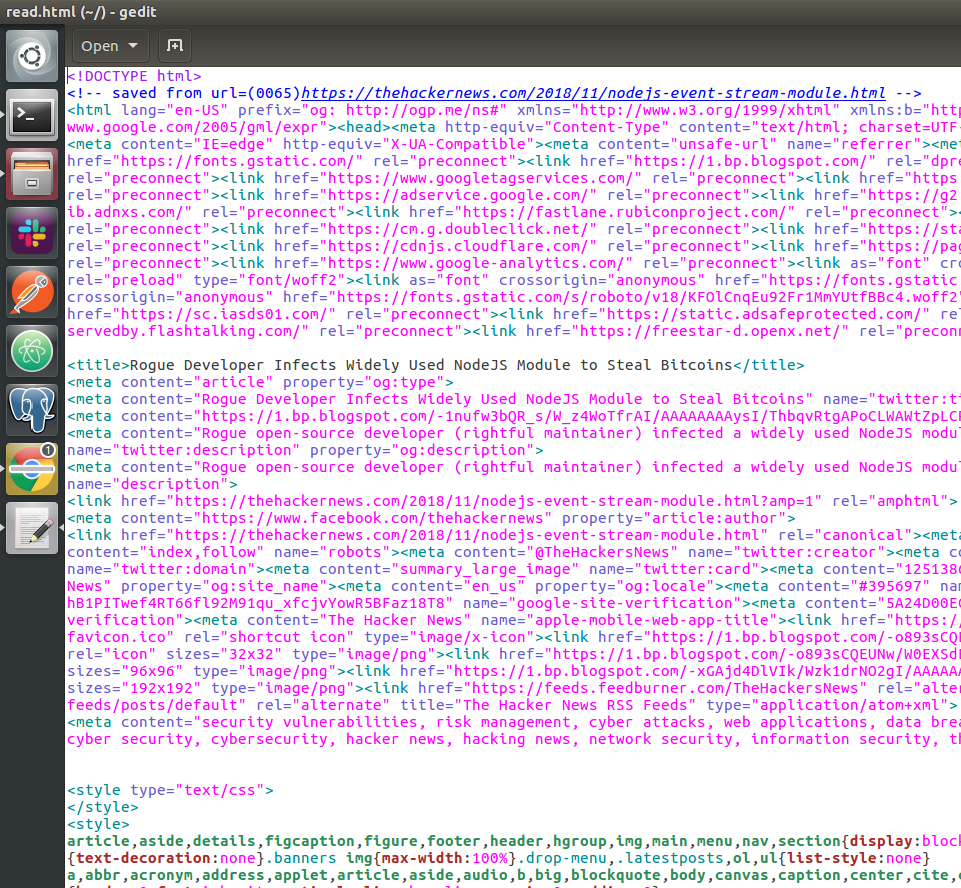
Key Options used with the xdg-open
1. xdg-open --version:
This option will show the xdg-utils version information.
xdg-open --version

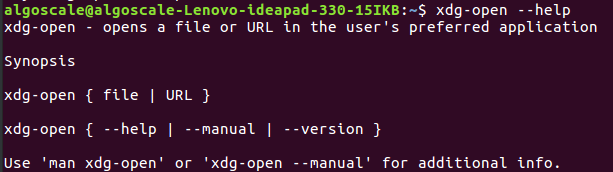
2. xdg-open --help:
Provides a summary of the command's options and usage.
xdg-open --help
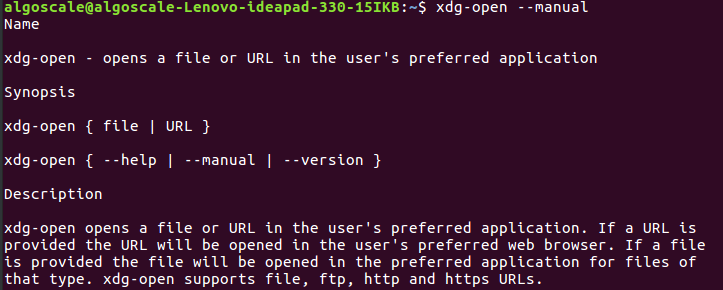
3. xdg-open --manual:
Opens the manual page for the xdg-open command, offering detailed documentation about the tool.
xdg-open --manual
Conclusion
The xdg-open command is a simple yet powerful tool for opening files and URLs in the user's default applications. It seamlessly integrates with the desktop environment, making it easy to launch files or web resources from the command line. With support for multiple file types and URL schemes, it is an essential utility for both casual users and system administrators alike.





 扫一扫
扫一扫


 973
973

 被折叠的 条评论
为什么被折叠?
被折叠的 条评论
为什么被折叠?
 到【灌水乐园】发言





