


 本文深入解析了Android中View和ViewGroup的概念与关系,详细介绍了FrameLayout、LinearLayout、RelativeLayout等布局容器的特点及使用技巧,帮助读者掌握核心布局原理。
内容
1.View和ViewGroup的关系
2.FrameLayout
3.LinearLayout
4.RelativeLayout
一.View和ViewGroup的关系
①view:单个的,看得到的,可以和用户交互的视图/控件 (比如TextView ImageView Button)
②ViewGroup:视图组=视图容器 可以容纳多个view/ViewGroup,并且管理view/ViewGroup的布局,就类似于一个人是view,一个家庭是小的ViewGroup,一个社区是大的ViewGroup,它继承于View
③布局容器(是真正用的、ViewGroup的子类):继承于ViewGroup,实现特有的布局⽅式,这也是容器(线性布局、相对布局、约束布局)
比如
帧布局 FrameLayout(最简单)
线性布局 LinearLayout
相对布局 RelativeLayout
约束布局 ConstraintLayout
注意
① 一般来说,一个容器要么继承ViewGroup,要么继承于另外一个容器
②xml中可以使用id来标识控件
③在xml中引用某一个资源使用@开头,比如@color/colorPrimary
④设置布局大小的时候,有match_parent就是,父容器有多大,这个控件就有多大。wrap_content就是自己内容有多大,控件就有多大
二.FrameLayout
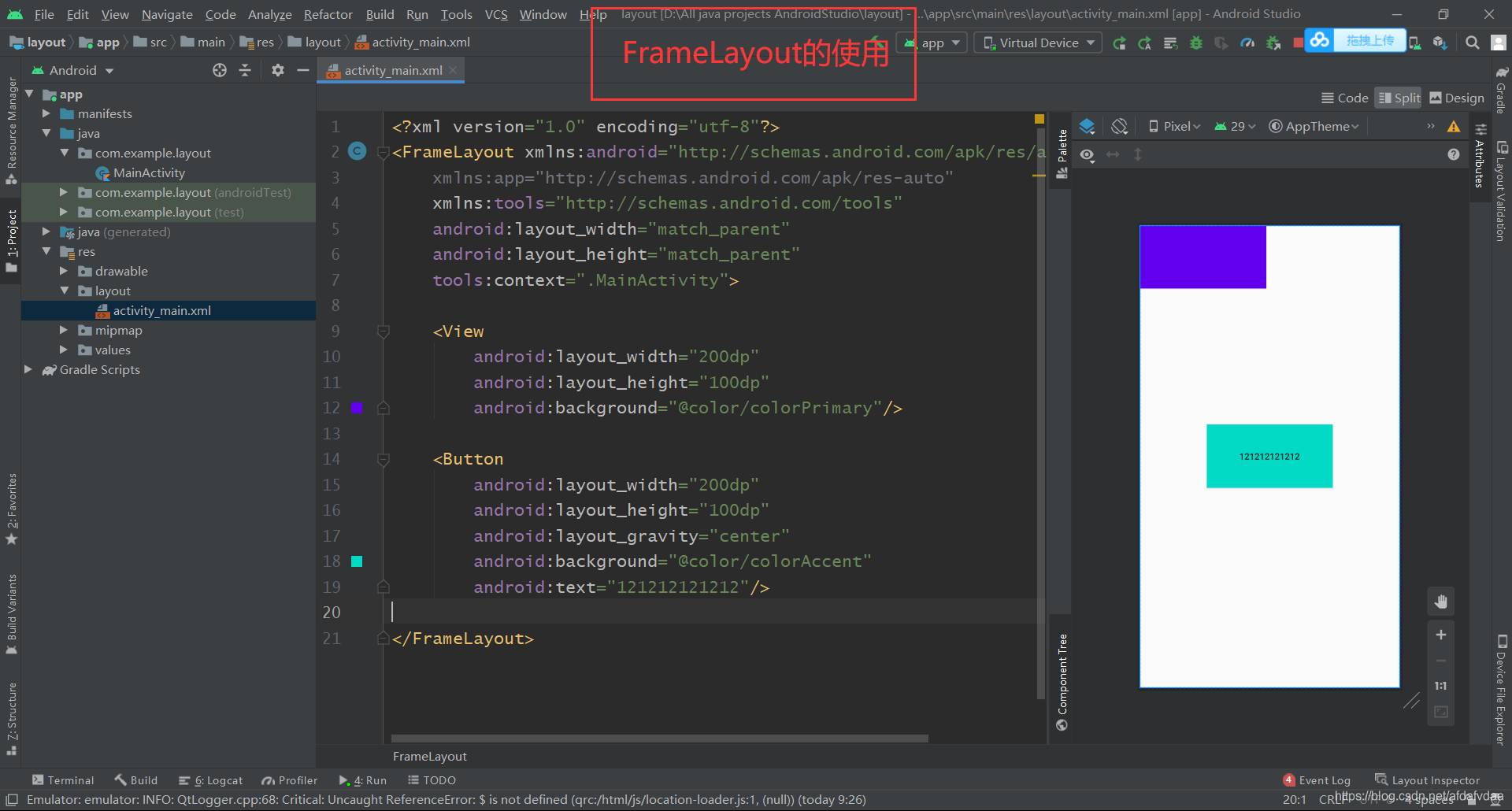
FrameLayout,类似于ps中的图层,后添加的控件优先级更高,所以有可能控件过大会覆盖前面的内容。功能太少,很少用
注意
①Layout_margin设置父容器左右上下的外间距
②Layout_marginStart/ Layout_marginLeft几乎一致,区别就是有的文字是从左往右读,有的文字是从右往左读,start去自动匹配
③内间距就是内部内容距离控件的间距,用padding来设置,类似Layout_margin
三.LinearLayout
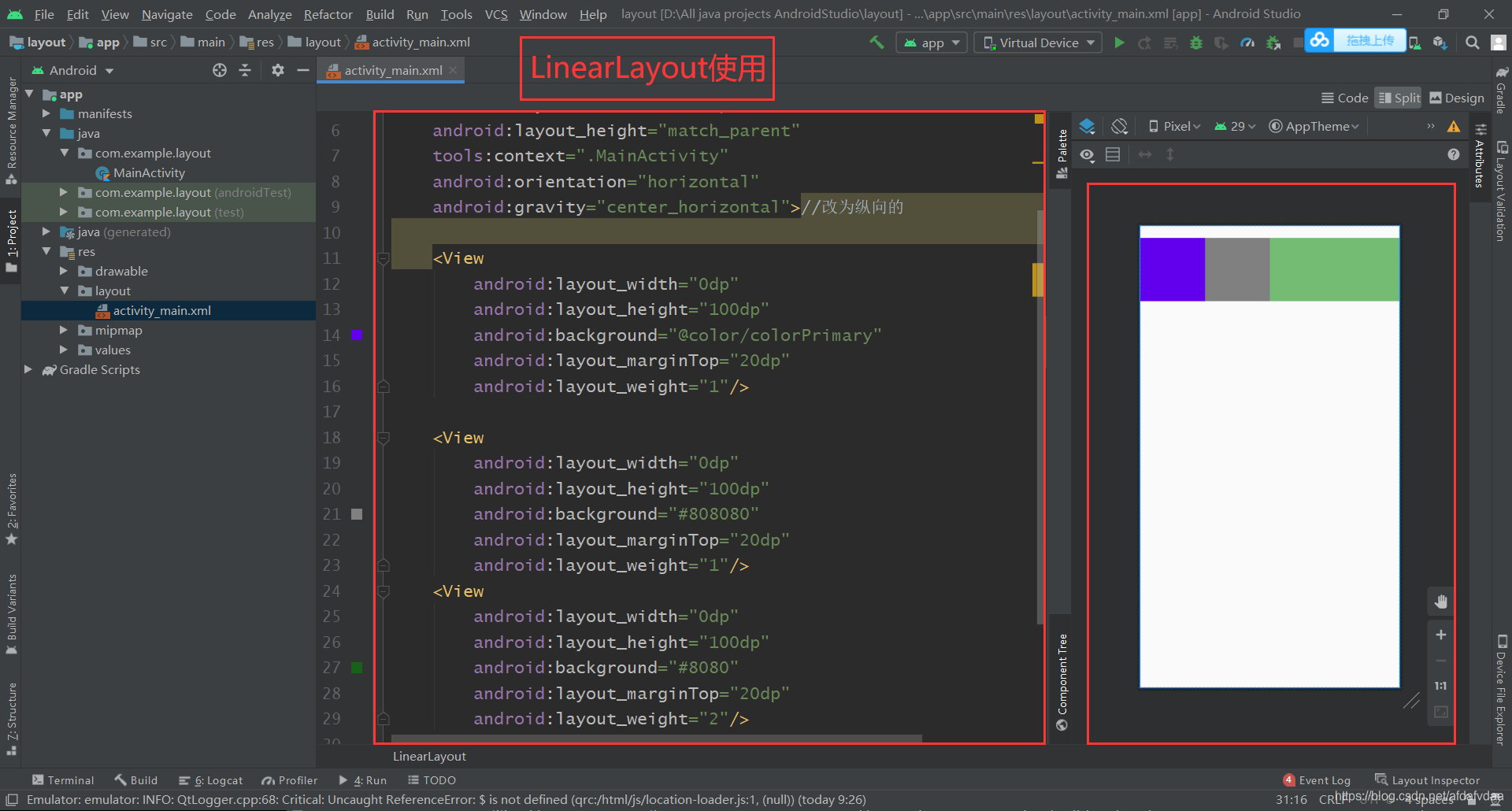
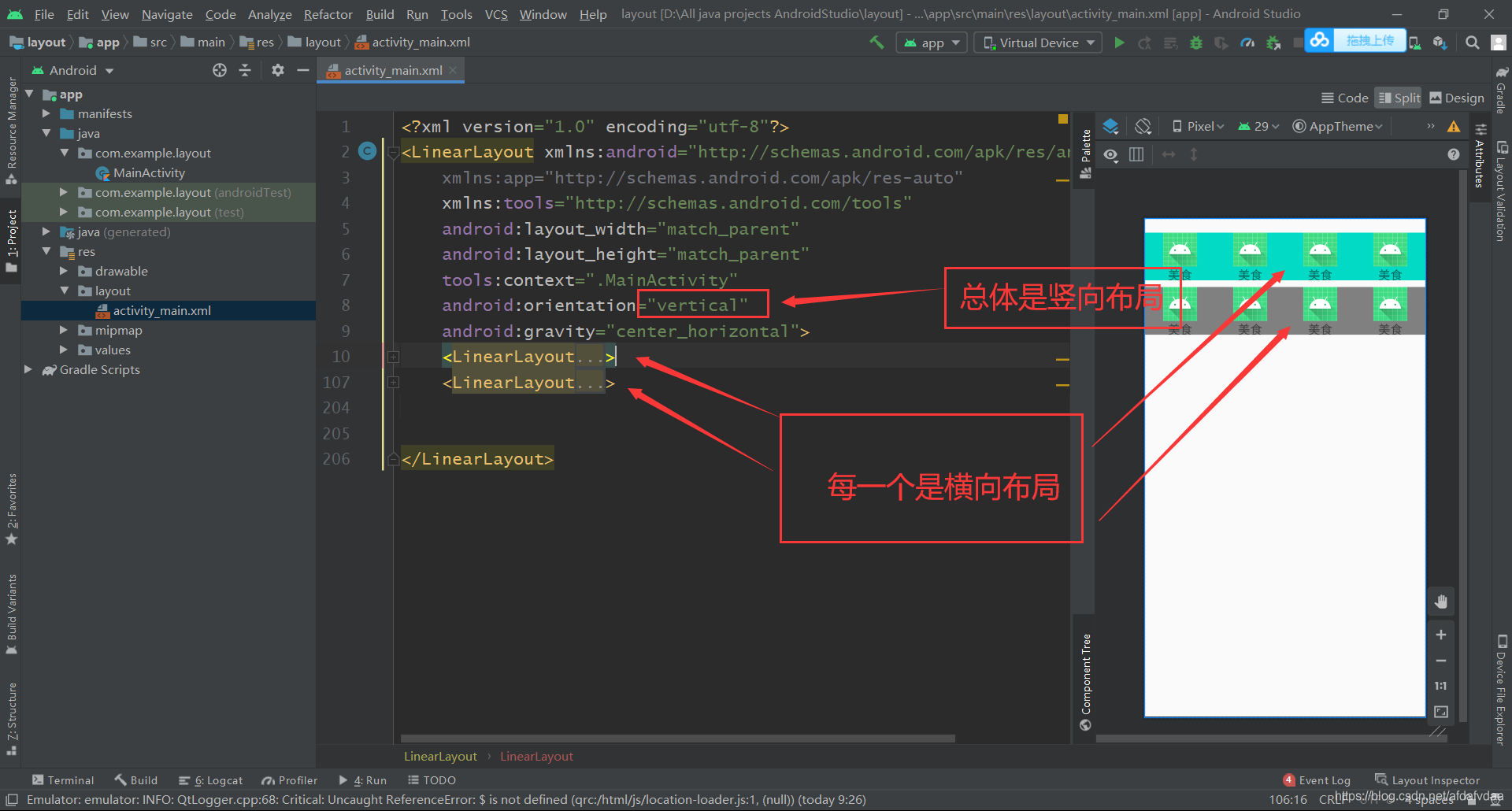
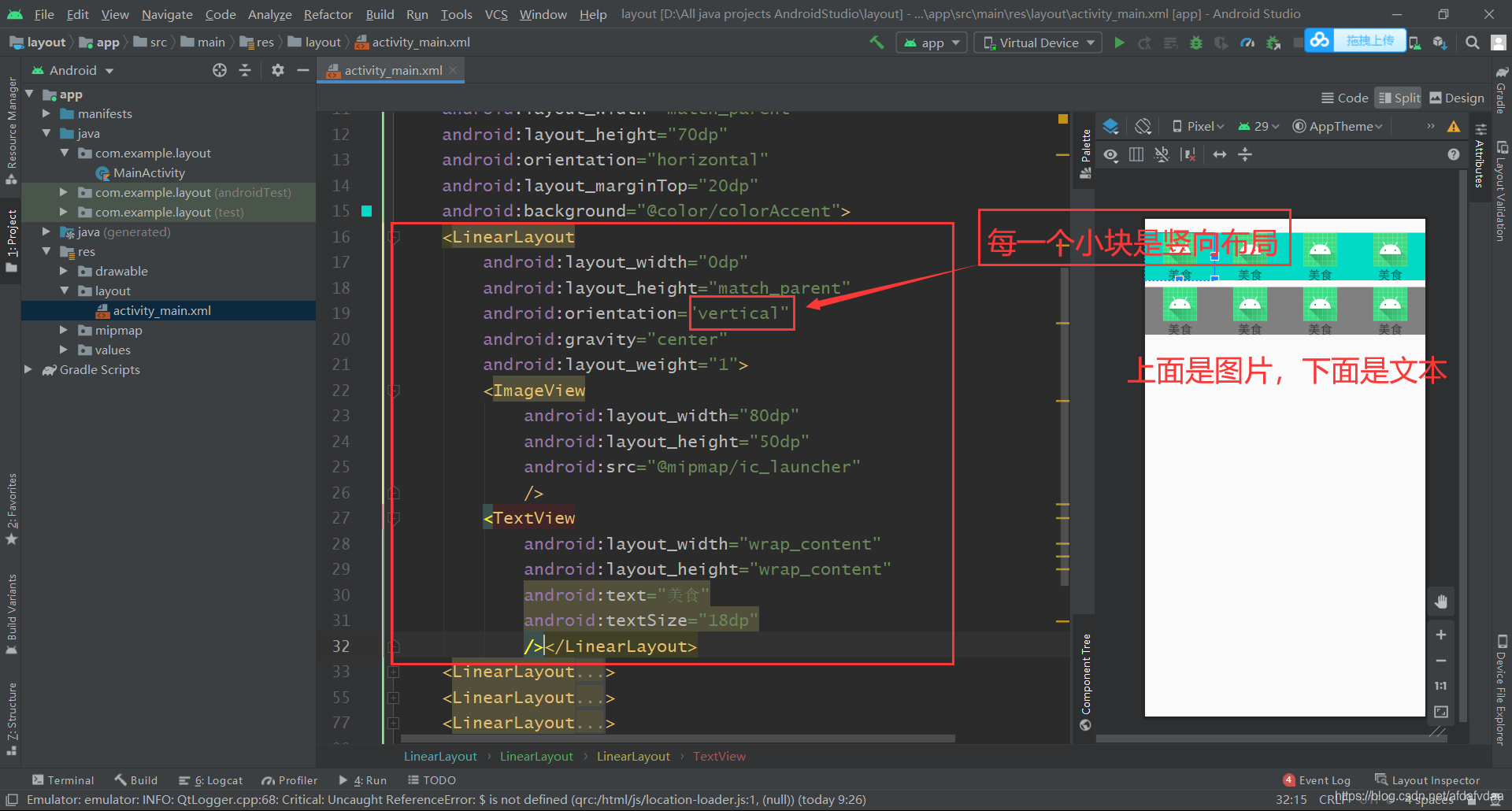
LinearLayout是只有横向或纵向布局的界面,注意嵌套关系,这个效率其实是不高的
注意:
①首先要确定方式是横向还是纵向,即通过orientation(默认是横向的)
②layout_gravity是设置当前控件和父容器之间的位置关系
gravity是设置自己的内容布局
③layout_weight权重:(1)将宽度 或者 高度设为0dp(2)设置对应比例值
上面的注释应该是尖括号那种,我写错了
四.RelativeLayout 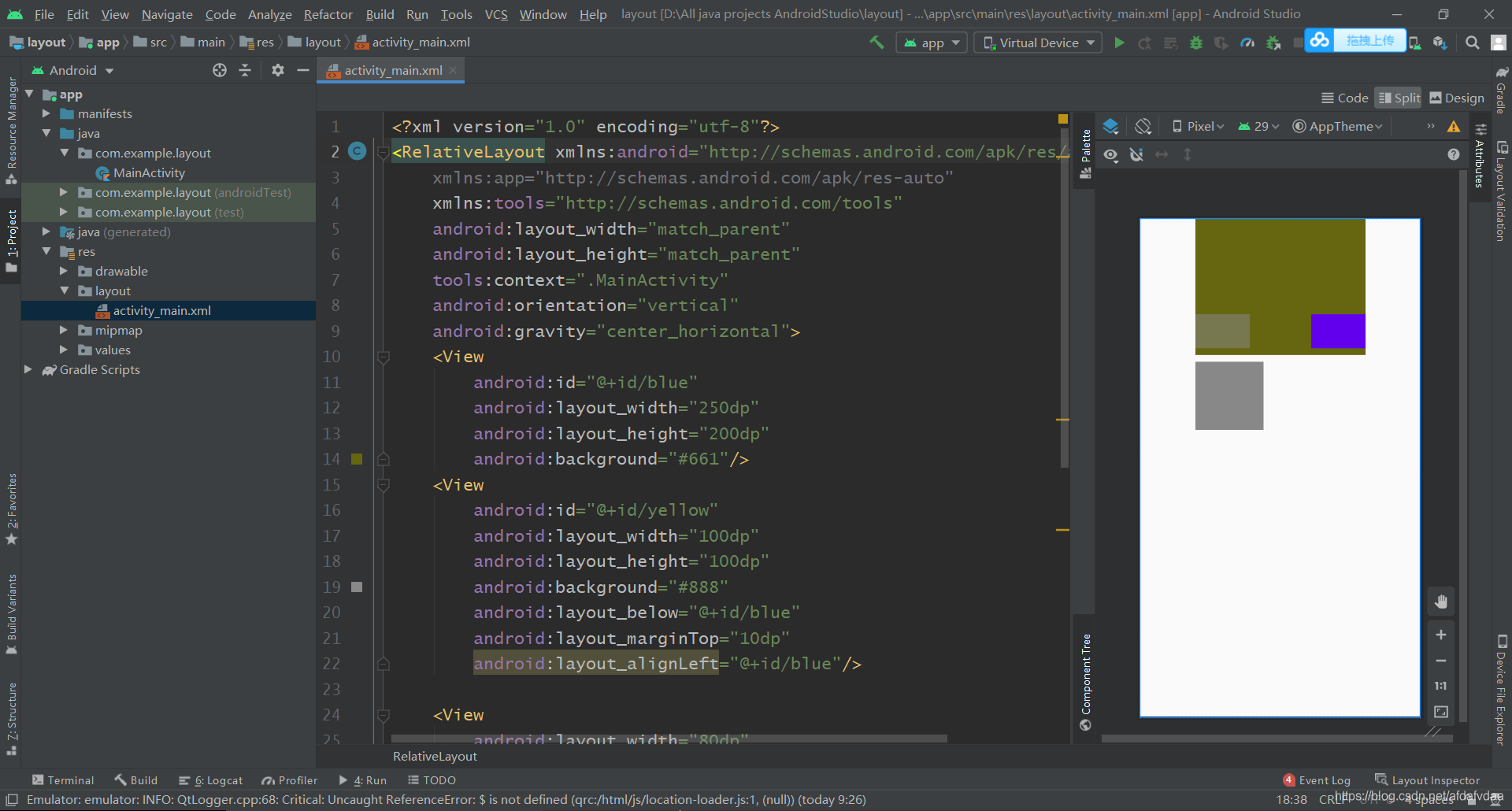
具体代码如下
<?xml version="1.0" encoding="utf-8"?>
<RelativeLayout xmlns:android="http://schemas.android.com/apk/res/android"
    xmlns:app="http://schemas.android.com/apk/res-auto"
    xmlns:tools="http://schemas.android.com/tools"
    android:layout_width="match_parent"
    android:layout_height="match_parent"
    tools:context=".MainActivity"
    android:orientation="vertical"
    android:gravity="center_horizontal">
    <View
        android:id="@+id/blue"
        android:layout_width="250dp"
        android:layout_height="200dp"
        android:background="#661"/>
    <View
        android:id="@+id/yellow"
        android:layout_width="100dp"
        android:layout_height="100dp"
        android:background="#888"
        android:layout_below="@+id/blue"
        android:layout_marginTop="10dp"
        android:layout_alignLeft="@+id/blue"/>

    <View
        android:layout_width="80dp"
        android:layout_height="50dp"
        android:background="#8888"
        android:layout_alignBottom="@+id/blue"
        android:layout_marginBottom="10dp"
        android:layout_alignLeft="@+id/blue"/>
    <View
        android:layout_width="80dp"
        android:layout_height="50dp"
        android:background="@color/colorPrimary"
        android:layout_alignEnd="@+id/blue"
        android:layout_alignBottom="@+id/blue"
        android:layout_marginBottom="10dp"/>

</RelativeLayout>
最后没有写到的约束布局主要是操作性的,多找些模板来做做就熟悉了





 扫一扫
扫一扫


 被折叠的 条评论
为什么被折叠?
被折叠的 条评论
为什么被折叠?
 到【灌水乐园】发言





