



先设置非debug的正常启动
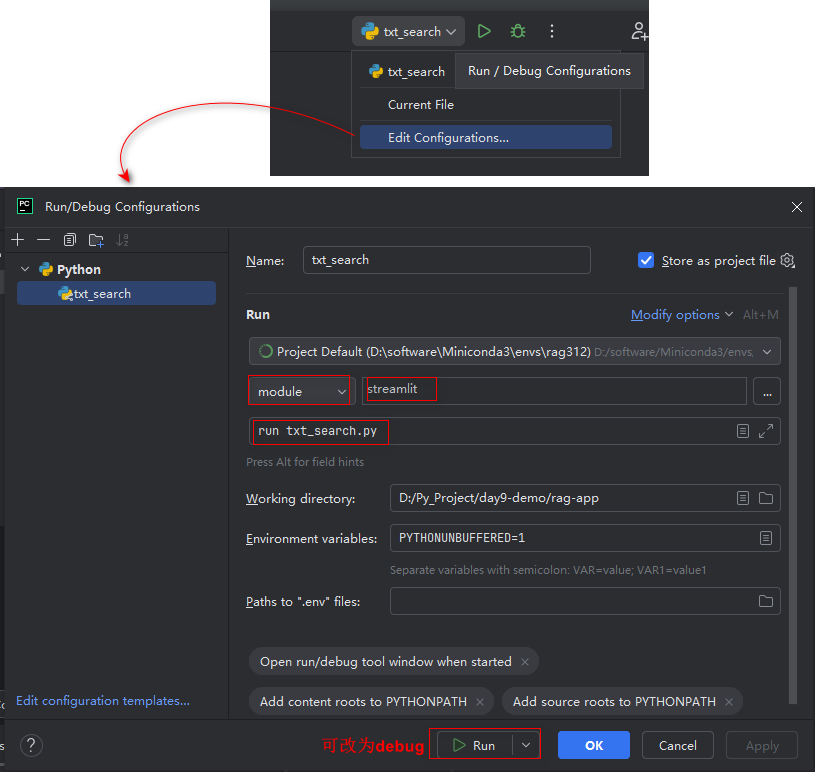
首次启动可能出现一下的问题:
Welcome to Streamlit!
  If you’d like to receive helpful onboarding emails, news, offers, promotions,
  and the occasional swag, please enter your email address below. Otherwise,
  leave this field blank.

  Email:     程序可能会出现卡在这里,可以回车或者输入一个假邮箱。
上面的翻译的意思:
如果您希望接收有用的入门指南邮件、新闻、优惠、促销活动以及偶尔的赠品,请在下方输入您的电子邮件地址。如果不希望接收,请将此字段留空。
下次启动就显示下面的正常内容了
D:\software\Miniconda3\envs\py312\python.exe -m streamlit run txt_search.py
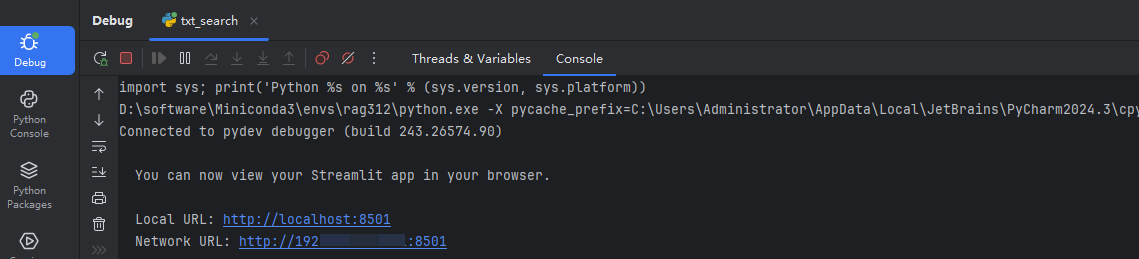
You can now view your Streamlit app in your browser.
Local URL: http://localhost:8501
Network URL: http://11.0.xx.xx:8501
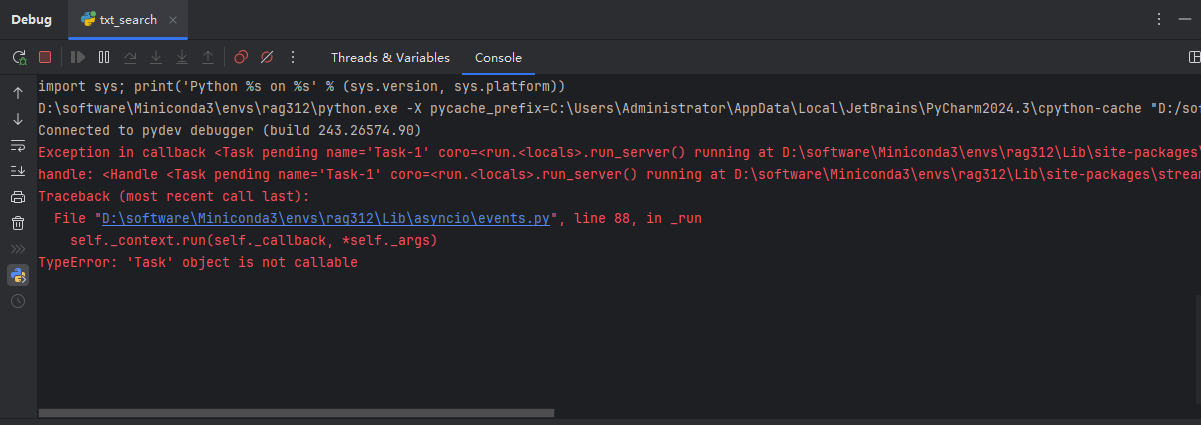
debug模式启动的报错信息
解决方式
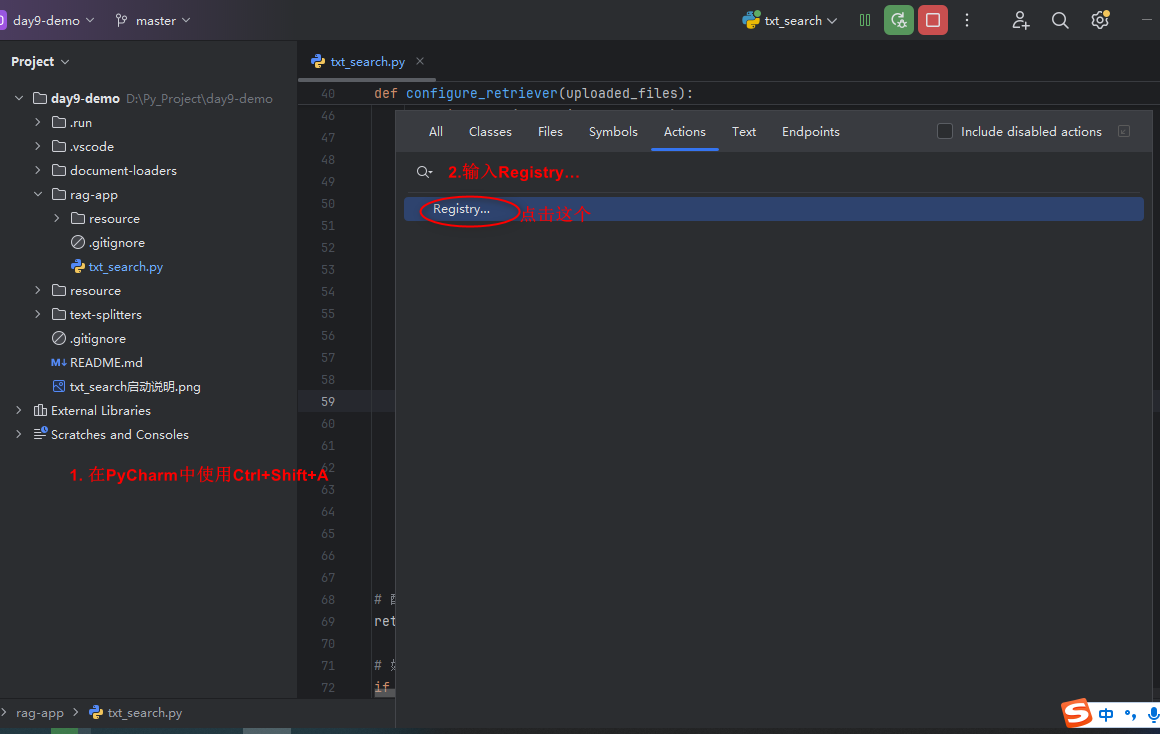
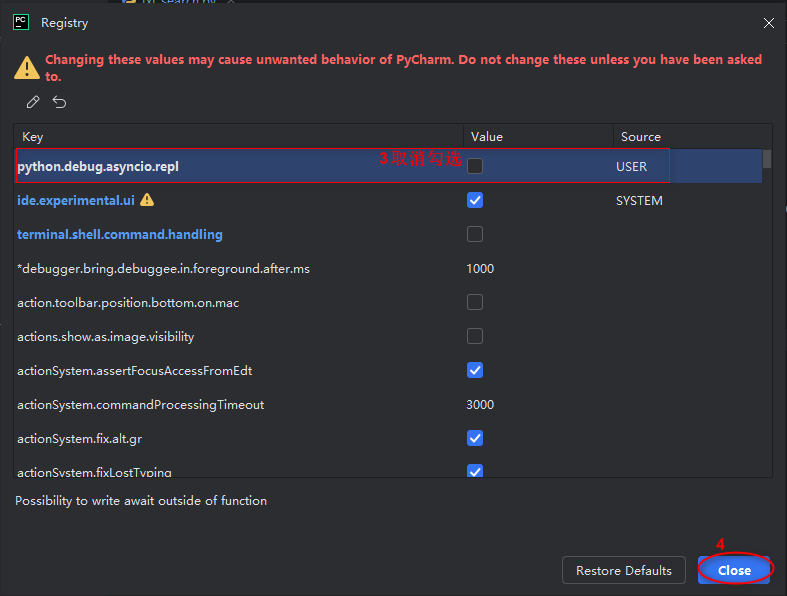
然后重启IDE。
再试debug启动,这次就能正常以debug模式启动了。





 扫一扫
扫一扫


 319
319

 被折叠的 条评论
为什么被折叠?
被折叠的 条评论
为什么被折叠?
 到【灌水乐园】发言





