


 本文分享了使用CSS3实现类似Chinaz网站图片瀑布流布局的方法,通过简单的代码示例展示了如何利用CSS3的column属性达到美观的布局效果。
以前就觉得,Chinaz中图片瀑布布局很好看,以前也看过别人实现的一些方法,大部分是用js实现的,今天试了一下,用CSS3简单的实现了类似的布局效果,希望对大家有用!Chinaz中的效果:

我的代码:
<!DOCTYPE HTML>
<html>
<head>
<meta http-equiv="Content-Type" content="text/html; charset=utf-8">
<title>CSS3瀑布布局</title>
<style>
        .container{
                -webkit-column-width:160px;
                -moz-column-width:160px;
                -o-colum-width:160px;
                -webkit-column-gap:1px;
                -moz-column-gap:1px;
                -o-column-gap:1px;
        }
        div:not(.container){
                -webkit-border-radius:5px;
                -moz-border-radius:5px;
                border-radius:5px;
                background:#D9D9D9;
                border::#CCC 1px solid;
                display:inline-block;
                width:157px;
                position:relative;
                margin:2px;
        }
        .title{
                 line-height:80px; font-size:18px; color:#900;
                 text-align:center;
                 font-family:"Microsoft YaHei";
        }
</style>
</head>

<body>
<section>
        <div class="container">
            <div style="height:80px" class="title">纯CSS3瀑布布局</div>
        <div style="height:260px"></div>
        <div style="height:65px"></div>
        <div style="height:120px"></div>
        <div style="height:145px"></div>
        <div style="height:90px"></div>
        <div style="height:145px"></div>
        <div style="height:160px"></div>
        <div style="height:65px"></div>
        <div style="height:230px"></div>
        <div style="height:140px"></div>
        <div style="height:85px"></div>
        <div style="height:20px"></div>
        <div style="height:145px"></div>
        <div style="height:50px"></div>
              <div style="height:65px"></div>
        <div style="height:230px"></div>
        <div style="height:140px"></div>
        <div style="height:85px"></div>
        <div style="height:20px"></div>
        <div style="height:145px"></div>
        <div style="height:50px"></div>
        <div style="height:145px"></div>
        <div style="height:160px"></div>
        <div style="height:240px"></div>
    </div>
</section>
</body>
</html>
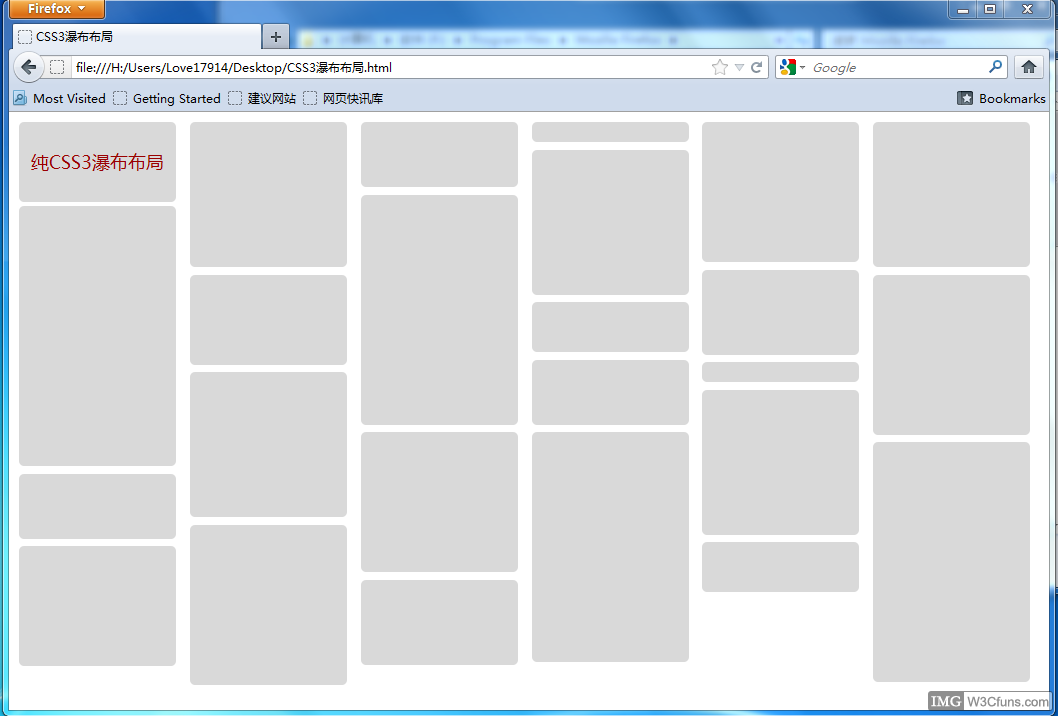
运行效果(FireFox,Google Chrome下测试通过,其他浏览器未做测试~~):





 扫一扫
扫一扫


 被折叠的 条评论
为什么被折叠?
被折叠的 条评论
为什么被折叠?
 到【灌水乐园】发言





