





 本文详细介绍了ThinkPHP框架中的一对多关联、嵌套关系模型、隐藏模型字段、图片资源URL配置、自定义模型基类及API版本号处理等核心功能。通过具体代码示例,展示了如何在控制器中调用模型获取数据,实现一对多和1对1的关联,以及如何通过模型方法隐藏或显示特定字段。
一、一对多
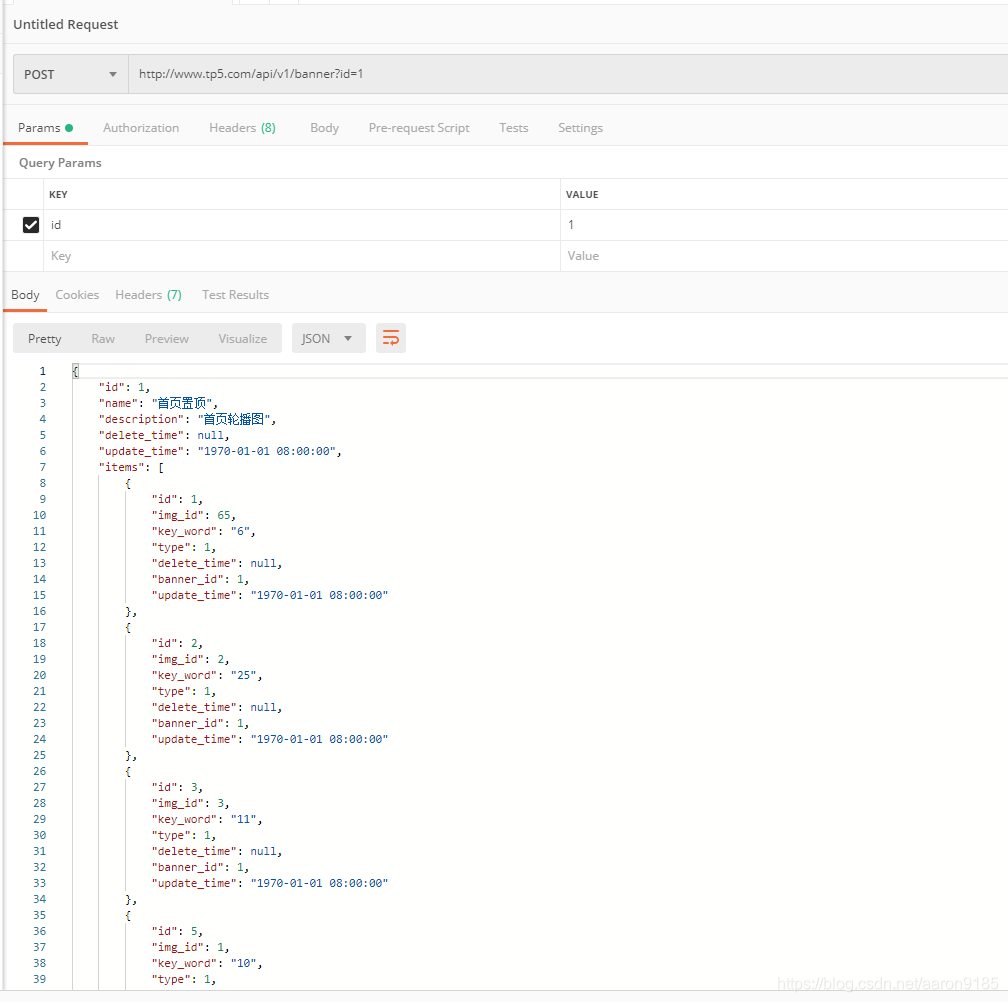
//创建模型Banner  一对多关联  BannerItem表   外联表外键   主表主键
<?php

namespace app\api\model;

use think\Model;

class Banner extends Model
{
    public function items(){
        return $this -> hasMany('BannerItem','banner_id', 'id');
    }
}
//控制器  调用Model 获取数据
<?php

namespace app\api\controller\v1;

use app\api\model\Banner as BannerModel;

class Banner
{
    public function getBanner($id){

        $banner = BannerModel::with('items') -> find($id);
        //调用多个关联模型    嵌套关联关系
        //$banner = BannerModel::with(['items','items1']) -> find($id);
        return json($banner);

    }
}
二、嵌套关系模型 + 1对1
目录结构
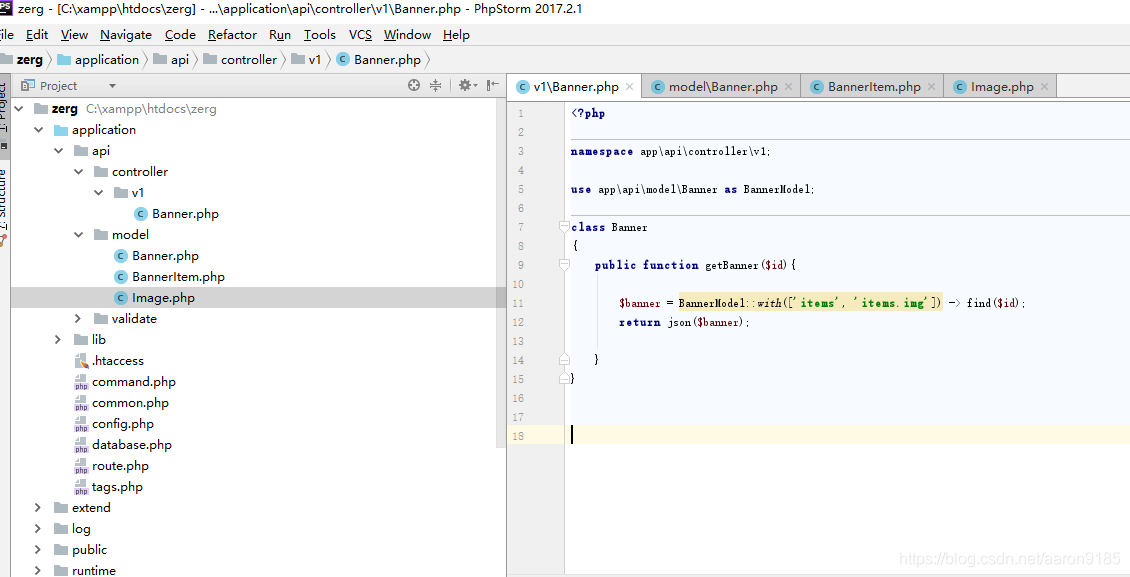
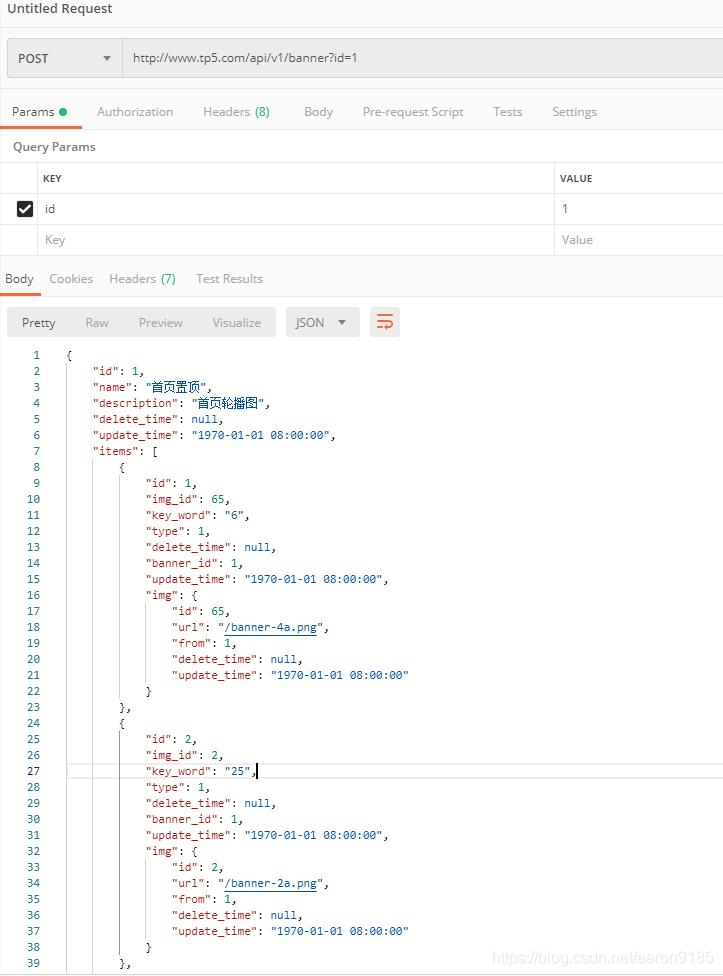
//调用一对多模型  同时调用嵌套模型  1对1模型
<?php

namespace app\api\controller\v1;

use app\api\model\Banner as BannerModel;

class Banner
{
    public function getBanner($id){

        $banner = BannerModel::with(['items', 'items.img']) -> find($id);
        return json($banner);

    }
}
//Banner接口 一对多关联BannerItem模型
<?php

namespace app\api\model;

use think\Model;

class Banner extends Model
{
    public function items(){
        return $this -> hasMany('BannerItem','banner_id', 'id');
    }
}
//BannerItem 一对一关联 Image模型
<?php

namespace app\api\model;

use think\Model;

class BannerItem extends Model
{
    public function img(){
        return $this -> belongsTo('Image', 'img_id', 'id');
    }

}
<?php

namespace app\api\model;

use think\Model;

class Image extends Model
{}
查询结果
最好进行封装
//banner控制器
<?php

namespace app\api\controller\v1;

use app\api\model\Banner as BannerModel;

class Banner
{
    public function getBanner($id){

        $banner = \app\api\model\Banner::getBannerById($id);
        return json($banner);

    }
}
//banner模型
<?php

namespace app\api\model;

use think\Model;

class Banner extends Model
{
    public function items(){
        return $this -> hasMany('BannerItem','banner_id', 'id');
    }

    public static function getBannerById($id){
        $banner = self::with(['items', 'items.img'])
            -> find($id);
        return $banner;
    }
}
三、隐藏模型字段
<?php

namespace app\api\controller\v1;

use app\api\model\Banner as BannerModel;

class Banner
{
    public function getBanner($id){
        $banner = BannerModel::getBannerById($id);


        //隐藏delete_time之后
//        $date = $banner -> toArray();
//        unset($date['delete_time']);
//        return json($date);

        return json($banner);
    }
}
原来结果
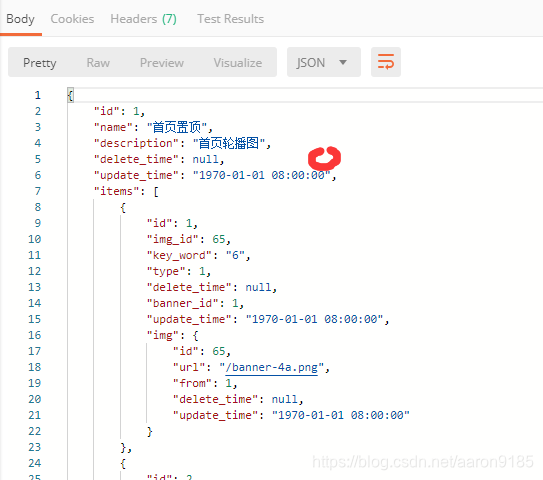
隐藏后
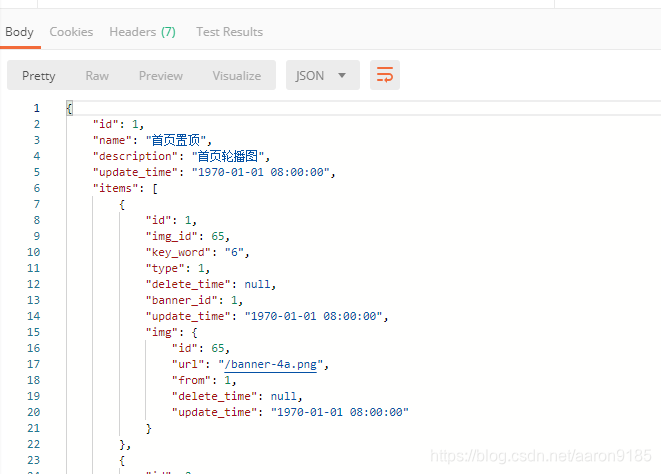
上面不推荐 推荐写法
<?php

namespace app\api\controller\v1;

use app\api\model\Banner as BannerModel;

class Banner
{
    public function getBanner($id){
        $banner = BannerModel::getBannerById($id);

        //隐藏某个字段
//        $banner -> hidden(['delete_time', 'update_time']);
        //只显示那个字段
        $banner -> visible(['id', 'update_time']);
        return json($banner);

    }
}
推荐在模型内部使用隐藏方法
//banner控制器
<?php

namespace app\api\controller\v1;

use app\api\model\Banner as BannerModel;

class Banner
{
    public function getBanner($id){

        $banner = BannerModel::getBannerById($id);
        return json($banner);

    }
}
//banner  模型  隐藏delete_time,update_time字段
<?php

namespace app\api\model;

use think\Model;

class Banner extends Model
{
    protected $hidden = ['delete_time', 'update_time'];

    public function items(){
        return $this -> hasMany('BannerItem','banner_id', 'id');
    }

    public static function getBannerById($id){
        $banner = self::with(['items', 'items.img'])
            -> find($id);
        return $banner;
    }
}
//BannerItem  字段隐藏
<?php

namespace app\api\model;

use think\Model;

class BannerItem extends Model
{
    protected $hidden = ['id', 'img_id', 'banner_id', 'delete_time', 'update_time'];
    public function img(){
        return $this -> belongsTo('Image', 'img_id', 'id');
    }

}
//Image字段   隐藏字段
<?php

namespace app\api\model;

use think\Model;

class Image extends Model
{
    protected $hidden = ['id', 'delete_time', 'update_time'];
}
四、图片资源的URL配置 及模型读取器
在application中创建extra并创建setting配置页 extra文件下的配置会被自动加载
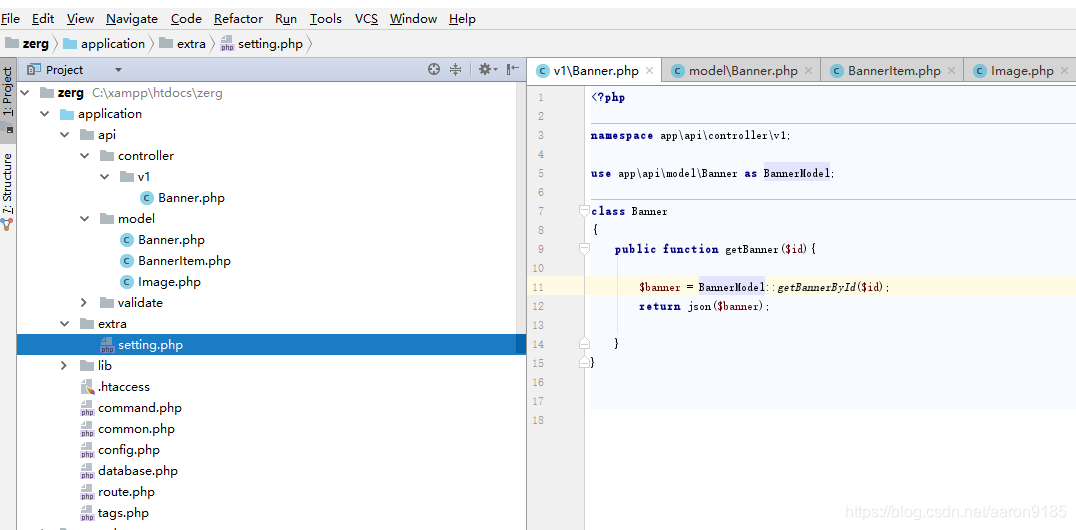
//extra 文件夹下的  setting
<?php

return[
  'img_prefix' => 'http://z.cn/images'
];
//image模型  通过读取器修改返回URL
//读取器  采用get前缀   加字段名(大驼峰命名法,首字母大写)   加Attr
//可以接受一个参数$value,字段值循环遍历
//可以接受两个参数$value,$data   $data里面存的是整个model返回的数据
<?php

namespace app\api\model;

use think\Model;

class Image extends Model
{
    protected $hidden = ['id', 'delete_time', 'update_time'];

    public function getUrlAttr($value, $data){
        $finalUrl = $value;
        if($data['from'] == 1){
            $finalUrl = config('setting.img_prefix').$value;
        }
        return $finalUrl;
    }
}
五、自定义模型基类
//创建了模型基类  并定义img前缀方法
<?php

namespace app\api\model;

use think\Model;

class BaseModel extends Model
{
    protected function prefixImgUrl($value, $data){
        $finalUrl = $value;
        if($data['from'] == 1){
            $finalUrl = config('setting.img_prefix').$value;
        }
        return $finalUrl;
    }
}
//Image调用
<?php

namespace app\api\model;

class Image extends BaseModel
{
    protected $hidden = ['id', 'delete_time', 'update_time'];

    public function getUrlAttr($value, $data){
        return $this -> prefixImgUrl($value, $data);
    }
}
六、API版本号
不建议方式 通过传入参数判别版本号
//API版本号
<?php

namespace app\api\controller\v1;

use app\api\model\Banner as BannerModel;
use app\api\model\Image;

class Banner
{
    public function getBanner($id, $version){
        //api版本号
        if($version == 1){
            $banner = BannerModel::getBannerById($id);
            return json($banner);
        }

        if($version == 2){
            //...
        }

        if($version == 3){
            //...
        }

    }
}
推荐使用方式 通过V1、V2文件夹来区分版本号 改变路由支持参数传入版本号
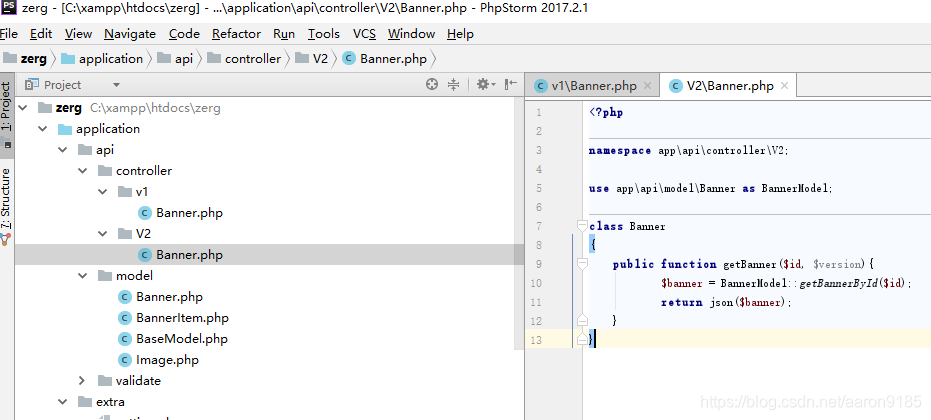
//改变为传入版本号
<?php

use think\Route;

Route::rule('api/:version/banner', 'api/:version.Banner/getbanner');





 扫一扫
扫一扫


 3135
3135

 被折叠的 条评论
为什么被折叠?
被折叠的 条评论
为什么被折叠?
 到【灌水乐园】发言





