



 本文详细介绍了如何使用OkHttp3实现文件下载,包括两种方法:简单方式和拦截器方式。简单方式中,通过在布局文件设置进度条,并结合Handler更新下载进度。拦截器方式则更深入,利用OkHttp3的拦截器机制来控制下载过程。
一、简单方式
 Request request = new Request.Builder().url(url).build();
        okHttpClient.newCall(request).enqueue(new Callback() {
            @Override
            public void onFailure(Call call, IOException e) {
                Log.i("myTag", "下载失败");
            }

            @Override
            public void onResponse(Call call, Response response) throws IOException {
                if (response.isSuccessful()) {
                    writeFile(response);
                }
            }
        });
    private void writeFile(Response response) {
        InputStream is = null;
        FileOutputStream fos = null;
        is = response.body().byteStream();
        String path = Environment.getExternalStorageDirectory().getAbsolutePath();
        File file = new File(path, fileName);
        try {
            fos = new FileOutputStream(file);
            byte[] bytes = new byte[1024];
            int len = 0;
            //获取下载的文件的大小
            long fileSize = response.body().contentLength();
            long sum = 0;
            int porSize = 0;
            while ((len = is.read(bytes)) != -1) {
                fos.write(bytes);
                sum += len;
                porSize = (int) ((sum * 1.0f / fileSize) * 100);
                Message message = handler.obtainMessage(1);
                message.arg1 = porSize;
                handler.sendMessage(message);
            }
        } catch (Exception e) {
            e.printStackTrace();
        } finally {
            try {
                if (is != null) {
                    is.close();
                }
                if (fos != null) {
                    fos.close();
                }
            } catch (IOException e) {
                e.printStackTrace();
            }
        }
        Log.i("myTag", "下载成功");
    }
布局文件
<?xml version="1.0" encoding="utf-8"?>
<LinearLayout xmlns:android="http://schemas.android.com/apk/res/android"
    xmlns:app="http://schemas.android.com/apk/res-auto"
    xmlns:tools="http://schemas.android.com/tools"
    android:layout_width="match_parent"
    android:layout_height="match_parent"
    android:orientation="vertical"
    tools:context=".FileDownLoadActivity">
    <Button
        android:layout_marginTop="20dp"
        android:id="@+id/btn_file_download"
        android:layout_width="match_parent"
        android:layout_height="wrap_content"
        android:text="文件下载"
        />

    <ProgressBar
        android:id="@+id/pro"
        android:layout_width="match_parent"
        android:layout_height="wrap_content"
        style="@style/Widget.AppCompat.ProgressBar.Horizontal"
        />

</LinearLayout>
使用handler更新进度条
    Handler handler = new Handler() {

        @Override
        public void handleMessage(Message msg) {
            if (msg.what == 1) {
                pro.setProgress(msg.arg1);
            }
        }
    };
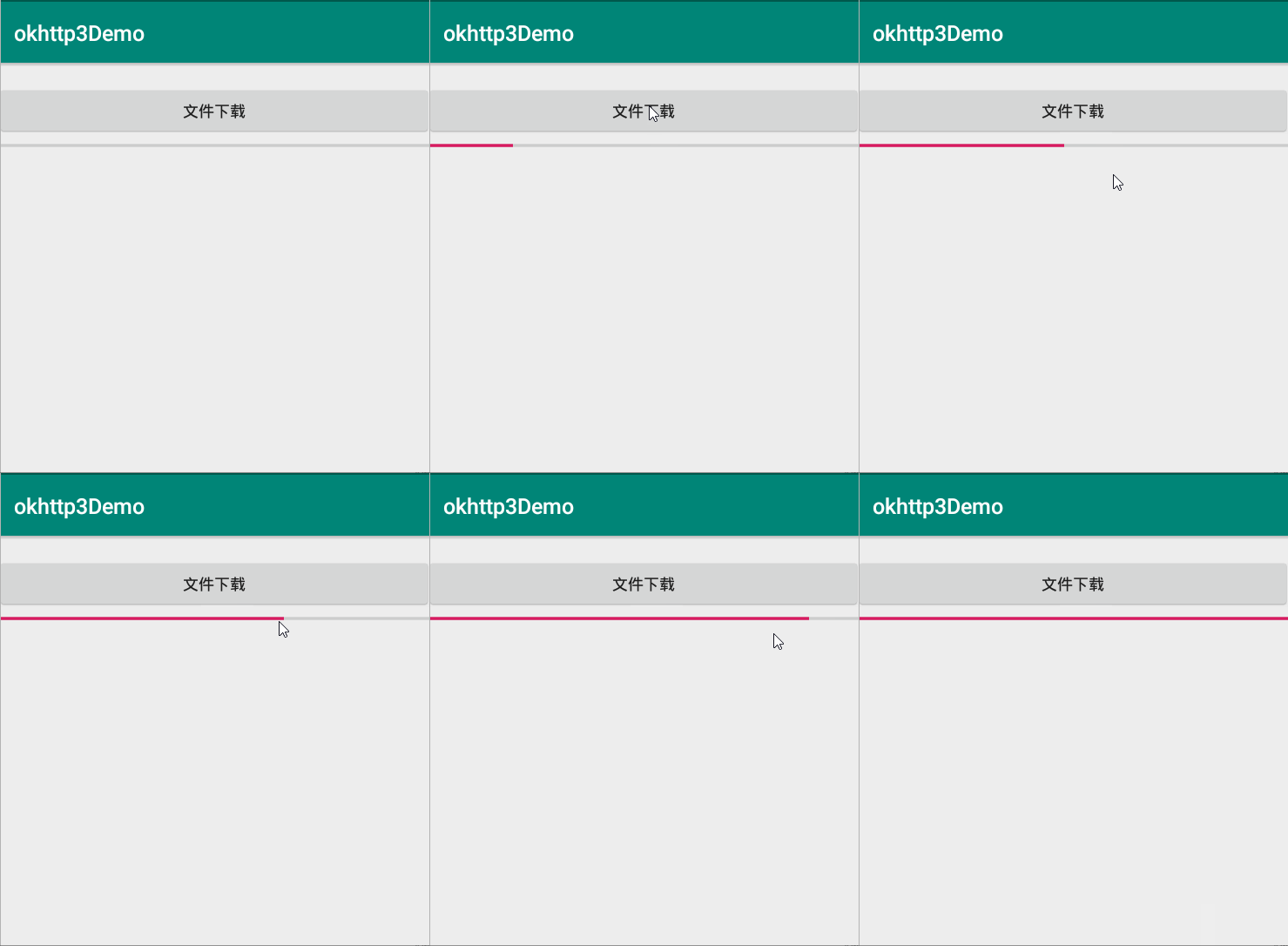
效果图
二、拦截器方式





 扫一扫
扫一扫


 5238
5238

 被折叠的 条评论
为什么被折叠?
被折叠的 条评论
为什么被折叠?
 到【灌水乐园】发言





