



 根据UI需求,本文介绍了如何在HTML5中利用伪元素技巧来改变原生复选框的样式,以避免layui样式影响已绑定的点击事件。并提供了使用layui图标和阿里图标库的方法,以及修改content属性的步骤。
原生checkbox(复选框)样式调整
应UI要求改变原生复选框的样式,layui带出来样式会影响复选框已经绑定的点击事件。只能用伪元素来尝试解决这个问题。
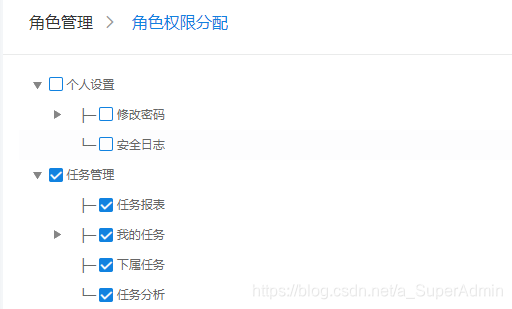
代码:
input[type=checkbox] {
        text-align: center;
        vertical-align: middle;
        border: none;
        appearance: none;/*关键代码*/
        -webkit-appearance: none;
        outline: none;
        cursor: pointer;
    }
    input[type=checkbox]::after {
        content: " ";
        display: inline-block;
        width: 14px;
        height: 14px;
        border: solid 1px #1182e0;
        color: #fff;
        border-radius: 2px;
    }
    input[type=checkbox]:checked:after {
        content: "\e605";
        width: 14px;
        height: 14px;
        line-height: 13px;
        border: solid 1px #1182e0;
        color: #fff;
        background: #1182e0;
        font-family: layui-icon!important;
        font-size: 12px;
        font-style: normal;
        font-weight: 700;
        -webkit-font-smoothing: antialiased;
        border-radius: 2px;
    }
提示:1、用的是layui的小图标,也可以换成阿里的图标库icon,复制iconfont.css里定义font-family的几行样式代码替换
2、“\e605”:在网页f12选中对号图标的before或after查看其content取类似“\e605”替换,操作如图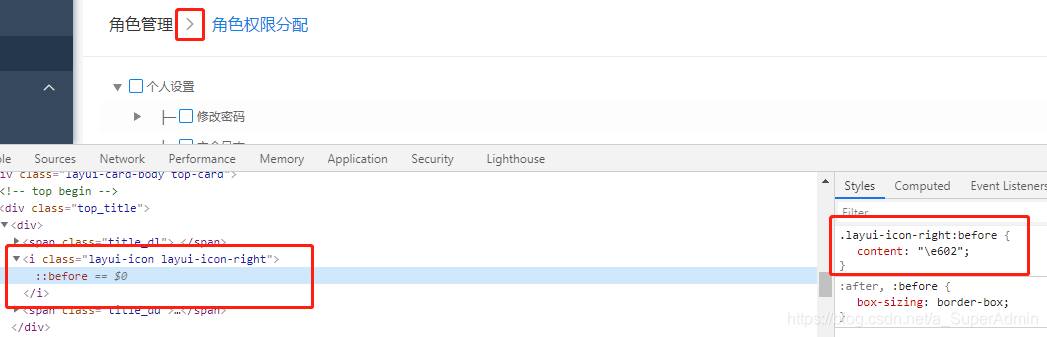





 扫一扫
扫一扫


 1438
1438

 被折叠的 条评论
为什么被折叠?
被折叠的 条评论
为什么被折叠?
 到【灌水乐园】发言





