



 本文详细介绍了如何使用Git进行代码管理,包括SSH密钥的创建、代码的克隆、本地代码的提交与推送,以及如何解决重复输入账号密码的问题。此外,还讲解了如何通过回滚特定的commit来删除历史记录。
http://www.runoob.com/w3cnote/git-guide.html
创建ssh key:
$ ssh-keygen -t rsa -C "your_email@youremail.com"
一路回车,会在~/下生成.ssh文件夹,打开id_rsa.pub,复制里面的key到github上:https://github.com/settings/keys
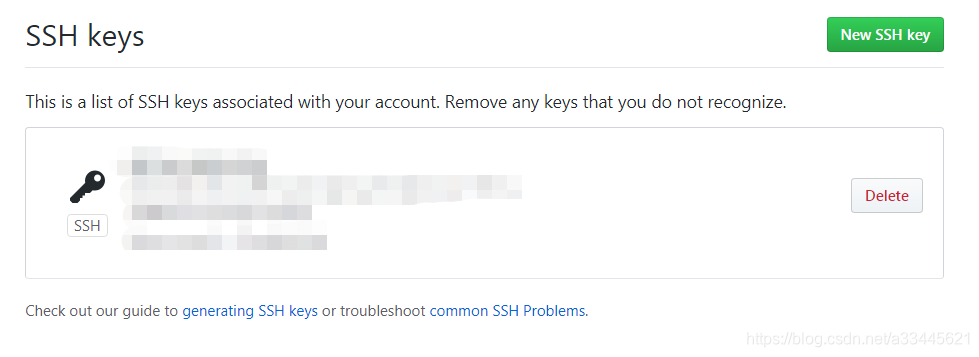
验证是否成功
$ ssh -T git@github.com
会看到:You've successfully authenticated, but GitHub does not provide shell access ,这就表示已成功连上github。
克隆代码:
git clone /path/to/repository
git clone https://github.com/xxxx/xxxxx.git
本地修改代码然后上传到github:
git add <filename>
git add *
git commit -m "代码提交信息"
上传代码:
git push origin master
每次提交都需要输入账号密码,可用以下方式解决:
git config --global credential.helper store
https://blog.youkuaiyun.com/nongweiyilady/article/details/77772602?locationNum=7&fps=1
删除commit:
$ git log 查看commit
commit 9ac4e2f3a192fbeaab4764df6ae3e0d35226024 (HEAD -> master, origin/master, origin/HEAD)
Author: xxx<xxx@xxx.com>
just test.
commit 9e70777126c74f14c51294283348fbb6cdea483
...
commit 81b1cdd17ba7c91d011e98d58c62ac38be375a8
回滚到指定位置:
git reset --hard 9ac4e2f3a192fbeaab4764df6ae3e0d35226024
git push origin HEAD --force
https://blog.youkuaiyun.com/cai6811376/article/details/54248764





 扫一扫
扫一扫


 1900
1900

 被折叠的 条评论
为什么被折叠?
被折叠的 条评论
为什么被折叠?
 到【灌水乐园】发言





