



Spring:DefaultResourceLoader使用
1 前言
spring的DefaultResourceLoader类实现了ResourceLoader接口,可以方便读取resources等目录下的资源文件,存在于spring-core依赖中。
其他依赖如下:
<!--    读取File转换为String  -->
<dependency>
    <groupId>commons-io</groupId>
    <artifactId>commons-io</artifactId>
    <version>2.11.0</version>
</dependency>
2 使用
resources的Demo目录下准备测试test.json文件:
该包下,FileUtils.readFileToString方法可将File文件转换成String,其中需要设置字符集:
package com.xiaoxu.utils.File;

import org.springframework.core.io.DefaultResourceLoader;
import org.springframework.core.io.Resource;

import java.io.File;
import java.io.IOException;

/**
 * @author xiaoxu
 * @date 2022-04-27
 * spring_boot:com.xiaoxu.utils.File.FileUtils
 */
public class FileUtils {
    public static String parseJsonFileToString(String caseJsonFilePath){
        DefaultResourceLoader defaultResourceLoader = new DefaultResourceLoader();
        Resource resource = defaultResourceLoader.getResource("classpath:" + caseJsonFilePath);
        File file;
        try {
            file = resource.getFile();
        } catch (IOException e) {
            throw new RuntimeException(String.format("调用%s方法失败,文件获取失败",
                    Thread.currentThread().getStackTrace()[1].getMethodName()));
        }
        String s;
        try {
            s = org.apache.commons.io.FileUtils.readFileToString(file, "utf-8");
        } catch (IOException e) {
            throw new RuntimeException(String.format("调用%s方法失败,String获取失败,%s",
                    Thread.currentThread().getStackTrace()[1].getMethodName(),e.getMessage()));
        }
        return s;
    }

    public static void main(String[] args) {
        System.out.println(parseJsonFileToString("Demo/test.json"));
    }
}
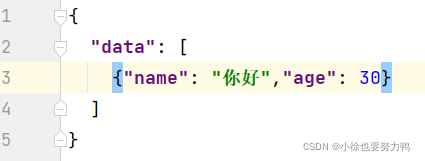
执行结果如下,亦可结合fastjson使用:
{
  "data": [
    {"name": "你好","age": 30}
  ]
}
查看DefaultResourceLoader源码可知,getResource方法读取路径时,开头为classpath:的,会使用ClassPathResource类处理:
并且会截掉classpath:,
    public Resource getResource(String location) {
        Assert.notNull(location, "Location must not be null");
        Iterator var2 = this.getProtocolResolvers().iterator();

        Resource resource;
        do {
            if (!var2.hasNext()) {
                if (location.startsWith("/")) {
                    return this.getResourceByPath(location);
                }

                if (location.startsWith("classpath:")) {
                    return new ClassPathResource(location.substring("classpath:".length()), this.getClassLoader());
                }

                try {
                    URL url = new URL(location);
                    return (Resource)(ResourceUtils.isFileURL(url) ? new FileUrlResource(url) : new UrlResource(url));
                } catch (MalformedURLException var5) {
                    return this.getResourceByPath(location);
                }
            }

            ProtocolResolver protocolResolver = (ProtocolResolver)var2.next();
            resource = protocolResolver.resolve(location, this);
        } while(resource == null);

        return resource;
    }
在ClassPathResource类中,还调用了Spring的工具类StringUtils的cleanPath方法将\ \换成/,还有去掉开头的/等等:
public ClassPathResource(String path, @Nullable ClassLoader classLoader) {
    Assert.notNull(path, "Path must not be null");
    String pathToUse = StringUtils.cleanPath(path);
    if (pathToUse.startsWith("/")) {
        pathToUse = pathToUse.substring(1);
    }

    this.path = pathToUse;
    this.classLoader = classLoader != null ? classLoader : ClassUtils.getDefaultClassLoader();
}





 扫一扫
扫一扫


 861
861

 被折叠的 条评论
为什么被折叠?
被折叠的 条评论
为什么被折叠?
 到【灌水乐园】发言





