


表视图(UITableView)继承自UIScrollView,它有两个协议:UITableViewDelegate委托协议和UITableViewDataSource数据源协议。UITableViewCell类是单元格类,UITableViewController类是UITableView的控制器,UITableViewHeaderFooterView类用于为节点和节脚提供视图,它是iOS6之后才有的新类
表视图的分类
普通表视图:主要用于动态表,而动态表一般在单元格数目未知的情况下使用。
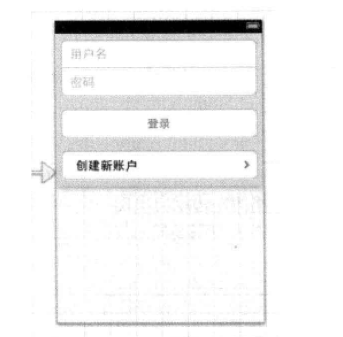
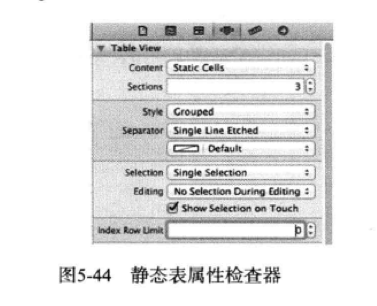
分组表视图:一般用于静态表,会将表分成很多“孤岛”,这个“孤岛”由一些类似的单元格组成。静态表一般用于控件的界面布局,它是iOS5之后又故事板提供的。
单元格的组成和样式
单元格由图标、标题和扩展视图等组成
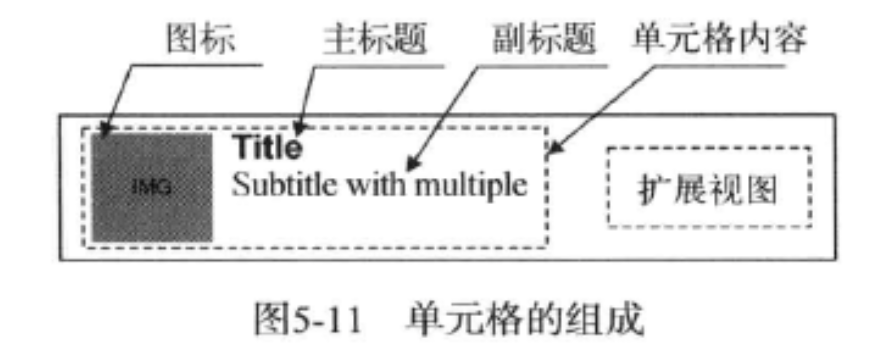
单元格有很多样式,可根据需要进行选择。图标、标题和副标题可以有选择地设置,扩展视图可以内置或自定义,其中内置的扩展视图是在枚举类型UITableViewCellAccessoryType中定义的。
typedef NS_ENUM(NSInteger, UITableViewCellAccessoryType) {
UITableViewCellAccessoryNone, //没有扩展图标
UITableViewCellAccessoryDisclosureIndicator, //扩展指示,触摸该图标>将切换到下一级表视图
UITableViewCellAccessoryDetailDisclosureButton, //细节展示按钮,触摸该单元格的时候,表视图会以视图的方式显示当前但严格的更多详细信息
UITableViewCellAccessoryCheckmark, // 选择标志,表示该行被选中
UITableViewCellAccessoryDetailButton NS_ENUM_AVAILABLE_IOS(7_0) // info button. tracks
};
iOS API提供的单元格样式是放在枚举类型UITableViewCellStyle中定义的,而UITableViewCellStyle枚举类型中定义的常量如下:
typedef NS_ENUM(NSInteger, UITableViewCellStyle) {
UITableViewCellStyleDefault, //默认样式,只有图标和主标题
UITableViewCellStyleValue1, //无图标,带副标题样式1, Left aligned label on left and right aligned label on right with blue text (Used in Settings)
UITableViewCellStyleValue2, //无图标,带副标题样式2, Right aligned label on left with blue text and left aligned label on right (Used in Phone/Contacts)
UITableViewCellStyleSubtitle //带有副标题的样式,有图标、主标题和副标题
};
数据源协议和委托协议:UITableViewDataSource和UITableViewDelegate
数据源:
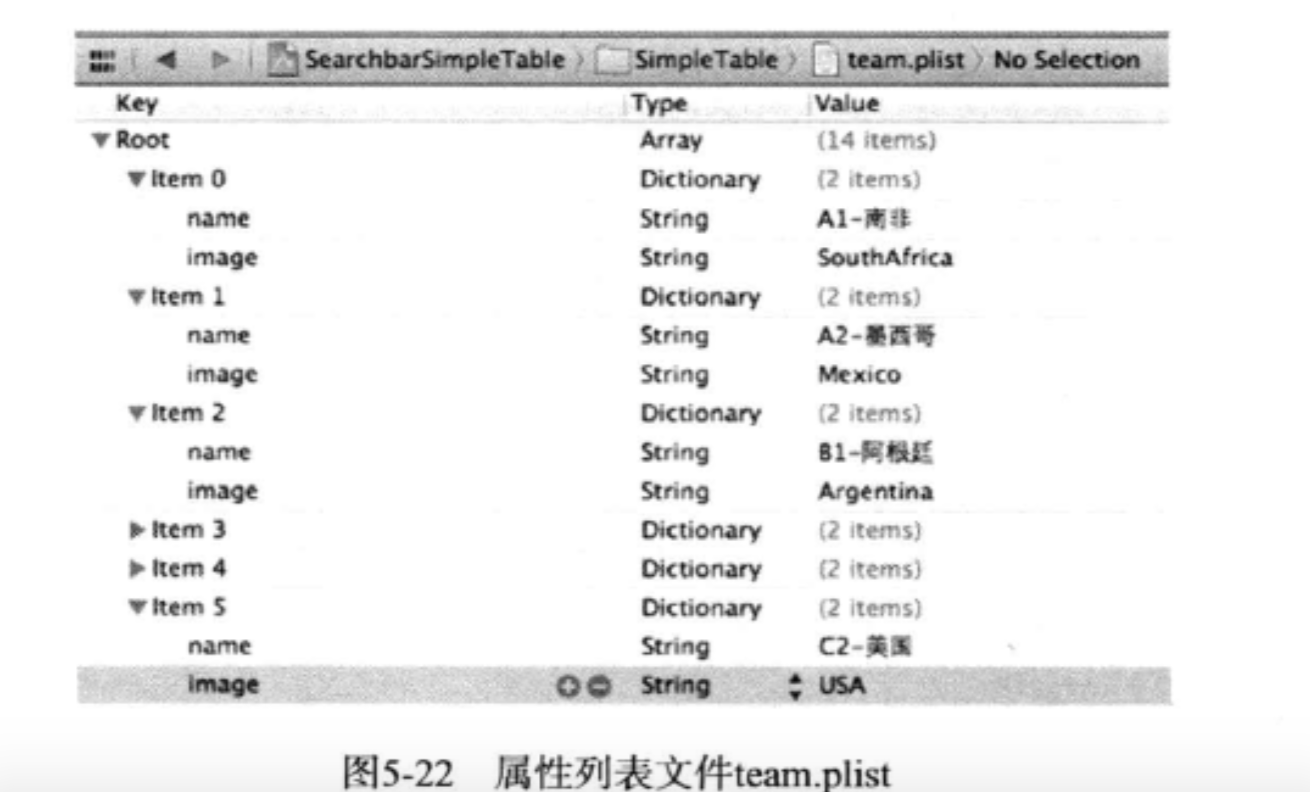
NSBundle *bundle = [NSBundle mainBundle];
NSString *plistPath = [bundle pathForResource:@"team" ofType:@"plist"];
self.listTeams = [[NSArray alloc] initWithContentsOfFile:plistPath];
#pragma mark - UITableViewDataSource
- (NSInteger)tableView:(UITableView *)tableView numberOfRowsInSection:(NSInteger)section
{
return [self.listTeams count];
}
- (UITableViewCell *)tableView:(UITableView *)tableView cellForRowAtIndexPath:(NSIndexPath *)indexPath{
static NSString *CellIdentifier = @"CellIdentifier";
UITableViewCell *cell = [tableView dequeueReusableCellWithIdentifier:CellIdentifier];
if (cell == nil) {
cell = [[UITableViewCell alloc]initWithStyle:UITableViewCellStyleDefault reuseIdentifier:CellIdentifier];
}
NSUInteger row = [indexPath row];
NSDictionary *rowDict = [self.listTeams objectAtIndex:row];
cell.textLabel.text = [rowDict objectForKey:@"name"];
NSString *imagePath = [rowDict objectForKey:@"image"];
imagePath = [imagePath stringByAppendingString:@".png"];
cell.imageView.image = [UIImage imageNamed:imagePath];
cell.accessoryType = UITableViewCellAccessoryDisclosureIndicator;
return cell;
}
可自定义Cell;
添加搜索栏
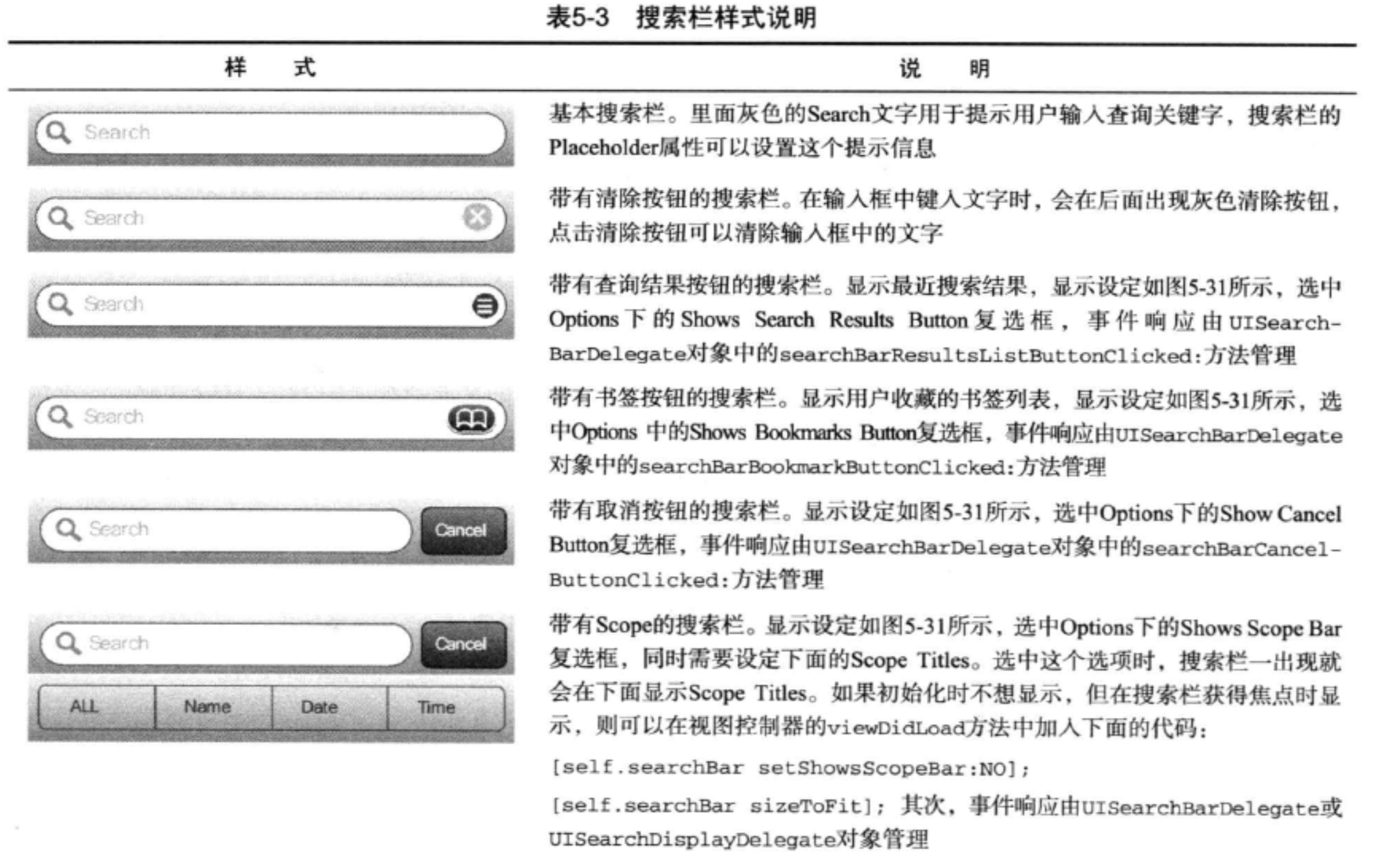
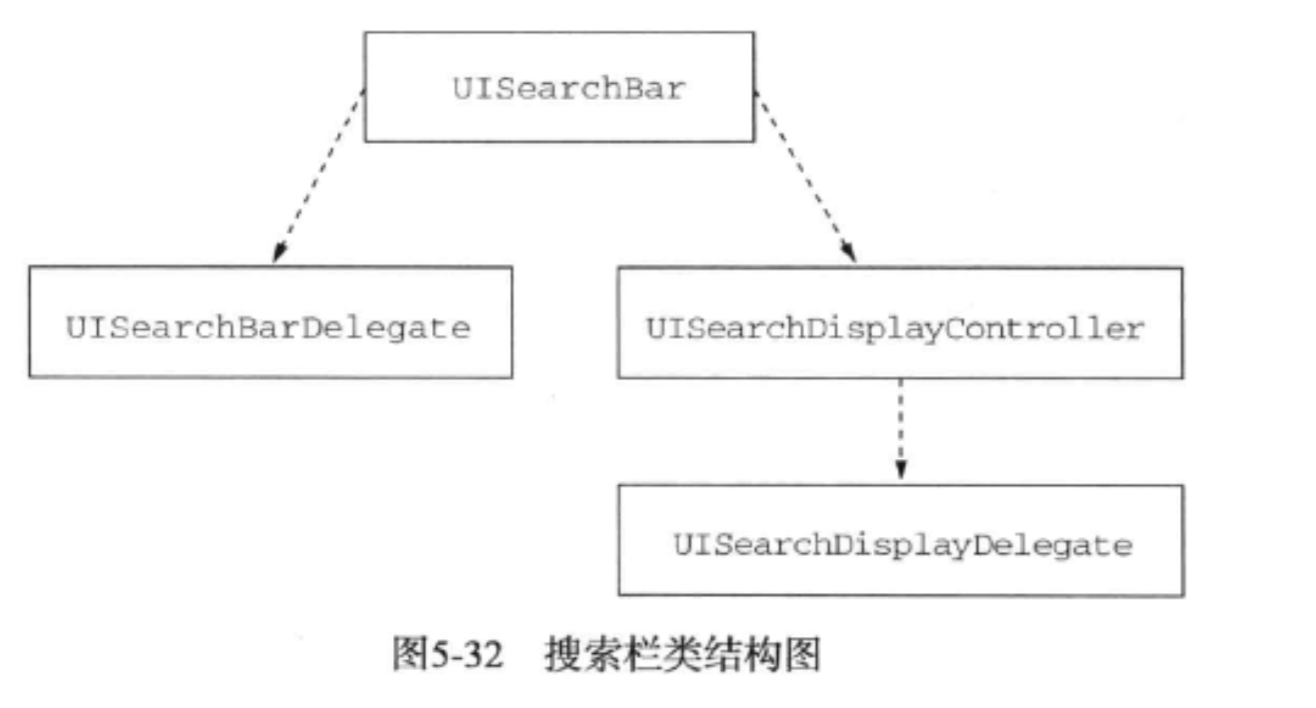
UISearchBarDelegate是搜索栏控件的委托协议,UISearchDisplayController用来管理搜索栏并显示搜索结果视图。事件处理由UISearchDisplayDelegate协议的委托对象来管理
在搜索栏中输入查询条件,会触发UISearchBarDelegate委托对象的searchBar:textDidChange:方法和UISearchDisplayDelegate委托对象的searchDisplayController:shouldReloadTableForSearchString:方法,我们实现其一就可以达到搜索的目的。
-(void)filterContentForSearchText:(NSString *)searchText scope:(NSUInteger)scope
{
if ([searchText length] == 0) {
self.listFilterTeams = [NSMutableArray arrayWithArray:self.listTeams];
}
NSPredicate *scopePredicate;
NSArray *tempArray;
switch (scope) {
case 0:
scopePredicate = [NSPredicate predicateWithFormat:@"SELF.name contains[c] %@",searchText];
tempArray = [self.listTeams filteredArrayUsingPredicate:scopePredicate];
self.listFilterTeams = [NSMutableArray arrayWithArray:tempArray];
break;
case 1:
scopePredicate = [NSPredicate predicateWithFormat:@"SELF.image contains[c] %@",searchText];
tempArray = [self.listTeams filteredArrayUsingPredicate:scopePredicate];
self.listFilterTeams = [NSMutableArray arrayWithArray:tempArray];
break;
default:
self.listFilterTeams = [NSMutableArray arrayWithArray:self.listTeams];
break;
}
}
- (BOOL)searchDisplayController:(UISearchDisplayController *)controller shouldReloadTableForSearchString:(NSString *)searchString
{
[self filterContentForSearchText:searchString scope:self.searchBar.selectedScopeButtonIndex];
return YES;
}
- (void)searchBarCancelButtonClicked:(UISearchBar *)searchBar
{
[self filterContentForSearchText:@"" scope:-1];
}
分节表视图
1.添加索引
使用原则:
索引标题不能与显示的标题完全一样:如果与要显示的标题一致,索引就变得毫无意义
索引标题应具有代表性,能代表一个数据集合。
分节是添加索引的前提。
如果采用了索引列表视图,一般情况下就不再使用扩展视图
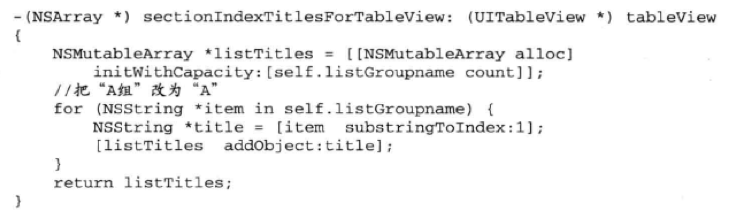
-(NSArray*) sectionIndexTitlesForTableView:(UITableView*)tableView 中返回索引值
分组和静态表实例:





 扫一扫
扫一扫


 1191
1191

 被折叠的 条评论
为什么被折叠?
被折叠的 条评论
为什么被折叠?
 到【灌水乐园】发言





