



 本文深入解析了Cookie的工作原理,包括其参数含义及安全性问题。通过Python实例展示了如何在用户登录时设置Cookie,并利用装饰器简化多次验证过程,强调了避免使用汉字作为Cookie的重要性。
cookie:网站为了验证用户身份而下发的存储在用户本地终端上的数据。
基本上就是这个意思:用户向服务器发起请求,服务器下发cookie到本地,下次请求时用户携带cookie进行请求,cookie解决用户身份问题,但是cookie不安全
cookie参数:
- name:规定 cookie 的名称
- value:规定cookie的值
- max_age:寿命,单位为秒,默认为None
- expires:过期时间,和寿命是冲突的,默认值为None
- path:cookie起作用的路径,默认为’/’
- domain:cookie起作用的域名,默认值为None
- secure:如果值为True用https协议传输cookie,默认值为False
- httponly:如果值为Ture只用http协议传输,通常情况下js也可以拿到cookie,但是配置httponly为True,就http可以拿到,默认值为False
一个简单的cookie
我们在用户登录的时候向用户下发cookie,我们在这里用用户的email作为下发的cookie
def login(request):
    if request.method == "POST" and request.POST:
        name = request.POST.get("name")
        password = request.POST.get("password")
        user = User_one.objects.filter(userName=name)
        if user:
            if user[0].password == getPassword(password):
                response = HttpResponseRedirect("/student/page_student_list/1/")
                response.set_cookie("email", user[0].email)
                return response
            else:
                key = "密码错误"
        else:
            key = "用户名不存在"
    return render(request,"login.html", locals())
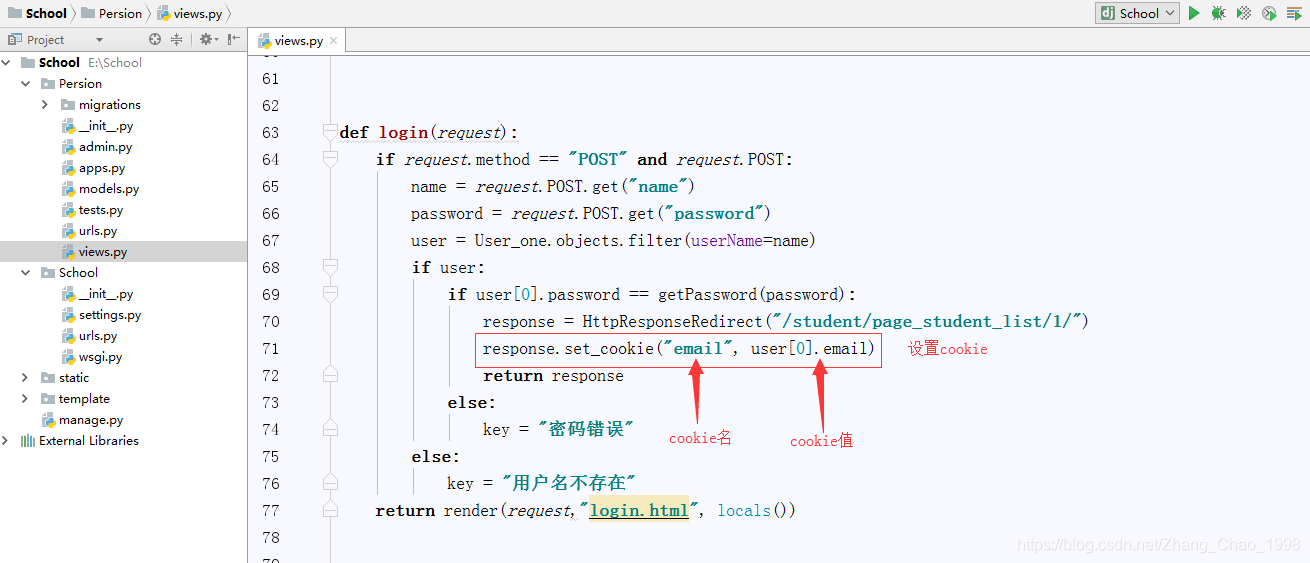 这样在用户登录的时候我们就给他下发了一个cookie
当用户视图访问详情页的时候我们就验证他有没有这个cookie,如果有我们允许他访问,如果没有就让他跳转到登录界面
代码如下
def studentList(request):
    student_list = Student.objects.all()
    cookie = request.COOKIES
    email = cookie.get("email")
    if email:
        return render_to_response("tables.html", locals())
    else:
        return HttpResponseRedirect("/login/")
但是这样也有一个问题,就是如果我们有好多个页面都需要验证cookie才能访问,我们就得把验证cookie这一部分重复写很多遍,所以我们可以使用Python中的装饰器来解决这个问题,在需要的时候用这个装饰器装饰就可以了。
装饰器如下
def loginValid(fun):
    def inner(request, *args, **kwargs):
        cookie = request.COOKIES
        email = cookie.get("email")
        if email:
            return fun(request, *args, **kwargs)
        else:
            return HttpResponseRedirect("/login/")
    return inner
使用一下
@loginValid
def studentList(request):
    student_list = Student.objects.all()
    return render_to_response("tables.html", locals())
注意:我们这里使用用户的邮箱作为cookie进行验证,因为邮箱中没有汉字,不要用汉字作为cookie,会出问题的。





 扫一扫
扫一扫


 1471
1471

 被折叠的 条评论
为什么被折叠?
被折叠的 条评论
为什么被折叠?
 到【灌水乐园】发言





