


 本文介绍了一种使用HTML和CSS实现的左右结构网站设计方法,通过Flexbox布局使菜单栏高度随右侧内容变化,确保页面布局的灵活性和响应性。
html+css
左右结构网站,菜单栏高度根据右边 div 高度变动
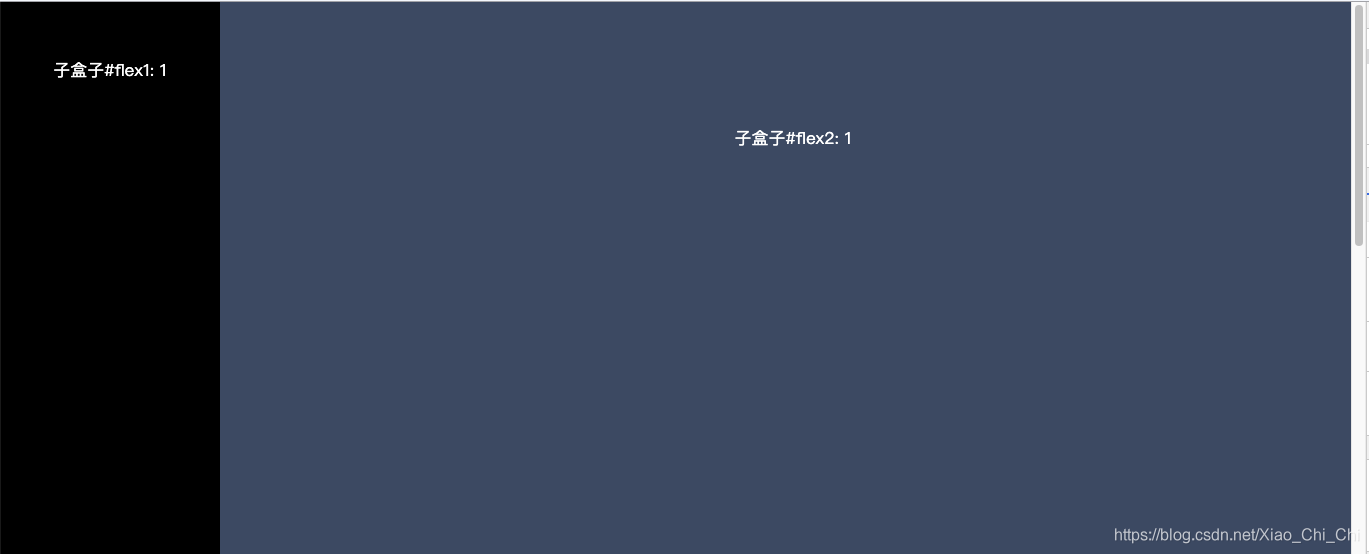
html
<div class="wrapper">
	<div class="flex1">子盒子#flex1: 1 </div>
	<div class="flex2">子盒子#flex2: 1 </div>
</div>
css
.wrapper{
	display: flex;
	align-items: stretch;
	font-size: 17px;
    width: 100vw;
    text-align: center;
    background: wheat;
}
.flex1{
	width: 200px;
	background-color: #000000;
	color: white;
	line-height: 10vw;
}
.flex2{
	flex:1;
	height: 50vh;
	background-color: #3F536E;
	color: white;line-height: 20vw;
}





 扫一扫
扫一扫


 8197
8197

 被折叠的 条评论
为什么被折叠?
被折叠的 条评论
为什么被折叠?
 到【灌水乐园】发言





