





本学习系列以Cesium+Vue3+Typescript+elementplus作为主要技术栈,相关源码全部免费公开。
Cesium官网提供全球的地形数据,但是限于国内网络原因,有的时候无法正常使用官网提供的地形等数据。有的测绘单位自身具备测量地形的资质设备和能力,能够获取比较高精度的地形数据。那如何能够使用Cesium加载非官方的地形数据呢?本篇文章将为您揭晓答案。
本篇文章主要用到以下几个工具,都是免费、或者开源协议比较友好的工具。
-
使用地理空间数据云获取tif地形;
-
使用cesium-terrain-builder(以下称CTB软件)软件将tif地形处理为.terrain切片;
-
nginx发布地形服务;
具体步骤如下:
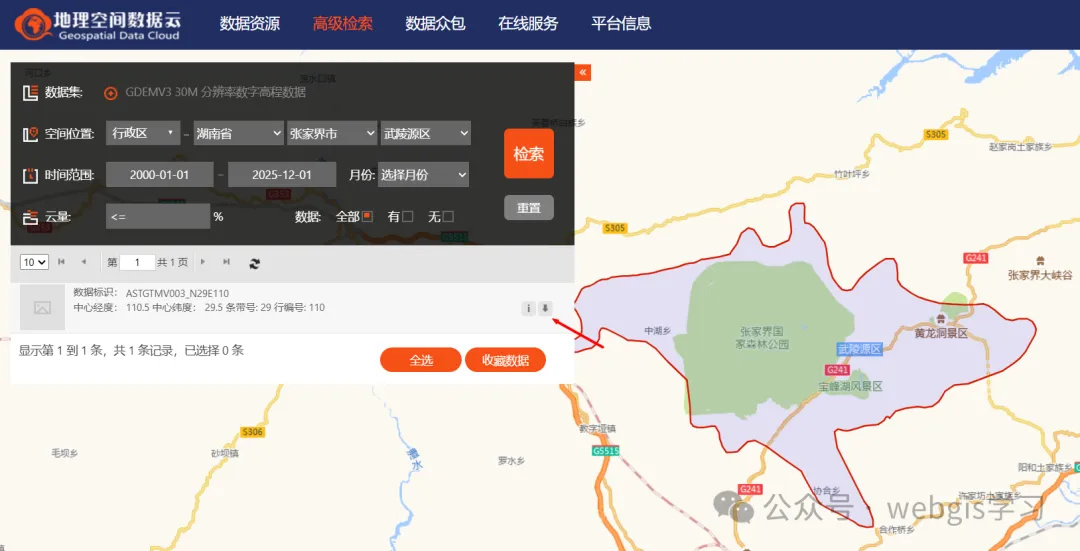
1、登录地理空间数据云,选择30米分辨率的数字高程模型数据。这里以最近比较火的张家界七星山荒野求生节目所在地的地形作为目标区域。选好位置后,点击“检索”按钮。然后下载地形数据(注意:地理空间数据云都里的地形数据范围都是按1经度1纬度进行分隔的,可以根据自身需要使用GIS软件进行镶嵌和裁剪)。
2、使用CTB软件进行数据处理,其使用方法如下。为方便演示,本篇仅生成1-12级的地形切片。
Usage: ctb-tile [options] GDAL_DATASOURCE

Options:

  -V, --version                 output program version
  -h, --help                    output help information
  -o, --output-dir <dir>        specify the output directory for the tiles (defaults to working directory)
  -f, --output-format <format>  specify the output format for the tiles. This is either `Terrain` (the default) or any format listed by `gdalinfo --formats`
  -p, --profile <profile>       specify the TMS profile for the tiles. This is either `geodetic` (the default) or `mercator`
  -c, --thread-count <count>    specify the number of threads to use for tile generation. On multicore machines this defaults to the number of CPUs
  -t, --tile-size <size>        specify the size of the tiles in pixels. This defaults to 65 for terrain tiles and 256 for other GDAL formats
  -s, --start-zoom <zoom>       specify the zoom level to start at. This should be greater than the end zoom level
  -e, --end-zoom <zoom>         specify the zoom level to end at. This should be less than the start zoom level and >= 0
  -r, --resampling-method <algorithm> specify the raster resampling algorithm.  One of: nearest; bilinear; cubic; cubicspline; lanczos; average; mode; max; min; med; q1; q3. Defaults to average.
  -n, --creation-option <option> specify a GDAL creation option for the output dataset in the form NAME=VALUE. Can be specified multiple times. Not valid for Terrain tiles.
  -z, --error-threshold <threshold> specify the error threshold in pixel units for transformation approximation. Larger values should mean faster transforms. Defaults to 0.125
  -m, --warp-memory <bytes>     The memory limit in bytes used for warp operations. Higher settings should be faster. Defaults to a conservative GDAL internal setting.
  -R, --resume                  Do not overwrite existing files
  -q, --quiet                   only output errors
  -v, --verbose                 be more noisy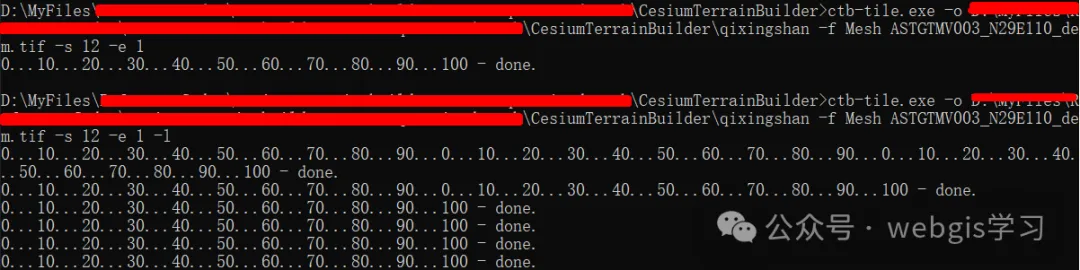
3、使用nginx将生成的地形数据发布为服务。由于CTB软件生成的地形都是使用gzip压缩过的,因此地形服务需要添加gzip头才会被浏览器识别。关键配置如下:
    # .terrain 文件,支持 Cesium 的 quantized-mesh 扩展
    location ~* \.terrain$ {
        # 告诉浏览器这是二进制流
        add_header Content-Type            "application/octet-stream" always;
        add_header Content-Encoding        "gzip" always;
        # 可选:让浏览器直接下载(调试用)
        # add_header Content-Disposition   'attachment; filename="$uri"';
        try_files $uri =404;
}4、将地形服务加载Cesium系统中,这里使用之前Cesium+Vue3学习系列(4)---图层管理功能封装做好的地形加载功能。
case 'terrain':
    this.viewer.terrainProvider = await Cesium.CesiumTerrainProvider.fromUrl(
        item.url!
    );
    handle = { __terrain: true }; // 占位,方便 remove 时切回 ellipsoid
    break
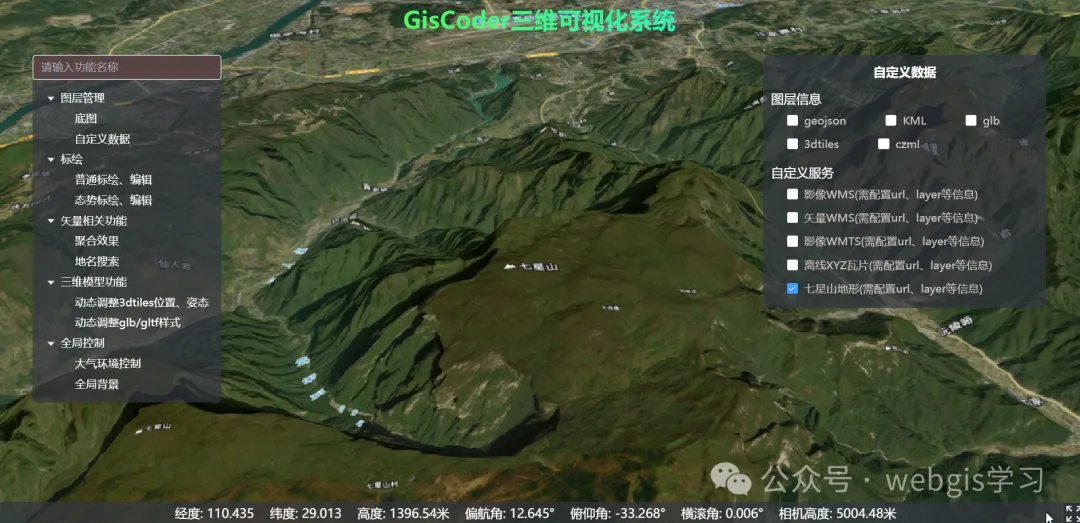
5、效果如下
6、如果觉得本系列教程文章及代码对您有用的话,欢迎关注威信公众号“webgis学习”可免费获取源码,详情请点击查阅原文Vue3+Cesium开发教程(32)--离线地形获取、切片及地形服务发布方法





 扫一扫
扫一扫


 被折叠的 条评论
为什么被折叠?
被折叠的 条评论
为什么被折叠?
 到【灌水乐园】发言





