



 本文介绍如何通过修改bash提示符和配置Terminator来提升终端使用体验。包括改变bash提示符颜色和格式,设置Terminator的快捷键、布局及外观。
1,
vim ~/.bashrc
PS1='\[\e[32m\][\u@\h \W]#\[\e[m\] '
2,
vim ~/.config/terminator/config
[global_config]
  broadcast_default = off
  geometry_hinting = False
  inactive_color_offset = 0.76
  title_font = mry_KacstQurn Bold 11
  title_hide_sizetext = True
[keybindings]
  close_term = None
  copy = <Primary><Shift>c
  cycle_next = None
  cycle_prev = None
  next_tab = <Primary><Alt>Right
  paste = <Primary><Shift>v
  prev_tab = <Primary><Alt>Left
  split_horiz = <Primary><Alt>o
  split_vert = <Primary><Alt>e
  toggle_zoom = <Alt>Pause
[layouts]
  [[default]]
    [[[child1]]]
      parent = window0
      profile = None
      type = Terminal
    [[[window0]]]
      parent = ""
      type = Window
[plugins]
[profiles]
  [[default]]
    background_color = "#07242e"
    background_darkness = 0.0
    background_image = None
    cursor_color = "#ffffff"
    cursor_shape = ibeam
    custom_command = tmux
    font = Ubuntu Mono 19
    foreground_color = "#708284"
    login_shell = True
    show_titlebar = False
    use_system_font = False
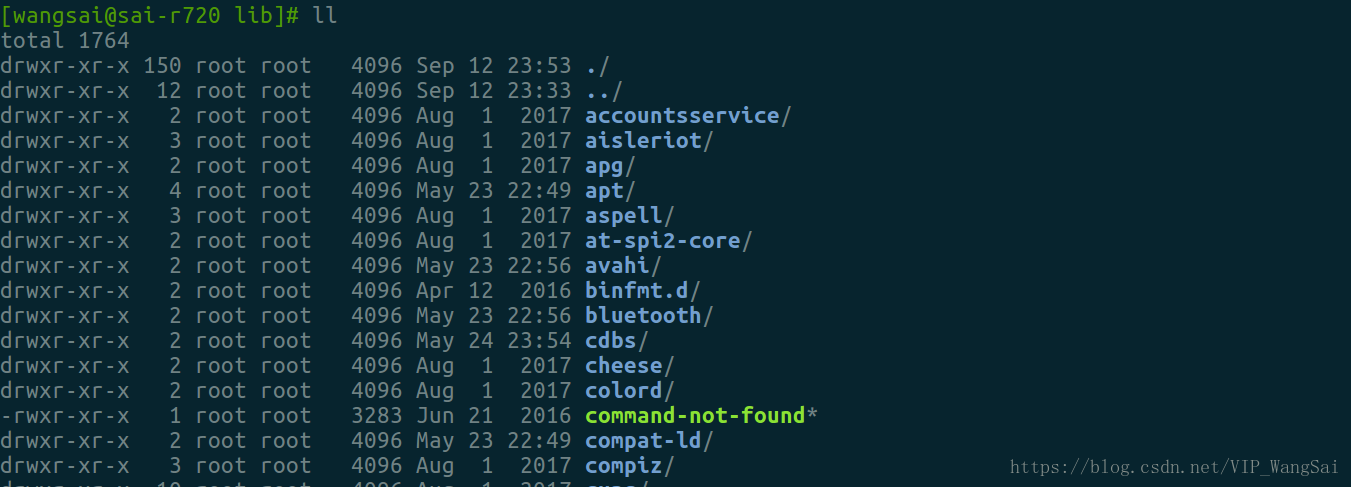
3,效果





 扫一扫
扫一扫


 5909
5909

 被折叠的 条评论
为什么被折叠?
被折叠的 条评论
为什么被折叠?
 到【灌水乐园】发言





