



1. SecretFlow 安装
1.1 通过docker进行安装
首先先拉取镜像
docker run -it secretflow/secretflow-anolis8:latest
出现下面的提示则表示拉取成功。
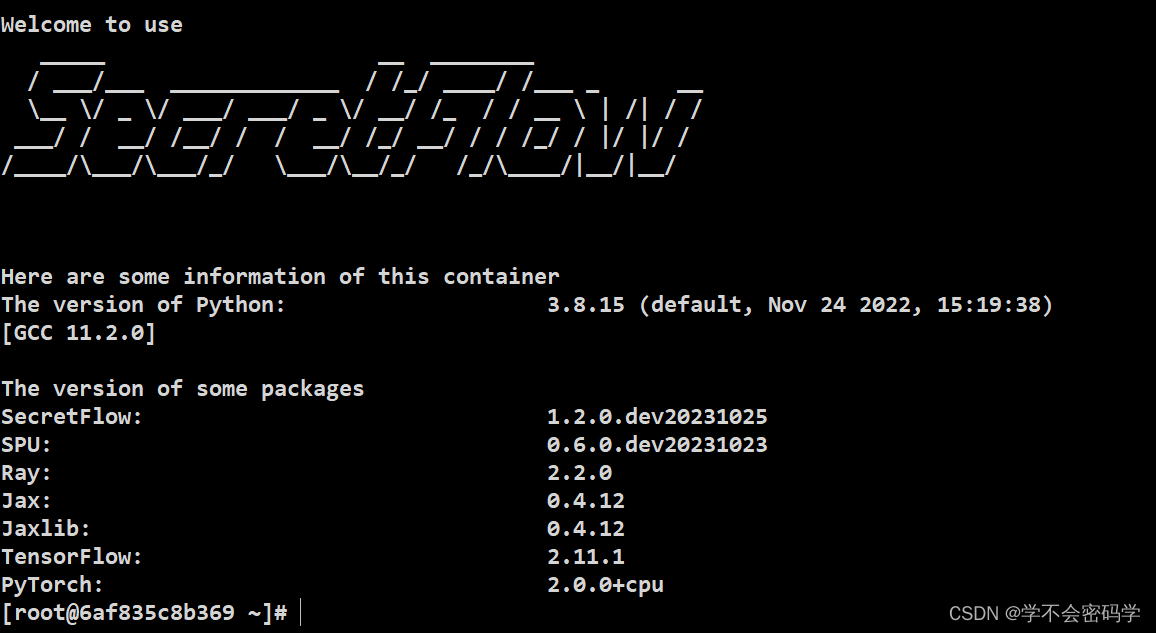


进入docker 环境
docker attach [container ID]
单机仿真模式:
import secretflow as sf
sf.init(parties=['alice', 'bob', 'carol'], address='local')
alice_device = sf.PYU('alice')
message_from_alice = alice_device(lambda x:x)("Hello World!")
print(message_from_alice)
print(sf.reveal(message_from_alice))
输出如下信息:
2024-03-22 06:08:26,825 WARNING services.py:1732 -- WARNING: The object store is using /tmp instead of /dev/shm because /dev/shm has only 67108864 bytes available. This will harm performance! You may be able to free up space by deleting files in /dev/shm. If you are inside a Docker container, you can increase /dev/shm size by passing '--shm-size=0.51gb' to 'docker run' (or add it to the run_options list in a Ray cluster config). Make sure to set this to more than 30% of available RAM.
2024-03-22 06:08:27,592 INFO worker.py:1538 -- Started a local Ray instance.
<secretflow.device.device.pyu.PYUObject object at 0x7f9cb979a370>
Hello World!
1.2 通过pypi的方式安装
这种方式安装速度比较慢。
conda create -n sf python=3.8
conda activate sf
pip install -U secretflow
报错
Collecting secretflow
  Downloading secretflow-0.7.7b0.tar.gz (163 kB)
     |################################| 163 kB 712 kB/s
  Preparing metadata (setup.py) ... error
  ERROR: Command errored out with exit status 1:
  ERROR: Could not find a version that satisfies the requirement secretflow (from versions: 0.7.7b0)
  ERROR: No matching distribution found for secretflow
这是因为python 版本不对的原因,检查了虚拟环境python的版本发现为3.6,后面升级python版本到3.10成功安装 secretflow。默认的镜像源比较慢,建议使用阿里云的镜像源。
pip install secretflow -i https://mirrors.aliyun.com/pypi/simple some-package
单机仿真模式:
import secretflow as sf
sf.init(parties=['alice', 'bob', 'carol'], address='local')
alice_device = sf.PYU('alice')
message_from_alice = alice_device(lambda x:x)("Hello World!")
print(message_from_alice)
print(sf.reveal(message_from_alice))
输出
<secretflow.device.device.pyu.PYUObject object at 0x7fd78ee11060>
Hello World!
2. secretNote 安装
secretNote的安装依赖secretFlow的安装,推荐通过docker拉取secretFlow镜像的docker compose 启动secretNote 容器。
以下是官方提供的docker-compose.yml文件
services:
 alice:
   image: 'secretflow/secretnote:unstable-amd64'
   platform: linux/amd64
   environment:
     - SELF_PARTY=alice
     - ALL_PARTIES=alice,bob
   ports:
     - 8090:8888
   entrypoint: /root/scripts/start.sh
   volumes:
     - /root/scripts

 bob:
   image: 'secretflow/secretnote:unstable-amd64'
   platform: linux/amd64
   environment:
     - SELF_PARTY=bob
     - ALL_PARTIES=alice,bob
   ports:
     - 8092:8888
   entrypoint: /root/scripts/start.sh
   volumes:
     - /root/scripts
docker compose 启动容器
docker compose up
 ✔ Container docker-bob-1    Created                                                                                              0.0s
 ✔ Container docker-alice-1  Created                                                                                              0.0s
Attaching to docker-alice-1, docker-bob-1
如果你使用的是云服务器那么请在安全组中放行端口8090和8092.
然后在游览器中访问:http:/ip:8090/secretnote/secretflow 即可访问secretnote。
点击右上角 加号添加 Alice 和 Bob节点
#Alcie
ip:8090
#Bob
ip:8092
注意上面的ip请使用实际ip,我使用的就是aliyun服务器公网ip。
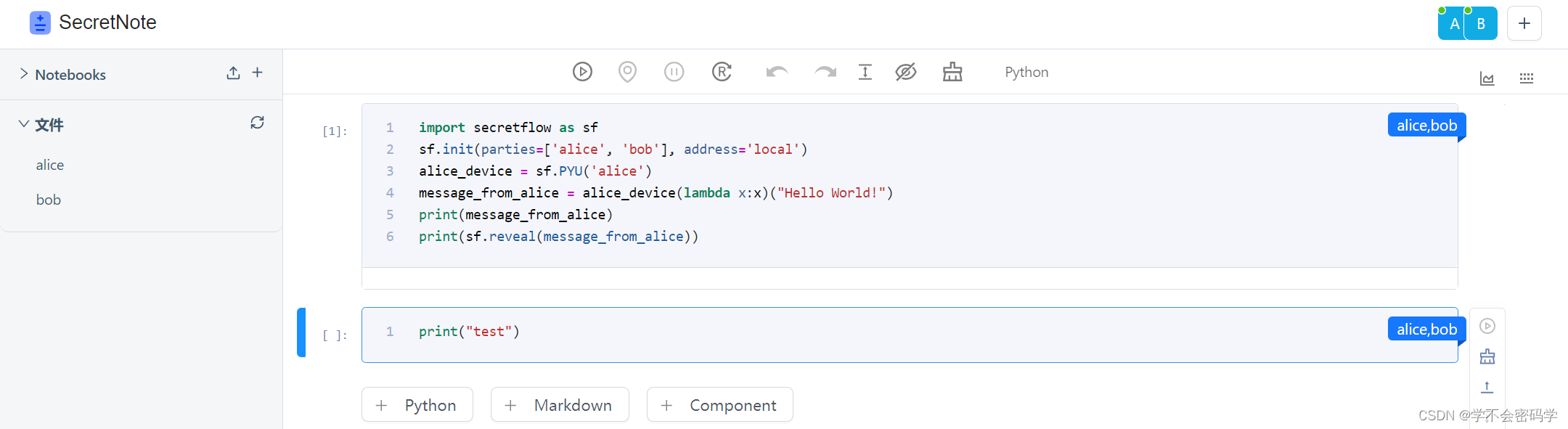
可能拉取的版本不同,没有看到引导项目。
2.2 使用SCQL
本地安装 secretnote
pip install secretnote -i https://mirrors.aliyun.com/pypi/simple some-package
拉取scql 源码
https://github.com/secretflow/scql.git
cd scql/examples/
./setup.sh
docker compose up

#启动alice 和 bob节点 若是root用户 则在最后加上 --allow-root
secretnote --mode=scql --party=alice --host=http://127.0.0.1:8889
secretnote --mode=scql --party=bob --host=http://127.0.0.1:8888
浏览器访问alice节点
http://127.0.0.1:8889/secretnote/scql/project
bob节点
http://127.0.0.1:8888/secretnote/scql/project






 扫一扫
扫一扫


 2209
2209

 被折叠的 条评论
为什么被折叠?
被折叠的 条评论
为什么被折叠?
 到【灌水乐园】发言





