





 本文详细介绍了Hadoop中TimelineServer的两大职责:存储应用程序特定信息和保存已完成应用程序的常规信息。并通过具体配置示例,展示了如何在yarn-site.xml和mapred-site.xml中启用和配置Timeline服务。
前言
- hadoop:2.7.7
- Timeline Service 官方文档
简介
Timeline Server基于YARN运行,能够存储和检索应用程序的当前和历史信息,其主要有两个职责:
1)存储应用程序的特定信息
收集和检索指定应用程序或者框架的某些信息。例如,Hadoop的MR框架会产生像是Map task数量、Reduce task数量、Counter等信息,应用开发人员可以通过TimelineClient,在Application Master或者Container中将特定的信息发送到Timeline服务器。
同时Timeline提供了REST API,用于查询Timeline中存储的信息,并可以通过应用程序或者框架的特定UI进行展示。
2)保存已完成应用程序的常规信息
在之前此功能只能通过Application History Server实现,并且只支持MR Job。随着Timeline服务的出现,Application History Server的功能可以看做是Timeline的一部分。
应用程序级别的常规信息包括:
- 队列名
- ApplicationSubmissionContext中的用户信息及相关设置
- 某个Application包含的attempt列表
- 某个attempt中包含的Container列表
- 每个Container的信息
这些常规信息由RM发布给Timeline服务器存储,并且可以通过Timeline的UI展示已完成应用程序的信息。
配置示例
- yarn-site.xml
    <!-- 以下是Timeline相关设置 -->

    <!-- 设置是否开启/使用Yarn Timeline服务 -->
    <!-- 默认值:false -->
    <property>
        <name>yarn.timeline-service.enabled</name>
        <value>true</value>
        <description>
            In the server side it indicates whether timeline service is enabled or not.
            And in the client side, users can enable it to indicate whether client wants
            to use timeline service. If it's enabled in the client side along with
            security, then yarn client tries to fetch the delegation tokens for the
            timeline server.
        </description>
    </property>
    <!-- 设置RM是否发布信息到Timeline服务器 -->
    <!-- 默认值:false -->
    <property>
        <name>yarn.resourcemanager.system-metrics-publisher.enabled</name>
        <value>true</value>
        <description>
            The setting that controls whether yarn system metrics is
            published on the timeline server or not by RM.
        </description>
    </property>
    <!-- 设置是否从Timeline history-service中获取常规信息,如果为否,则是通过RM获取 -->
    <!-- 默认值:false -->
    <property>
        <name>yarn.timeline-service.generic-application-history.enabled</name>
        <value>true</value>
        <description>
            Indicate to clients whether to query generic application data from
            timeline history-service or not. If not enabled then application
            data is queried only from Resource Manager. Defaults to false.
        </description>
    </property>
    <!-- leveldb是用于存放Timeline历史记录的数据库,此参数控制leveldb文件存放路径所在 -->
    <!-- 默认值:${hadoop.tmp.dir}/yarn/timeline,其中hadoop.tmp.dir在core-site.xml中设置 -->
    <property>
        <name>yarn.timeline-service.leveldb-timeline-store.path</name>
        <value>${hadoop.tmp.dir}/yarn/timeline</value>
        <description>Store file name for leveldb timeline store.</description>
    </property>
    <!-- 设置leveldb中状态文件存放路径 -->
    <!-- 默认值:${hadoop.tmp.dir}/yarn/timeline -->
    <property>
        <name>yarn.timeline-service.leveldb-state-store.path</name>
        <value>${hadoop.tmp.dir}/yarn/timeline</value>
        <description>Store file name for leveldb state store.</description>
    </property>
    <!-- 设置Timeline Service Web App的主机名,此处将Timeline服务器部署在集群中的hadoop103上 -->
    <!-- 默认值:0.0.0.0 -->
    <property>
        <name>yarn.timeline-service.hostname</name>
        <value>hadoop103</value>
        <description>The hostname of the timeline service web application.</description>
    </property>
    <!-- 设置timeline server rpc service的地址及端口 -->
    <!-- 默认值:${yarn.timeline-service.hostname}:10200 -->
    <property>
        <name>yarn.timeline-service.address</name>
        <value>${yarn.timeline-service.hostname}:10200</value>
        <description>
            This is default address for the timeline server to start the RPC server.
        </description>
    </property>
    <!-- 设置Timeline Service Web App的http地址及端口,由于yarn.http.policy默认值为HTTP_ONLY,
    因此只需要设置http地址即可,不需要设置https -->
    <!-- 默认值:${yarn.timeline-service.hostname}:8188 -->
    <property>
        <name>yarn.timeline-service.webapp.address</name>
        <value>${yarn.timeline-service.hostname}:8188</value>
        <description>The http address of the timeline service web application.</description>
    </property>
    <!-- 设置Timeline服务绑定的IP地址 -->
    <!-- 默认值:空 -->
    <property>
        <name>yarn.timeline-service.bind-host</name>
        <value>192.168.126.103</value>
        <description>
            The actual address the server will bind to. If this optional address is
            set, the RPC and webapp servers will bind to this address and the port specified in
            yarn.timeline-service.address and yarn.timeline-service.webapp.address, respectively.
            This is most useful for making the service listen to all interfaces by setting to
            0.0.0.0.
        </description>
    </property>
    <!-- 启动Timeline数据自动过期清除 -->
    <!-- 默认值:true -->
    <property>
        <name>yarn.timeline-service.ttl-enable</name>
        <value>true</value>
        <description>Enable age off of timeline store data.</description>
    </property>
    <!-- 设置Timeline数据过期时间,单位ms -->
    <!-- 默认值:604800000,即7天 -->
    <property>
        <name>yarn.timeline-service.ttl-ms</name>
        <value>604800000</value>
        <description>Time to live for timeline store data in milliseconds.</description>
    </property>
    <!-- 设置http是否允许CORS(跨域资源共享,Cross-Origin Resource Sharing) -->
    <!-- 默认值:false -->
    <property>
        <name>yarn.timeline-service.http-cross-origin.enabled</name>
        <value>true</value>
        <description>
            Enables cross-origin support (CORS) for web services where cross-origin web
            response headers are needed. For example, javascript making a web services
            request to the timeline server. Defaults to false.
        </description>
    </property>
- mapre-site.xml
    <!-- 设置Application Master是否发送数据到timeline服务器 -->
    <!-- 默认值:false -->
    <property>
        <name>mapreduce.job.emit-timeline-data</name>
        <value>true</value>
        <description>
            Specifies if the Application Master should emit timeline data
            to the timeline server. Individual jobs can override this value.
        </description>
    </property>
使用示例
启动Timeline服务器:
yarn timelineserver
以守护进程的方式启动Timeline:
$HADOOP_YARN_HOME/sbin/yarn-daemon.sh start timelineserver
通过Shell命令查询应用程序的常规历史信息:
yarn application -status <Application ID>
yarn applicationattempt -list <Application ID>
yarn applicationattempt -status <Application Attempt ID>
yarn container -list <Application Attempt ID>
yarn container -status <Container ID>
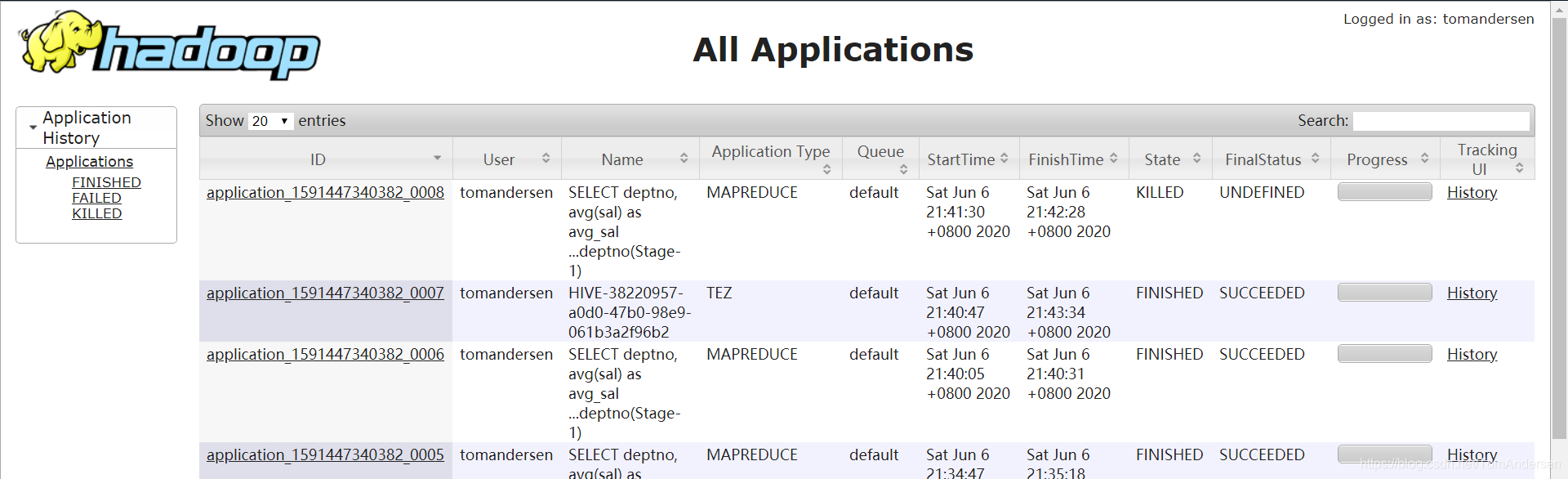
通过Web UI查看应用程序常规历史信息:
通过yarn.timeline-service.webapp.address或yarn.timeline-service.webapp.https.address参数对应地址,访问Timeline UI,如:http://hadoop103:8188/





 扫一扫
扫一扫


 947
947

 被折叠的 条评论
为什么被折叠?
被折叠的 条评论
为什么被折叠?
 到【灌水乐园】发言





