


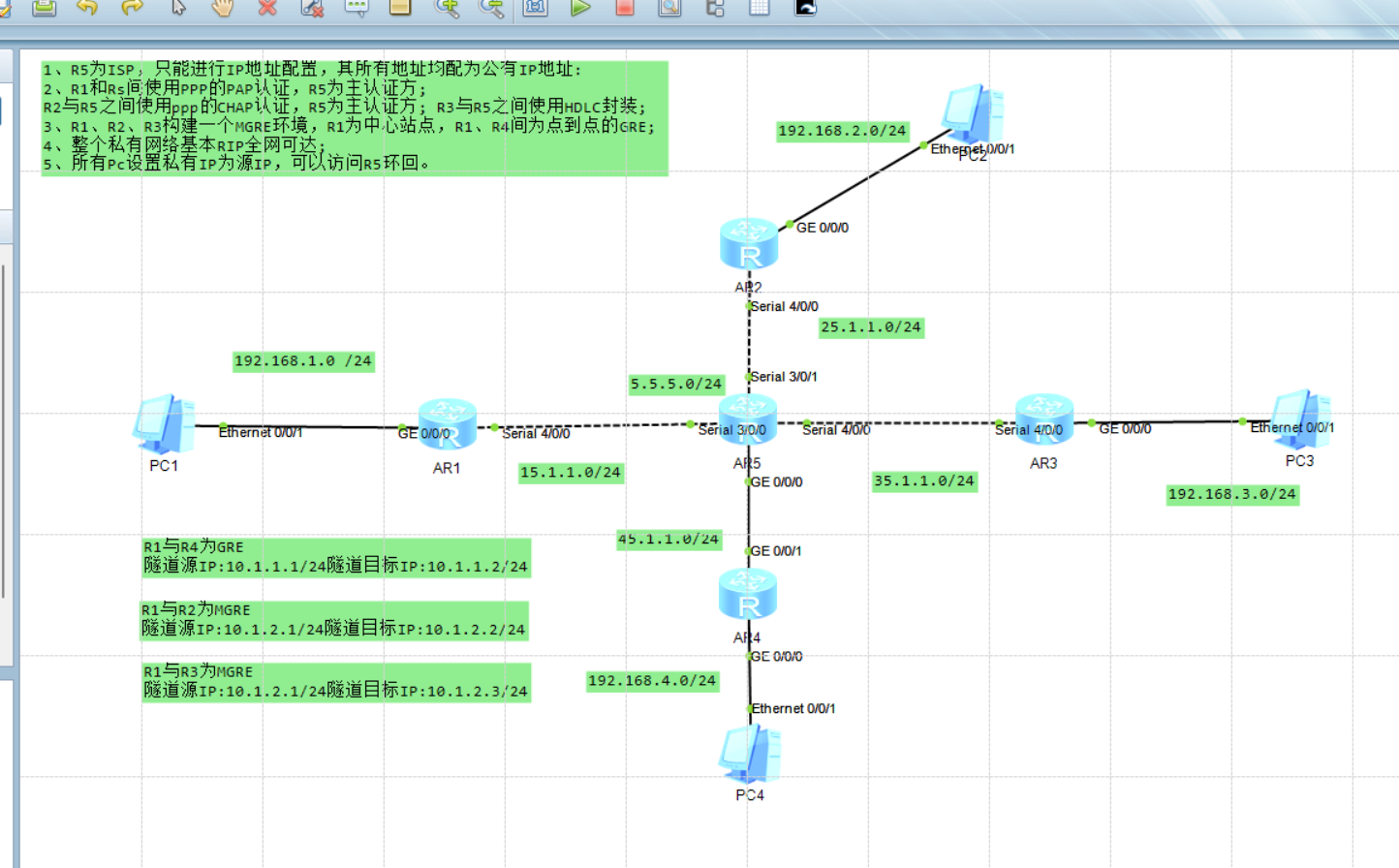
一.实验拓扑
二.实验要求
1、R5为ISP,只能进行IP地址配置,其所有地址均配为公有IP地址:
2、R1和Rs间使用PPP的PAP认证,R5为主认证方;
R2与R5之间使用ppp的CHAP认证,R5为主认证方; R3与R5之间使用HDLC封装;
3、R1、R2、R3构建一个MGRE环境,R1为中心站点,R1、R4间为点到点的GRE;
4、整个私有网络基本RIP全网可达;
5、所有Pc设置私有IP为源IP,可以访问R5环回。
三.实验思路
1.进行路由器 ISP 以及PC的ip配置,在各边界路由器公网口做缺省路由,实现公网通;
2.路由器R1-ISP,R2-ISP,R3-LSP之间为串线连接,使用PPP协议;ISP对R1 ,R3分别进行PAP,CHAP单向认证;ISP和R3之间将串线协议改为HDLC
3.R1-R2-R3之间搭建MGRE环境,R1为中心站点,三个路由器创建并配置虚拟隧道,使其形成同一私网;R1-R4构建点到点的GRE环境,R1和R4分别重新新建一条---虚拟隧道,用于区分建立的MGRE隧道接口,这两个隧道口形成同一私网;MGRE和GRE环境搭建完毕后R1-R2-R3-R4处于同一私网中
4.配置RIP,实现全网通;
注意:在MGRE环境下不支持组播,RIP的水平分割会使R2 R3无法获取完整路由条目,在R1 要开启伪广播 关闭RIP水平分割。
5.在各边界路由器上配置NAT,实现PC可以访问公网。
1.配ip,做缺省,并进行测试
R1
[R1-GigabitEthernet0/0/0]ip add 192.168.1.254 24
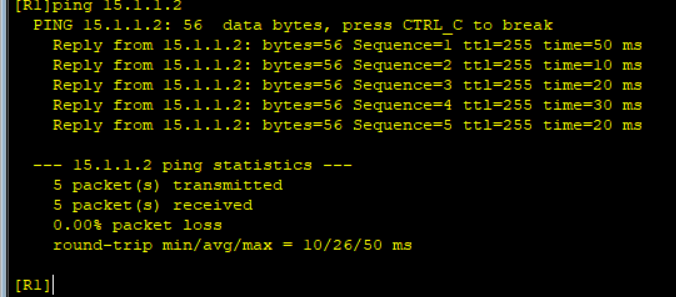
[R1-Serial4/0/0]ip add 15.1.1.1 24
[R1]ip route-static 0.0.0.0 0 15.1.1.2
R2
[R2-GigabitEthernet0/0/0]ip add 192.168.2.254 24
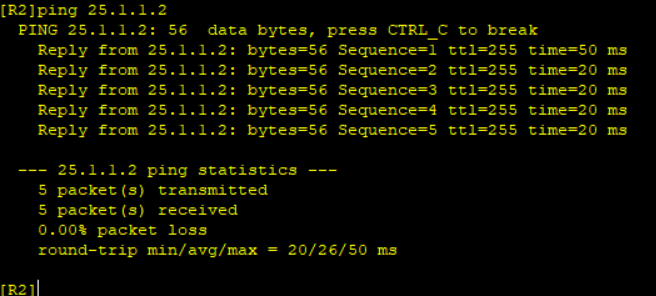
[R2-Serial4/0/0]ip add 25.1.1.1 24
[R2]ip route-static 0.0.0.0 0 25.1.1.2
R3
[R3-GigabitEthernet0/0/0]ip add 192.168.3.254 24
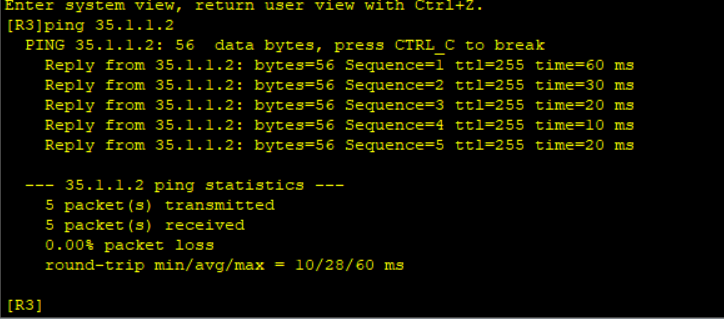
[R3-Serial4/0/0]ip add 35.1.1.1 24
[R3]ip route-static 0.0.0.0 0 35.1.1.2
R4
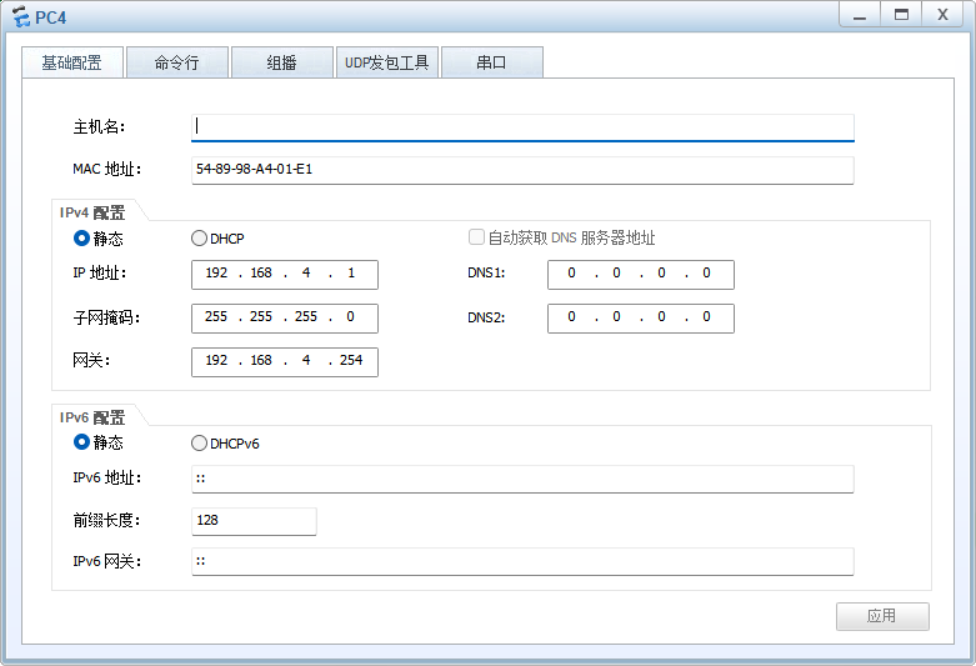
[R4-GigabitEthernet0/0/0]ip add 192.168.4.254 24
[R4-GigabitEthernet0/0/1]ip add 45.1.1.1 24
[R4]ip route-static 0.0.0.0 0 45.1.1.2
ISP
[ISP-GigabitEthernet0/0/0]ip add 45.1.1.2 24
[ISP-Serial3/0/0]ip add 15.1.1.2 24
[ISP-Serial3/0/1]ip add 25.1.1.2 24
[ISP-Serial4/0/0]ip add 35.1.1.2 24
[ISP-LoopBack0]ip add 5.5.5.5 24
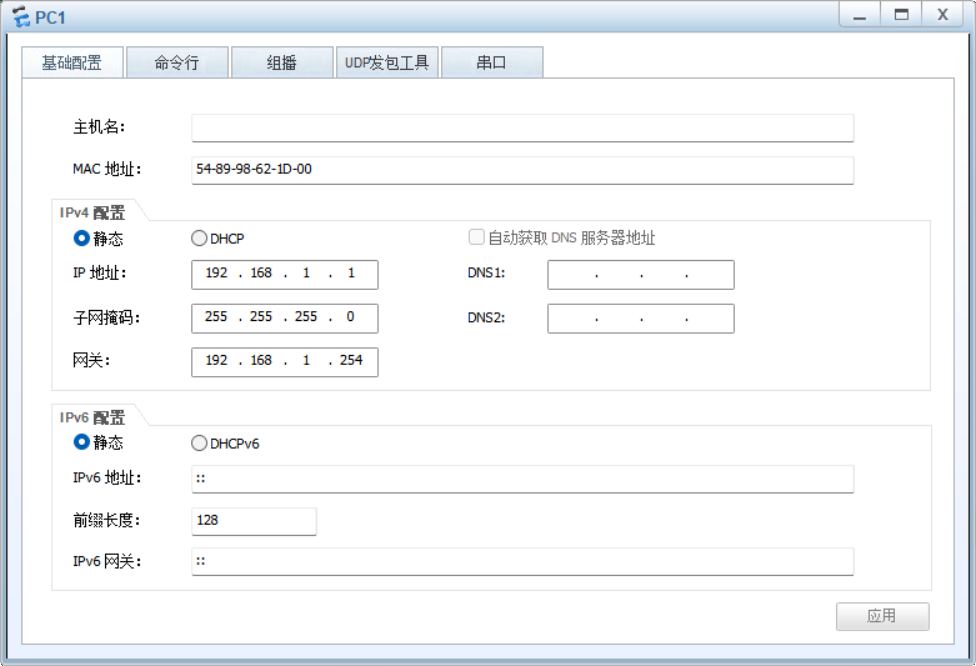
PC1
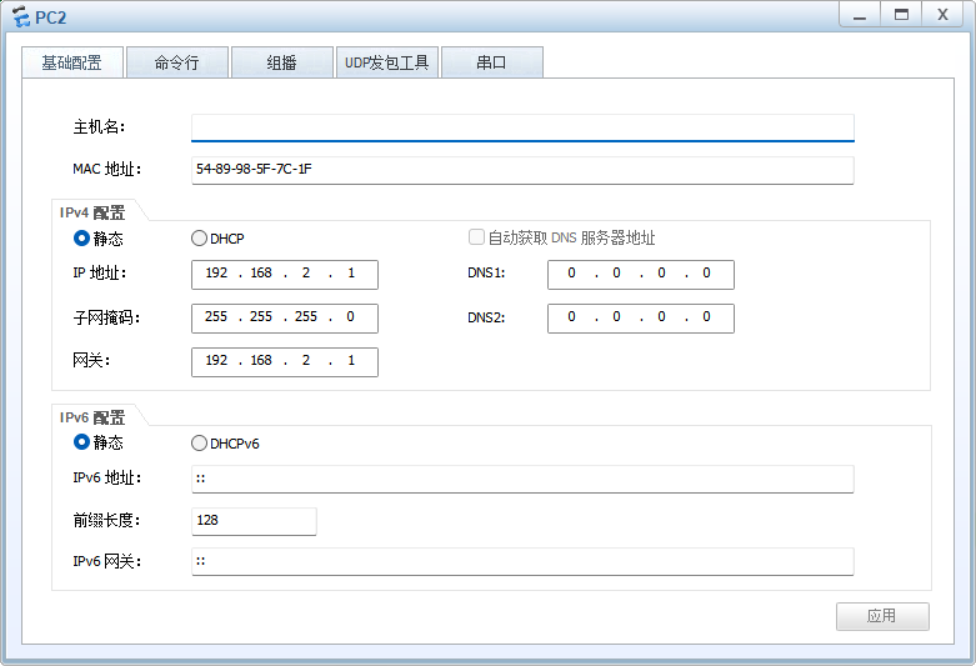
PC2
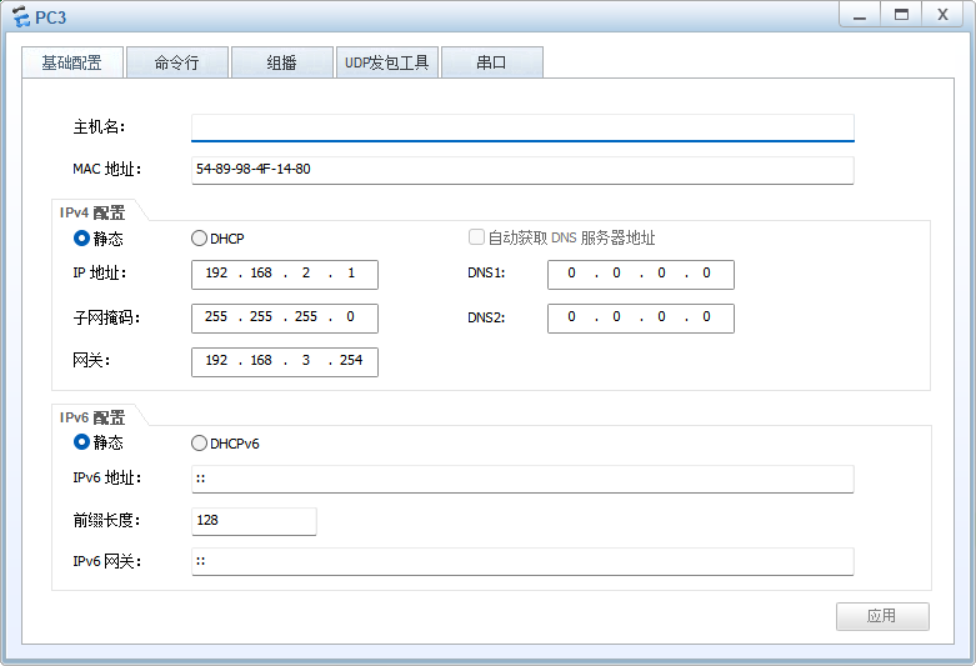
PC3
PC4
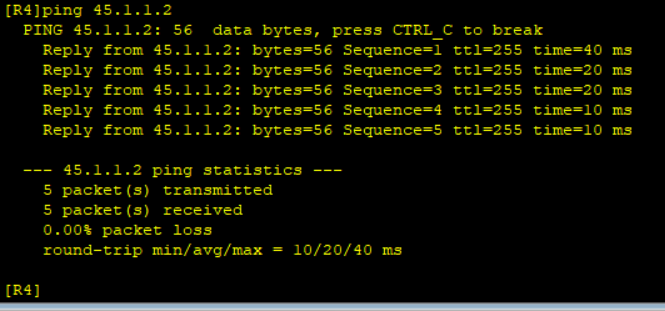
测试公网通:
2..路由器R1-ISP,R2-ISP,R3-LSP之间为串线连接,使用PPP协议;ISP对R1 ,R3分别进行PAP,CHAP单向认证;ISP和R3之间将串线协议改为HDLC
R1和Rs间使用PPP的PAP认证,R5为主认证方;
1.主验证方
[ISP]aaa
[ISP-aaa]local-user TTT password cipher 88888---设置用户名密码
Info: Add a new user.
[ISP-aaa]local-user TTT service-type ppp---服务类型为PPP
[ISP-aaa]q
[ISP]int s3/0/0
[ISP-Serial3/0/0]ppp authentication-mode pap---在接口做PAP认证
2.被验证方
[R1-Serial4/0/0]ppp pap local-user TTT password cipher 88888
R2与R5之间使用ppp的CHAP认证,R5为主认证方;
1.主验证方
[ISP-Serial3/0/1]ppp authentication-mode chap
2.被验证方
[R2-Serial4/0/0]ppp chap user TTT
[R2-Serial4/0/0]ppp chap password cipher 88888
R3与R5之间使用HDLC封装;
[ISP-Serial4/0/0]link-protocol hdlc
[R3-Serial4/0/0]link-protocol hdlc ---ISP和R3在接口更改协议类型为HDLC
3.以R1为中心站点,建立R1 R2 R3的MGRE环境
中心站点R1
[R1-Tunnel0/0/0]ip address 10.1.2.1 24---创建虚拟接口并配置ip
[R1-Tunnel0/0/0]tunnel-protocol gre p2mp ---定义封装方式为P2MP
[R1-Tunnel0/0/0]source 15.1.1.1---定义封装源ip
[R1-Tunnel0/0/0]nhrp network-id 100---创建NHRP域
分站点R2
[R2-Tunnel0/0/0]ip address 10.1.2.2 24
[R2-Tunnel0/0/0]tunnel-protocol gre p2mp
[R2-Tunnel0/0/0]source s4/0/0
[R2-Tunnel0/0/0]nhrp network-id 100--加入中心站点创建的NHRP域
[R2-Tunnel0/0/0]nhrp entry 10.1.2.1 15.1.1.1 register
分站点R3
[R3-Tunnel0/0/0]ip address 10.1.2.3 24
[R3-Tunnel0/0/0]tunnel-protocol gre p2mp
[R3-Tunnel0/0/0]source s4/0/0
[R3-Tunnel0/0/0]nhrp network-id 100
[R3-Tunnel0/0/0]nhrp entry 10.1.2.1 15.1.1.1
4.建立R1和R4的GRE环境
R1
[R1-Tunnel0/0/1]ip add 10.1.1.1 24
[R1-Tunnel0/0/1]tunnel-protocol gre
[R1-Tunnel0/0/1]source 15.1.1.1
[R1-Tunnel0/0/1]description 45.1.1.1
R4
[R4-Tunnel0/0/1]ip add 10.1.1.2 24
[R4-Tunnel0/0/1]tunnel-protocol gre
[R4-Tunnel0/0/1]source 45.1.1.1
[R4-Tunnel0/0/1]description 15.1.1.1
5.配置nat RIP
R1
[R1-acl-basic-2000]rule permit source 192.168.1.0 0.0.0.255
[R1-acl-basic-2000]int s4/0/0
[R1-Serial4/0/0]nat outbound 2000
[R1]rip 1
[R1-rip-1]version 2
[R1-rip-1]network 192.168.1.0
[R1-rip-1]network 10.0.0.0
R2
[R2-acl-basic-2000]rule permit source 192.168.2.0 0.0.0.255
[R2-acl-basic-2000]int s4/0/0
[R2-Serial4/0/0]nat outbound 2000
[R2]rip 1
[R2-rip-1]version 2
[R2-rip-1]network 192.168.2.0
[R2-rip-1]network 10.0.0.0
R3
[R3-acl-basic-2000]rule permit source 192.168.3.0 0.0.0.255
[R3-acl-basic-2000]int s4/0/0
[R3-Serial4/0/0]nat outbound 2000
[R3]rip 1
[R3-rip-1]version 2
[R3-rip-1]network 192.168.3.0
[R3-rip-1]network 10.0.0.0
R4
[R4-acl-basic-2000]rule permit source 192.168.4.0 0.0.0.255
[R4-acl-basic-2000]int s4/0/0
[R4-Serial4/0/0]nat outbound 2000
[R4]rip 1
[R4-rip-1]version 2
[R4-rip-1]network 192.168.4.0
[R4-rip-1]network 10.0.0.0
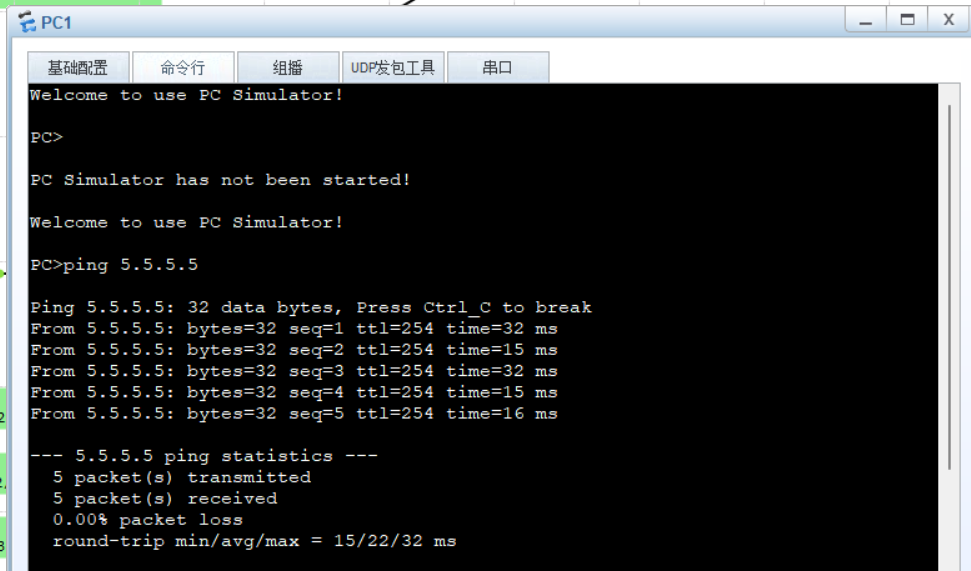
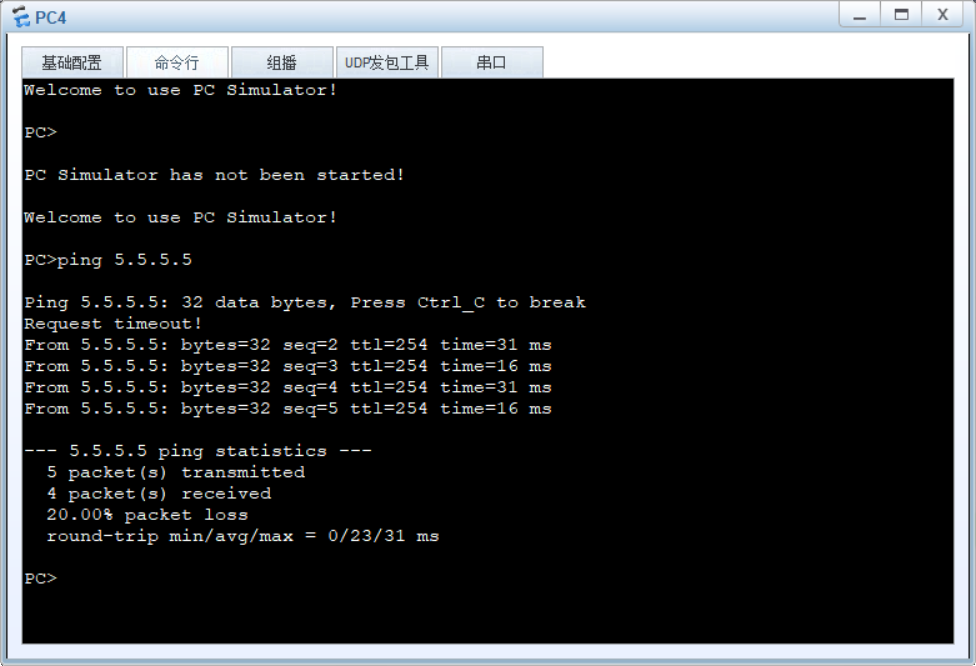
6.测试PCpingISP环回口





 扫一扫
扫一扫


 813
813

 被折叠的 条评论
为什么被折叠?
被折叠的 条评论
为什么被折叠?
 到【灌水乐园】发言





