


Java登录注册窗口开发
ps.已更新注册界面的实现方法
所需库与组件
import javax.swing.*;
import java.awt.*;
import java.awt.event.ActionEvent;
import java.awt.event.ActionListener;
import javax.swing.JFrame;
开发步骤
一,定义一个类,作为存放对象的容器
我们会在其内部添加内容
public class Login{

}
二,创建一个窗口,并对其设置
在创建窗口时,要用到JFrame库。导入库后,创建对象,我们便有了一个窗口。我们还需要对该窗口进行设置,调整窗口大小,标题,相对位置,结束程序的操作,窗口布局管理器等等来达到我们的需求。
public void showUI(){
        //创建窗口,定义尺寸大小,标题,相对位置
        JFrame jf = new JFrame();
        jf.setSize(450,550);
        jf.setTitle("登录界面");
        jf.setLocationRelativeTo(null);
        //设置操作者点击右上角×时,窗口相应操作,此处为关闭程序
        jf.setDefaultCloseOperation(3);
        //设置窗口为流式布局
        FlowLayout flow = new FlowLayout();
        jf.setLayout(flow);
        }
三,为该窗口添加组件
市面上常常出现的登录窗口如下
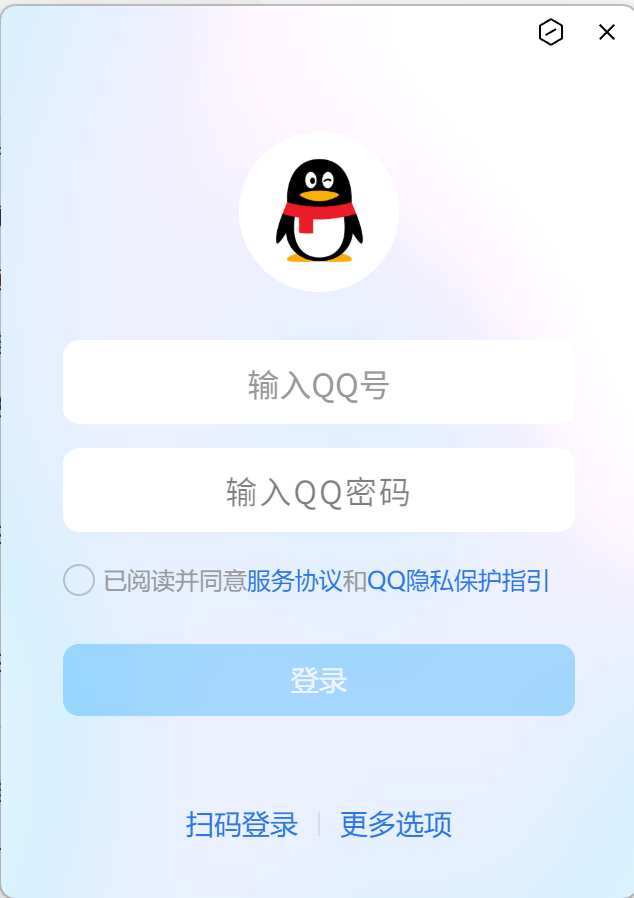
拥有账号输入,密码输入,图片,登录以及注册按钮,接下来我们将逐一添加这些组件
//插入图片,设置图片大小
        ImageIcon image=new ImageIcon("starry_sky.jpg");//此处为图片地址
        JLabel jl = new JLabel(image);//需要创建标签来承载图片
        jl.setPreferredSize(new Dimension(200, 100));//修改图片尺寸时,需要在标签上修改
        jf.add(jl);
        //设置账号文本框
        JLabel user = new JLabel("账号");
        jf.add(user);
        JTextField jtf = new JTextField();
        //设置文本框宽高
        Dimension dm = new Dimension(370,30);
        jtf.setPreferredSize(dm);
        jf.add(jtf);
        //设置密码文本框,其余方法同上
        JLabel userPassword = new JLabel("密码");
        jf.add(userPassword);
        JTextField jtf2 = new JTextField();
        Dimension dm2 = new Dimension(370,30);
        jtf2.setPreferredSize(dm2);
        jf.add(jtf2);
        //设置登录按钮
        JButton jbu = new JButton("登录");
        jf.add(jbu);
        jf.setVisible(true);//需要将以上组件设置为可见,否则只是创建好了,无法显示
四,为按钮设置监听器
当我们创建好登录注册按钮时,需要为这些按钮设置操作方法,我们需要调用ActionListener(事件监听器)。但我们查看相关代码时会发现这个接口的作用是规定事件发生时处理事件的方法结构,只定义了抽象方法。具体的逻辑需要我们自己编写。
我们创建一个新的类来重写该接口。
public class ButtonListener implements ActionListener {
//implements是指我们创建的这个类遵循ActionListener这个接口的规范,并在该类中实现方法
//重写抽象方法,事件处理方法
    public void actionPerformed(ActionEvent e){
    System.out.println("点击按钮!");
}
在Login类中创建对象,并调用。这样就能在按按钮时得到反馈,在控制台发现输出了“点击按钮!”
//设置登录按钮
        JButton jbu = new JButton("登录");
        jf.add(jbu);
        jf.setVisible(true);
        //设置监听器,监听按钮情况,进行对应操作
        ButtonListener listener = new ButtonListener();
        jbu.addActionListener(listener);
 //设置注册按钮
        JButton jbu2 = new JButton("注册");
        jf.add(jbu2);
        jf.setVisible(true);
        jbu2.addActionListener(listener);
五,在点击按钮时产生新窗口
原理与上面创建窗口一致,我们写一个方法并在actionPerformed方法中进行调用
public void UI(String text){

        JFrame newJl =new JFrame();
        newJl.setSize(400,200);
        newJl.setLocationRelativeTo(null);
        //这里选择特征值“2”,关闭新窗口时不会关闭整个程序
        newJl.setDefaultCloseOperation(2);
        FlowLayout flow = new FlowLayout();
        newJl.setLayout(flow);
        JLabel jb = new JLabel(text);
        newJl.add(jb);
        ImageIcon image = new ImageIcon("starry_sky.jpg");//图片文件
        JLabel jl2 = new JLabel(image);
        jl2.setPreferredSize(new Dimension(100, 50));
        newJl.add(jl2);
        newJl.setVisible(true);
    }
六,验证账号
我们不只是需要在点击登录按钮时打开新窗口,而且还需要判断这个账号密码是否正确,我需要先接收用户在文本框里输入的数据,之后再判断这些数据与我们数据库中的是否对应。需要注意的是文本框的数据类型为JTextField,因此在ButtonListener类里定义变量时数据类型要相同
public void showUI(){{
//接受文本框内内容,返回给ButtonListener
		//----略
		ButtonListener listener = new ButtonListener();
        jbu.addActionListener(listener);
        listener.userText=jtf;//在showUI类方法里先接收jtf,jtf2账号和密码文本框的内容
        listener.userText2 = jtf2;
        //----略
        }
public class ButtonListener implements ActionListener {
	public JTextField userText;//定义两个变量
    public JTextField userText2;
    //设置两个数组当数据库
    String usernameDatabase[]={"1234","5573","6697","7744","2233"};

    String passwordDatabase[]={"1234","5573","6697","7744","2233"};
    public void actionPerformed(ActionEvent e){
//        接受用户输入的账号和密码并转化为String类型
        String username = userText.getText();
        String userpassword = userText2.getText();
我们定义了两个数组作为我们的数据库,又接收了用户输入的数据,接下来需要比较我们的数据库是否有相关的账号密码。我们可以通过for循环一一取出数组里的值与用户输入的数据对比,需要注意的是,账号与密码也要一一对应,否则会出现不同账号与不同密码依旧能成功登录的情况
public class AccountVerification {
    //账号验证方法
    public int[] Verification(String[] usernameDatabase, String[] passwordDatabase, String username, String userpassword) {
        int userdata = 0;
        int passworddata=0;
        //return为终止语句,若在for循环内部出现则不会进行遍历
        for (int i = 0; i < usernameDatabase.length;i++) {
            String Initialdata = usernameDatabase[i];
            String Initialdata2 =passwordDatabase[i];
            if (username.equals(Initialdata) && userpassword.equals(Initialdata2)) {
                userdata = 1;
                passworddata=1;

            }
        }
        //返回一个数组,因为我们需要保证账号密码对应
        return new int[]{userdata,passworddata};
    }
}
  //调用AccountVerification类判断数组内数据与用户输入数据是否相同
        AccountVerification av = new AccountVerification();
        //定义一个数组接收,让账号与密码一一对应
        int userdata[] = av.Verification(usernameDatabase,passwordDatabase,username,userpassword);
        //若账号密码一一对应,则输出登录成功
        if(userdata[0]==1 &&  userdata[1]==1){
            System.out.println("账号正确");
            UI("登录成功");
        }
        else {
            System.out.println("账号错误");
            UI("账号或密码错误请重新输入");
        }
七,实现注册功能
首先“注册”和“登录”都是用的一个监听器,如果你尝试过的话会发现点击注册注册按钮的话会发现它的反馈会和登录是一样的。我们可以通过读取按钮上的文字来对每个按钮进行区分。并通过switch语句来分别设计他们的操作。同时我们要为注册页面的“创建新账号”按钮设置操作,防止存入账号的数量超过限制。
//获取按钮文字
String str=e.getActionCommand();
//分配每个按钮的操作
        switch (str){
            case "登录": {
                //调用AccountVerification类判断数组内数据与用户输入数据是否相同
                AccountVerification av = new AccountVerification();
                //定义一个数组接收,让账号与密码一一对应
                int userdata[] = av.Verification(NEWname, NEWpassword, username, userpassword);
                //若账号密码一一对应,则输出登录成功
                if (userdata[0] == 1 && userdata[1] == 1) {
                    System.out.println("账号正确");
                    UI("登录成功");
                } else {
                    System.out.println("账号错误");
                    UI("账号或密码错误请重新输入");
                }
            }break;
            case "注册": {
                JFrame jf = new JFrame();
                jf.setSize(350, 450);
                jf.setTitle("注册界面");
                jf.setLocationRelativeTo(null);
                //设置操作者点击右上角×时,窗口相应操作,此处为关闭程序
                jf.setDefaultCloseOperation(2);
                //设置窗口为流式布局
                FlowLayout flow = new FlowLayout();
                jf.setLayout(flow);
                //插入图片,设置图片大小
                ImageIcon image = new ImageIcon("starry_sky.jpg");
                JLabel jl = new JLabel(image);//需要创建标签来承载图片
                jl.setPreferredSize(new Dimension(200, 100));//修改图片尺寸时,需要在标签上修改
                jf.add(jl);
                //设置账号文本框
                JLabel user = new JLabel("账号");
                jf.add(user);
//                JTextField jtf3 = new JTextField();
                //设置文本框宽高
                Dimension dm = new Dimension(270, 30);
                jtf3.setPreferredSize(dm);
                jf.add(jtf3);
                //设置密码文本框
                JLabel userPassword = new JLabel("密码");
                jf.add(userPassword);
//                JTextField jtf4 = new JTextField();
                Dimension dm2 = new Dimension(270, 30);
                jtf4.setPreferredSize(dm2);
                jf.add(jtf4);
                //设置注册按钮(不用“注册”命名是为了防止再次调用“注册”按钮的功能出现不断的创建新窗口,导致循环)
                JButton jbu2 = new JButton("注册新账号");
                jf.add(jbu2);
                jf.setVisible(true);
                //如果像登录界面一样设计这里应该先创建下面注释里的两行代码,但是请注意,我们正在按钮监听器里写代码,不能在类内部引用该类(通过其它方法可行,但此处不介绍)
                //ButtonListener listener = new ButtonListener();
        		//jbu.addActionListener(listener);
        		//只需用this即可使用按钮监听器
                jbu2.addActionListener(this);
                //获取注册页面的文本框数据
                this.userText3 = jtf3;
                this.userText4 = jtf4;

            }break;
         //防止再次打开新窗口
            case "注册新账号": {
            	//和接收登录文本框内容的方法是一致的,引用传递
                String newNname =userText3.getText();
                String newPassword = userText4.getText();
                //防止注册的数量超过数组数量
                if (i < 5) {
                    int num =i+1;
                    //两个空数组用来接受用户的账号数据,下一步会介绍注册界面数据的接收与传递
                    NEWname[i] = newNname;
                    NEWpassword[i] = newPassword;
                    System.out.println("已存入"+num+"个账号");
                    //每点击一次“注册新账号”按钮会使i+1,使得下一次接收数据的是两个数组中的新位置,防止覆盖原来的数据
                    i = ++i;
                }
                else {
                    UI("存入数据已达上线");
                }

            }break;
现在最基本的注册界面已经创建出来了,接下来我们需要创建两个空数组用来承载用户输入的新数据(注意这两个数组要作为全局变量写在外面),最终能在账号登录中通过验证。
public class ButtonListener implements ActionListener {
//    定义JTextField数据类型,用于接收文本框内容
    public JTextField userText;
    public JTextField userText2;
    //定义两个新的JTextField数据类型,接收注册页面文本框
    //强调一下为什么不把以下两个数据类型放到“注册”按钮下:因为当你点击按钮的同时,你初始化空文本框和接收文本框的行为是几乎同时进行的,从而会导致接收文本框数据为空,导致报错,所以要提前把文本框初始化好
    public JTextField userText3;
    public JTextField userText4;

//    创建用于存储账号,密码的数组
   // String usernameDatabase[]={"1234","5573","6697","7744","2233"};

    //String passwordDatabase[]={"1234","5573","6697","7744","2233"};

    //创建两个数组保存注册的账号密码,长度为5
    String[] NEWname = new String[5];
    String[] NEWpassword = new String[5];
    //上一步的变量i
    int i=0;
    public void actionPerformed(ActionEvent e){

        //        接受用户输入的账号和密码
        String username = userText.getText();
        String userpassword = userText2.getText();
//因为我们的新注册页面是在该方法内部,所以在这里接受用户输入的账号和密码,在“注册新账号”按钮的操作里去转化为String类型
        JTextField jtf3 = new JTextField();
        JTextField jtf4 = new JTextField();

}
八,该程序代码的最终呈现
//Login.java
import javax.swing.*;
import java.awt.*;

public class Login{
    public void showUI(){
        //创建窗口,定义尺寸大小,标题,相对位置
        JFrame jf = new JFrame();
        jf.setSize(450,550);
        jf.setTitle("登录界面");
        jf.setLocationRelativeTo(null);
        //设置操作者点击右上角×时,窗口相应操作,此处为关闭程序
        jf.setDefaultCloseOperation(3);
        //设置窗口为流式布局
        FlowLayout flow = new FlowLayout();
        jf.setLayout(flow);
        //插入图片,设置图片大小
        ImageIcon image=new ImageIcon("starry_sky.jpg");
        JLabel jl = new JLabel(image);//需要创建标签来承载图片
        jl.setPreferredSize(new Dimension(200, 100));//修改图片尺寸时,需要在标签上修改
        jf.add(jl);
        //设置账号文本框
        JLabel user = new JLabel("账号");
        jf.add(user);
        JTextField jtf = new JTextField();
        //设置文本框宽高
        Dimension dm = new Dimension(370,30);
        jtf.setPreferredSize(dm);
        jf.add(jtf);
        //设置密码文本框
        JLabel userPassword = new JLabel("密码");
        jf.add(userPassword);
        JTextField jtf2 = new JTextField();
        Dimension dm2 = new Dimension(370,30);
        jtf2.setPreferredSize(dm2);
        jf.add(jtf2);
        //设置登录按钮
        JButton jbu = new JButton("登录");
        jf.add(jbu);
        jf.setVisible(true);
        //设置监听器,监听按钮情况,进行对应操作
        ButtonListener listener = new ButtonListener();
        jbu.addActionListener(listener);
        //接受文本框内内容,返回给ButtonListener
        listener.userText=jtf;
        listener.userText2 = jtf2;
        //设置注册按钮
        JButton jbu2 = new JButton("注册");
        jf.add(jbu2);
        jf.setVisible(true);
        jbu2.addActionListener(listener);
    }
    public static void main(String[] args ){
        //创建Login对象,调用showUI方法
        Login lo = new Login();
        lo.showUI();
    }

}
//ButtonListener.java
import java.awt.event.ActionEvent;
import java.awt.event.ActionListener;
import javax.swing.JFrame;
import javax.swing.*;
import java.awt.*;

public class ButtonListener implements ActionListener {

    //public String name ="1234";
    //public String password="4567";
//    定义JTextField数据类型,用于接收文本框内容
    public JTextField userText;
    public JTextField userText2;
    public JTextField userText3;
    public JTextField userText4;

//    创建用于存储账号,密码的数组
    String usernameDatabase[]={"1234","5573","6697","7744","2233"};

    String passwordDatabase[]={"1234","5573","6697","7744","2233"};
//    int userdata =0;
    //创建两个数组保存注册的账号密码
    String[] NEWname = new String[5];
    String[] NEWpassword = new String[5];
    int i=0;

    //重写抽象方法,事件处理方法
    public void actionPerformed(ActionEvent e){

        //        接受用户输入的账号和密码
        String username = userText.getText();
        String userpassword = userText2.getText();
//        String newNname =userText3.getText();
//        String newPassword = userText4.getText();
        JTextField jtf3 = new JTextField();
        JTextField jtf4 = new JTextField();

        // 区别不同按钮
        String str=e.getActionCommand();
        switch (str){
            case "登录": {
                //调用AccountVerification类判断数组内数据与用户输入数据是否相同
                AccountVerification av = new AccountVerification();
                //定义一个数组接收,让账号与密码一一对应
                int userdata[] = av.Verification(NEWname, NEWpassword, username, userpassword);
                //若账号密码一一对应,则输出登录成功
                if (userdata[0] == 1 && userdata[1] == 1) {
                    System.out.println("账号正确");
                    UI("登录成功");
                } else {
                    System.out.println("账号错误");
                    UI("账号或密码错误请重新输入");
                }
            }break;
            case "注册": {
                JFrame jf = new JFrame();
                jf.setSize(350, 450);
                jf.setTitle("注册界面");
                jf.setLocationRelativeTo(null);
                //设置操作者点击右上角×时,窗口相应操作,此处为关闭程序
                jf.setDefaultCloseOperation(2);
                //设置窗口为流式布局
                FlowLayout flow = new FlowLayout();
                jf.setLayout(flow);
                //插入图片,设置图片大小
                ImageIcon image = new ImageIcon("starry_sky.jpg");
                JLabel jl = new JLabel(image);//需要创建标签来承载图片
                jl.setPreferredSize(new Dimension(200, 100));//修改图片尺寸时,需要在标签上修改
                jf.add(jl);
                //设置账号文本框
                JLabel user = new JLabel("账号");
                jf.add(user);
//                JTextField jtf3 = new JTextField();
                //设置文本框宽高
                Dimension dm = new Dimension(270, 30);
                jtf3.setPreferredSize(dm);
                jf.add(jtf3);
                //设置密码文本框
                JLabel userPassword = new JLabel("密码");
                jf.add(userPassword);
//                JTextField jtf4 = new JTextField();
                Dimension dm2 = new Dimension(270, 30);
                jtf4.setPreferredSize(dm2);
                jf.add(jtf4);
                //设置注册按钮(不用“注册”是为了防止出现不断的创建新窗口)
                JButton jbu2 = new JButton("注册新账号");
                jf.add(jbu2);
                jf.setVisible(true);
                jbu2.addActionListener(this);
                this.userText3 = jtf3;
                this.userText4 = jtf4;

            }break;
            //防止再次打开新窗口
            case "注册新账号": {
                String newNname =userText3.getText();
                String newPassword = userText4.getText();
                //防止注册的数量超过数组数量
                if (i < 5) {
                    int num =i+1;
                    NEWname[i] = newNname;
                    NEWpassword[i] = newPassword;
                    System.out.println("已存入"+num+"个账号");
                    i = ++i;
                }
                else {
                    UI("存入数据已达上线");
                }

            }break;
        }
        System.out.println("点击按钮!");
//        UI("登录成功");

    }
    //定义窗口,确保操作者在点击按钮后出现新窗口
    public void UI(String text){

        JFrame newJl =new JFrame();
        newJl.setSize(400,200);
        newJl.setLocationRelativeTo(null);
        //这里选择特征值“2”,关闭新窗口时不会关闭整个程序
        newJl.setDefaultCloseOperation(2);
        FlowLayout flow = new FlowLayout();
        newJl.setLayout(flow);
        JLabel jb = new JLabel(text);
        newJl.add(jb);
        ImageIcon image = new ImageIcon("starry_sky.jpg");
        JLabel jl2 = new JLabel(image);
        jl2.setPreferredSize(new Dimension(100, 50));
        newJl.add(jl2);
        newJl.setVisible(true);
    }
}
//AccountVerification.java
public class AccountVerification {
    //账号验证方法
    public int[] Verification(String[] usernameDatabase, String[] passwordDatabase, String username, String userpassword) {
        int userdata = 0;
        int passworddata=0;
        //return为终止语句,若在for循环内部出现则不会进行遍历
        for (int i = 0; i < usernameDatabase.length;i++) {
            String Initialdata = usernameDatabase[i];
            String Initialdata2 =passwordDatabase[i];
            if (username.equals(Initialdata) && userpassword.equals(Initialdata2)) {
                userdata = 1;
                passworddata=1;

            }
        }
        return new int[]{userdata,passworddata};
    }
}





 扫一扫
扫一扫


 1515
1515

 被折叠的 条评论
为什么被折叠?
被折叠的 条评论
为什么被折叠?
 到【灌水乐园】发言





