


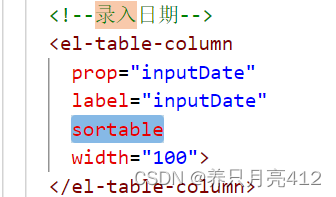
 该文章展示了如何在Vue前端页面中使用el-table-column组件进行数据筛选,特别是基于日期的排序。filter-method和filtered-value属性被用来定义过滤方法和设置过滤值,同时提供了rateOptions数据来供用户选择更新频率(日、周、月)。
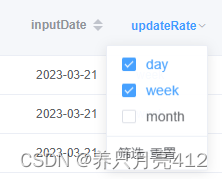
Vue 前端页面筛选数据:日期排序
筛选:
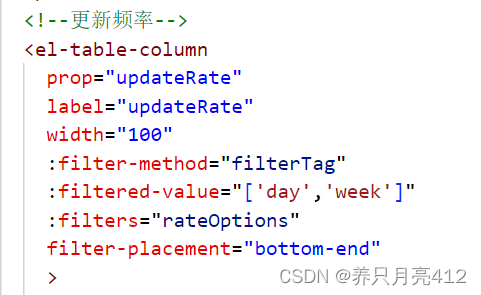
  <el-table-column
            prop="updateRate"
            label="updateRate"
            width="100"
            :filter-method="filterTag"
            :filtered-value="['day','week']"
            :filters="rateOptions"
            filter-placement="bottom-end"
            >
            <template slot-scope="scope">
              <span v-if="scope.row.updateRate == 'day'"
                               style="color: #F56C6C">
                              {{scope.row.updateRate}}</span>
                <span
                  v-else-if="scope.row.updateRate == 'week'"
                  style="color: #2d8cf0"
                >{{scope.row.updateRate}}</span>
                <span
                  v-else-if="scope.row.updateRate == 'month'"
                  style="color: #42b983"
                >{{scope.row.updateRate}}</span>
            </template>
          </el-table-column>
methods方法:
    filterTag(value, row) {
      return row.updateRate === value;
    },
data里的return:
         //更新频率
         rateOptions: [
        {
          text: 'day',
          value: 'day'
        },
        {
          text: 'week',
          value: 'week'
        },
        {
          text: 'month',
          value: 'month'
        }
      ],





 扫一扫
扫一扫


 683
683

 被折叠的 条评论
为什么被折叠?
被折叠的 条评论
为什么被折叠?
 到【灌水乐园】发言





