


 本文介绍了如何在Git中修改文件(如readme.txt),查看工作区状态,暂存更改并最终提交。使用`gitstatus`跟踪改动,`gitdiff`查看差异,确保提交前了解更新内容。
之前我们以及通过仓库创建,并且提交了一个编辑的文本到仓库进行保存,现在我要对之前提交的文本进行修改后提交,并且在这个修改和提交后随时查看工作区状态,以及我提交后和未修改前的区别。
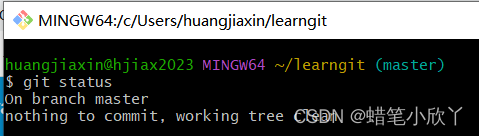
1.修改前,查看工作区状态
$ git status
on branch master
nothing to commit, working tree clean//一开始未做任何修改去查询的话,会出现这句话
//没有提交任何东西,工作目录是干净的(我只会直译,哈哈哈哈哈)
2.使用vi命令对readme.txt进行修改
$ vi readme.txt//进入文本编辑状态
//将以下两句话输入
    Git is a distributed version control system.
    Git is free software.
  输入完后按ESC+Shift+zz保存退出

$ git status//查看当前状态
On branch master
Changes not staged for commit:
  (use "git add <file>..." to update what will be committed)
  (use "git checkout -- <file>..." to discard changes in working directory)

	modified:   readme.txt

no changes added to commit (use "git add" and/or "git commit -a"
//git status命令可以让我们时刻掌握仓库当前的状态。
  上面的命令输出告诉我们,readme.txt被修改过了,但还没有准备提交的修改。

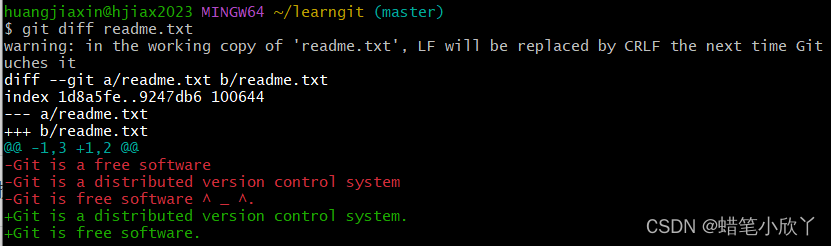
3.使用git diff命令查看修改后的区别
huangjiaxin@hjiax2023 MINGW64 ~/learngit (master)
$ git diff readme.txt//查看修改前后的不同
warning: in the working copy of 'readme.txt', LF will be replaced by CRLF the next time Git uches it//这个警告是因为我修改后,并没有向git提交,只是保存退出了。
diff --git a/readme.txt b/readme.txt
index 1d8a5fe..9247db6 100644
--- a/readme.txt
+++ b/readme.txt
@@ -1,3 +1,2 @@
-Git is a free software
-Git is a distributed version control system
-Git is free software ^ _ ^.                      //修改内容为,删除了上面这三句话
+Git is a distributed version control system.
+Git is free software.                            //增加了后面的两句话
4.提交后查看状态
4.1提交
$ git add readme.txt
$ git status
$ git commit -m "add****"

5.总结
5.1 要随时掌握工作区的状态,使用git status命令。
5.2 如果git status告诉你有文件被修改过,用git diff可以查看修改内容。





 扫一扫
扫一扫


 2737
2737

 被折叠的 条评论
为什么被折叠?
被折叠的 条评论
为什么被折叠?
 到【灌水乐园】发言





