


参考网站
Add subscriptions to your theme
预览
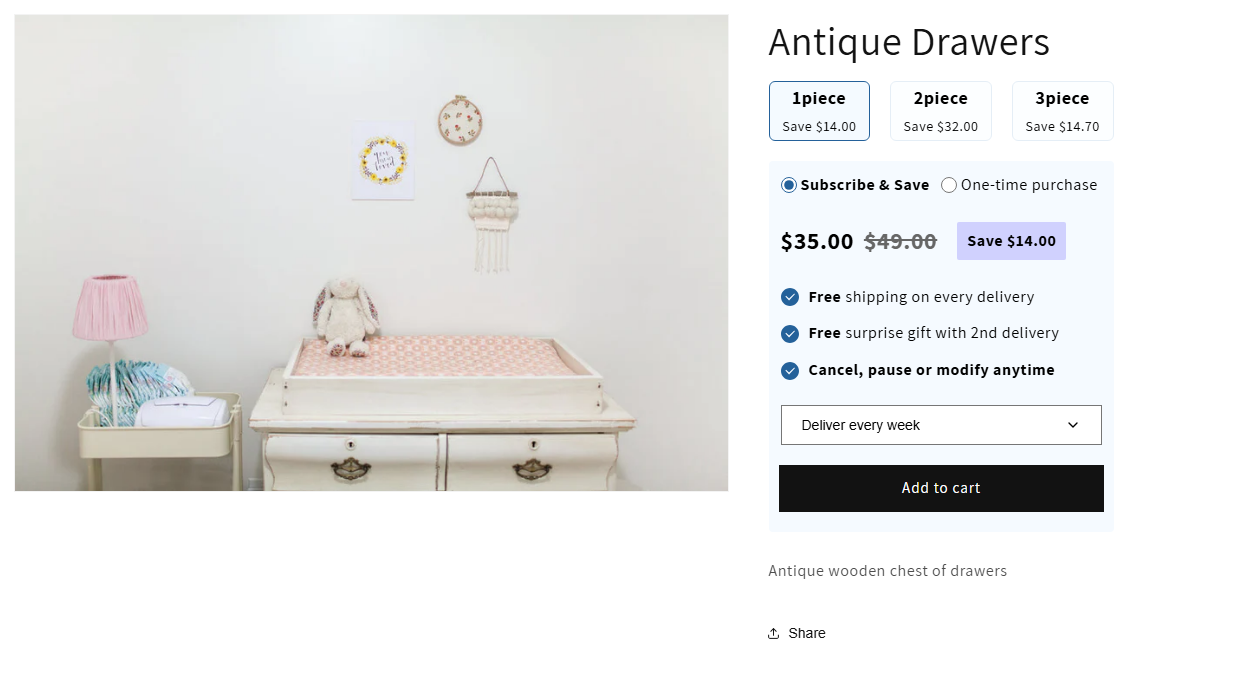
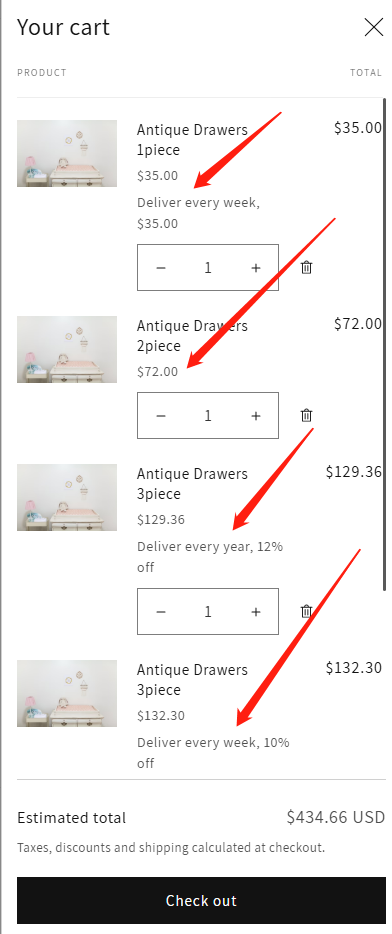
前置条件
需创建多个同样但价格不一的产品
需要以当前产品创建多个产品,来设置捆绑数量,比如1件单独销售、2件起售、n件起售,享受不同的折扣和销售计划的折扣。(本质上还是一件产品,不同的价格)
如果是一个产品的销售计划直接复制参考网站代码
安装app创建销售计划
需要安装Shopify官方提供的Subscriptions设置产品订阅计划
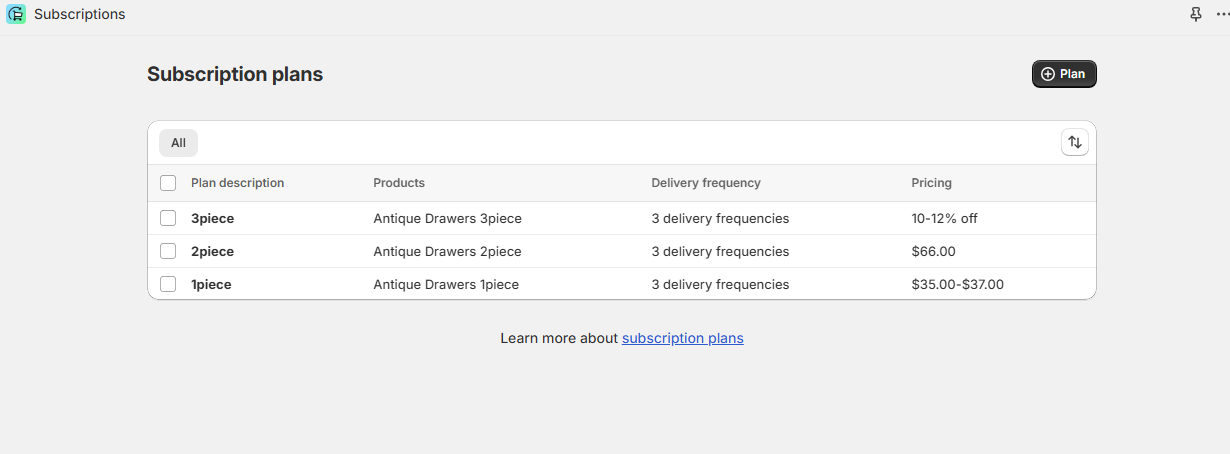
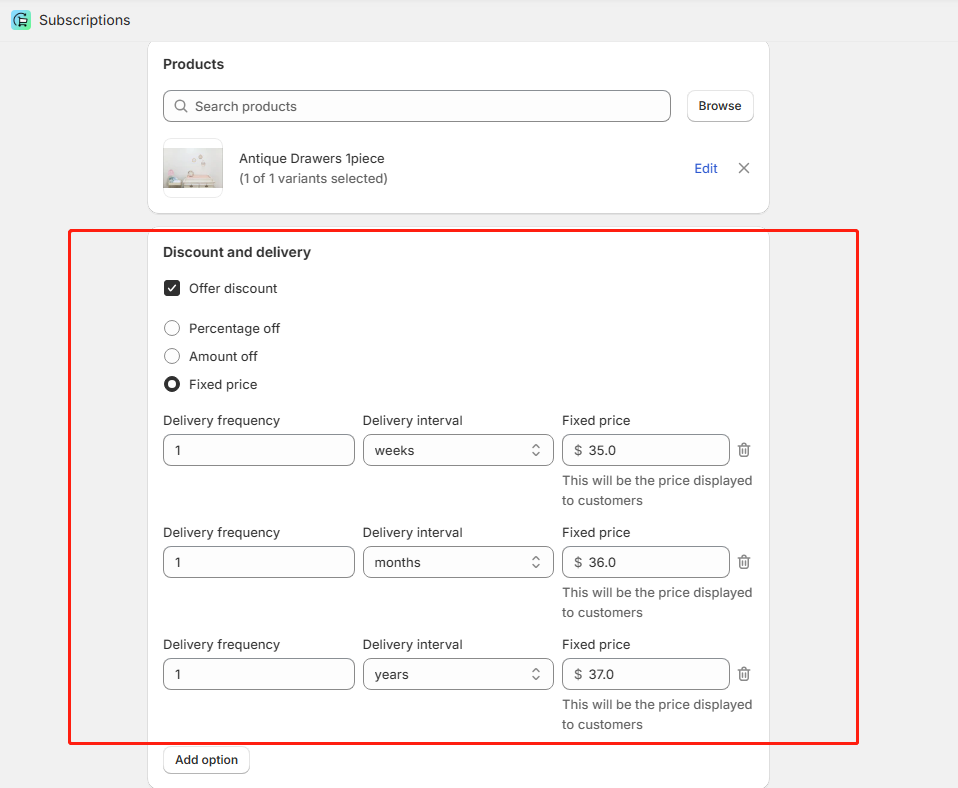
设置过后插件通过admin api的muation,这样商店产品就有了“销售计划”这个属性。
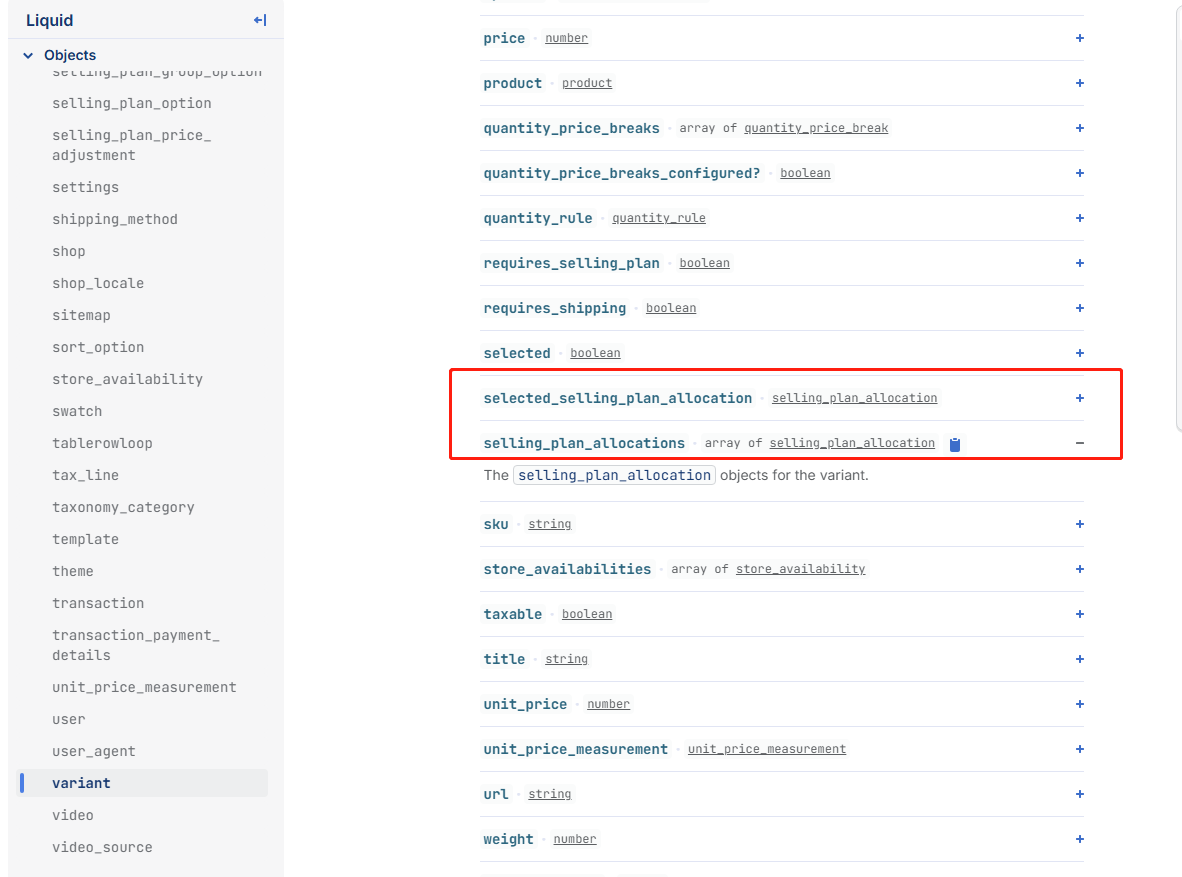
创建产品元字段
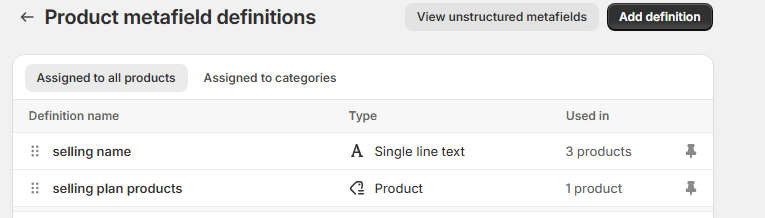
主要是为了能把默认产品和具有订阅的产品相关联
代码实现
原理
shopify默认加购是form表单,然后使用ajax向shopify发送加购请求body是一个FormData,只需要添加隐藏的input,name为selling_plan,value是selling_plan的id即可。
技术实现
创建selling-plans-integration.liquid(snippets)、selling-plan.css(assets)、selling-plan.js(assets)
创建一个buy-buttons副本buy-selling-buttons,避免影响全局的buy-buttons,
buy-selling-buttons 里面循环元子字段绑定的产品,进而创建顶部tab,再同样循环加购表单,在表单里面render selling-plans-integration.liquid,然后点击tab显示隐藏订阅即可。
我们把所有值都绑定在select的option里(不同的订阅plan,如按周、月、年订阅),切换option拿到值动态渲染,点击一次性加购选项清空所有表单selling_plan的value值,点击订阅选项找到所有表单的select选中的option绑定在dom上的selling_plan的id并赋予到selling_plan这个隐藏的input上,就是这么个逻辑。
代码
selling-plans-integration.liquid
{%- assign current_variant = product.selected_or_first_available_variant | default: product.variants.first -%}
{% if product.selling_plan_groups.size > 0 %}
<div class="selling_plan_app_container" data-section-id='{
{ section.id }}'>
{% for variant in product.variants %}
{% if variant.selling_plan_allocations.size > 0 %}
<section data-variant-id='{
{ variant.id }}' class='selling_plan_theme_integration {% if variant.id != current_variant.id %}selling_plan_theme_integration--hidden{% endif %}'>
<fieldset>
<div>
<div class="radio-container">
<div class="radio-container--subscribe">
<label>
<input
value="sub"
type='radio'
name="purchaseOption_{
{ section.id }}_{
{ variant.id }}"
{% if variant.available == false %}disabled{% endif %}
data-variant-id='{
{ variant.id }}'
data-variant-saving ='{
{ variantSavingPrice }}'
checked
/>
Subscribe & Save
</label>
</div>
{% unless product.requires_selling_plan %}
<div class="radio-container--one-time">
<label>
<input
value="one"
type='radio'
name="purchaseOption_{
{ section.id }}_{
{ variant.id }}"
/>
One-time purchase
</label>
</div>
{% endunless %}
</div>
{% assign variant_selling_price = product.selected_or_first_available_selling_plan_allocation.price %}
{% assign variant_compare_at_price = product.selected_or_first_available_variant.compare_at_price %}
{% assign variant_price = product.selected_or_first_available_variant.price %}
<div class="price-wrapper">
<div class="price-container selling-price">
{% if variant_selling_price == variant_price %}
<div class="price-regular">{
{ variant_selling_price | money }}</div>
{% else %}
<div class="price-sale">
<div class="price-item--sale">{
{ variant_selling_price | money }}</div>
<s class="price-item--regular">
{% if variant_compare_at_price %}
{
{ variant_compare_at_price | money }}
{% else %}
{
{ variant_price | money }}
{% endif %}
</s>
{% if variant_compare_at_price %}
{% assign real_compare_price = variant_compare_at_price %}
{% else %}
{% assign real_compare_price = variant_price %}
{% endif %}
{% assign saveing = real_compare_price| minus: variant_selling_price %}
<span class="save-price">Save {
{ saveing | money }}</span>
</div>
{% endif %}
</div>
<div class="price-container product-price">
{% if variant_price == variant_compare_at_price or variant_compare_at_price == blank %}
<div class="price-regular">{
{ variant_price | money }}</div>
{% else %}
<div class="price-sale">
<div class="price-item--sale">{
{ variant_price | money }}</div>
<s class="price-item--regular">{
{ variant_compare_at_price| money }}</s>
</div>
{% endif %}
</div>
</div>
<div class="policy-wrapper">
<div class="policy-advantage">
<ul>
<li>
<svg t="1744189199600" class="icon" viewBox="0 0 1024 1024" version="1.1" xmlns="http://www.w3.org/2000/svg" p-id="20488" width="24" height="24"><path d="M512 1024C229.239467 1024 0 794.760533 0 512 0 229.239467 229.239467 0 512 0c282.760533 0 512 229.239467 512 512 0 282.760533-229.239467 512-512 512z m245.521067-707.413333l-298.939734 275.387733-169.984-147.421867-38.263466 39.662934 208.145066 2 最低0.47元/天 解锁文章






 扫一扫
扫一扫


 498
498

 被折叠的 条评论
为什么被折叠?
被折叠的 条评论
为什么被折叠?
 到【灌水乐园】发言





