


 本文介绍了如何在SpringBoot项目中整合Druid数据库连接池,并配置监控功能。通过添加相关Maven依赖,配置yaml文件,以及创建Druid配置类,实现了数据源的注入和Druid的监控页面。同时,展示了如何配置过滤器以排除某些请求不被统计,并提供了访问监控页面的路径。
整合Druid数据源
Druid是什么?
Druid是Java语言中最好的数据库连接池。Druid能够提供强大的监控和扩展功能。
下载
maven中央仓库: 点击
使用
导入maven依赖
 <!--mysql-->
        <dependency>
            <groupId>mysql</groupId>
            <artifactId>mysql-connector-java</artifactId>
            <version>5.1.6</version>
            <scope>runtime</scope>
        </dependency>
 <dependency>
            <groupId>com.alibaba</groupId>
            <artifactId>druid</artifactId>
            <version>1.1.17</version>
        </dependency>
        <!--使用日志的话需要导入log4j-->
        <dependency>
            <groupId>log4j</groupId>
            <artifactId>log4j</artifactId>
            <version>1.2.17</version>
        </dependency>
配置yaml文件
spring:
  datasource:
    username: root
    password: 111111
#    如果时区报错了我们还要加上 一个时区的配置  在哪个时区写哪 serviceTimezone= 自己的时区
    url: jdbc:mysql://localhost:3306/eesy?userUnicode=true&characterEncoding=utf-8
    driver-class-name: com.mysql.jdbc.Driver   #8以上的用cj的包
    type: com.alibaba.druid.pool.DruidDataSource  #type指定 数据源的类型
      #Spring Boot 默认是不注入这些属性值的,需要自己绑定
      #druid 数据源专有配置
    initialSize: 5
    minIdle: 5
    maxActive: 20
    maxWait: 60000
    timeBetweenEvictionRunsMillis: 60000
    minEvictableIdleTimeMillis: 300000
    validationQuery: SELECT 1 FROM DUAL
    testWhileIdle: true
    testOnBorrow: false
    testOnReturn: false
    poolPreparedStatements: true

      #配置监控统计拦截的filters,stat:监控统计、log4j:日志记录、wall:防御sql注入
    filters: stat,wall,log4j
    maxPoolPreparedStatementPerConnectionSize: 20
    useGlobalDataSourceStat: true
    connectionProperties: druid.stat.mergeSql=true;druid.stat.slowSqlMillis=500
写一个测试类测试注入成功与否
  //编写了配置文件springboot会自动为我们生成这个对象
    @Autowired
    DataSource dataSource;

    @Test
    void contextLoads() {
        //查看默认的数据源
        System.out.println(dataSource.getClass());
        //获得数据库连接
        Connection connection = null;
        try {
            connection = dataSource.getConnection();
            System.out.println(connection);
        } catch (SQLException e) {
            e.printStackTrace();
        }
        try {
            connection.close();
        } catch (SQLException e) {
            e.printStackTrace();
        }
    }
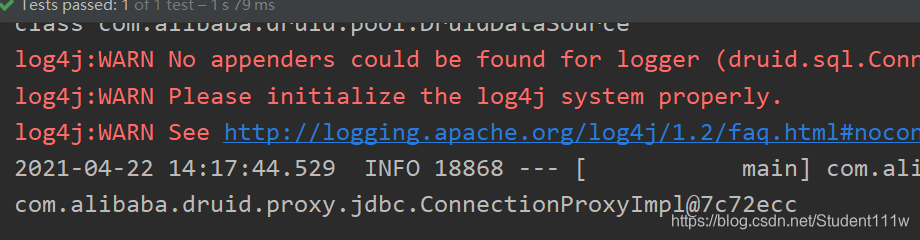
Druid的强大之处在于为我们提供了监控功能 那没有xml文件的配置情况下怎么使用呢
我们需要新建一个配置类
编写一个自定义的bean注册进去
@Configuration
public class DruidConfig {

    //将配置文件绑定到bean上
    @ConfigurationProperties(prefix = "spring.datasource")
    @Bean
    public DataSource druidDataSource(){
        return new DruidDataSource();
    }
    //后台监控功能 相当于web.xml ServletRegistrationBean
    //因为springboot内置了servlet容器,所以没有web.xml 替代方法的  自定义的bean注册进去
    @Bean
    public ServletRegistrationBean statViewServlet(){
        //绑定访问哪个路径进入到后台监控页面
        ServletRegistrationBean<StatViewServlet> bean = new ServletRegistrationBean<>(new StatViewServlet(), "/druid/*");
        //后台需要有人登录,账号密码配置
        HashMap<String, String> map = new HashMap<>();
        //增加配置
        map.put("loginUsername","user");//登录的key是固定的
        map.put("loginPassword","123456");//密码的key是固定的

        //允许谁可以访问
        map.put("allow","");//参数如果为空任何人都可以访问  localhost自己可以访问

        //禁止谁能访问   配置之后这个ip地址就无法访问了
//        map.put("程序猿","192.231213.213");
        bean.setInitParameters(map);//设置初始化参数 参数是一个map
        return bean;
    }

}
此时运行 我们访问这个路径
http://localhost:8080/druid
登录账户密码之后我们会来到这个页面
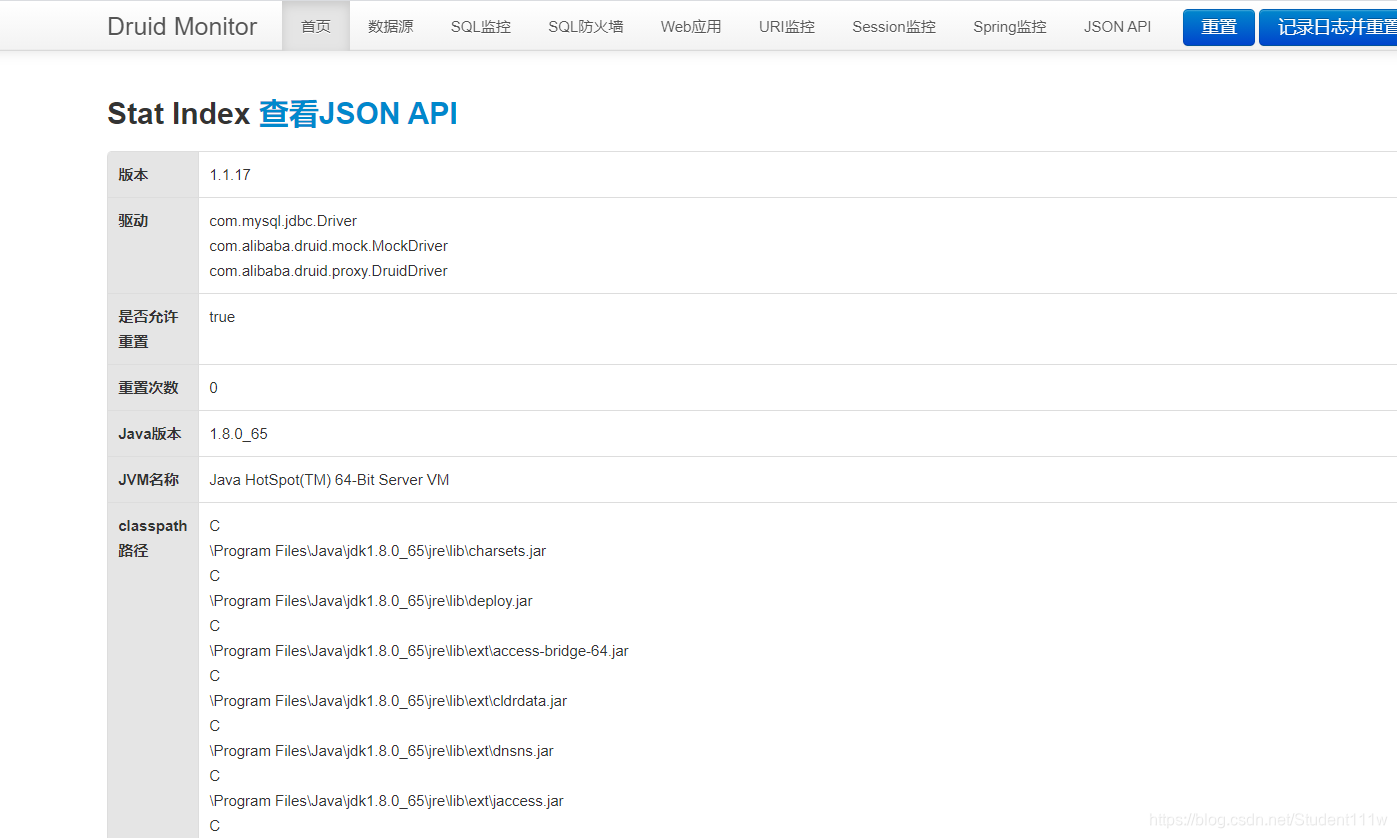
监控页面就可以查看了
我们还可以配置Druid的过滤器 过滤哪些访问不被统计
在我们的Configuration配置类中新建一个bean
不要忘记写完之后用@bean注解注册到容器中
  @Bean
    public FilterRegistrationBean webStatFilter(){
        FilterRegistrationBean bean = new FilterRegistrationBean();
        //设置一个过滤器
        bean.setFilter(new WebStatFilter());

        //可以过滤哪些请求
        HashMap<String, String> map = new HashMap<>();
        //设置参数
        //exclusions设置排除哪些请求不过滤 这些东西不进行统计
        map.put("exclusions","*.js,*.css,/druid/*");
        bean.setInitParameters(map);
        return bean;
    }





 扫一扫
扫一扫


 1万+
1万+

 被折叠的 条评论
为什么被折叠?
被折叠的 条评论
为什么被折叠?
 到【灌水乐园】发言





