



一、vue-cli2
- 错误提示:
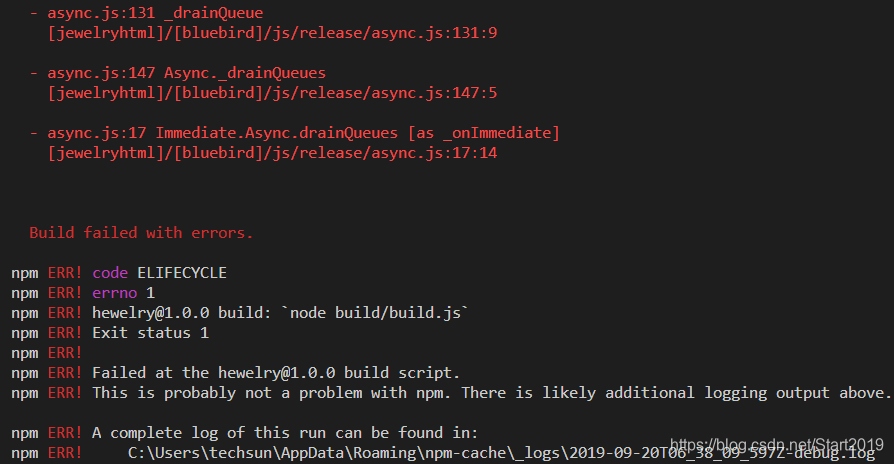
npm ERR! code ELIFECYCLE
npm ERR! errno 1
npm ERR! hewelry@1.0.0 build:node build/build.js
npm ERR! Exit status 1
npm ERR!
npm ERR! Failed at the hewelry@1.0.0 build script.
npm ERR! This is probably not a problem with npm. There is likely additional logging output above.
npm ERR! A complete log of this run can be found in:
npm ERR! C:\Users\techsun\AppData\Roaming\npm-cache\_logs\2019-09-20T06_38_09_597Z-debug.log
完整错误信息:
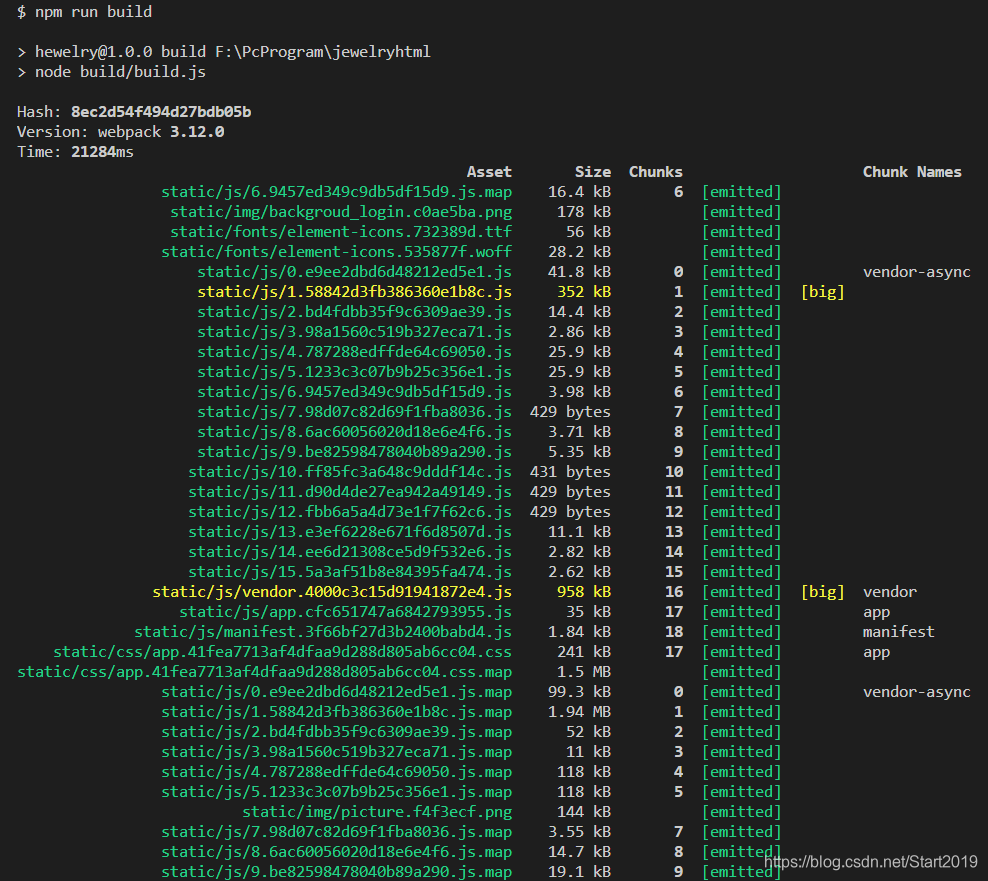
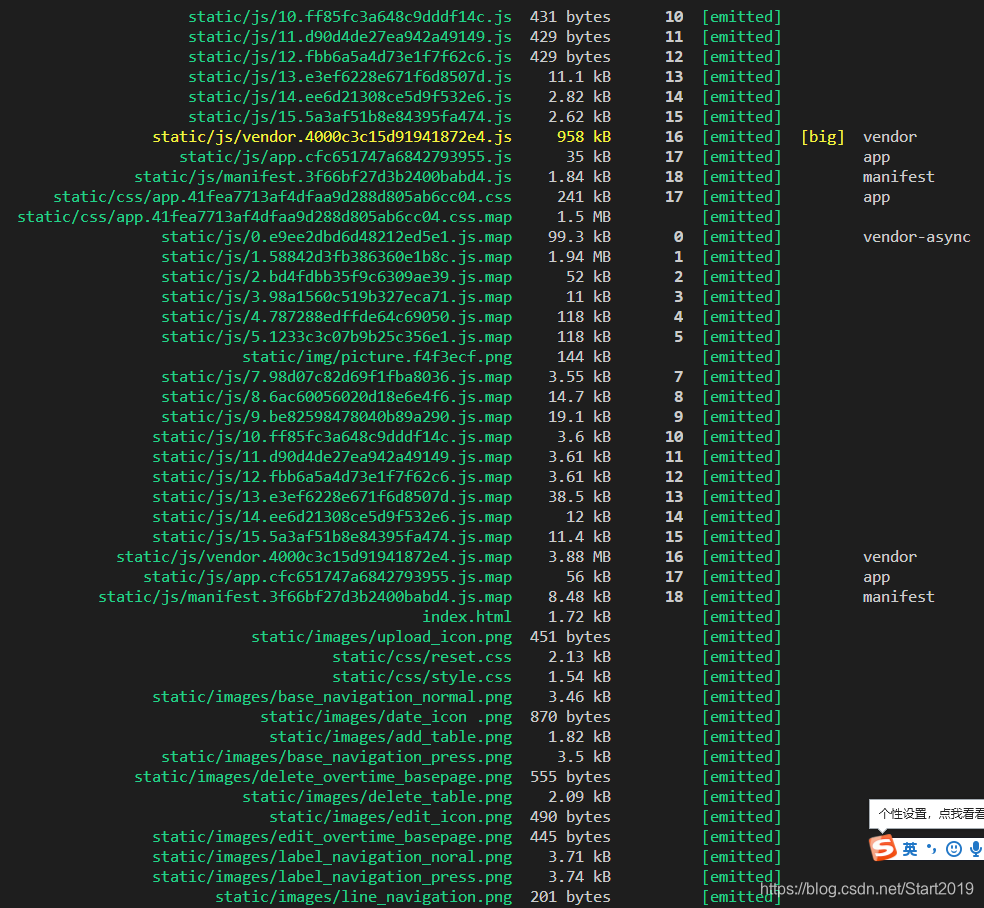
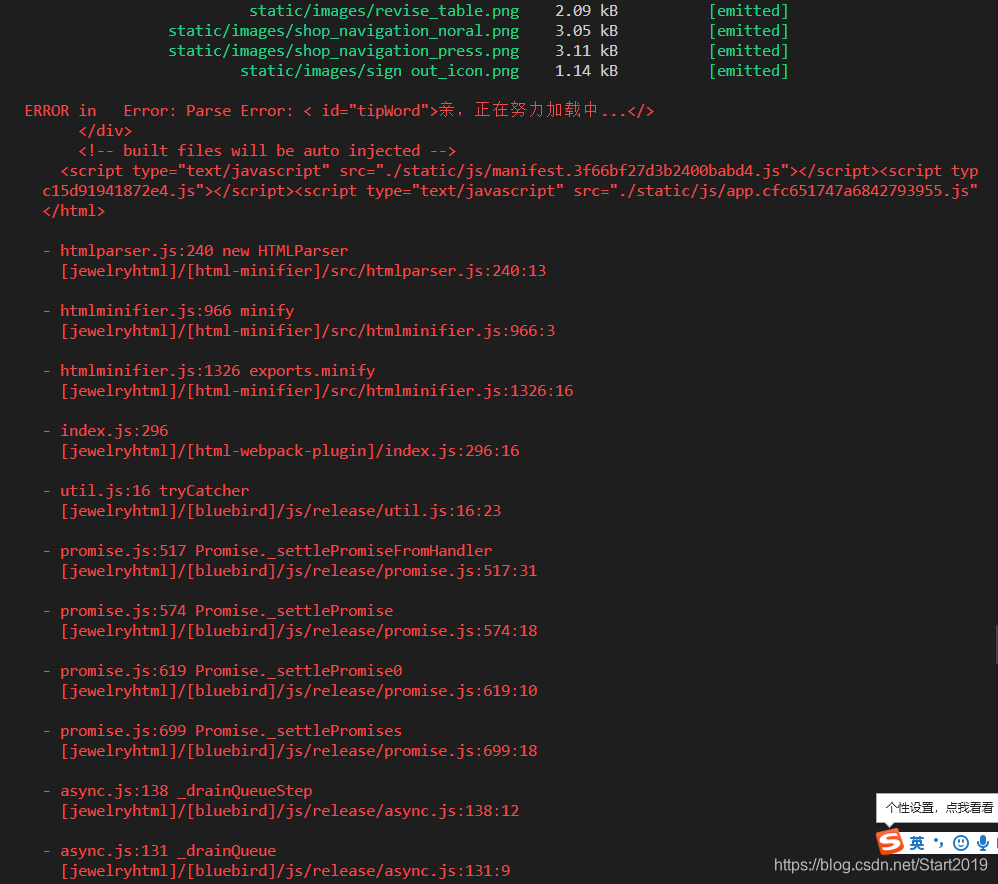
因为这个提示,找了一整天,结果是因为 标签没有闭合!!!,简直巨坑。
2. 关于图片资源路径
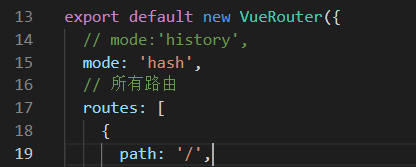
(1)现将 route.js 中的 mode:history 改成 mode:hash
(2) config 文件夹下的 index.js
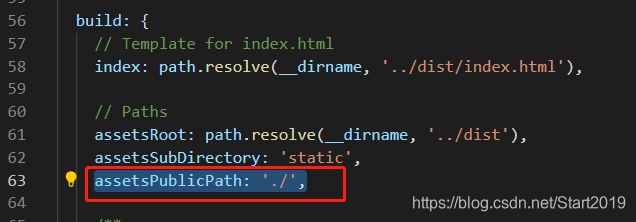
3. 改了 assetsPublicPath 还是加载不出来,或者 index.html 不显示, 仍然报:Failed to load resource: net::ERR_FILE_NOT_FOUND。找到 build 文件夹
参考了这位老哥的分享:huang_jin_yi
(1)webpack.base.conf.js 文件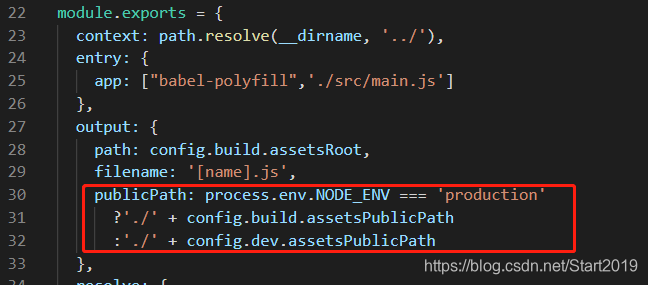
(2)webpack.prod.conf.js 文件添加:publicPath:'./
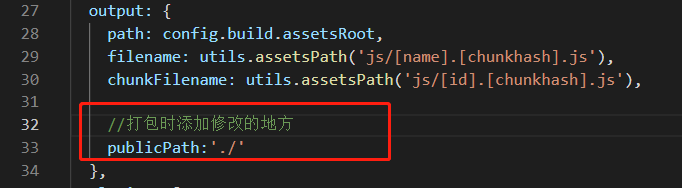
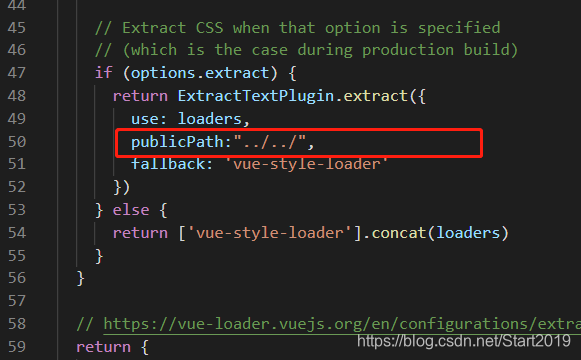
4. 图片路径正确,但是背景图没有
参考了这位老哥的分享:小唛的前端宝库
build文件夹下 utils.js 文件下添加:publicPath:"../../"
一、vue-cli3
1. router.js 文件–>将 history 模式改成 hash 模式
const router = new VueRouter({
  // mode: 'history',
  mode: 'hash',
  base: process.env.BASE_URL,//根
  routes
})
2. 在项目根目录下 新增一个 vue.config.js 文件
module.exports = {
  publicPath : './',//打包时配置静态资源路径 打包要“./”
  // publicPath: '/tcEnterprise'
  // vue-cli3中baseUrl被废弃,用publicPath
  outputDir: 'tcTrace' // 打包后压缩包的名称
}
3. npm run build





 扫一扫
扫一扫


 9655
9655

 被折叠的 条评论
为什么被折叠?
被折叠的 条评论
为什么被折叠?
 到【灌水乐园】发言





