


SpringCloud之Config基本认知与整合Server,Client,Eureka的基本操作
SpringCloud Config简介
Spring Cloud Config 是 Spring Cloud 团队创建的一个全新项目,用来为分布式系统中的基础设施和微服务应用提供集中化的外部配置支持,它分为服务端与客户端两个部分。其中服务端也称为分布式配置中心,它是一个独立的微服务应用,用来连接配置仓库并为客户端提供获取配置信息、加密 / 解密信息等访问接口;而客户端则是微服务架构中的各个微服务应用或基础设施,它们通过指定的配置中心来管理应用资源与业务相关的配置内容,并在启动的时候从配置中心获取和加载配置信息。Spring Cloud Config 实现了对服务端和客户端中环境变量和属性配置的抽象映射,所以它除了适用于 Spring 构建的应用程序之外,也可以在任何其他语言运行的应用程序中使用。由于 Spring Cloud Config 实现的配置中心默认采用 Git 来存储配置信息,所以使用 Spring Cloud Config 构建的配置服务器,天然就支持对微服务应用配置信息的版本管理,并且可以通过 Git 客户端工具来方便的管理和访问配置内容。当然它也提供了对其他存储方式的支持,比如:GIT仓库、SVN 仓库、本地化文件系统。
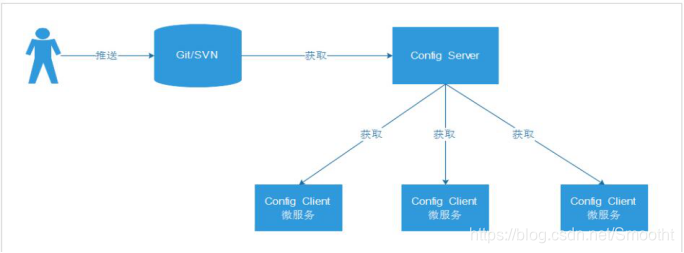
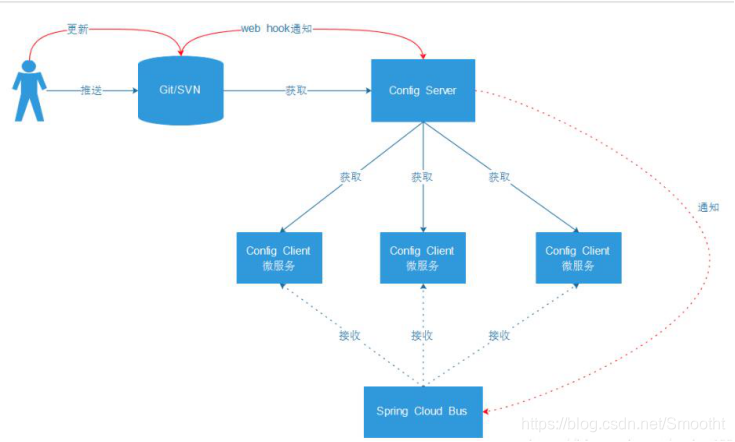
Config Server端主要和Git/SVN服务器
通俗点,就是统一管理配置,包括方便切换环境配置,以及修改配置无需动代码,省心省力;
如果用上SpringCloud Bus,能实现无需重启,自动感知配置变化以及应用新配置;
Config Server基本使用
根据前面SpringCloud架构图,首先第一步,要搞个 configServer来联通远程GIT仓库,来读取远程配置;
这里GIT仓库,我们一般选用GitHub https://github.com/,或者码云 https://gitee.com/
我们这里用GitHub演示
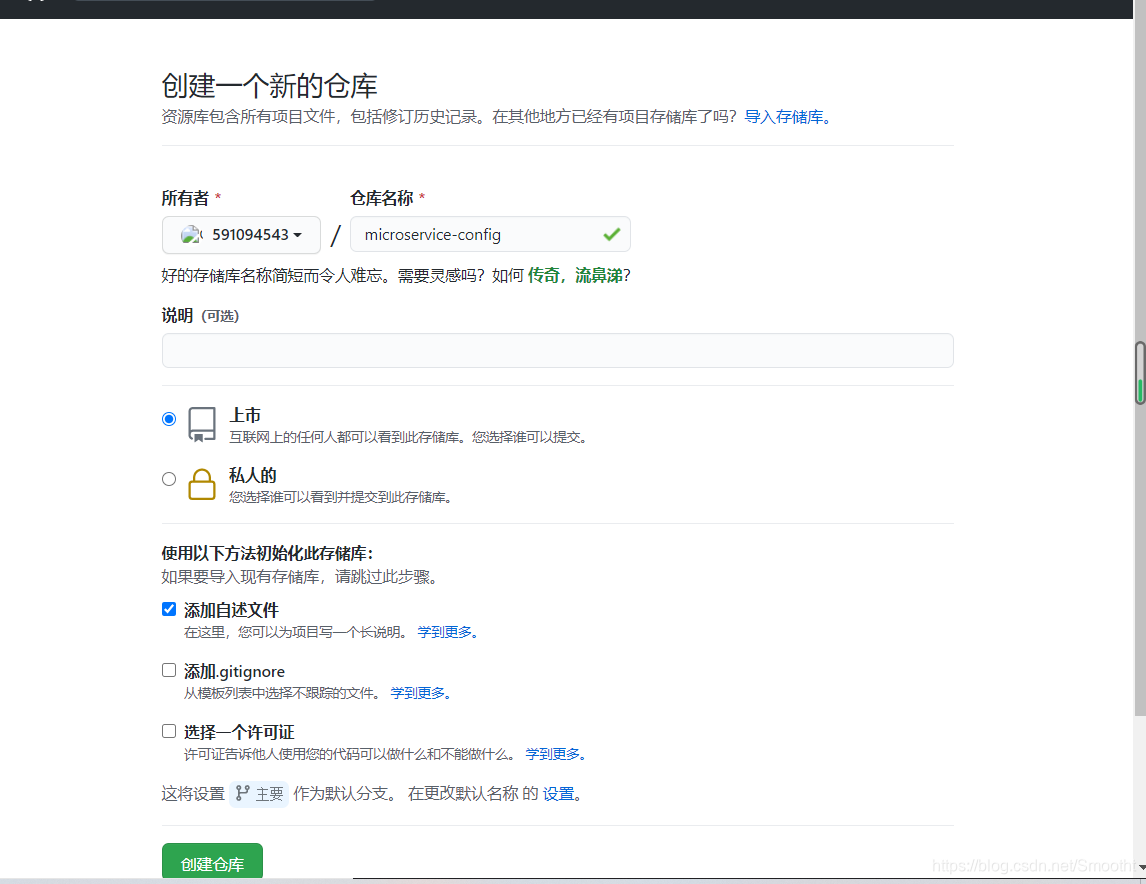
建个仓库 microservice-config 然后 Git下载本地;
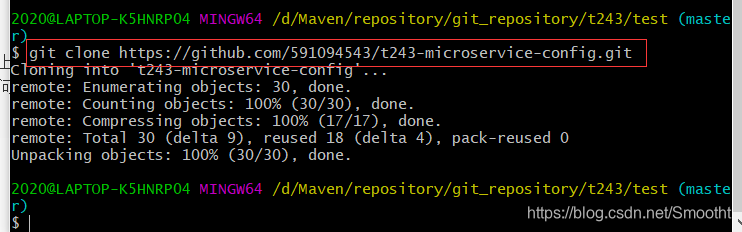
在本地进行远程下载
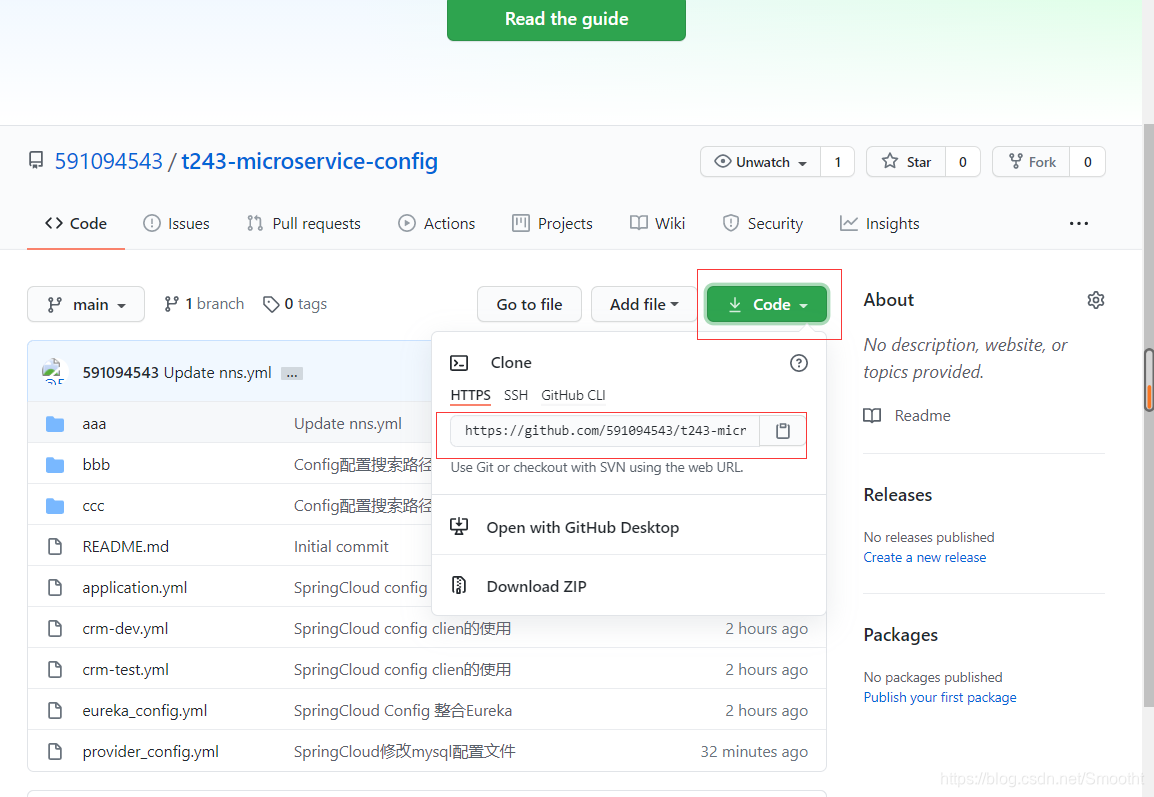
自己找个路径进行远程下载
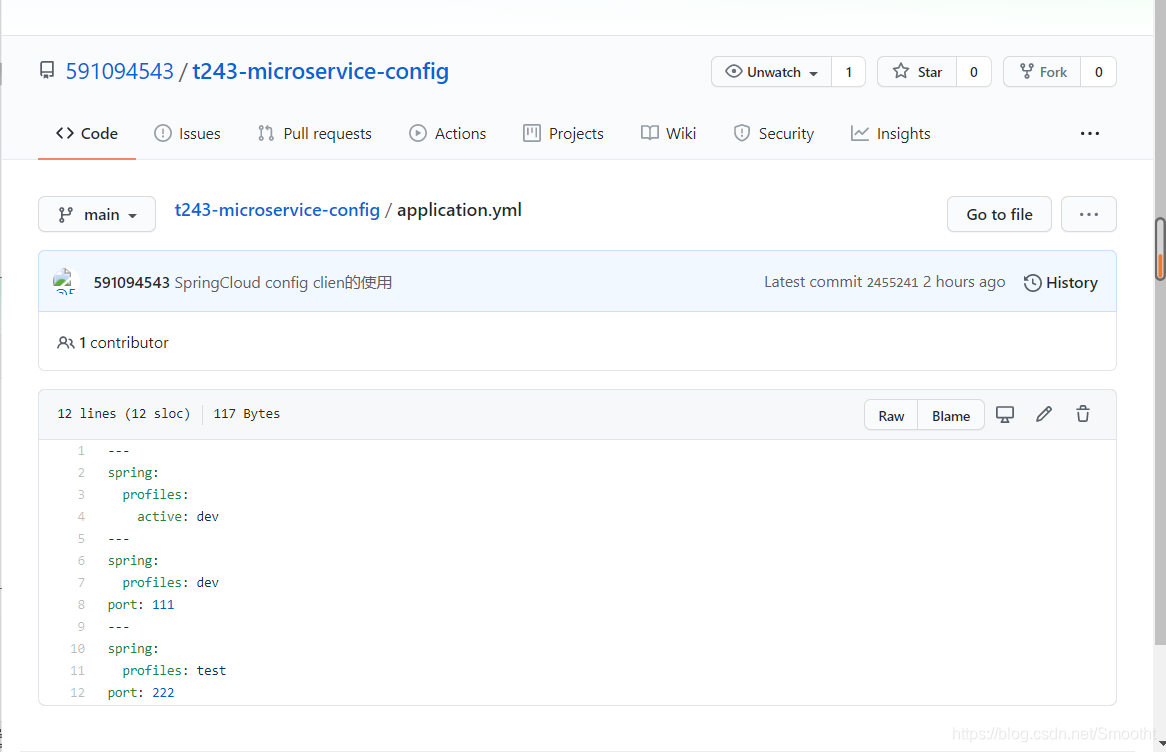
上传一个配置文件上到git仓库,application.yml 记住要utf-8编码,否则乱码,解析各种问题;这里可以在yml文件中上传profile: hello 我这边直接把后续全部上传了
这里只要能够读取到配置就可以了(传的数据在下面有写出来)
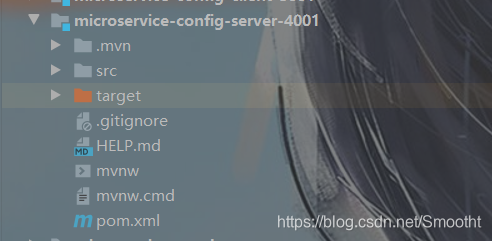
新建module:microservice-config-server-4001
加入pom.xml依赖
这里面继承了父工程
<?xml version="1.0" encoding="UTF-8"?>
<project xmlns="http://maven.apache.org/POM/4.0.0" xmlns:xsi="http://www.w3.org/2001/XMLSchema-instance"
         xsi:schemaLocation="http://maven.apache.org/POM/4.0.0 https://maven.apache.org/xsd/maven-4.0.0.xsd">
    <modelVersion>4.0.0</modelVersion>
    <parent>
        <groupId>com.tanle</groupId>
        <artifactId>microservice</artifactId>
        <version>1.0-SNAPSHOT</version>
    </parent>

    <artifactId>microservice-config-server-4001</artifactId>

    <properties>
        <java.version>1.8</java.version>
    </properties>

    <dependencies>
        <dependency>
            <groupId>org.springframework.boot</groupId>
            <artifactId>spring-boot-starter</artifactId>
        </dependency>

        <dependency>
            <groupId>org.springframework.boot</groupId>
            <artifactId>spring-boot-starter-test</artifactId>
            <scope>test</scope>
            <exclusions>
                <exclusion>
                    <groupId>org.junit.vintage</groupId>
                    <artifactId>junit-vintage-engine</artifactId>
                </exclusion>
            </exclusions>
        </dependency>

        <dependency>
            <groupId>org.springframework.cloud</groupId>
            <artifactId>spring-cloud-config-server</artifactId>
        </dependency>
        <dependency>
            <groupId>org.testng</groupId>
            <artifactId>testng</artifactId>
            <version>7.3.0</version>
            <scope>test</scope>
        </dependency>
    </dependencies>

    <build>
        <plugins>
            <plugin>
                <groupId>org.springframework.boot</groupId>
                <artifactId>spring-boot-maven-plugin</artifactId>
            </plugin>
        </plugins>
    </build>

</project>
在启动类中加入注解
@EnableConfigServer
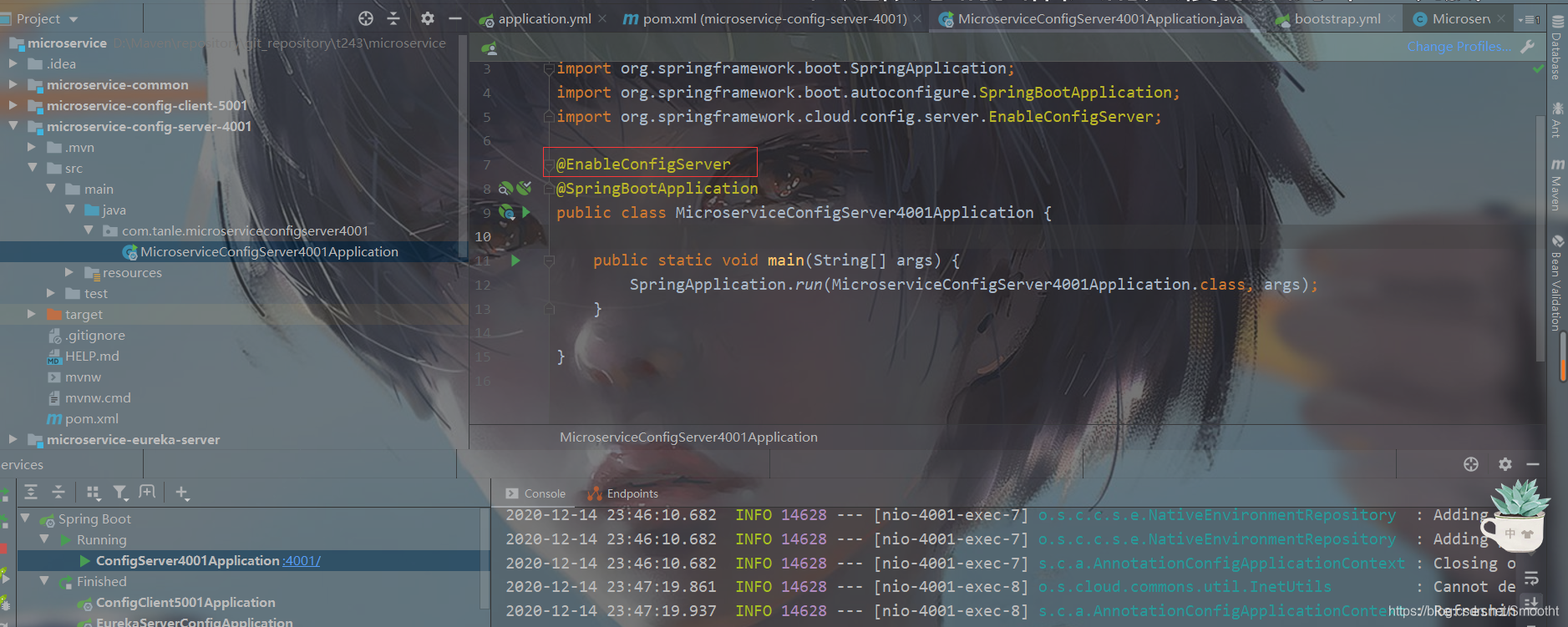
然后搞仓库的http地址

然后项目的application.yml配置下:
这里面我们主要是配置git请求地址
server:
  port: 4001

spring:
  application:
    name:  microservice-config
  cloud:
    config:
      server:
        git:
          uri: https://github.com/591094543/t243-microservice-config.git
          default-label: main  #加入这个配置就可以正常请求到git上的配置文件了
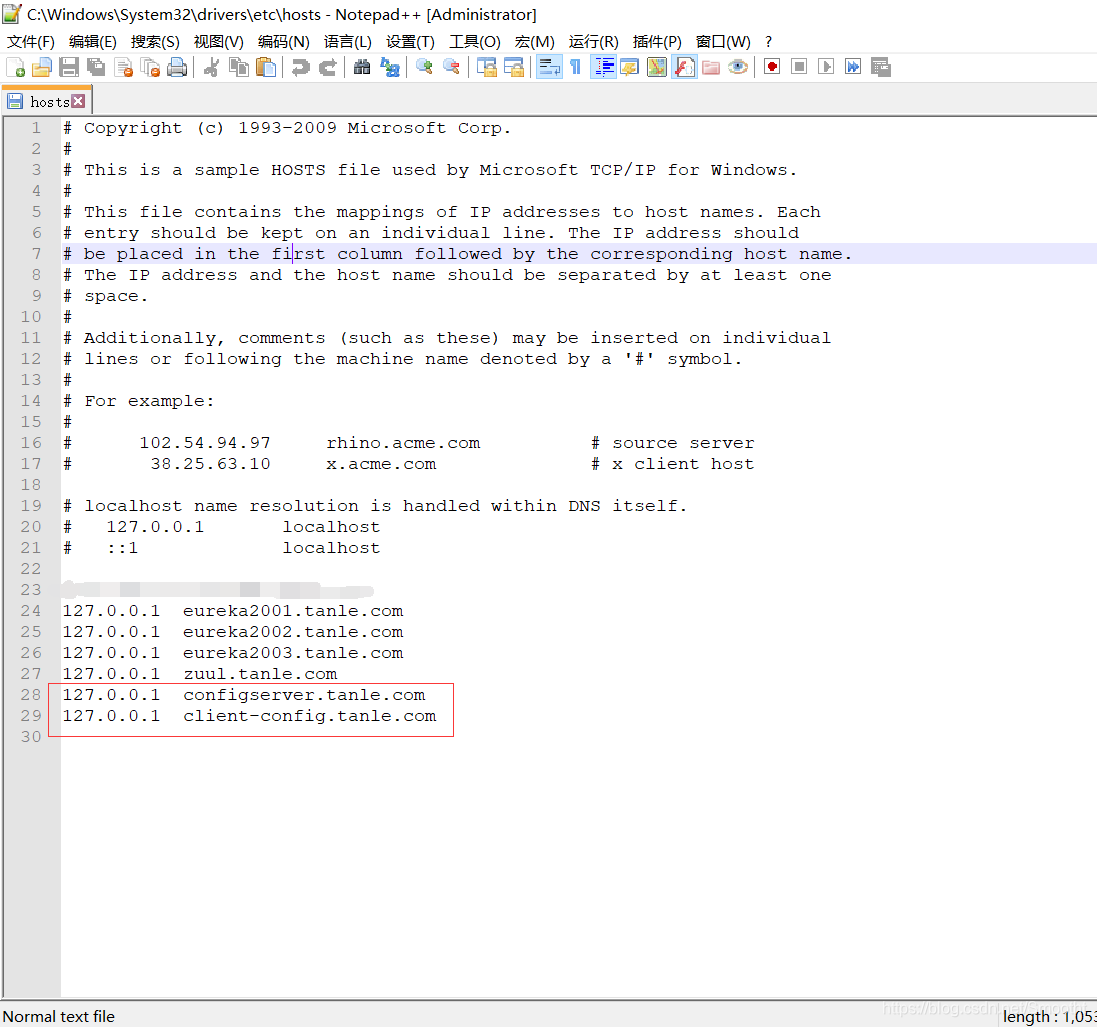
在本地Hosts添加本地域名映射
127.0.0.1 configserver.tanle.com
127.0.0.1 client-config.tanle.com(这个是client所需的本地域名)
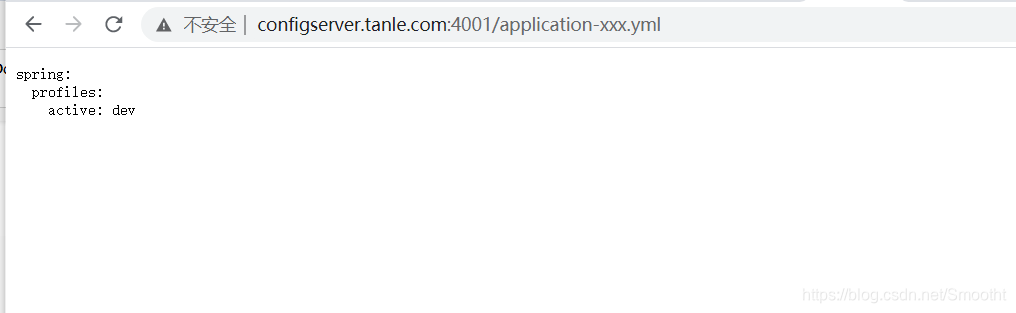
启动项目请求
http://configserver.tanle.com:4001/application-xxx.yml
Config Client基本使用
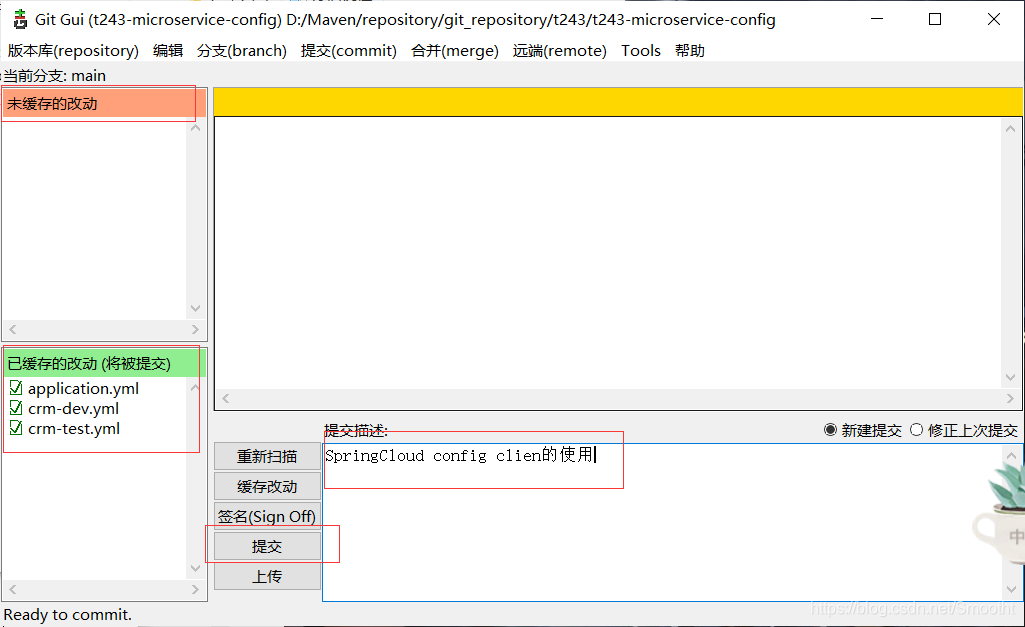
根据前面的config原理图,我们需要建立Client端调用server端,最终实现client端获取远程git配置信息,我们提交三个配置文件到远程git库
application.yml
---
spring:
  profiles:
    active: dev
---
spring:
  profiles: dev
port: 111
---
spring:
  profiles: test
port: 222
crm-dev.yml
port:
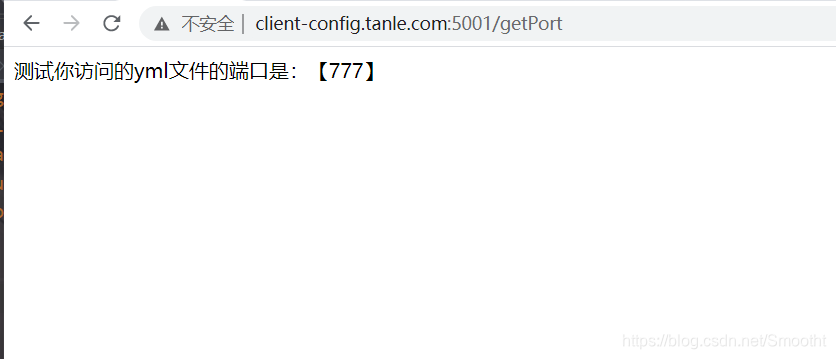
  777
crm-test.yml
port:
  888

通过git可视化提交
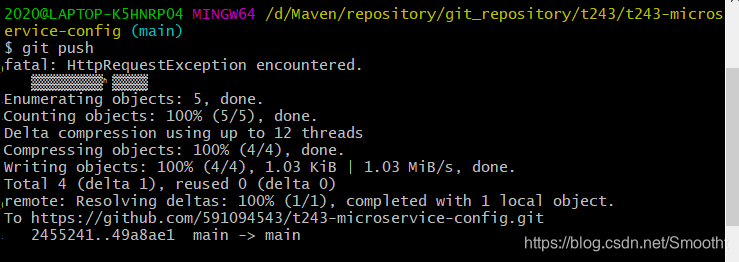
提交完进行push
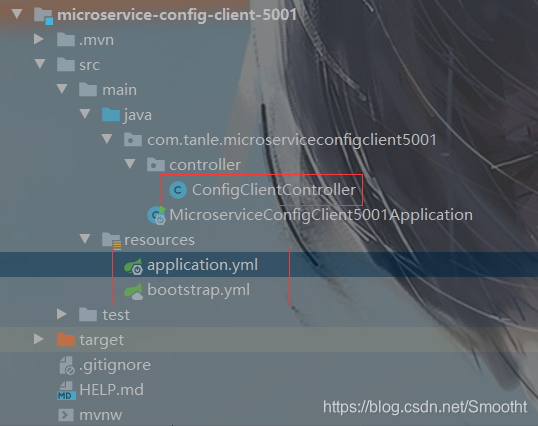
然后我们新建一个module microservice-config-client-5001

pom.xml依赖
<?xml version="1.0" encoding="UTF-8"?>
<project xmlns="http://maven.apache.org/POM/4.0.0" xmlns:xsi="http://www.w3.org/2001/XMLSchema-instance"
         xsi:schemaLocation="http://maven.apache.org/POM/4.0.0 https://maven.apache.org/xsd/maven-4.0.0.xsd">
    <modelVersion>4.0.0</modelVersion>
    <parent>
        <groupId>com.tanle</groupId>
        <artifactId>microservice</artifactId>
        <version>1.0-SNAPSHOT</version>
    </parent>

    <artifactId>microservice-config-client-5001</artifactId>

    <properties>
        <java.version>1.8</java.version>
    </properties>

    <dependencies>
        <dependency>
            <groupId>org.springframework.boot</groupId>
            <artifactId>spring-boot-starter</artifactId>
        </dependency>

        <dependency>
            <groupId>org.springframework.boot</groupId>
            <artifactId>spring-boot-starter-test</artifactId>
            <scope>test</scope>
        </dependency>

        <dependency>
            <groupId>org.springframework.cloud</groupId>
            <artifactId>spring-cloud-starter-config</artifactId>
        </dependency>
        <dependency>
            <groupId>org.springframework.boot</groupId>
            <artifactId>spring-boot-starter-tomcat</artifactId>
        </dependency>
        <dependency>
            <groupId>org.springframework.boot</groupId>
            <artifactId>spring-boot-starter-web</artifactId>
        </dependency>
        <dependency>
            <groupId>org.testng</groupId>
            <artifactId>testng</artifactId>
            <version>7.3.0</version>
            <scope>test</scope>
        </dependency>

    </dependencies>

    <build>
        <plugins>
            <plugin>
                <groupId>org.springframework.boot</groupId>
                <artifactId>spring-boot-maven-plugin</artifactId>
            </plugin>
        </plugins>
    </build>

</project>
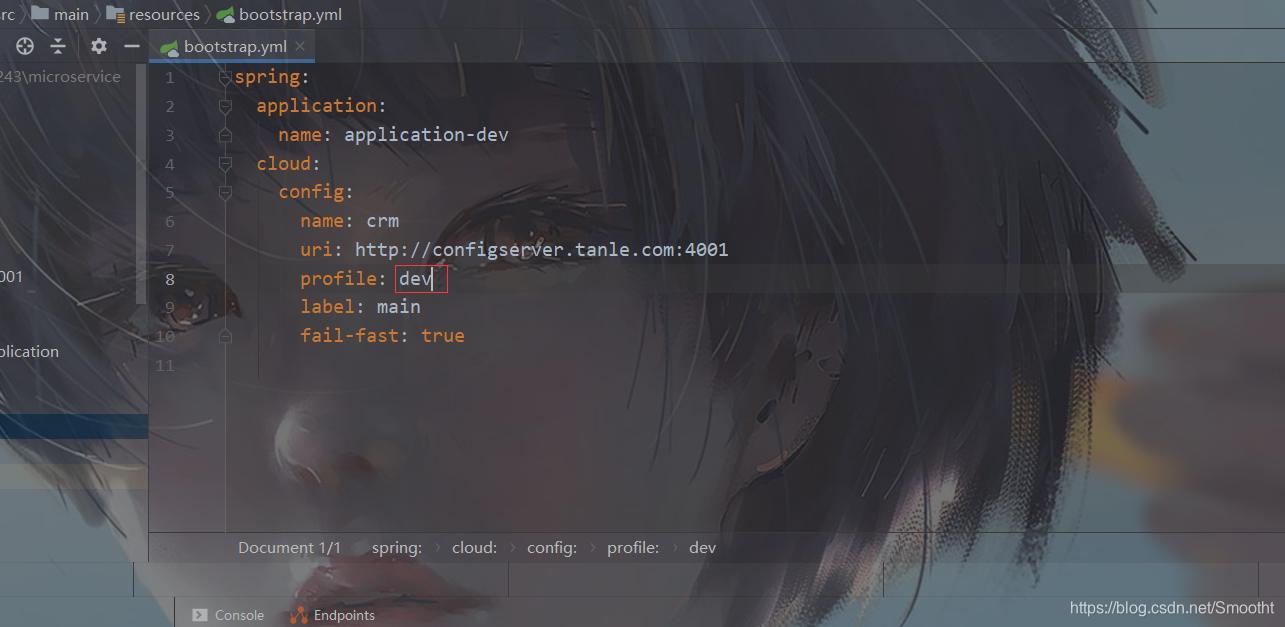
我们项目启动的时候,就要调用server config端,获取配置信息,所以这里要bootstrap.yml配置文件,优先级最高:
创建一个bootstrap.yml
spring:
  application:
    name: application-dev
  cloud:
    config:
      name: crm
      uri: http://configserver.tanle.com:4001
      profile: test
      label: master
      fail-fast: true
application.yml
server:
  port: 5001
  context-path: /
再搞一个 ConfigClientController 类 测试显示端口
package com.javaxl.microserviceconfigclient5001.controller;

import org.springframework.beans.factory.annotation.Value;
import org.springframework.web.bind.annotation.GetMapping;
import org.springframework.web.bind.annotation.RestController;

@RestController
public class ConfigClientController {

    @Value("${port}")
    private String port;

    @GetMapping("/getPort")
    public String getPort() {
        return "测试你访问的yml文件的端口是:【"+port+"】";
    }

}
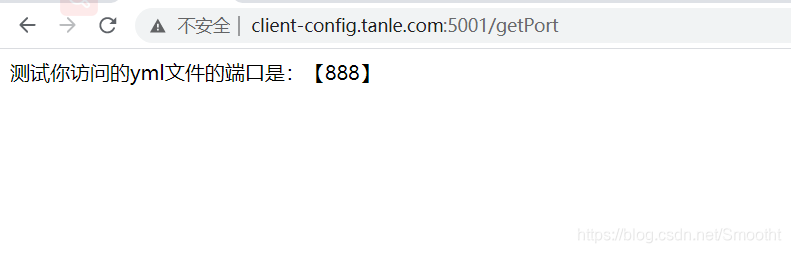
启动项目,进行页面访问
http://client-config.tanle.com:5001/getPort
即可获取远程端口配置信息;
这里是因为配置文件获取的test文件所以端口为888
改成dev
Config整合Eureka
我们现在搞个实例来演示下,eureka整合config以及服务器提供者整合config,这样大伙可以举一反一,方便理解;
首先是eureka整合config
我们先搞个配置文件到git
spring:
  profiles:
    active:
    - dev
---
server:
  port: 2004
  context-path: /
spring:
  profiles: dev
eureka:
  instance:
    hostname: localhost
  client:
    register-with-eureka: false
    fetch-registry: false
    service-url:
      defaultZone: http://${eureka.instance.hostname}:${server.port}/eureka/
---
server:
  port: 2005
  context-path: /
spring:
  profiles: test
eureka:
  instance:
    hostname: localhost
  client:
    register-with-eureka: false
    fetch-registry: false
    service-url:
      defaultZone: http://${eureka.instance.hostname}:${server.port}/eureka/
新建module microservice-eureka-server-config

pom.xml
<?xml version="1.0" encoding="UTF-8"?>
<project xmlns="http://maven.apache.org/POM/4.0.0" xmlns:xsi="http://www.w3.org/2001/XMLSchema-instance"
         xsi:schemaLocation="http://maven.apache.org/POM/4.0.0 https://maven.apache.org/xsd/maven-4.0.0.xsd">
    <modelVersion>4.0.0</modelVersion>
    <parent>
        <groupId>com.tanle</groupId>
        <artifactId>microservice</artifactId>
        <version>1.0-SNAPSHOT</version>
    </parent>

    <artifactId>microservice-eureka-server-config</artifactId>

    <properties>
        <java.version>1.8</java.version>
    </properties>

    <dependencies>
        <dependency>
            <groupId>org.springframework.boot</groupId>
            <artifactId>spring-boot-starter</artifactId>
        </dependency>

        <dependency>
            <groupId>org.springframework.boot</groupId>
            <artifactId>spring-boot-starter-test</artifactId>
            <scope>test</scope>
        </dependency>

        <dependency>
            <groupId>org.springframework.cloud</groupId>
            <artifactId>spring-cloud-starter-config</artifactId>
        </dependency>
        <dependency>
            <groupId>org.springframework.cloud</groupId>
            <artifactId>spring-cloud-starter-eureka-server</artifactId>
        </dependency>
        <dependency>
            <groupId>org.testng</groupId>
            <artifactId>testng</artifactId>
            <version>7.3.0</version>
            <scope>test</scope>
        </dependency>


    </dependencies>

    <build>
        <plugins>
            <plugin>
                <groupId>org.springframework.boot</groupId>
                <artifactId>spring-boot-maven-plugin</artifactId>
            </plugin>
        </plugins>
    </build>

</project>
bootstrap.yml
spring:
  application:
    name: microservice-eureka-server-config
  cloud:
    config:
      name: eureka_config
      uri: http://configserver.tanle.com:4001  # 配置configserver地址
      profile: dev  # 级别
      label: main
application.yml
spring:
  application:
    name: microservice-eureka-server-config
在启动类中加入注解
@EnableEurekaServer
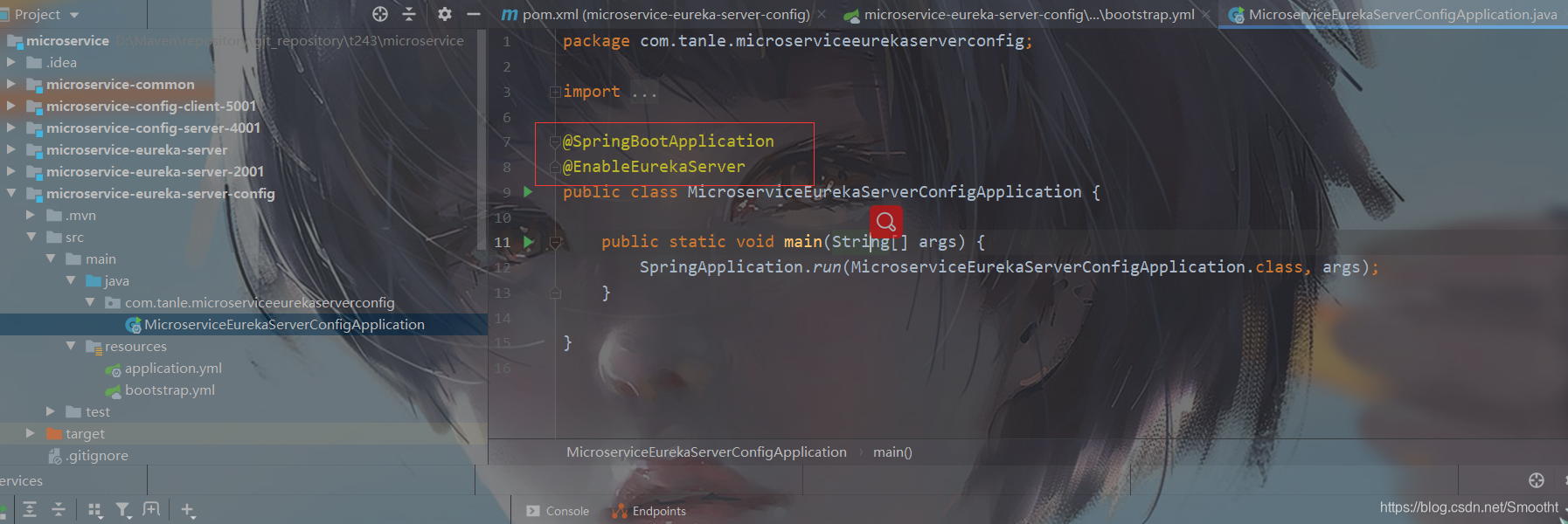
我们启动 microservice-config-server-4001
再启动 microservice-eureka-server-config
测试连接
http://localhost:2004/ 或
http://eureka2001.tanle.com:2004/
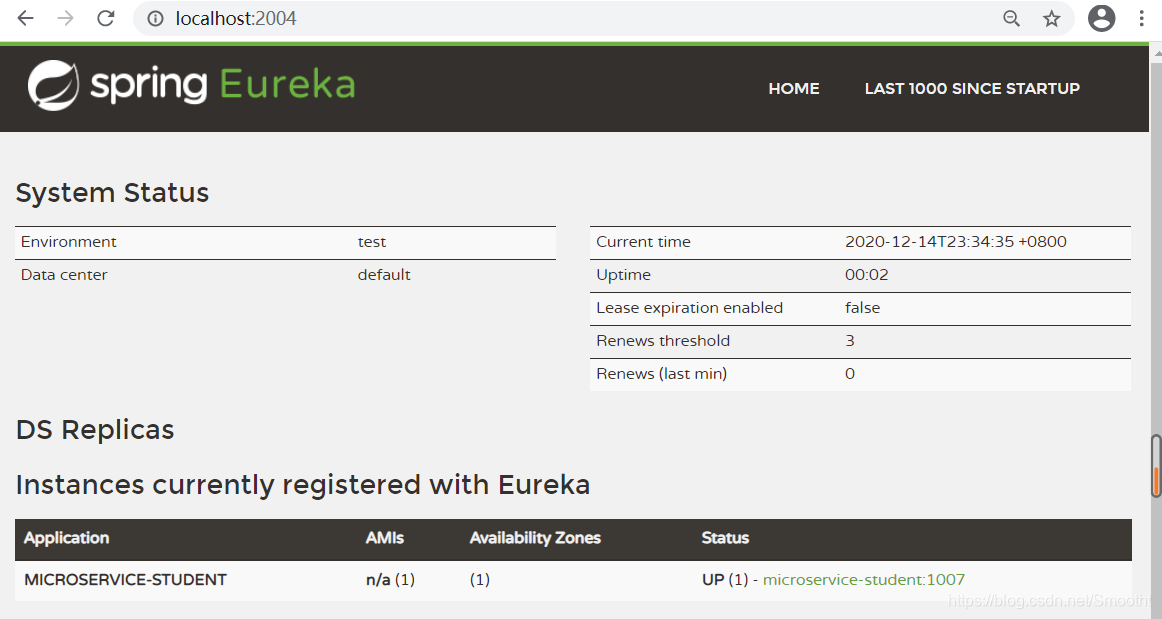
说明成功读取远程Git配置,然后eureka启动OK
然后我们就是把服务提供者和config整合,把服务提供者注册到eureka;
我们搞个配置provider_config.yml,push到提交到远程GIT
spring:
  profiles:
    active: dev
---
server:
  port: 1007
  context-path: /

# 数据源配置
spring:
  profiles: dev
  application:
    name: microservice-student
  datasource:
    type: com.alibaba.druid.pool.DruidDataSource
    driver-class-name: com.mysql.jdbc.Driver
    url: jdbc:mysql://localhost:3306/tanle?useUnicode=true&characterEncoding=utf8
    username: root
    password:
  jpa:
    hibernate:
      ddl-auto: update
    show-sql: true

eureka:
  instance:
    hostname: localhost
    appname: microservice-student
    instance-id: microservice-student:1007
    prefer-ip-address: true
  client:
    service-url:
      defaultZone: http://localhost:2004/eureka

info:
  groupId: com.tanle.t243Springcloud
  artifactId: microservice-student-provider-config-1007
  version: 1.0-SNAPSHOT
  userName: http://tanle.com
  phone: 123456
---
server:
  port: 1008
  context-path: /

# 数据源配置
spring:
  profiles: test
  application:
    name: microservice-student
  datasource:
    type: com.alibaba.druid.pool.DruidDataSource
    driver-class-name: com.mysql.jdbc.Driver
    url: jdbc:mysql://localhost:3306/tanle?useUnicode=true&characterEncoding=utf8
    username: root
    password:
  jpa:
    hibernate:
      ddl-auto: update
    show-sql: true

eureka:
  instance:
    hostname: localhost
    appname: microservice-student
    instance-id: microservice-student:1008
    prefer-ip-address: true
  client:
    service-url:
      defaultZone: http://localhost:2004/eureka

info:
  groupId: com.tanle.t243Springcloud
  artifactId: microservice-student-provider-config-1008
  version: 1.0-SNAPSHOT
  userName: http://tanle.com
  phone: 123456
新建module:microservice-student-provider-config
pom.xml
<?xml version="1.0" encoding="UTF-8"?>
<project xmlns="http://maven.apache.org/POM/4.0.0" xmlns:xsi="http://www.w3.org/2001/XMLSchema-instance"
         xsi:schemaLocation="http://maven.apache.org/POM/4.0.0 https://maven.apache.org/xsd/maven-4.0.0.xsd">
    <modelVersion>4.0.0</modelVersion>
    <parent>
        <groupId>com.tanle</groupId>
        <artifactId>microservice</artifactId>
        <version>1.0-SNAPSHOT</version>
    </parent>

    <artifactId>microservice-student-provider-config</artifactId>

    <properties>
        <java.version>1.8</java.version>
    </properties>

    <dependencies>
        <dependency>
            <groupId>org.springframework.boot</groupId>
            <artifactId>spring-boot-starter-web</artifactId>
        </dependency>
        <dependency>
            <groupId>org.springframework.boot</groupId>
            <artifactId>spring-boot-starter-test</artifactId>
            <scope>test</scope>
        </dependency>
        <dependency>
            <groupId>org.springframework.boot</groupId>
            <artifactId>spring-boot-starter-data-jpa</artifactId>
        </dependency>
        <dependency>
            <groupId>mysql</groupId>
            <artifactId>mysql-connector-java</artifactId>
        </dependency>
        <dependency>
            <groupId>org.springframework.boot</groupId>
            <artifactId>spring-boot-starter-tomcat</artifactId>
        </dependency>
        <dependency>
            <groupId>com.alibaba</groupId>
            <artifactId>druid-spring-boot-starter</artifactId>
        </dependency>
        <!--  修改后立即生效,热部署  -->
        <dependency>
            <groupId>org.springframework</groupId>
            <artifactId>springloaded</artifactId>
        </dependency>
        <dependency>
            <groupId>org.springframework.boot</groupId>
            <artifactId>spring-boot-devtools</artifactId>
        </dependency>

        <!--添加注册中心Eureka相关配置-->
        <dependency>
            <groupId>org.springframework.cloud</groupId>
            <artifactId>spring-cloud-starter-eureka</artifactId>
        </dependency>

        <!-- actuator监控引入 -->
        <dependency>
            <groupId>org.springframework.boot</groupId>
            <artifactId>spring-boot-starter-actuator</artifactId>
        </dependency>
        <dependency>
            <groupId>org.springframework.cloud</groupId>
            <artifactId>spring-cloud-starter-config</artifactId>
        </dependency>
        <dependency>
            <groupId>org.testng</groupId>
            <artifactId>testng</artifactId>
            <version>7.3.0</version>
            <scope>test</scope>
        </dependency>
    </dependencies>

    <build>
        <plugins>
            <plugin>
                <groupId>org.springframework.boot</groupId>
                <artifactId>spring-boot-maven-plugin</artifactId>
            </plugin>
        </plugins>
    </build>

</project>
bootstrap.yml
spring:
  application:
    name: microservice-student-provider-config
  cloud:
    config:
      name: provider_config
      uri: http://configserver.tanle.com:4001  # 配置configserver地址
      profile: dev  # 级别
      label: main
application.yml
spring:
  application:
    name: microservice-student-provider-config
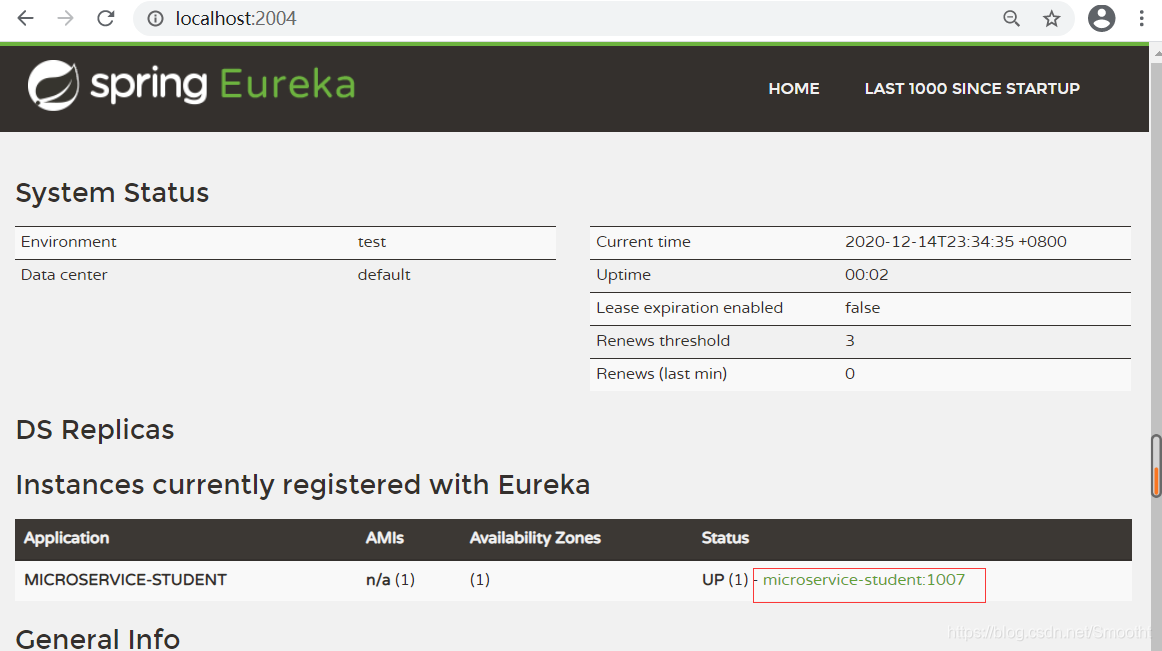
启动下这个项目
说明成功注册到服务注册中心了
Config配置搜索路径
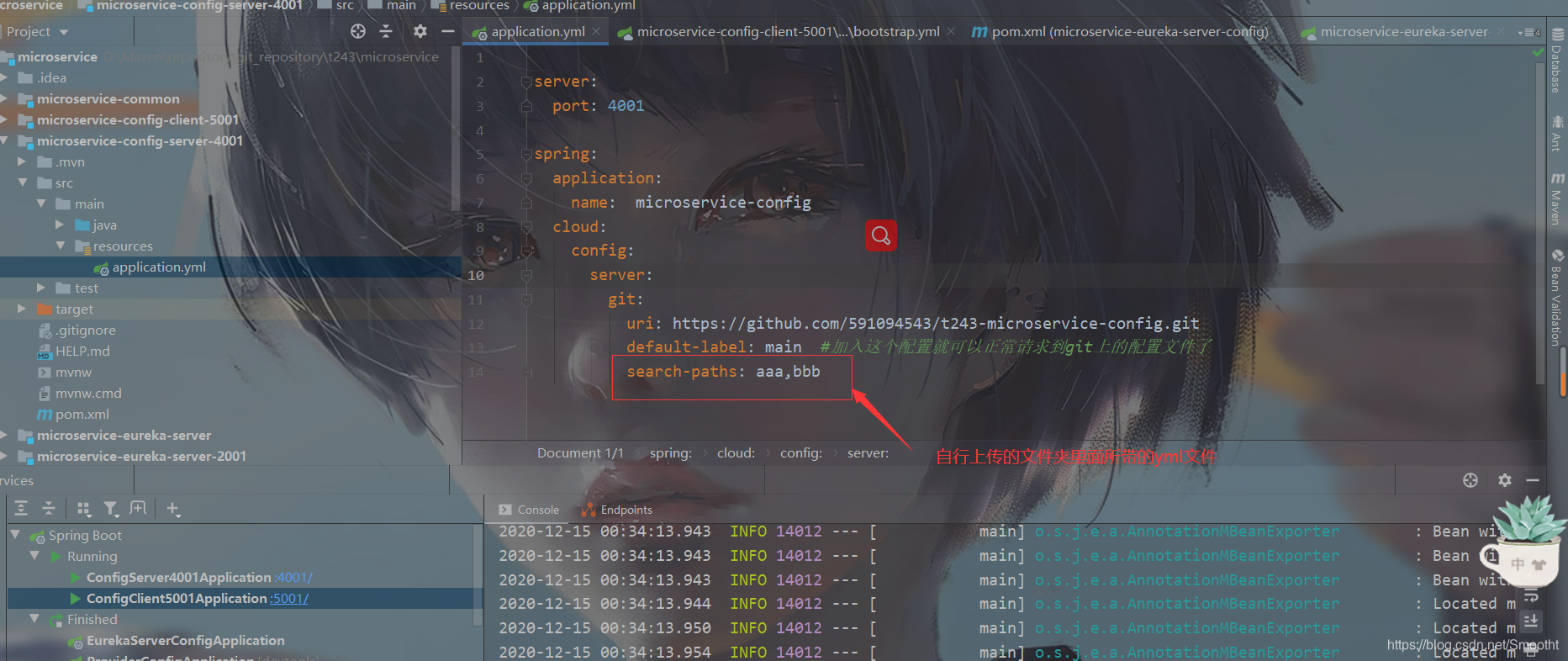
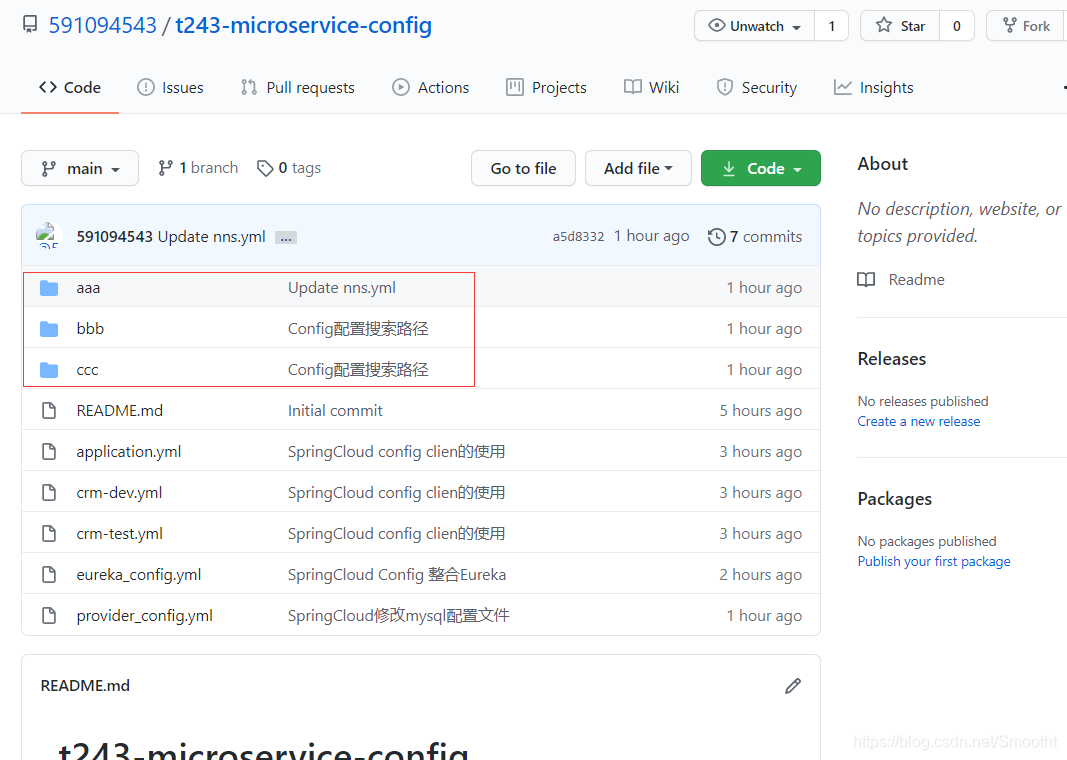
前面我们所有的GIT远程端配置文件都是跟目录的,所有请求默认都是根目录,但是有时候,项目很多,配置文件需要根据子目录来划分,这时候,就需要来配置搜索路径了;比如aaa项目的配置文件放aaa目录下,bbb项目的配置文件放bbb目录下,不配置的话 是找不到的那些配置文件的,我们需要配置search-paths属性实现;
microservice-config-server-4001 configserver端 加个配置
search-paths: aaa,bbb
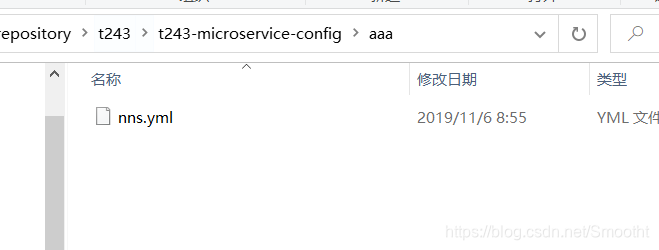
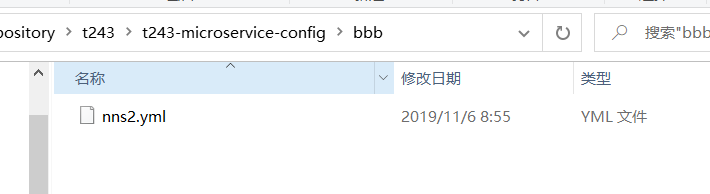
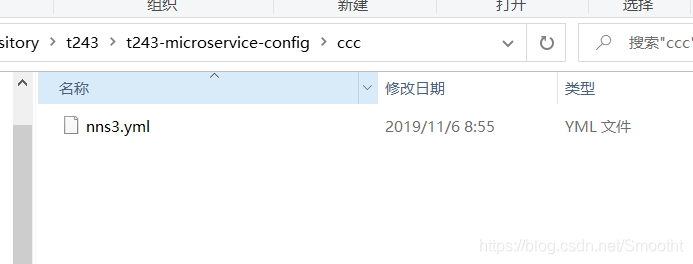
分别搞3个目录aaa,bbb,ccc 里面分别放3个配置文件 nns.yml,nns2.yml,nn3.yml;
配置内容大体差不多,随便写
spring:
  profiles:
    active: dev
---
spring:
  profiles: dev
name: aaadev
---
spring:
  profiles: test
name: aaatest
然后传到远端git
我们启动:microservice-config-server-4001
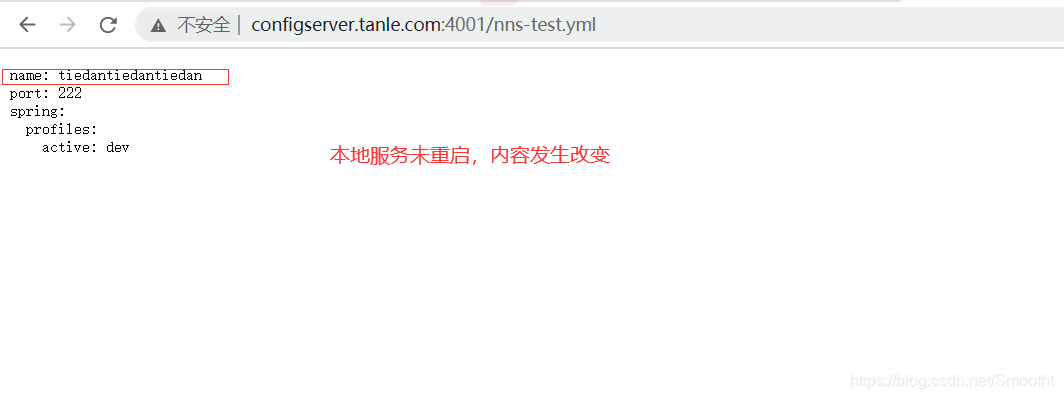
浏览器:http://configserver.javaxl.com:4001/nns-test.yml
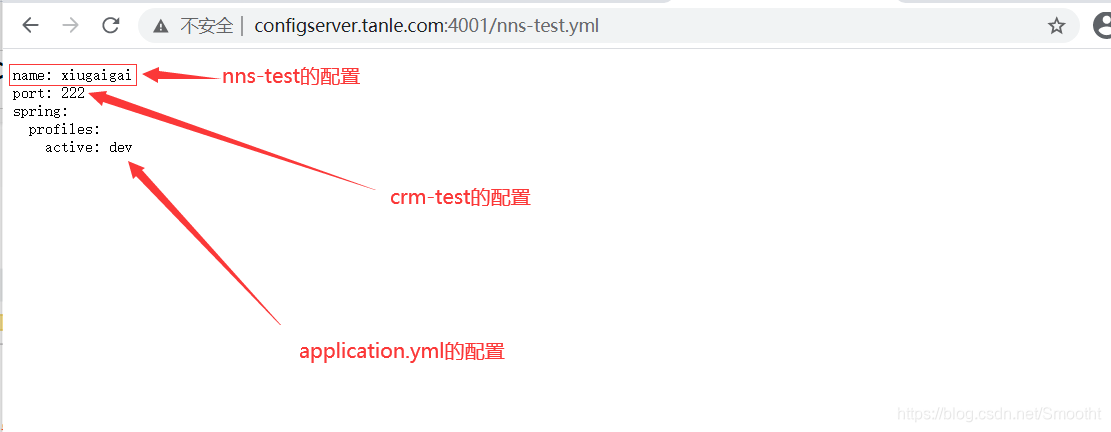
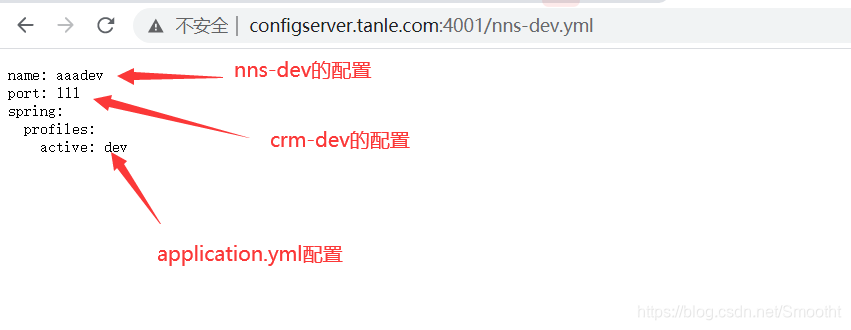
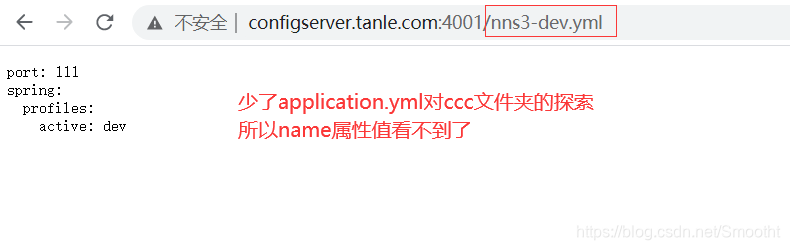
config有个强大之处,本地服务不需要重启,可以直接更改github的托管网站的配置,内容直接发生改变
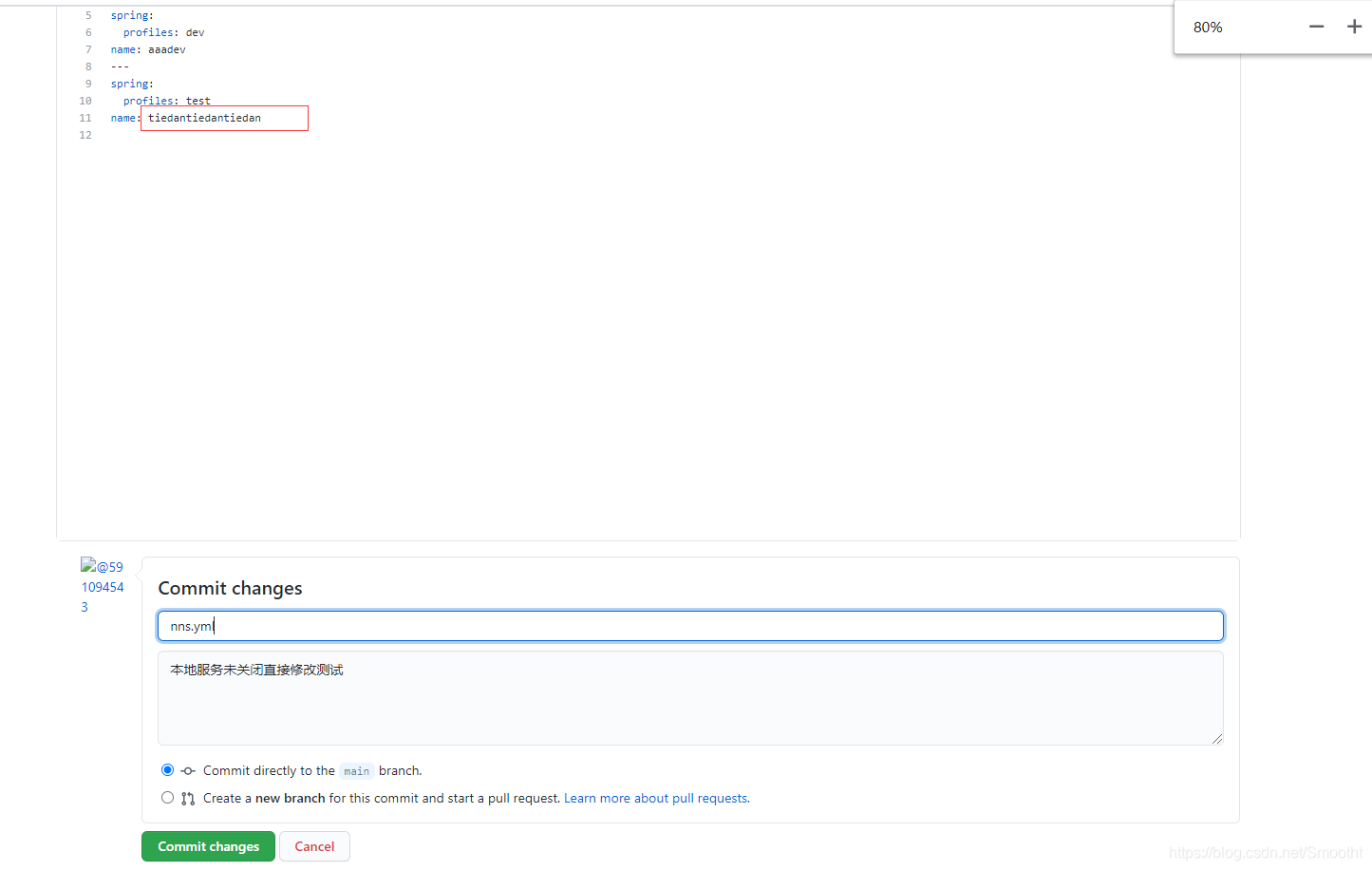
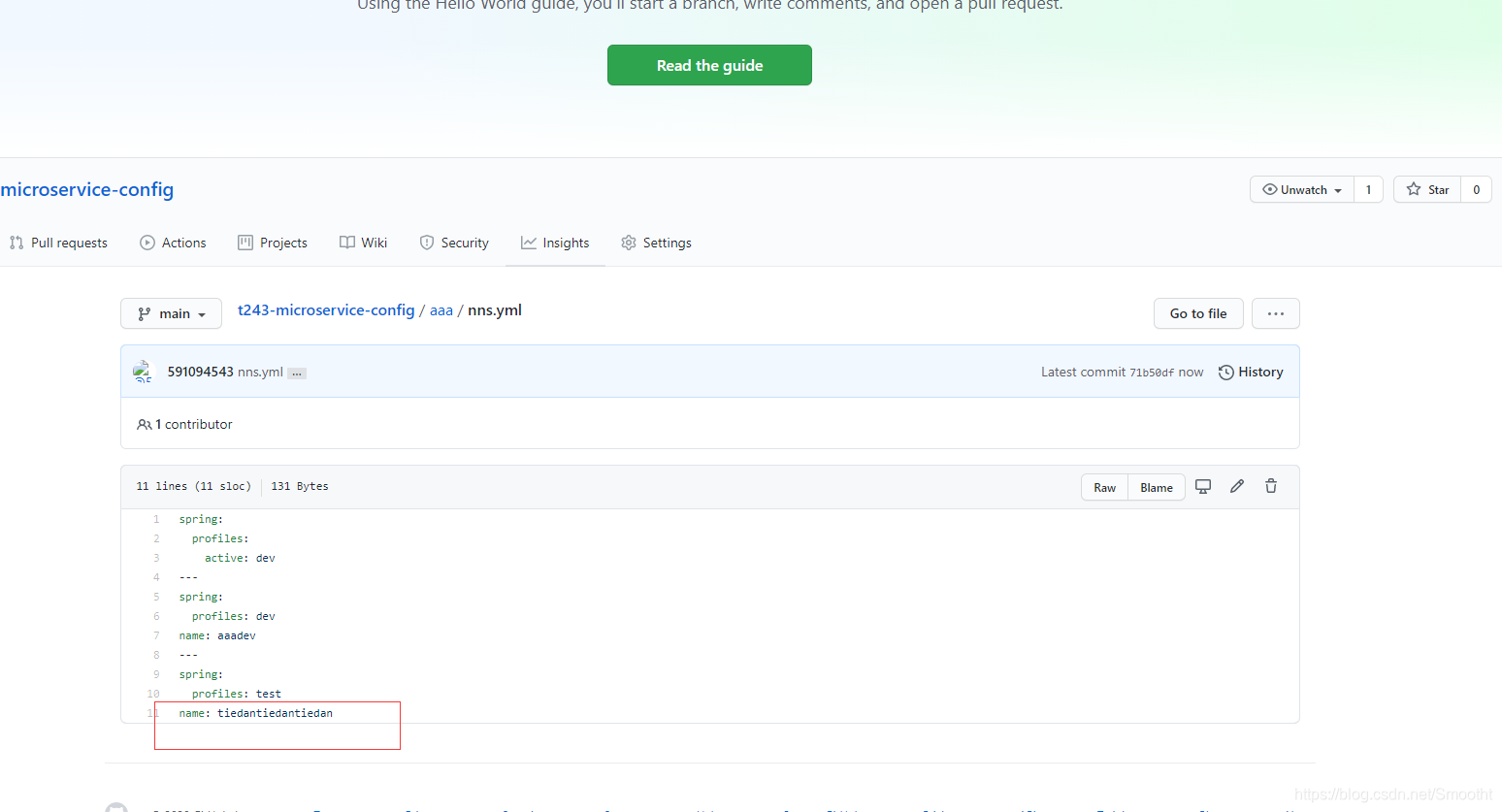
测试结果

 440


 扫一扫


 被折叠的 条评论
为什么被折叠?
 到【灌水乐园】发言


